Trending Lyricist I
March 2, 2024
Answered

Line-In Not Registering With Connect

  • March 2, 2024
  • 21 replies
  • 1624 views

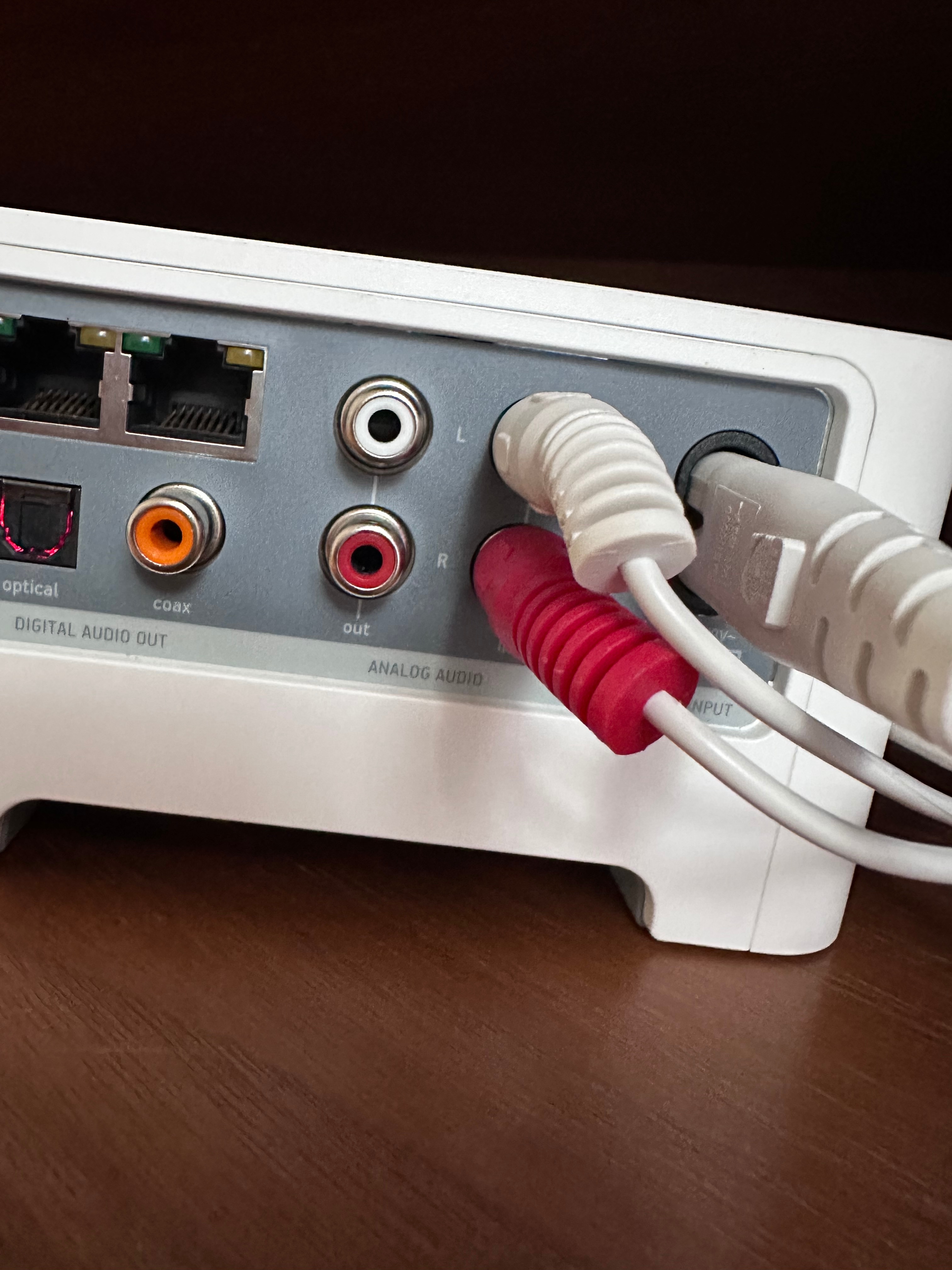
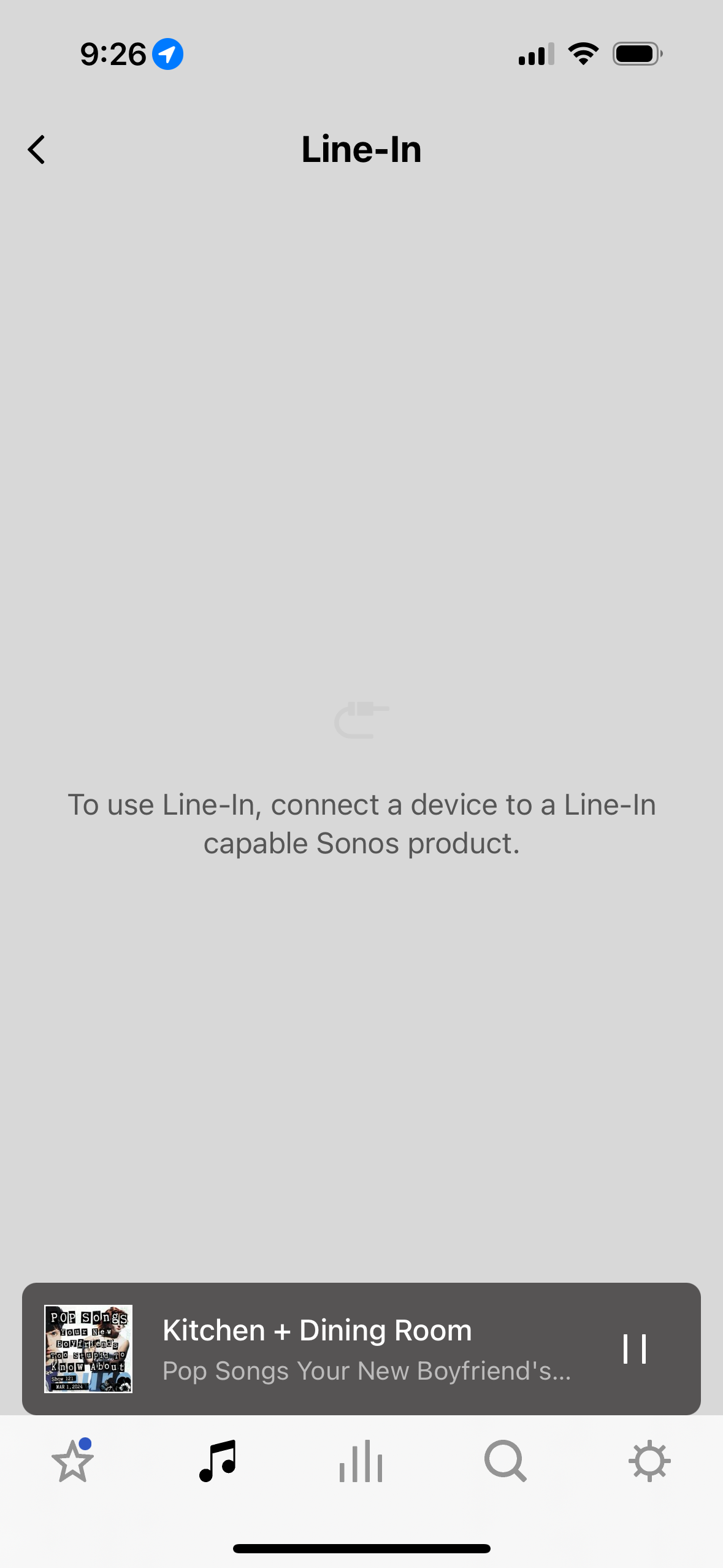
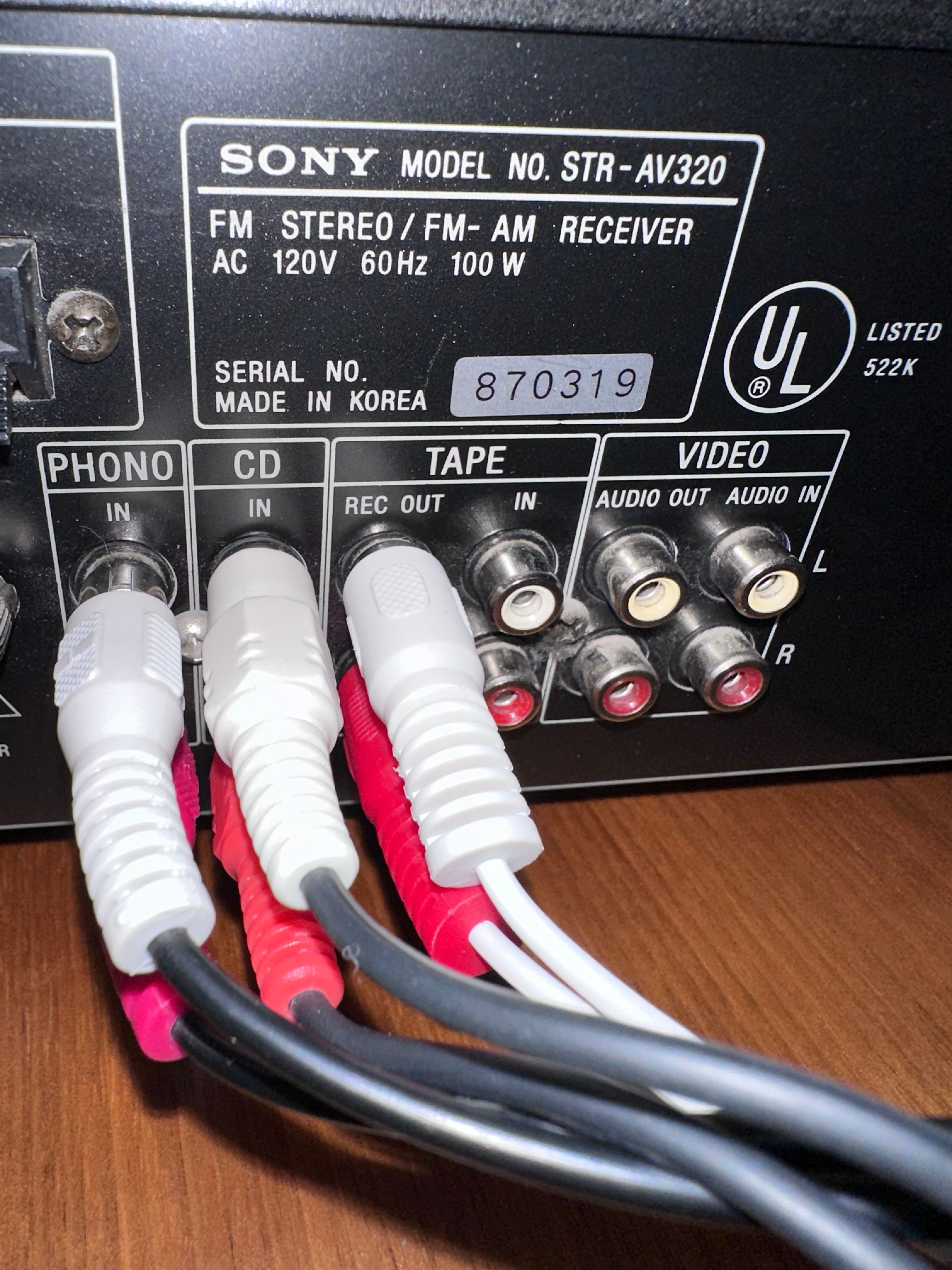
Hello! I just moved and got a new router. In the process of getting everything hooked up I’m having a line-in problem. My system is Sonos One, Play:3, and Connect - which I have hooked up to my receiver. I have my Connect hooked up exactly the same as it was before but my line in is no longer working. Everything but the connect is working. I get the message in the attached photo when I try to use my line-in. I was on the phone with Sonos for almost an hour last night and couldn’t get the issue solved. All hookups have been checked and double checked for a firm connection so that’s not the issue.   Hoping the community can help! You’ve saved me so many other times! 
 

This topic has been closed for further comments. You can use the search bar to find a similar topic, or create a new one by clicking Create Topic at the top of the page.
Best answer by Schlumpf

@dawnhorrell 

Ok, I understand… you just use it as a line in. So I think you will have to wait what Sonos support can see in the diag. 
If the problem can’t be fixed and the Connect is broken, you can use any other Sonos device that supports line in option. 
That could be a Sonos Five or one of the Sonos Era models (100 or 300). A Sonos Port (replaced the Connect) imho would be an overkill just to be used as a line in) and for a Sonos Amp as you said is no need on your side at all. 
An Era100 with the Sonos USB C - line in adapter would be the cheapest alternative and bring another speaker to your system. 
But first let’s cross fingers that your Connect can be fixed. 

21 replies

Airgetlam
March 2, 2024

The only thing I’d suggest is trying another cable between the two devices. It certainly looks fine, other than that odd bend on the white cable going in to the Sonos. 

Bruce
Trending Lyricist I
March 2, 2024

Thanks Bruce! I did try another cable and still nothing. It’s so frustrating. This was all working fine before the move. And I even moved all my stereo equipment to make sure it stayed safe. Maybe the connect isn’t working anymore? 

AjTrek1
March 2, 2024

Hi

Are sure you have the correct cables from your amp going to the line-in for the Connect. In other words make sure you haven’t crossed the connections. It happens 😊

Edit:

I now see that the cables in question are White so therefore no cross connection. Make sure the record- out is active.

Together Everyone Achieves More = T.E.A.M.
Trending Lyricist I
March 2, 2024

Thanks. That def not the issue. I’ve checked the cables so many times. But appreciate the suggestion. 

AjTrek1
March 2, 2024

Hi…again…

As you appear to have done your due diligence to try and isolate the issue you have two options:

1. Submit a diagnostic and post the reference ID in your next post. Afterwards on Monday call Sonos Tech support to discuss the diagnostic. RECOMMENDED.

2. Your other option is to factory reset the Connect. However doing so would erase any useful information that a diagnostic might uncover. 

Together Everyone Achieves More = T.E.A.M.
Trending Lyricist I
March 2, 2024

Thanks so much. A couple of things:

diagnostic ref number: 817637027

when you say “make sure record out is active” not sure how I’d check that. I don’t have a tape deck anymore to test the connection if that’s what you mean. 

Schlumpf
Virtuoso
March 2, 2024

@dawnhorrell

As a test you can try to connect the cable comming from tape rec out to any device with line in / aux in option e. g. an active speaker or bluetooth box that also has got a cable input. 
Anyway does Sonos app show you the line in options in Connects room settings? If so, did you try autoplay for line in?

If there’s nothing detected at the line in, it should behave the same if there’s no cable plugged in and Sonos app won‘t show line in settings. 
And just to complete… the analogue line out of the Connect is working well?

Ralf
AjTrek1
March 2, 2024
Together Everyone Achieves More = T.E.A.M.
Trending Lyricist I
March 2, 2024

@Schlumpf 


thanks for the help  see notes below! 

Anyway does Sonos app show you the line in options in Connects room settings? If so, did you try autoplay for line in?

the settings for line in are grayed out and I can’t select autoplay. 

And just to complete… the analogue line out of the Connect is working well?

they were a few weeks ago  I’ve tried multiple RCAs and they aren’t working  I also tried to hook my record player up directly to the Connect And that didn’t work either (not really sure it’s supposed to but thought I’d try) 


Schlumpf
Virtuoso
March 2, 2024

@dawnhorrell 

Ok, if Connects analogue line out isn’t working too, it could be a general issue with the analogue part of the device. 
Are you able to get streaming sources to your amp via digital connection via optical or coax?

In other words does the Connect work in any way? 
 

If analogue line in and out don’t work, I suppose there’s a hardware issue. Probably support will see that in the diag. 

Ralf