
Contributor I
June 27, 2020
Question

Insufficient Connection Speed for FLAC?

  • June 27, 2020
  • 12 replies
  • 529 views

I have a NAS and a Sonos system with 15 or so components all running on SonosNet (WM:0) on Channel 1. The NAS is hardwired to my Router, as are many of the Sonos units. 

The Router doesn’t provide any WiFi itself but is hard-wired to a separate dual-band mesh WiFi system running on Channel 11 on 2.4Ghz

Playing MP3s from the NAS and internet sources works fine but when playing FLAC files from the NAS we often get "network connection speed insufficient to maintain playback buffer" dropouts and track skipping - even on the most frequently used Sonos units that are all hard-wired to the Router and are all showing Green on the left hand column of the Network Matrix. 

I assume I should be able to play FLAC files and not just MP3 and internet sources, so any idea what is most likely causing this problem?
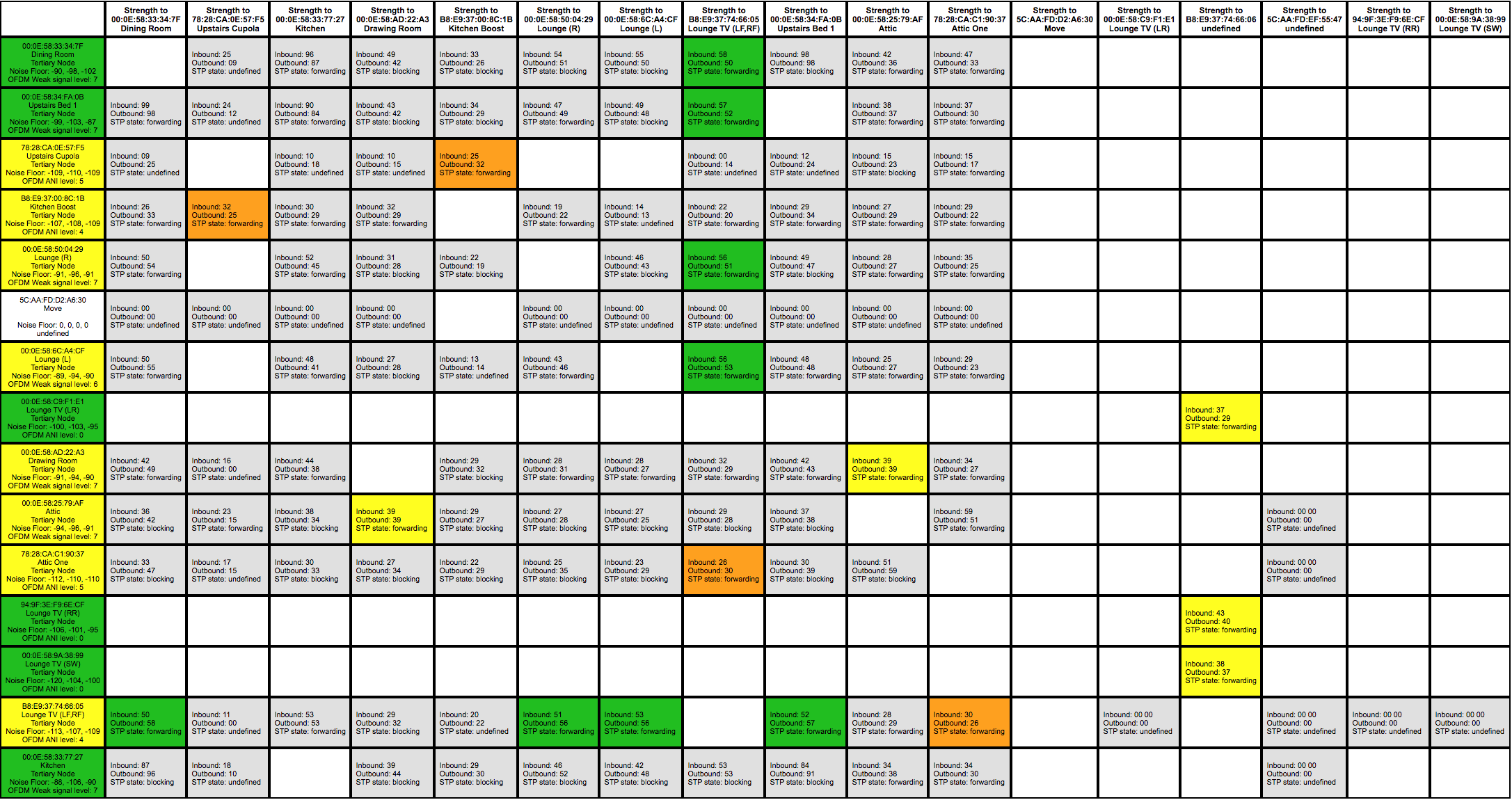
Network Matrix


    This topic has been closed for further comments. You can use the search bar to find a similar topic, or create a new one by clicking Create Topic at the top of the page.

    12 replies

    Chromatic Producer I
    June 28, 2020

    As I have said in a previous post playing flacs across many speakers became so unreliable I created a seperate library of 320 mp3 files. I suspect the adding of additional features to the software over the years and Sonos concentrating on low bitrate streaming services has brought this about. I have a clear channel for my SonosNet so I am puzzled as to why flac playing has got so poor. I have no directly wired players. The only directly wired unit is the Boost.

    busy trying to edit the queue
    Contributor I
    November 2, 2020

    @ninjabob My case seems almost same but I had problem with Wifi.
    Was getting same error for FLAC files.
    Today I switched to 5Hz from 2.4Hz wifi network, it worked. Will have to play more songs and see if this is a permanent solution for who uses wifi.