Get help with Sonos Connect, Connect:AMP, Sonos AMP, and setups using Sonance architectural, or your own speakers and components.
Recently active
I have just bought a new Port to connect my new Pro-Ject T1 turntable to my system. Installation of Port was simple with no issues.I have set the Port up as a “room” and connected the turntable via Line In. I have set up the default speakers via the app and it connects and plays as soon as I put the needle on the record. I have also set up Groups for other rooms. Kitchen is 4x ceiling speakers powered by an Amp. Bedroom is a Play 3 etc etc. I have added the Port room to the Group but when selected there is no sound in the other rooms. Any suggestions very welcome. Thanks
I have a very nice but old Yamaha turntable and a Pro-Ject S2 preamp. Just for kicks I’d thought I’d connect them to a pair of Play:5 speakers working as a stereo pair. I’ll use an 3.5mm to RCA cable to connect the speakers to the preamp. Both the preamp and the Sonos speakers have gain settings. Any advice on what to use? The Yamaha has a MM cartridge. All tips are welcome.
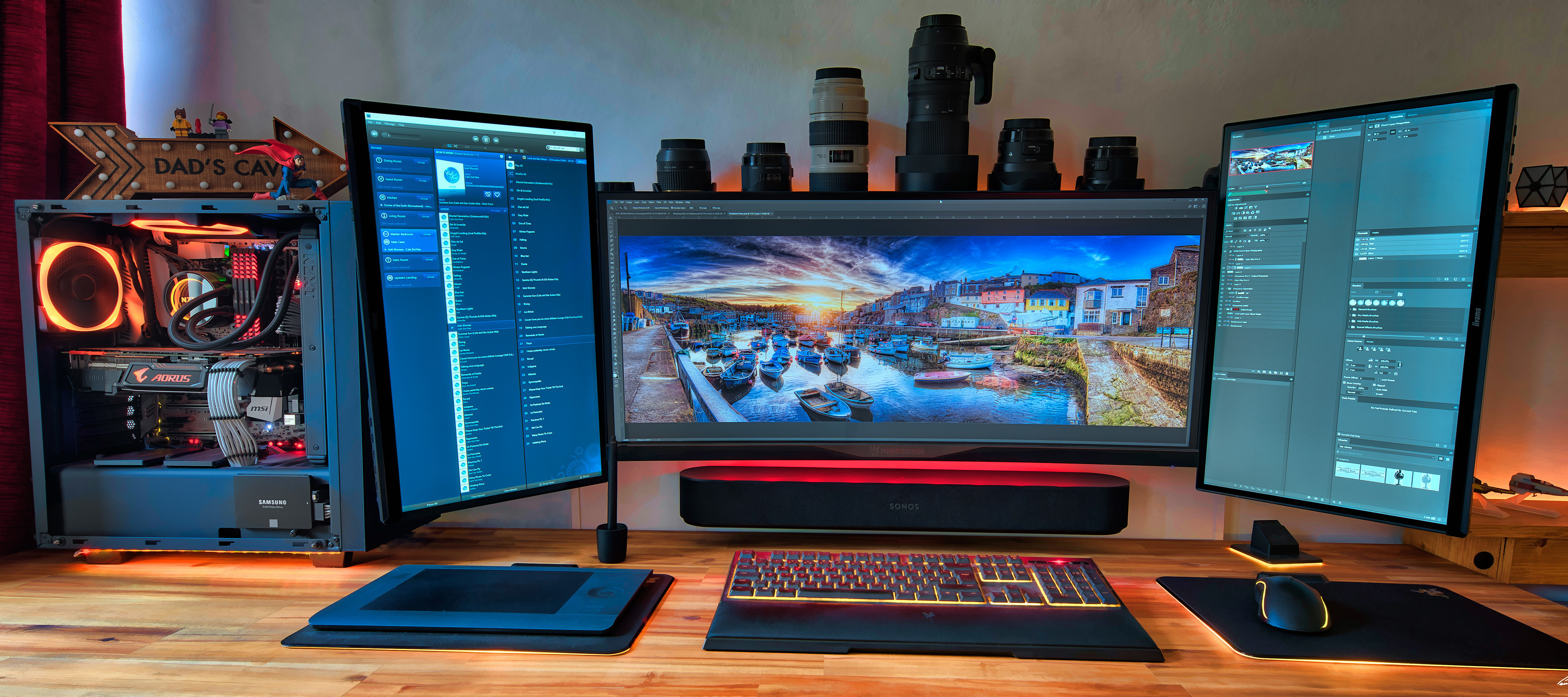
Moderator note: This article was updated in December 2024 to account for new products. Image provided by PaulRBoon in this thread: Beam as computer speakerAt Sonos, we don’t make speakers specifically designed for your computer. However, if you are considering integrating your computer sound into your Sonos system, we want to help you get the most out of your products. With this being said, not all computers are built equal, so your mileage may vary, therefore it’s unfortunately not something Sonos can help or support you with setting up outside the general advice here.In this article, we are going to be focusing on the best ways to get your computer audio coming through a Sonos Playbar, Playbase, Ray, Beam, Arc & Arc Ultra, Amp, Move & Move 2, Roam & Roam 2, Era 100 & Era 300. To get this to work, there are two things to look at: how to connect the products and the settings needed. A quick note on Play:5, Five, Connect:Amp, Amp, Port, Connect, Era 100 & Era 300Whil
My Sonos beam is connected to the tv. When trying to adjust the volume with the tv remote I have to get very close to the beam/tv before it will work. If I am 15 feet away it will not work /
Hej alle, måske der er nogen der kan hjælpe😊jeg har investeret i en Sonos amp, da jeg ville prøve nogle højttaler som ikke er Sonos.det virker fint når jeg streamer fra Spotify og andre tjenester. mit problem er lyden fra min Sonos port som jeg vil have connected til Sonos amp. Sonos port bliver brugt til at sende lyd fra min pladespiller, da der er ret langt fra port til amp. jeg kunne godt få det til at virke da jeg sendte lyden fra port til Sonos era?jeg håber det kan lade sig gøre🙏
I have a turntable connected via rca cables to Sonos Connect. (With a pre-amp in between. )I am unable to choose the line in as a music source using the app.
I have a room set up in the Sonos app The sub 4 is physically in this roomThere are 3rd party wall speakers also in this room connected back to a sonos amp.However the sonos amp is physically in a different room and hard wired to the network (comms room). Open the Sonos app - tap into the room - under products I see both-Amp-Sub 4but I can only tap into Amp under products and from there I can turn wifi on/off under the connection settings (usually have wifi off on all products they are hard wired in but this amp I am using wifi only).However, I can’t tap into sub 4m only Amp.So I go back and tap into Amp and enable wifi. Then I try play music in the room - sub 4 is silent. If I physically move the sub 4 to the comms room it works. So I have a sinking feeling that the sub 4 needs line of sight to the amp? Please tell me I’m wrong…. Is there no way to put the sub 4 on the wifi and let it link up with the Amp for the room over the network?
I have several Sonos ZP120 circa 2006. Is it possible to set them up to be a dumb amp? My thought would be to use a newer Sonos PORT RCA outpout that would feed into the ZP120. Im cool with setting the ZP120’s up using the S1 app, but then simply Set-it and forget it and uninstall the app. what I dont know, and looking for advise from the comminuty, is;- Can the ZP120, if never touched fall back and stay at the Line-in input setting?- Is the Sonos PORT RCA output varabile? ie: If the ZP120 volume is permenatly set to say, 90%, would the varabile RCA outbout from the PORT be akin to a volume control. There by adjusting the room volume from the S2 app?- does the ZP120 have a sleep, and//or auto wake from the RCA input. id hate to add to the global warming by having them amplfy hiss and dead air. ;-) ive got 2 Listening Zones with 2 and 4 in-celing speakers respectvily. The zone with 4 speakers cannot handel the power of a newer Sonos AMP @ 4 Oms ( I think). I use the zones vary r
I have an old Pioneer that is plugged into the Sonos Connect Amp. The sound is that of one that needs a preamp. The speakers are Kenwood floor speakers. I bought this thinking it would be an amplifier. Sadly, not. When I bought it, the guy threw in a Sonos Connect Receiver and a Connect Bridge.
I’m running a mixed environment in Ubiquiti with about 10 devices. 4 are hardwired and the rest on my Wireless network. My goal is to not run sonosnet - and I don’t think I am.However, one of my Ports won’t stay disconnected to wifi. I can disable it from the app, but a few minutes later it reenables it. What’s funny is that my router shows it as hardwired.I saw the advice in the following post, but it was 4 years ago… about hardwiring directly to the router (this is two switches in currently. Seems odd, but does that still work?WiFi Keeps re-enabling and kicking system out of "mixed mode" | Sonos Community
Sub mini keeps disconnecting in the app, requiring a reboot. It only stays connected for about 2mins. I have rebooted the router, and the sub is close to a mesh extender.
Hello and hola to the original poster of this question!Because that topic has been closed unanswered I have recreated it as I have the same exploded IC inside my Sonos S16 Amp. Does anyone have their S16 open at the moment and can tell me or send me pics of this Texas Instruments chip labelled as U16 on the circuit board? From the other post I see LM??002 perhaps….** If your Sonos unit has problems, please don’t take it apart. Speak to Sonos for help. **I would really appreciate these quite modern devices not going into landfill in my country and any help will be appreciated. By me and by the earth of the future!
ProductsPlay 5 (Purchased new in 2017) Play 1 (Purchased new in 2017) Playbar + Sub (Purchased New in 2019) Sonos Amp 2nd Gen (Purchased New in 2019) Sonos Move 2 (Purchased New in 2024)House DetailsSingle Story, 4K square feet, Metal Roof Hard wired Cat 7 cable across the house connected to various EERO mesh repeaters 2G Fiber from AT&T using their modem and router None of the Sonos equipment is hard wired with Cat 7 all running the only band of avail wifi on the system ProblemsI’ve hard reset all products now 2-5 times to get my system back to baseline, deleting the sonos app and re-installing, restarting my phone, etc. I can’t get all the products to stay in my system. Very VERY frustrating. Right now for example, my sonos amp that runs our patio speakers was not showing. But the Kitchen (Sonos 1) and Master bedroom (playbar) were showing. For no reason at all the move 2 and play 5 had vanished but for purposes of this example disregard that. I ended up resetting the amp
I’d like to add a Sonos turntable to our current Sonos setup. I have a connect amp that runs a pair of klipsh rear passive speakers in my living room as part of my Sonos surround sound setup. If I plug the turntable into the connect amp will I only be able to play music over those rear passive speakers or will it somehow connect to the various other Sonos speakers I have ( play 1, arc, play threes, subs, etc. ). Also can I put two things into the connect amp at the same time? The pair of passive speakers and the turntable? thanks!
What is the best way to bring 8 wired architectural wall and ceiling speakers, spread throughout my house into my Sonos Ultra/Sub 4/Era 300 system. 2 Sonos amps, or Look at a Bluesound config, or Something else?Thanks! (forgive my subject line typo, doesn’t appear I can edit this)
Hi all, my system has 3 Sonos amps: 2 newer ones and a Connect:amp. The 2 newer amps have no problem connecting, but I have to reboot the Connect:amp each time to get it to play. When I check under “Your System” on the app, it shows that the Connect:amp is connected and apparently playing through the speakers, but I have to unplug it and reboot it before it connects. I’ve powered off my router and modem and disconnected / reconnected all devices, but this didn’t solve it. Any suggestions greatly appreciated. Thanks.
I have a Marantz SR6014 with 3 Sonos amps already installed across 3 zones. I added a Sonos Port to the receiver so that I could stream music through my TV surround as an additional zone (added to the phono rca connections) however the sound is not very clear and even after adjusting the eq etc, still a little muffled. My question is, if I replace the Sonos Port with another amp, would it sound better? Could I just hook it up to the rca ports on the receiver, or is there a better way for optimal sound?
Hi-i have 2 Sony cd mega players- a cdp-cx450 and a 300 disc version. They can be daisy chained together (which means only 1 input to the amp is required). I’ve got a Sonos port and a Teac amp (with numerous input and output possibilities. One Sony player uses the A1 control system and the other uses A1-II.I also have wired speakers hooked up to my amp (I’m using port both to create a zone on another floor and also to accommodate streaming of analog equipment (the cd players). I can get streamed music to play through the Port, but not my cd players. I’ve done this setup previously but in spite of extensive effort so far (and one not at all helpful call to Sonos support), I haven’t gotten it to work. I’m thinking it is a Sonos software setting (maybe related to pass through or group (which I don’t recall using when I used a previous version of the Sonos app). Has anyone gotten this or a similar setup to work? Anyone have any ideas?Thanks in advance!
I recently purchased a turntable to play vinyl records. I’ve plugged it into my Era 100 and it works on that speaker great.The issue I’ve found is that, whilst it auto-plays on the Era 100, its default is to ONLY play on the Era 100. I have another speaker in the same room (a Beam Gen 1) that I’d like it to default to every time as well.Instead, I have to manually go into the app and add the additional speaker I’d like it to play through. This is particularly buggy, and it doesn’t always work. The much bigger issue is that I have to do this every time I put on a new record (or even switch it from Side 1 to Side 2), so it’s getting super frustrating.Could anyone kindly give some recommendations please? Is there an easy way to fix this?
Je viens d’acquérir une platine Thorens pour mes vinyles et j’aimerais savoir comment la connecter à mes enceintes Sonos sachant que derrière la platine il y a une sortie rouge et blanche, mais sur mon enceinte Sonos là il y a rien du tout
I have connect attached to turntable. I have Arc and 2 Sonos 1. The Sonos 1 are paired. When I play turntable Arc and one Sonos play. I guess in stereo mode. BUT the Sonos 1 that are paired only one of them play. All speakers work as designed when I play Apple Music or Sonos music. So I know all work. how do I get the other Sonos 1 to play with turntable ? Thanks in advance ! jdt
I was forced to change my wifi password. A plain, simple password change. No changes to the network as such.To no surprise, this did not go down very well with the Sonos system. Not able to handle at all. Components dropping out, lost, half of the stereo pair and so on. The default message: “An error occured”. Go figure.The solution: hard reset of all components connected wireless, followed by several reboots of router and components. Took me about four hours to get it all working again. Well, some sort of working. Still issues with sound randomly dropping.Needless to say I didn’t bother to contact support as they would have adviced what I already new: reset and reboot.One should assume a password change should be straightforward but no, no, not with Sonos. Unbelievable, but also not surprised. After more than a year (and still counting) after the Grand App Debacle getting used to this.
Hello, hoping someone can assist. I have the Sonos Amp, 2 x in-wall speakers, 1 x Era 100 and 1 x FIVE. I use an RP1 turntable and stream music.I would like to add a pair of floor standing speakers. The ones I’m looking at are the Tekton Lore (8ohms).Is this possible? Any recommendations or thoughts? Thank you
I just bought the Port system. I connected it to my wifi just fine. Then about a week later I bought the EERO Mesh system as the wifi in my house needed help. I found that if my phone was connected to the Mesh it would not run the Sonos, so I would have to change the wifi on my phone. This seemed silly so I decided to update the network on my Port to the Mesh. However, it won’t work. I can see that the Mesh sees the Port when on Ethernet, but nothing will work to acdtually switch the Port over to the Mesh system. I’ve restarted, i’ve factory reset but nothing. Any suggestions or is the port not compatable?
Hello everyone,I have a turntable with a built-in preamplifier. Until now, the turntable was connected directly to my Sonos Era 300 speaker with a cable. I now need to move the speakers and I'm looking for a way to connect the speaker to the turntable.I saw the Sonos Port, but the price seems high just to connect a turntable to a speaker.Are there any Sonos-compatible alternatives?Thanks in advance!
Already have an account? Login
Enter your E-mail address. We'll send you an e-mail with instructions to reset your password.