
Contributor I
September 3, 2020
Answered

Apple TV wont connect with Airplay

  • September 3, 2020
  • 24 replies
  • 13014 views

I am using 2 Sonos one SL with my Apple TV HD as the audio output. My system had been working great for weeks and all of a sudden the speakers are unable to connect via the Apple TV. The speakers are working fine through my MacBook and iPhone but not Apple TV. I have reset the speakers, router and Apple TV and nothing changes. Please help! This is very frustrating and I haven’t been able to find a solution…..
This topic has been closed for further comments. You can use the search bar to find a similar topic, or create a new one by clicking Create Topic at the top of the page.
Best answer by plusz

There is another, much easier option.
Someone just told me on Apple forum.
It was planned by Apple that way:

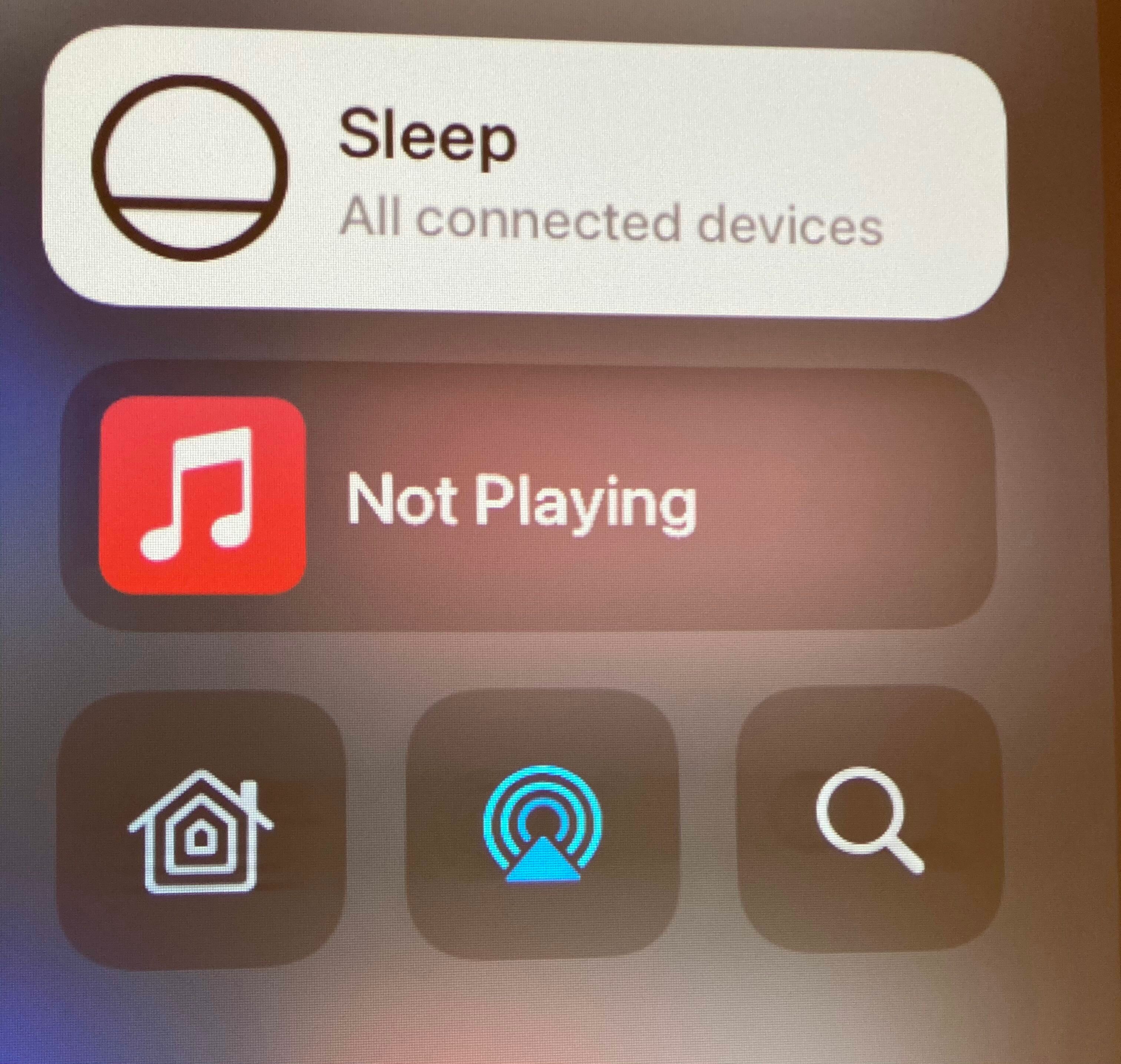
  1. hold down TV Button
  2. move down, to the last row
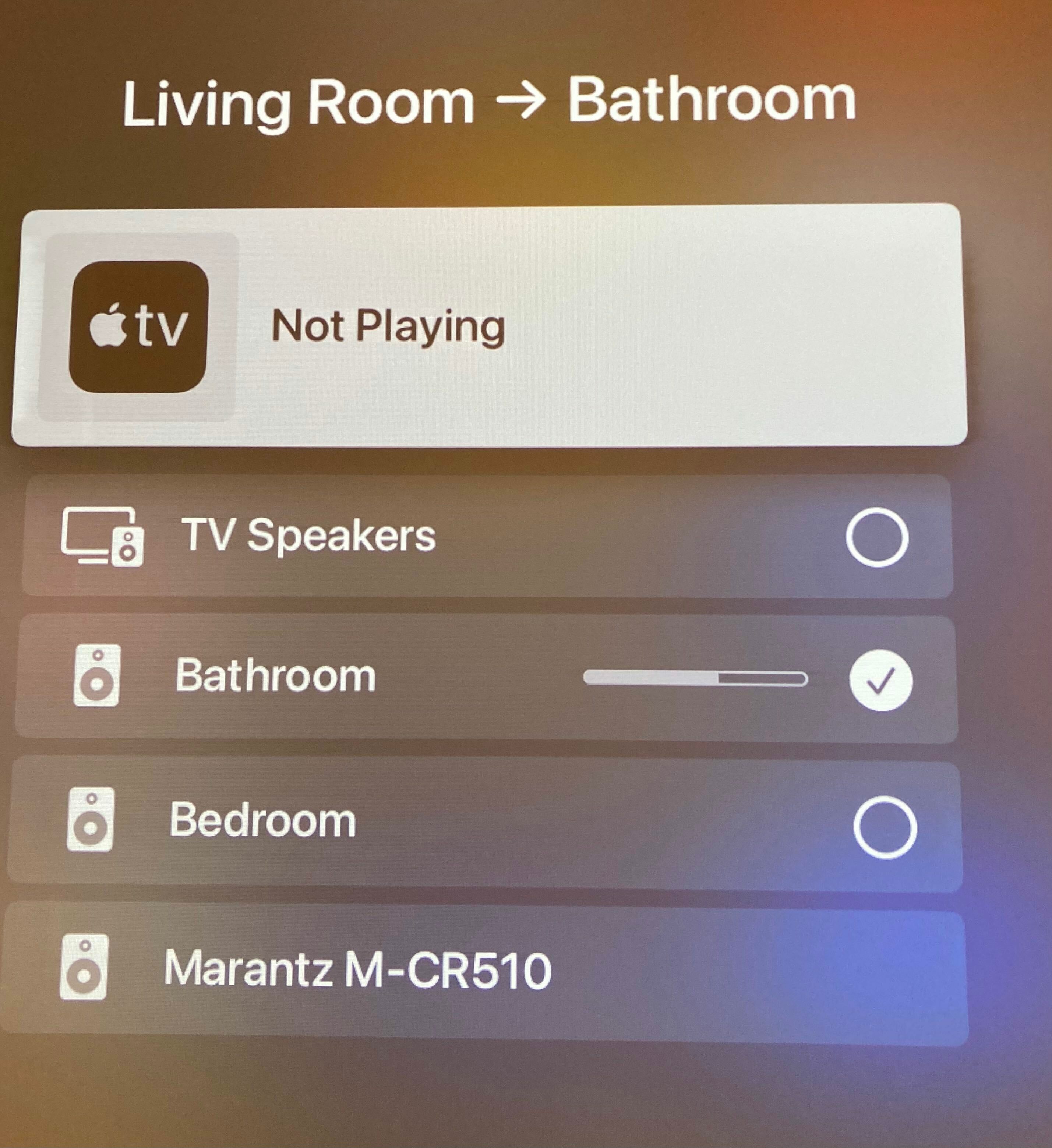
  3. in the middle there is an icon for 'airplay sharing' - similar to other devices with iOS. We can select one or multiple devices there.


Main advantage is that we don't have to select this again and again after turning off/on apple tv. It looks that now it remembers most recent selection.

24 replies

Annazel S
Retired Sonos Staff
September 3, 2020

Hi @mbritton3589.

Thanks for reaching out and welcome to the community!

I appreciate your detailed post outlining the issue as well as the troubleshooting steps that you did, let me help and try to figure this out.

To better understand, are these speakers not showing in the Airplay device list using Apple TV HD, or are you getting error when connecting to Airplay? 

Kindly submit a diagnostic report through the Sonos app, and reply with the confirmation number.

I'd start by reviewing your system and see if there’s anything causing this issue.


I’m looking forward to assisting you further from here.

If you have any other questions or run into any issues,  please do not hesitate to reach out.

Help others find useful content by clicking the like button and selecting the best answer to your question
Contributor I
September 3, 2020

Thanks for replaying! Yes the speaker show up on the list but i’m getting an error and unable to connect. I did plug one of the speakers into the router via ethernet and it seemed to fix the issue. I felt like I was going crazy after hours of trouble shooting and getting nowhere. 

Contributor I
September 3, 2020

Just submitted a diagnostic report  1497895757

Annazel S
Retired Sonos Staff
September 4, 2020

Hi @mbritton3589.

Thanks for your response.

I’m glad that you’re able to fix it, you did great!

Upon checking the diagnostic report, there are NO issues detected by the system at the time it was submitted. 

Quite possible, when you switch to SonosNet wherein one of the speakers is wired directly to the router, that resolves whatever connection issue between the devices.

For now, we won’t able to tell what could have really caused the issue, but it’s best if you can keep this kind of (wired) setup to reduce wireless interference around Sonos products.


Let us know if you have additional questions or concerns, we are always here to help.

Cheers!

Help others find useful content by clicking the like button and selecting the best answer to your question
Lyricist II
November 15, 2020

I have exactly the same issue.
It started a few days ago.

I’m able to see only one option ‘TV Speakers’ in Apple TV

No Sonos devices.  It was there for more than 1 year.

It is probably NOT Sonos issue. I have similar with another airplay device - Marantz.

Workaround is to control sound streaming for Apple TV from iPhone. 
However it is not possible to change volume with Apple TV remote.

Lyricist I
November 15, 2020

Same issue here - Apple TV4k not indicating Sonos system in Deafult Audio option, only TV Speakers visible there. Using to stream video to Projector and sound to Beam plus 2x Surrounds.  It was working well until yesterday night. Sonos and Apple TV connected to same WiFi. Airplay from I-phone to Sonos works well. Reset/Restart of Apple/Sonos/Router - no change. Any idea what is happening…? 

Lyricist II
November 15, 2020

I opened separate topic on Apple forum. No answer yet.

https://discussions.apple.com/thread/252042991

Lyricist I
November 15, 2020

Same issue here. Projector attached to Apple TV 4K with Beam + 2 x ONEs connected via airplay. Happened last night after I had to remove and relink One’s. Thought it was that. 
 

Plusz can you elaborate on your workaround. 

Lyricist I
November 17, 2020

Hi guys, 

I started having the same problem where the Apple TV’s audio output doesn’t show other options other than the tv speakers. I haven’t seen much solution but I found you still can connect to your Sonos by going to Hulu or any streaming service 

then select any movie/show & once it starts playing > swipe down on the apple remote, where it will show you different options (info,subtitles,audio) > select audio > choose your preferred Sonos speaker 🙂. I have attached photos if you don’t understand! 

pluszAnswer
Lyricist II
November 17, 2020

There is another, much easier option.
Someone just told me on Apple forum.
It was planned by Apple that way:

  1. hold down TV Button
  2. move down, to the last row
  3. in the middle there is an icon for 'airplay sharing' - similar to other devices with iOS. We can select one or multiple devices there.


Main advantage is that we don't have to select this again and again after turning off/on apple tv. It looks that now it remembers most recent selection.