
Contributor I
September 3, 2020
Answered

Apple TV wont connect with Airplay

  • September 3, 2020
  • 24 replies
  • 13014 views

I am using 2 Sonos one SL with my Apple TV HD as the audio output. My system had been working great for weeks and all of a sudden the speakers are unable to connect via the Apple TV. The speakers are working fine through my MacBook and iPhone but not Apple TV. I have reset the speakers, router and Apple TV and nothing changes. Please help! This is very frustrating and I haven’t been able to find a solution…..
This topic has been closed for further comments. You can use the search bar to find a similar topic, or create a new one by clicking Create Topic at the top of the page.
Best answer by plusz

There is another, much easier option.
Someone just told me on Apple forum.
It was planned by Apple that way:

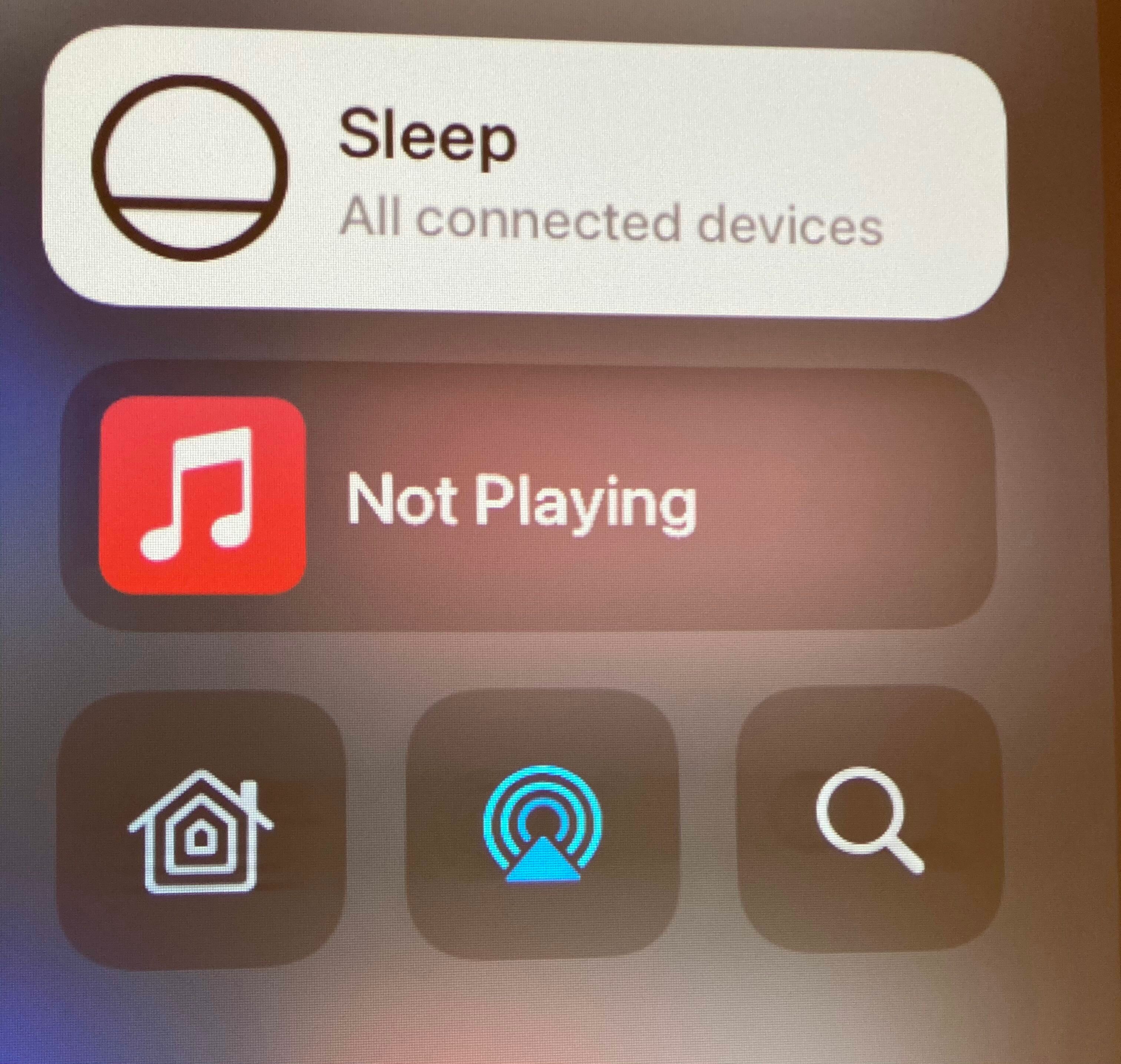
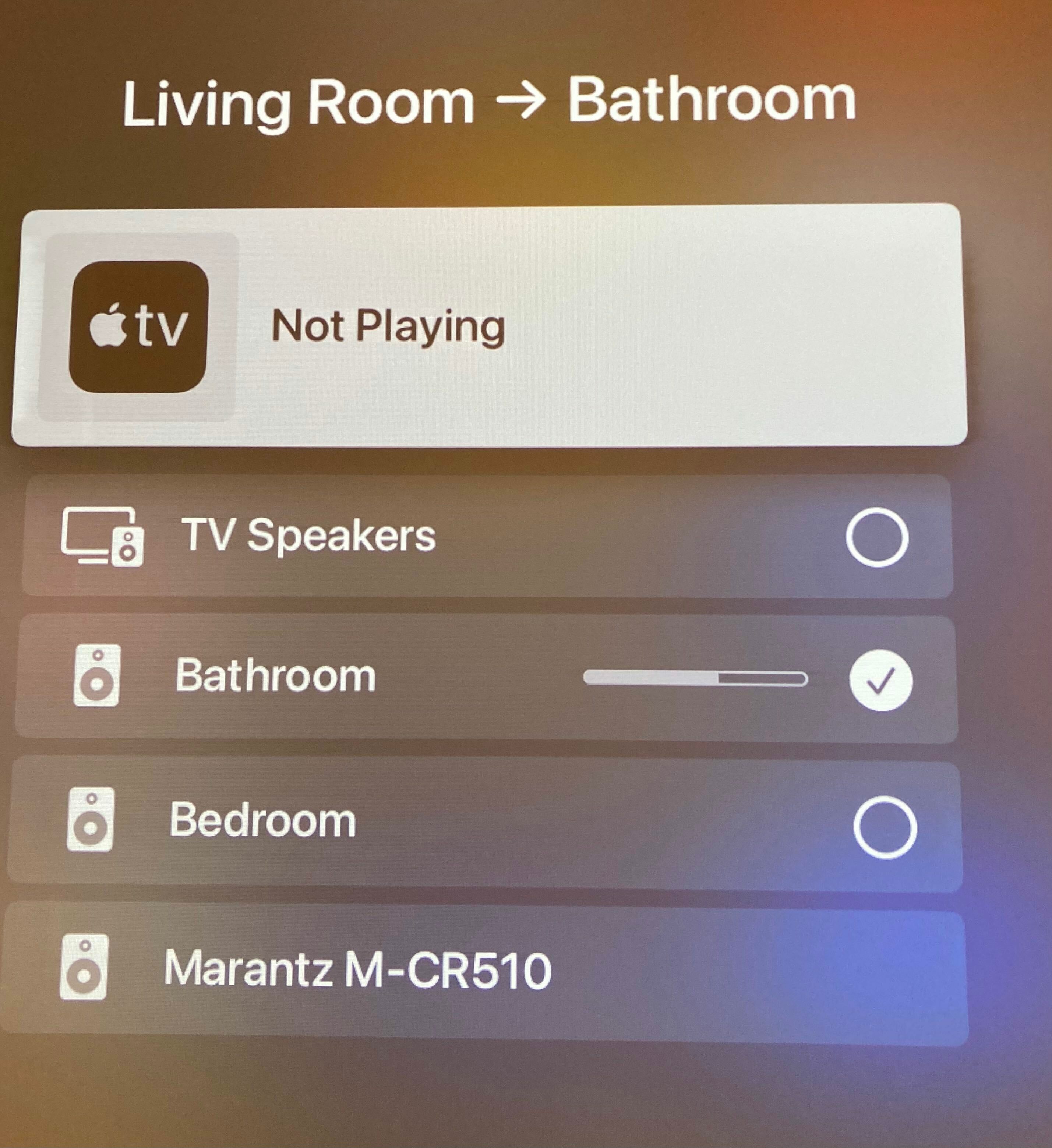
  1. hold down TV Button
  2. move down, to the last row
  3. in the middle there is an icon for 'airplay sharing' - similar to other devices with iOS. We can select one or multiple devices there.


Main advantage is that we don't have to select this again and again after turning off/on apple tv. It looks that now it remembers most recent selection.

24 replies

Lyricist II
November 17, 2020

ISSUE RESOLVED. SOLUTION PROVIDED ABOVE.

Lyricist I
November 24, 2020

Hi, same issue. Can’t connect Sonos speaker w/ Apple TV/airplay. How did you solve this?

I tried “audio output” on Apple TV setting, but it does not appear…

i then tried to set it directly within the show, but again sonos does not appear 

im running an Apple TV HD (w/ most recent updates). 
 

sonos won’t show up in my Apple podcasts either (on my phone), but it does work via Spotify app. 

Lyricist I
November 24, 2020

it is already solved.
This option is in another place


https://discussions.apple.com/thread/252042991


to clarify

  1. hold down TV Button
  2. move down, to last row
  3. in the middle there is an icon for 'airplay sharing' - similar to other devices with iOS. We can select one or multiple devices there.


regards,

Piotr


Lyricist I
December 1, 2020

Even though we are able to connect to sonos setup from control center. One main issue i see is, i am not able to use wireless audio sync option available in apple tv settings to sync audio and video and there seems to be lag because of this.

Need to let apple know that they can’t just take feature out in software update and ruin experience for us.

Lyricist I
December 1, 2020

Hi,

I am having the exact same problem, the Sonos devices do not show in the menu General > Video & Audio > Default Audio Output. They appear however in the TV side menu but the connection to the Sonos always fails. 

None of the solutions above can resolve this recurring problem.

Any other idea ?

Thanks

Annazel S
Retired Sonos Staff
December 1, 2020

Hi everyone. Thank you for your patience in this. If the provided resolution above was followed and the issue still persists, it will be helpful to submit a diagnostic report on the Sonos app after a few minutes when the issue happens and reach out to Sonos Support, as we can take a closer look and discuss it with all of you individually in real-time. 

Kindly give us a call to work with a technician live and create a troubleshooting ticket, they'll start with checking your system health and go from there. They have resources available for advanced troubleshooting, and the tools our agents can use would be very useful in this case, there can be an advantage if they need to remote into the controller to see what's going on.


If you have any questions or concerns, please feel free to let us know, we’d be glad to help.

Help others find useful content by clicking the like button and selecting the best answer to your question
Lyricist I
December 2, 2020

There is another, much easier option.
Someone just told me on Apple forum.
It was planned by Apple that way:

  1. hold down TV Button
  2. move down, to the last row
  3. in the middle there is an icon for 'airplay sharing' - similar to other devices with iOS. We can select one or multiple devices there.


Main advantage is that we don't have to select this again and again after turning off/on apple tv. It looks that now it remembers most recent selection.

Thank you! I recently had this problem- and this answer totally fixed it for me.

Lyricist I
December 6, 2020

hi, I have the same issue since a few days too. 


Set upo: Apple tv 4k HDMI connected to a projector and airplaying audio to sonos one speakers.


What I see in the settings is

default audio output: tv speakers

that’s it


when I follow the TV Button shortcut explained above I did see the sonos speakers, I connect to them (I could see the checkbox ticked), but then it failed to actually connect to the speakers, and ended up  reverting to the projector speakers. When I enter again in the TV Button screen I see the tv speakers ticked, not the Sonos as I could see when I left this screen.

I believe it’s an Apple’s problem, but as you can see from their laconic response on their forum, they are doing little to solve the issue. Possibly Sonos can force Apple to fix this, as Sonos can speak in the name of its community. 


Lyricist I
December 6, 2020

I have the same issue and none of the fixes above works. I haven’t done any updates lately and from one day to another (night between 4th and 5th of Dec) the Sonos won’t play sound from Apple TV. Spotify (ie) works. I have issued a status report with id 1798232015. 

Is there someone who has a answer to the problem?

regards Johan

Lyricist I
December 7, 2020

I tried the home button but still doesn’t work for me :-/ 


the sound still comes out from the TV.