
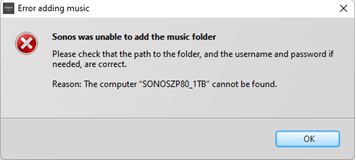
S1 controller unable to add linkstation NAS with error: Reason: The Computer "SONOSZP80_1TB" cannot be found
Hardware/Software: Windows 11 with all updates installed, S1 controller, Sonos ZP80, Buffalo Linkstation live 1TB NAS
Network Profile Type: Private (VPN via high-speed Wi-Fi - No ethernet access to router)
Connectivity: ZP80 connects to my VPN via Wi-Fi and the two ports from the ZP80 run ethernet cables to a desktop mini and NAS
I was able to play music from my NAS, with the above connectivity till about Sept/Oct 2022, when a windows 11 update caused the NAS to disappear. This has now been fixed and I'm once again able to see my ancient 2010 Buffalo Linkstation Live (LS-CHL-V2 series) NAS.
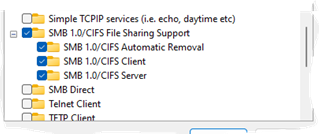
Advanced sharing settings and SMB settings under windows features have all been checked by Sonos and all look fine and I’ve also posted screen grabs below.
When I try and add my NAS share in the S1 Controller I get the following error:
S1 -> Manage tab -> Music Library Settings -> Add -> Networked device -> Browse and select NAS and share from Network tab -> OK -> Next > admin/password -> Error message is - Reason: The Computer "SONOSZP80_1TB" cannot be found
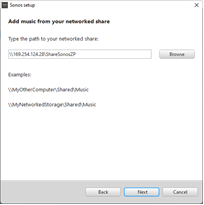
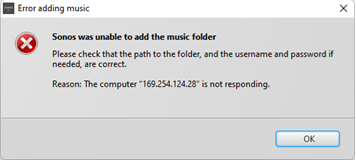
If I manually add the NAS via IP I get the error:
Reason: The Computer "169.XXX.XXX.28" is not responding
Hopefully the screenshots will be more descriptive than the text above:
1) The SONOSZP80_1TB NAS and the ShareSonosZP share are detected by the Sonos S1 app as shown below:
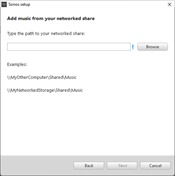
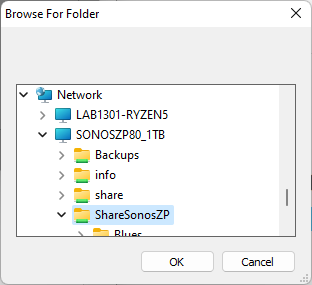
2) NAS added via previous screen
3) Why am I getting the following error when the NAS is detected by S1?
4) Via IP address of NAS the error message is different!
Windows 11 firewall settings

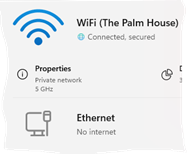
Wi Fi is a private network
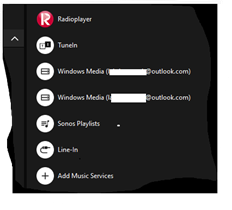
5) Another thing I noticed, after being able to access the NAS again is that the S1 controller has two entries for Windows Media (xxxx@outlook.com) even though I’ve removed the NAS library. Previously the NAS was not Windows Media. I’m tempted to do a clean install of S1 to resolve this particular issue. Or maybe the two rogue entries will disappear when I add the NAS and update the music library? Any thoughts would be most welcome on this front.
Mod edit: removed case number