
bsherman211
Contributor I
September 6, 2017

Line-in not showing up in iOS app or Mac desktop controller with ZP100, ZP80 or two Play:1's

  • September 6, 2017
  • 15 replies
  • 916 views
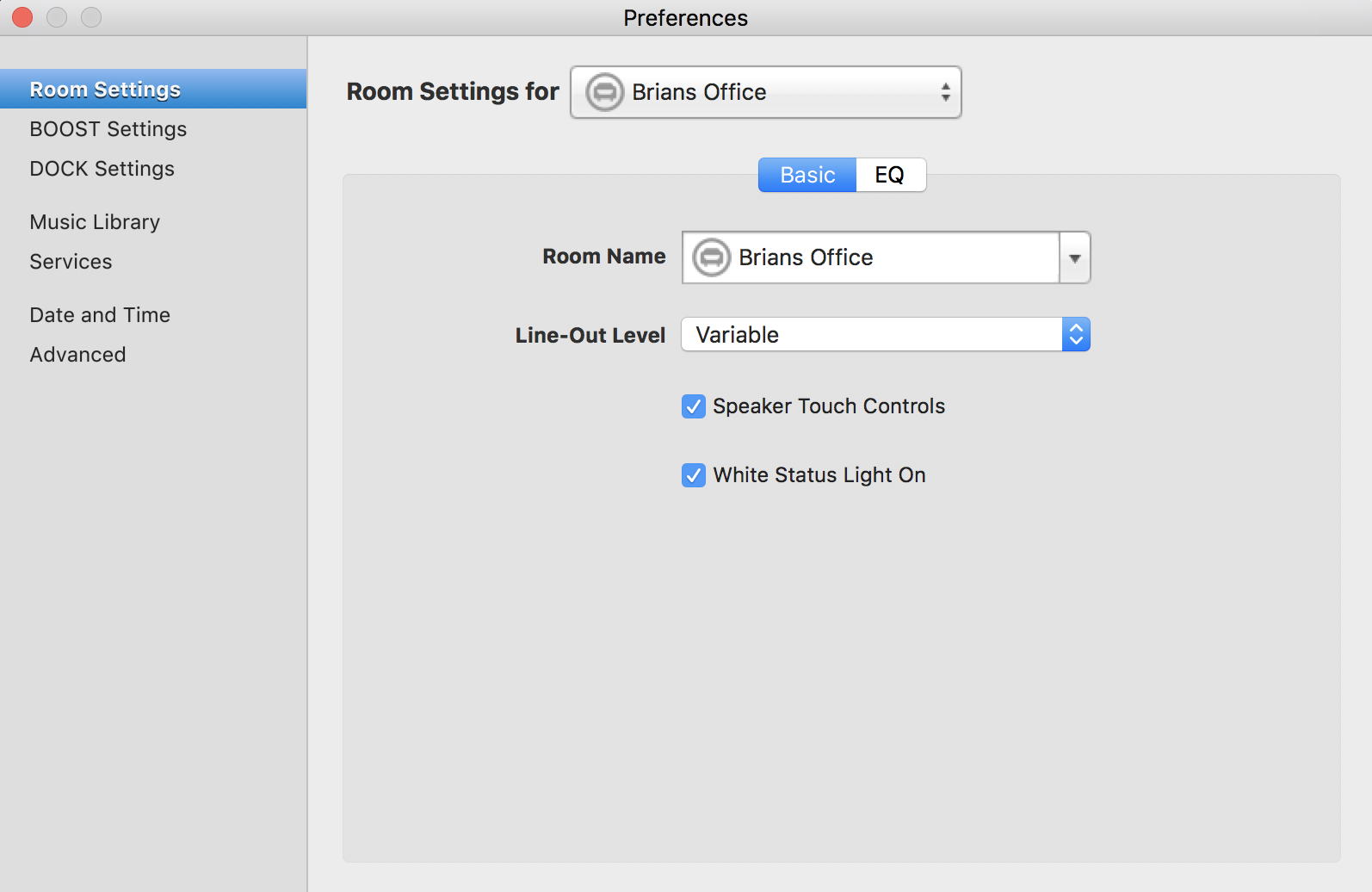
Let me start by stating that I'm a 10 plus year Sonos user and I've been on the beta program in the past. I think I have an above average understanding of how this equipment works. That said, I have a ZP100 in my office with a turntable connected to it. Yes the turntable has a preamp built-in and yes it's connected to the inputs on the ZP100 but I cannot get the turntable to play through the ZP100. I followed the instructions on the site and run into issues where it says to "click on the line-in settings on the Room Settings menu". My issue is that no line-in menu shows up under room settings. Here's what mine shows...


I've tried resetting the unit and that did not work. Every other function of the ZP100 works perfectly except for this one. I also tried on my ZP80 and both Play:1's and have the same result. I've got several hours invested so far and I'm out of ideas. Anyone have any pointers?
This topic has been closed for further comments. You can use the search bar to find a similar topic, or create a new one by clicking Create Topic at the top of the page.

15 replies

Lyricist I
October 6, 2017
They replaced a ZP100? They haven't sold this for years so there's no way it was still under warranty.
I have a ZP100 that stopped showing its line-in option just after the recent software update.
bsherman211
Contributor I
October 6, 2017
They replaced a ZP100? They haven't sold this for years so there's no way it was still under warranty.
I have a ZP100 that stopped showing its line-in option just after the recent software update.


They replaced it with a newer model for a fee. Considering how old the ZP100 was, their offer was very fair.
Lyricist I
October 6, 2017
I was hoping this was a software bug. The Connect: Amp doesn't have both line level and amplified outputs which is why I have the ZP100.
bamber2000
Trending Lyricist I
October 24, 2017
I have a ZP80 that was accepting line in until a couple of days ago when I installed the most recent software update. As soon as the system restarted I was missing one line-in channel. Now, a few days later, whilst I've been checking interconnects I've lost both
one-in channels and line-in no longer shows up in room settings for th at ZP80. Line-in is still showingfor two ZP90/Connects.

I note that mundayryan posted that a ZP100's line-in stopped working after the recent software update. This might be an incompatibility between the software update and the old ZP80 and ZP100s. Please, has anybody else reading this lost line-ins after the recent software update?
bamber2000
bsherman211
Contributor I
October 24, 2017
Mine still shows up on the latest software update.