
bsherman211
Contributor I
September 6, 2017

Line-in not showing up in iOS app or Mac desktop controller with ZP100, ZP80 or two Play:1's

  • September 6, 2017
  • 15 replies
  • 916 views
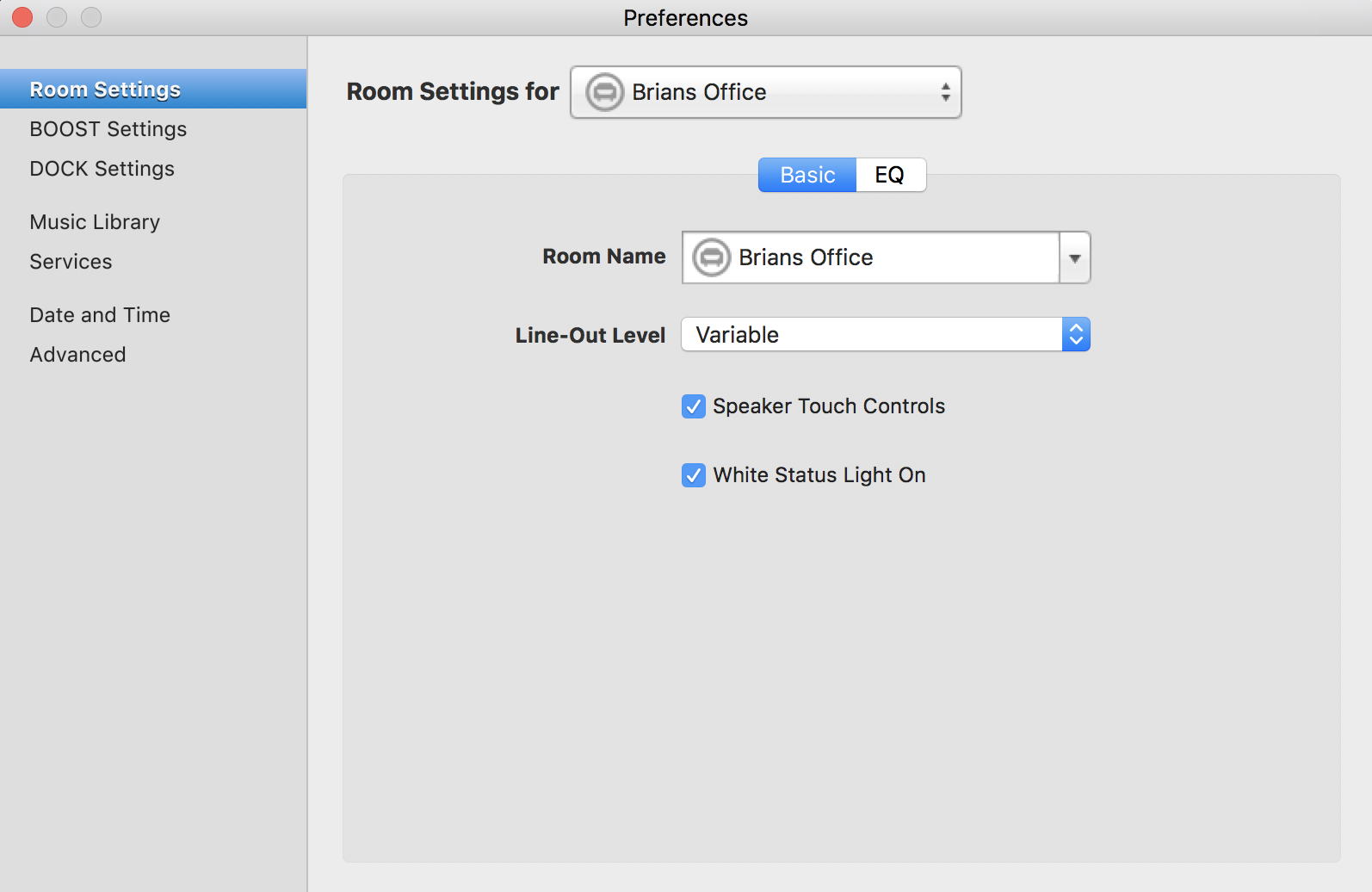
Let me start by stating that I'm a 10 plus year Sonos user and I've been on the beta program in the past. I think I have an above average understanding of how this equipment works. That said, I have a ZP100 in my office with a turntable connected to it. Yes the turntable has a preamp built-in and yes it's connected to the inputs on the ZP100 but I cannot get the turntable to play through the ZP100. I followed the instructions on the site and run into issues where it says to "click on the line-in settings on the Room Settings menu". My issue is that no line-in menu shows up under room settings. Here's what mine shows...


I've tried resetting the unit and that did not work. Every other function of the ZP100 works perfectly except for this one. I also tried on my ZP80 and both Play:1's and have the same result. I've got several hours invested so far and I'm out of ideas. Anyone have any pointers?
This topic has been closed for further comments. You can use the search bar to find a similar topic, or create a new one by clicking Create Topic at the top of the page.

15 replies

September 6, 2017

I've tried resetting the unit and that did not work. Every other function of the ZP100 works perfectly except for this one. I also tried on my ZP80 and both Play:1's and have the same result. I've got several hours invested so far and I'm out of ideas. Anyone have any pointers?

Not on the play 1 units surely - they don't have a jack.

Since both zone players exhibit the problem, maybe a problem with the cable/plugs. See what happens if you plug in another RCA cable with two plugs, even if not connected at the other end. If line in then shows up, you know what to do next.
bsherman211
Contributor I
September 6, 2017
Since both zone players exhibit the problem, maybe a problem with the cable/plugs. See what happens if you plug in another RCA cable with two plugs, even if not connected at the other end. If line in then shows up, you know what to do next.[quote=bsherman211]

I tried plugging my iPod into the ZP100 and still no luck. I also plugged the phono into another integrated amplifier I have and it works perfectly so it's not a cable issue.
September 6, 2017
Presumably, the first screen of the controller also does not show Line In in the list of music sources? If so, I am out of ideas given that it does not seem to be a cable/plug issue. Hopefully someone from Sonos or someone more knowledgeable will stop by soon.
bsherman211
Contributor I
September 6, 2017
Presumably, the first screen of the controller also does not show Line In in the list of music sources? If so, I am out of ideas given that it does not seem to be a cable issue. Hopefully someone from Sonos or someone more knowledgeable will stop by soon.

Line in shows up on the music screen. That's what baffles me.

Airgetlam
September 6, 2017
Just a stupid question, but is this 7.4?

And what happens if you select that line in?
Bruce
bsherman211
Contributor I
September 6, 2017
Just a stupid question, but is this 7.4?

And what happens if you select that line in?


It's 7.4 run on macOS Sierra 10.12.6. When you select the line in it brings up this screen...


Following the online instructions, I should then go to my room settings to configure the line in but this is where it all ends because line-in doesn't show up as the instructions indicate. Same holds true on my iOS app.
Airgetlam
September 6, 2017
Well, I did say it was a stupid question. :)

I'm with Kumar, as usual. Need to wait for a Sonos rep to look at your diagnostic. Oh, scrolling back, I don't see that you've posted the number of one for them to look at. Might help.
Bruce
bsherman211
Contributor I
September 6, 2017
Well, I did say it was a stupid question. :)

I'm with Kumar, as usual. Need to wait for a Sonos rep to look at your diagnostic. Oh, scrolling back, I don't see that you've posted the number of one for them to look at. Might help.


I appreciate the assistance either way. Here's my diagnostic code, 7808002.
Tom B
Retired Sonos Staff
September 29, 2017
Hi bsherman211, sorry we are a bit late in replying to you. If you still have the problem, my guess would be that the line-in ports on the ZP100 have failed somehow. Basically it's just not detecting that there's anything connected, which is why it won't show the menu. Did you try connecting to the inputs of your ZP80?
Help others find useful content by clicking the like button and selecting the best answer to your question
bsherman211
Contributor I
September 29, 2017
Thanks Tom B. Customer service already took care of the issue. It was in fact failed line in ports. They replaced the unit for me already and I'm happy to say that all is well!