Answered

view artist and view album sometimes missing with Apple music

  • April 8, 2026
  • 7 replies
  • 31 views

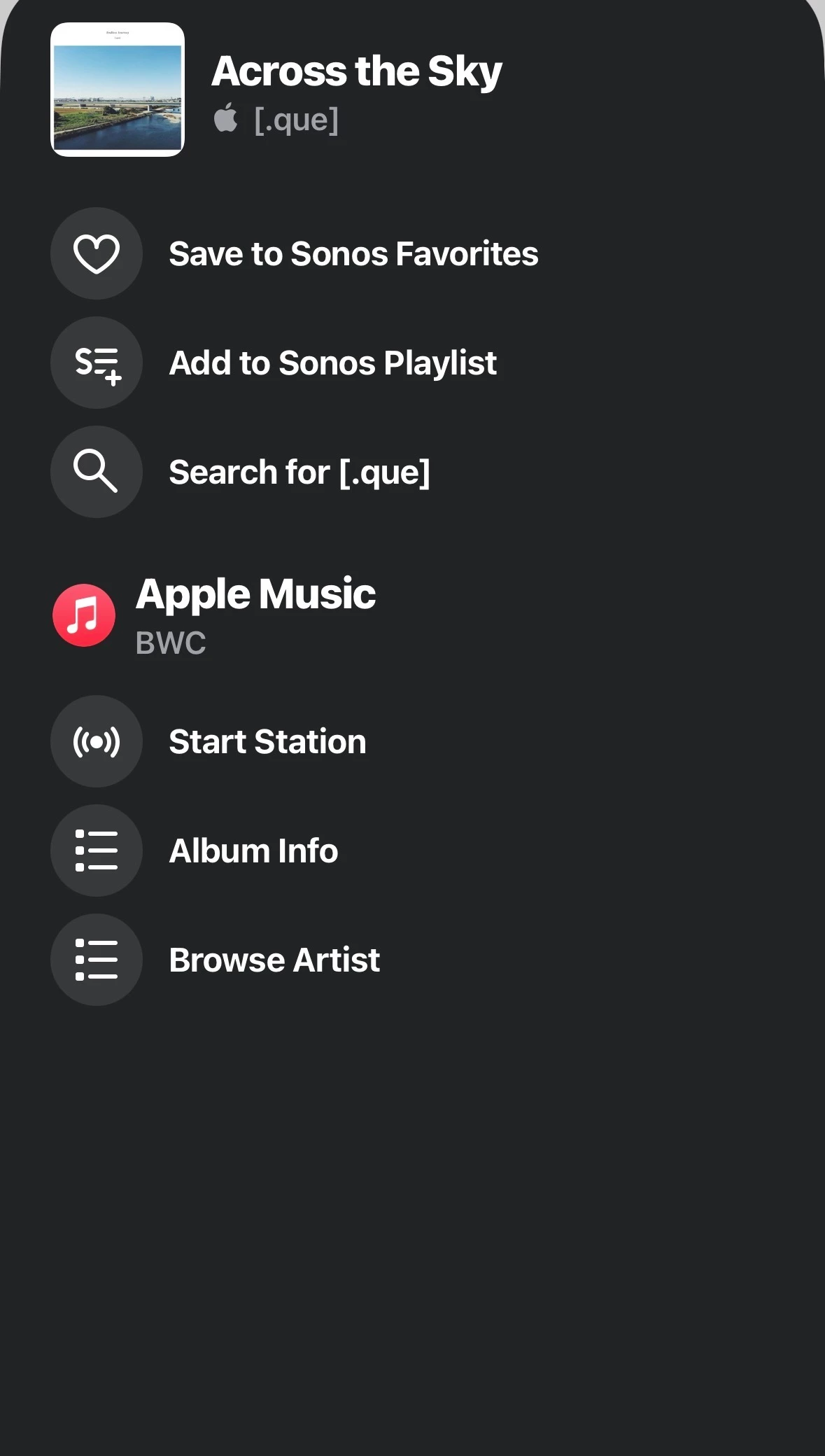
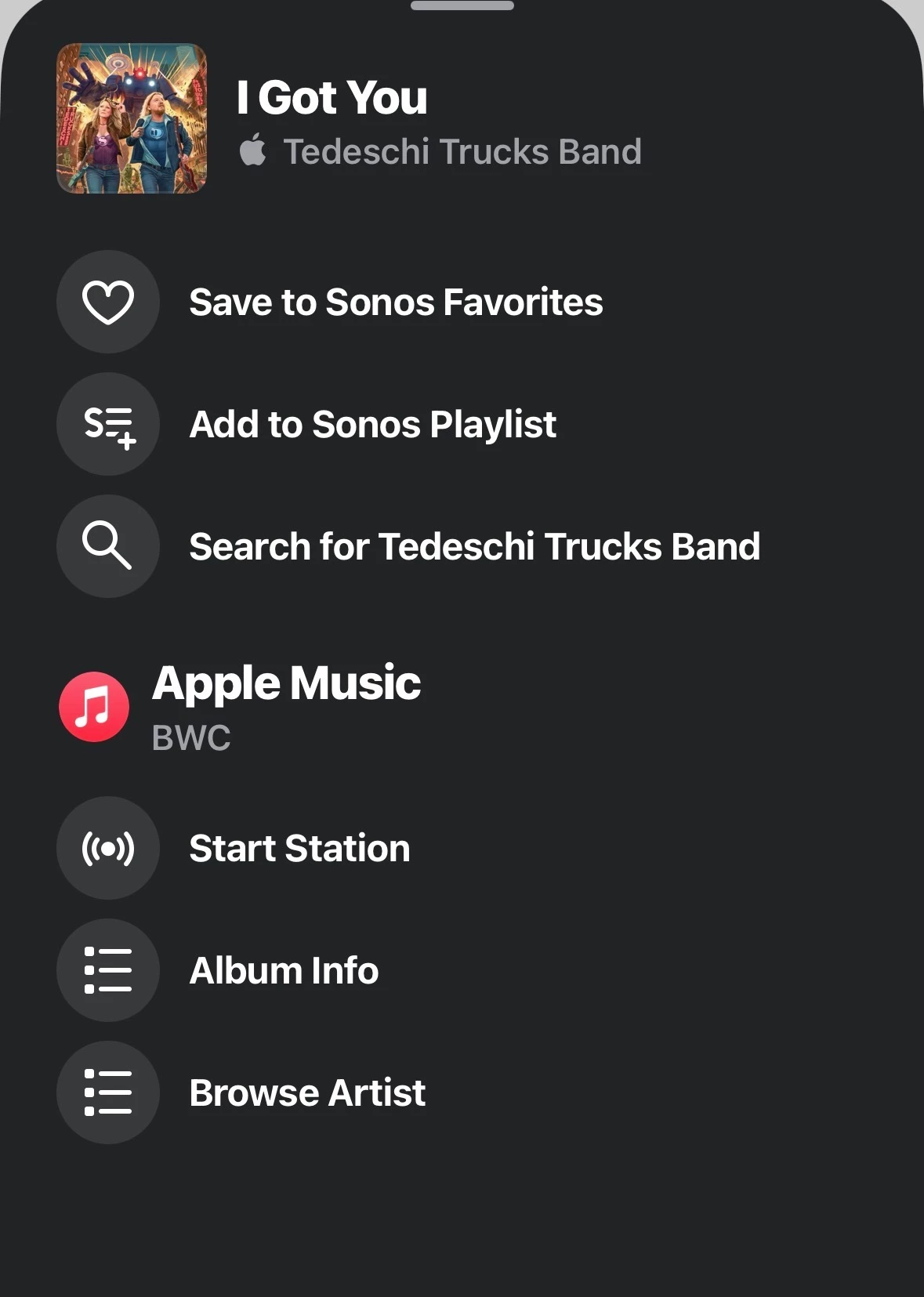
The pop-up menu in Apple music occasionally is missing the view artist and view album choices. Sometimes it shows and sometimes it does not. Anybody else for this issue?

Best answer by Sotiris C.

Hello ​@edededededededed, welcome to the Sonos Community!

I am sorry to hear you are experiencing an issue while using Apple Music within the Sonos App.

A couple questions so that we understand the situation better:

  • How are you getting the pop-up menu? Is it by selecting a track from the Queue or while using Search?
  • Are the tracks within a Music Library you’ve set with Apple?
  • If possible, does it show when you use a different controller? (smartphone/tablet)?

A network refresh could help and you can achieve that by doing a reboot on all networking devices involved. Start with your Router → Sonos → Controller (smartphone / tablet).

If you are still having this issue, feel free to contact our Support Team for live troubleshooting

They have tools at their disposal to provide you with information and advice specific to your Sonos system and what it reports.

I hope this helps.

7 replies

Sotiris C.
Forum|alt.badge.img+16
  • Sonos Staff
  • Answer
  • April 9, 2026

Hello ​@edededededededed, welcome to the Sonos Community!

I am sorry to hear you are experiencing an issue while using Apple Music within the Sonos App.

A couple questions so that we understand the situation better:

  • How are you getting the pop-up menu? Is it by selecting a track from the Queue or while using Search?
  • Are the tracks within a Music Library you’ve set with Apple?
  • If possible, does it show when you use a different controller? (smartphone/tablet)?

A network refresh could help and you can achieve that by doing a reboot on all networking devices involved. Start with your Router → Sonos → Controller (smartphone / tablet).

If you are still having this issue, feel free to contact our Support Team for live troubleshooting

They have tools at their disposal to provide you with information and advice specific to your Sonos system and what it reports.

I hope this helps.


This happens on both my Android and iOS devices. Interestingly there's an app called sonify which is a free download and always works correctly. The Sonos app only work consistently for YouTube and Spotify but pretty much consistently fails to show view artist, view album, and start radio for Apple music. I can sometimes see those options flash for a fraction of a second before they disappear. Based on this behavior I believe it is a bug affecting only Apple music, at least for me anyway.


MoPac
Forum|alt.badge.img+19
  • Headliner III
  • April 13, 2026

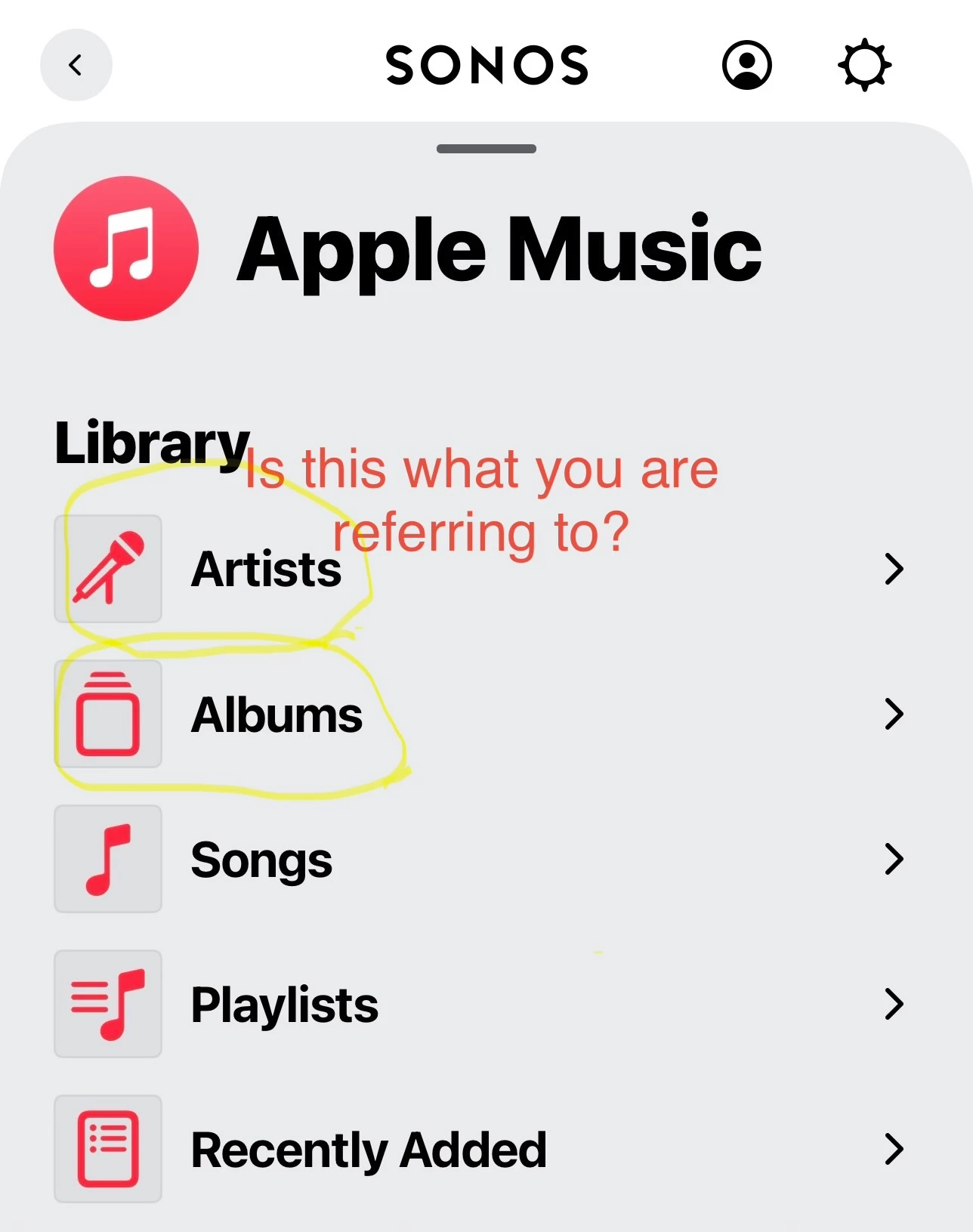
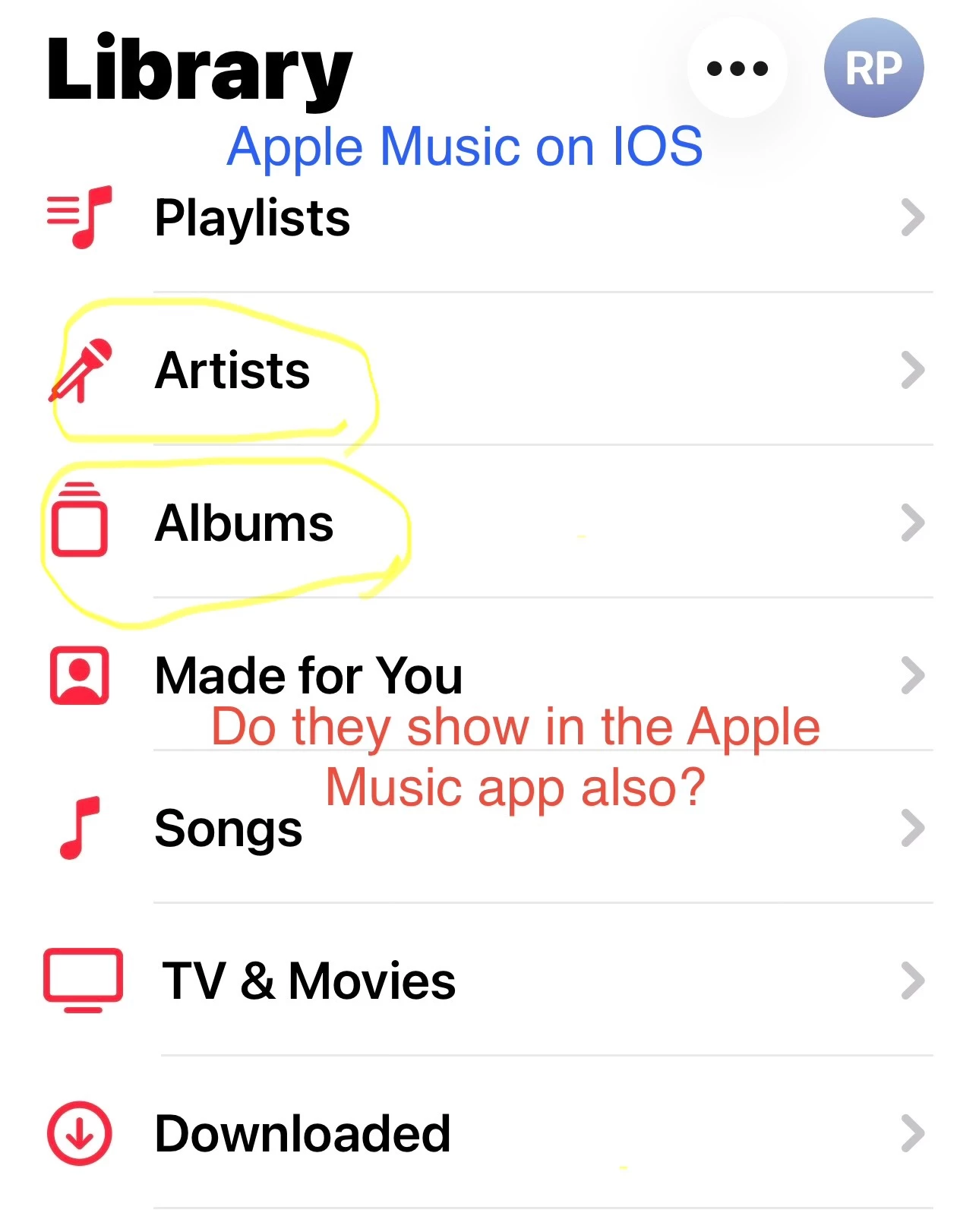
Is this where you are looking??


Forum|alt.badge.img
  • Lyricist III
  • April 13, 2026

Start station is mentioned in OP so it’s probably this. 


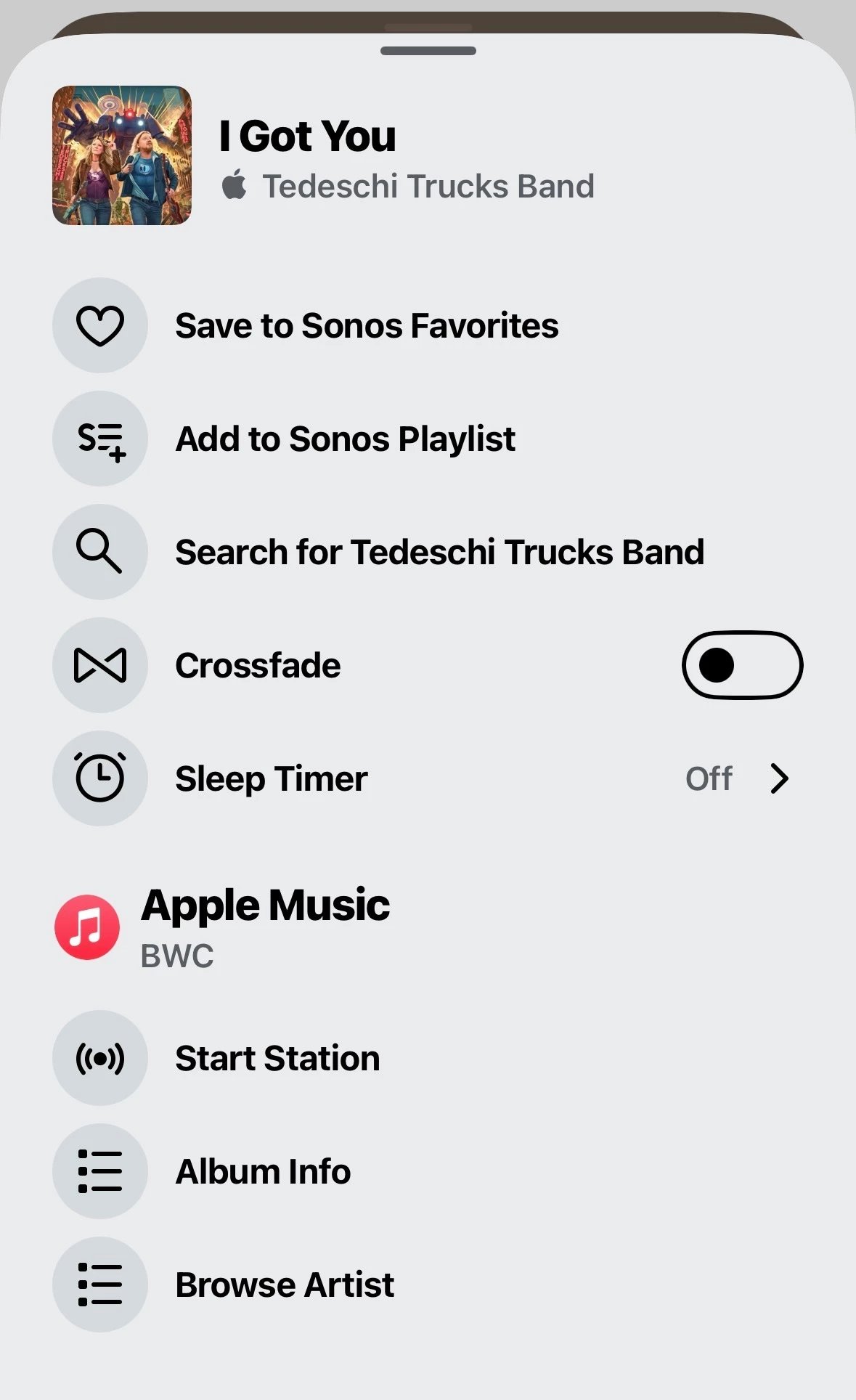
No. I am looking at the three dot context menu per song. Sometimes nothing shows, sometimes a subset of options show. In this example the “Start Radio” is missing but most of the time nothing shows in that area. I am talking about the dynamic area that starts at Apple Music.


MoPac
Forum|alt.badge.img+19
  • Headliner III
  • April 13, 2026

Thanks.  Never scrolled down to see that part of the screen.  You definitely learn stuff in this community.


Forum|alt.badge.img
  • Lyricist III
  • April 13, 2026

No. I am looking at the three dot context menu per song. Sometimes nothing shows, sometimes a subset of options show. In this example the “Start Radio” is missing but most of the time nothing shows in that area. I am talking about the dynamic area that starts at Apple Music.


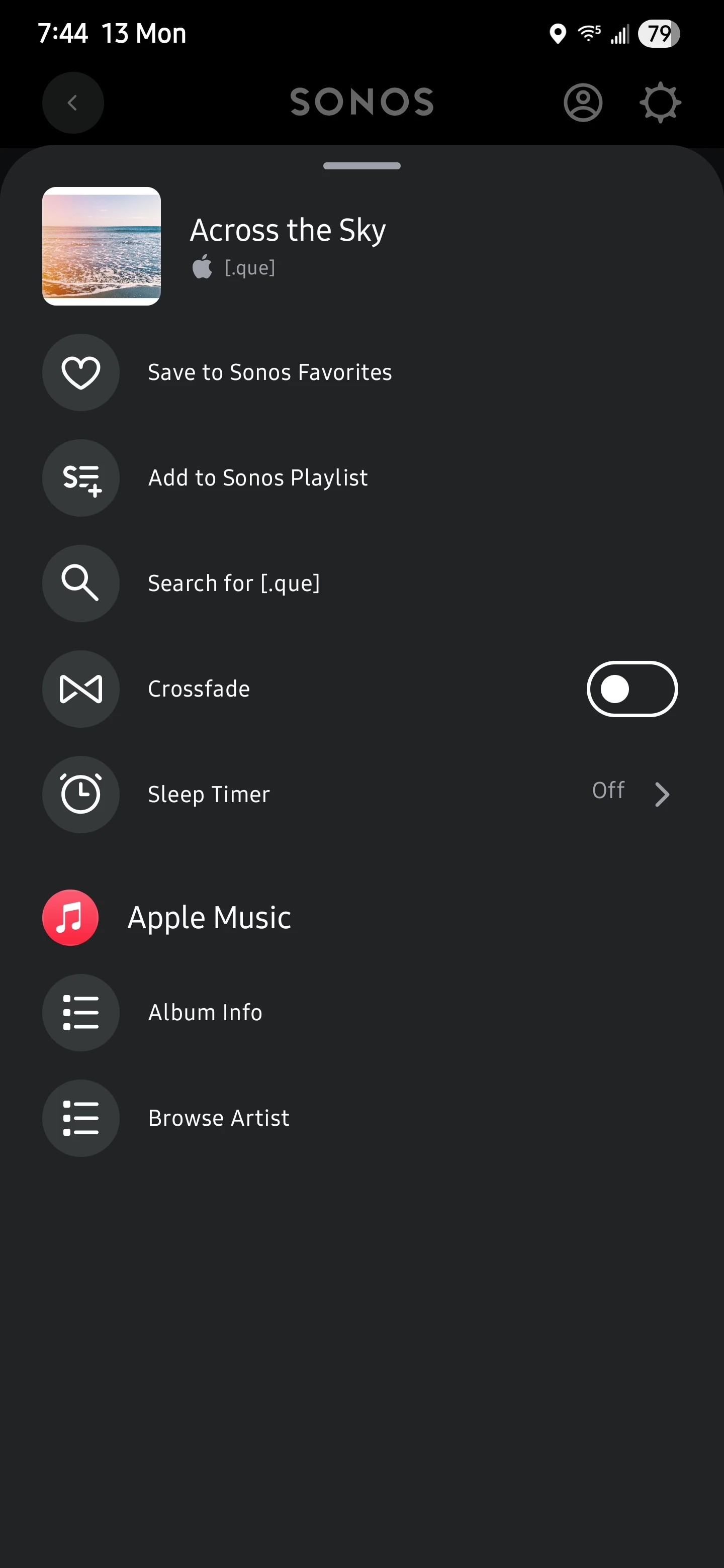
I tried the same track as you and get Start Station. But notice I’m missing crossfade and sleep timer. 


And tried the track from my first reply in this thread and I’m also getting different menu options again. 
 

So similar to you I’m randomly getting different options in this menu. No idea what’s going on.