Question

Sonos One SL not responding, not broadcasting any audio

  • April 4, 2026
  • 21 replies
  • 119 views

Forum|alt.badge.img+2

.: Hello, I have a Sonos Arc soundbar and 2 Sonos One SL speakers in my living room. They can receive sound from my OLED flatscreen tv. I’ve had the One SL speakers for >1 year, and have never had a problem with them until now. Simply put, they will not broadcast any sound. 

I’ve tried all the “solutions” found on various Sonos Help Pages, and nothing has worked, I have rebooted my router, I have unplugged and plugged in each SL speakers, and I have deleted the speakers from my Sonos App and then reintroduced them, complete with having to walk around my living room, moving my arm up and down, as the speakers played the repeating pulsing sound until the growing circular line on the app was complete. The SL speakers were working and wereloud during the setup with that repeating pulsing sound, but haven’t made any noise since. 

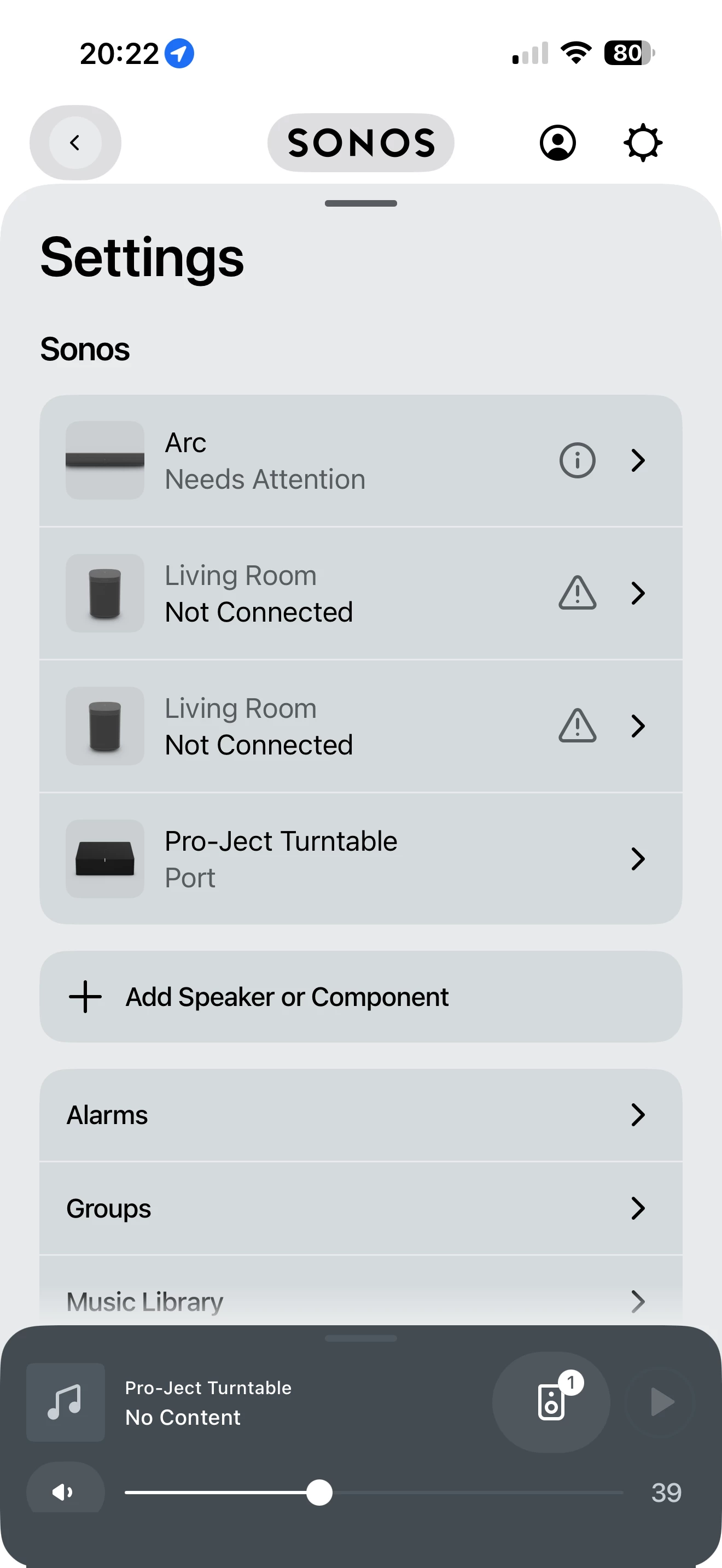
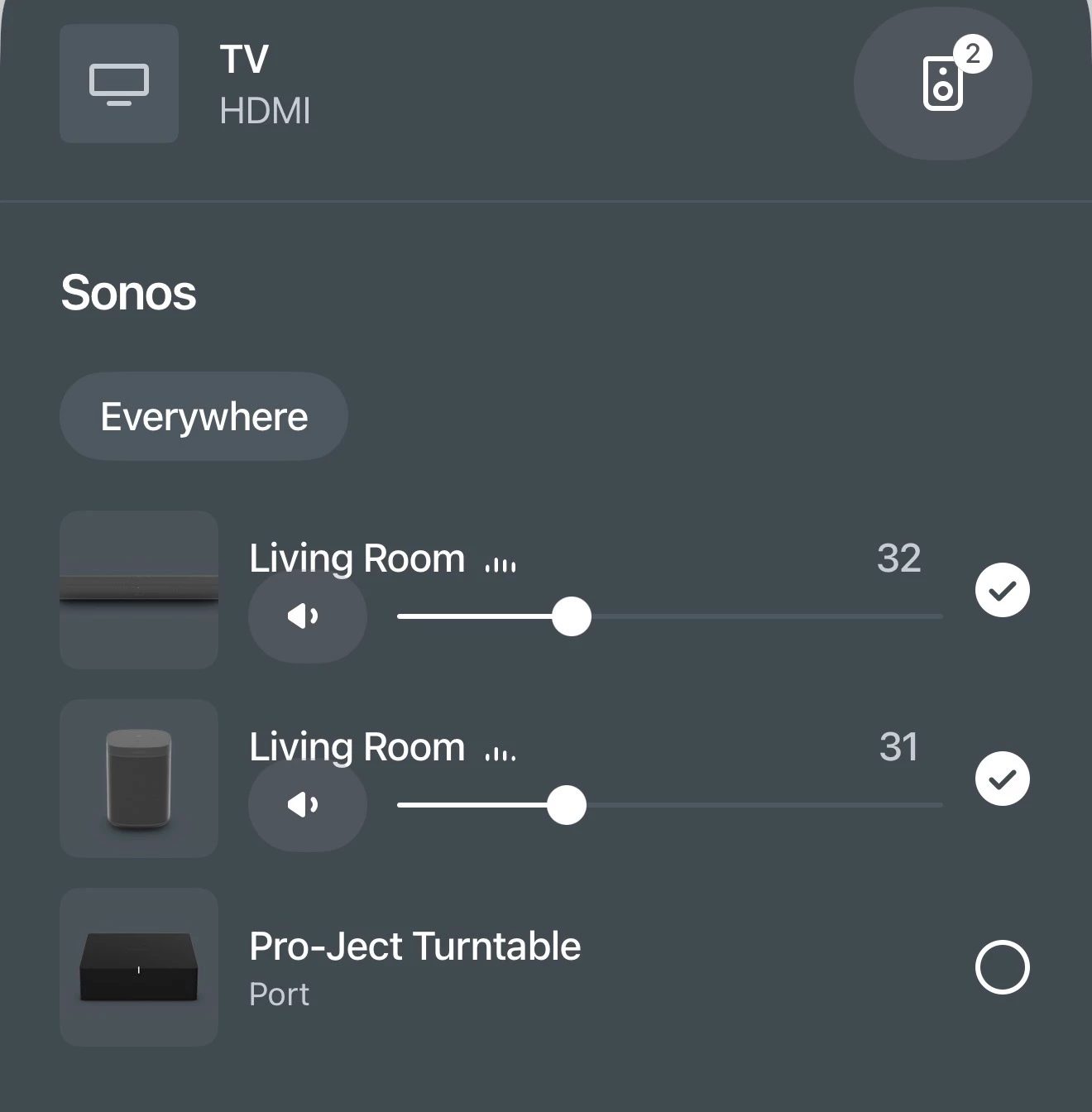
On the app page that shows my “rooms,” there are three llisted: Living Room (TV), Living Room (Line In - Audio Component,) and Pro-Ject Turntable (No Content. See attached images.

Notice that the sound bars for Living Room (Line In - Audio Componenet) are fluctuating in tandem with the sound bars on Living Room (TV), suggesting that the SL’s should be working, but no sound is emitted from the SLs. If I press MUTE on either of my remote controls for my TV, the LED’s on the SL’s go green. If I disable MUTE, they go white.

I sm at a loss and very frustrated. Any thoughts, ideas, suggestions, etc., will be absolutely welcome with infinite gratitude and respect.


21 replies

Stanley_4
  • Grand Maestro
  • April 4, 2026

Do the One SLs work if not set as surrounds?

I don't understand your setup, with two One SLs and an Arc you should only have one Sonos Room. Are you sure they are configured as surrounds?

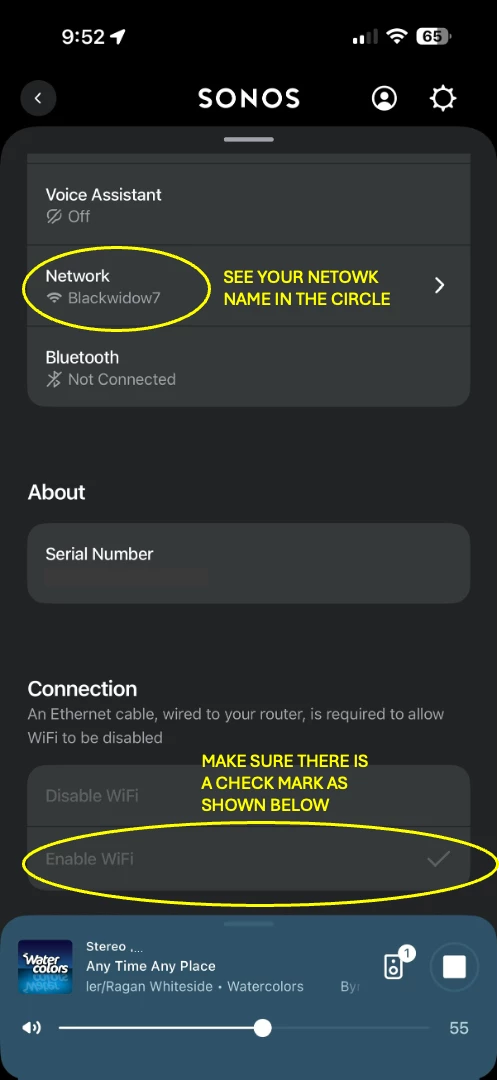
Do you have the horribly named "disable wifi" activated? That disables both surround and Sub audio.

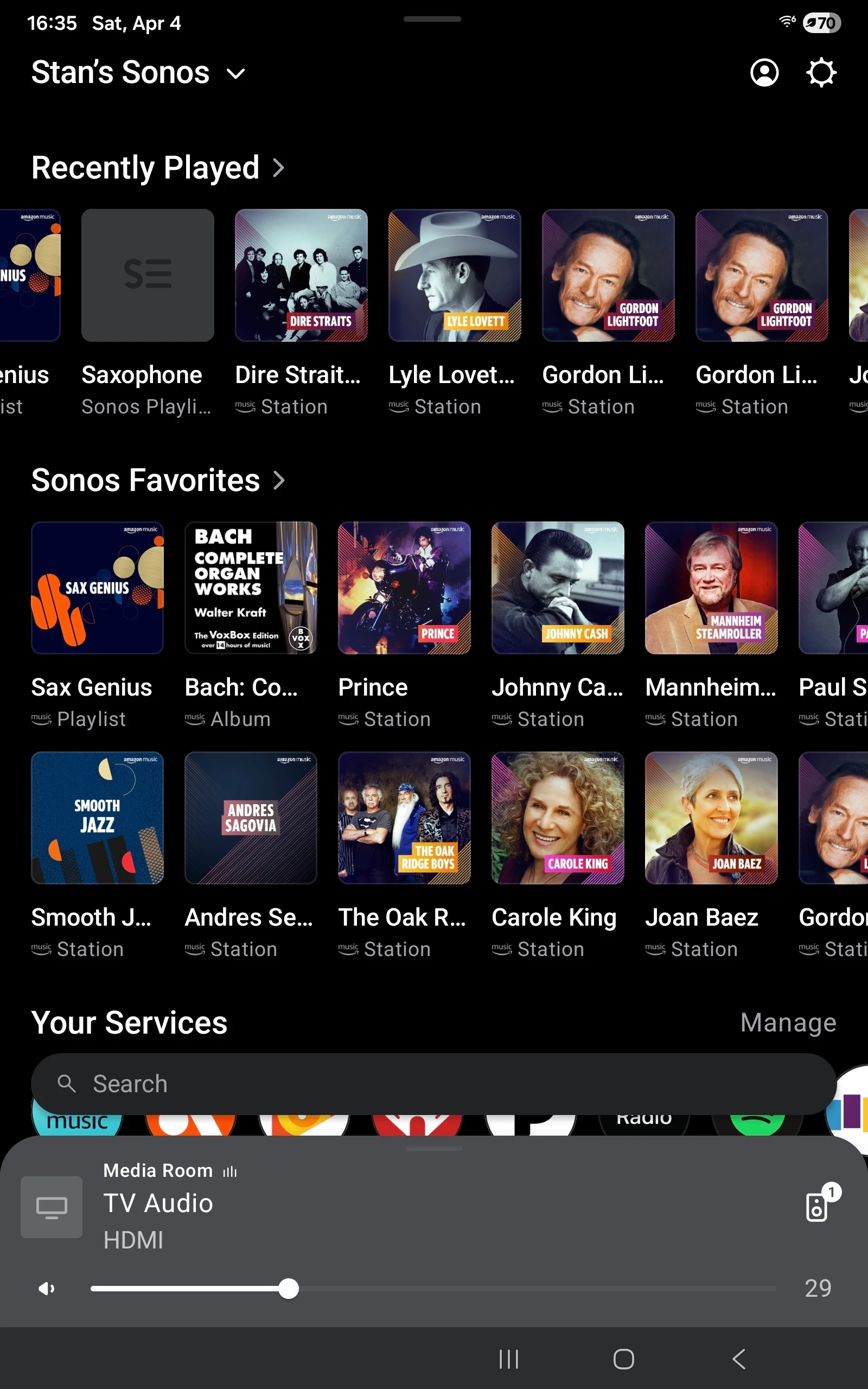
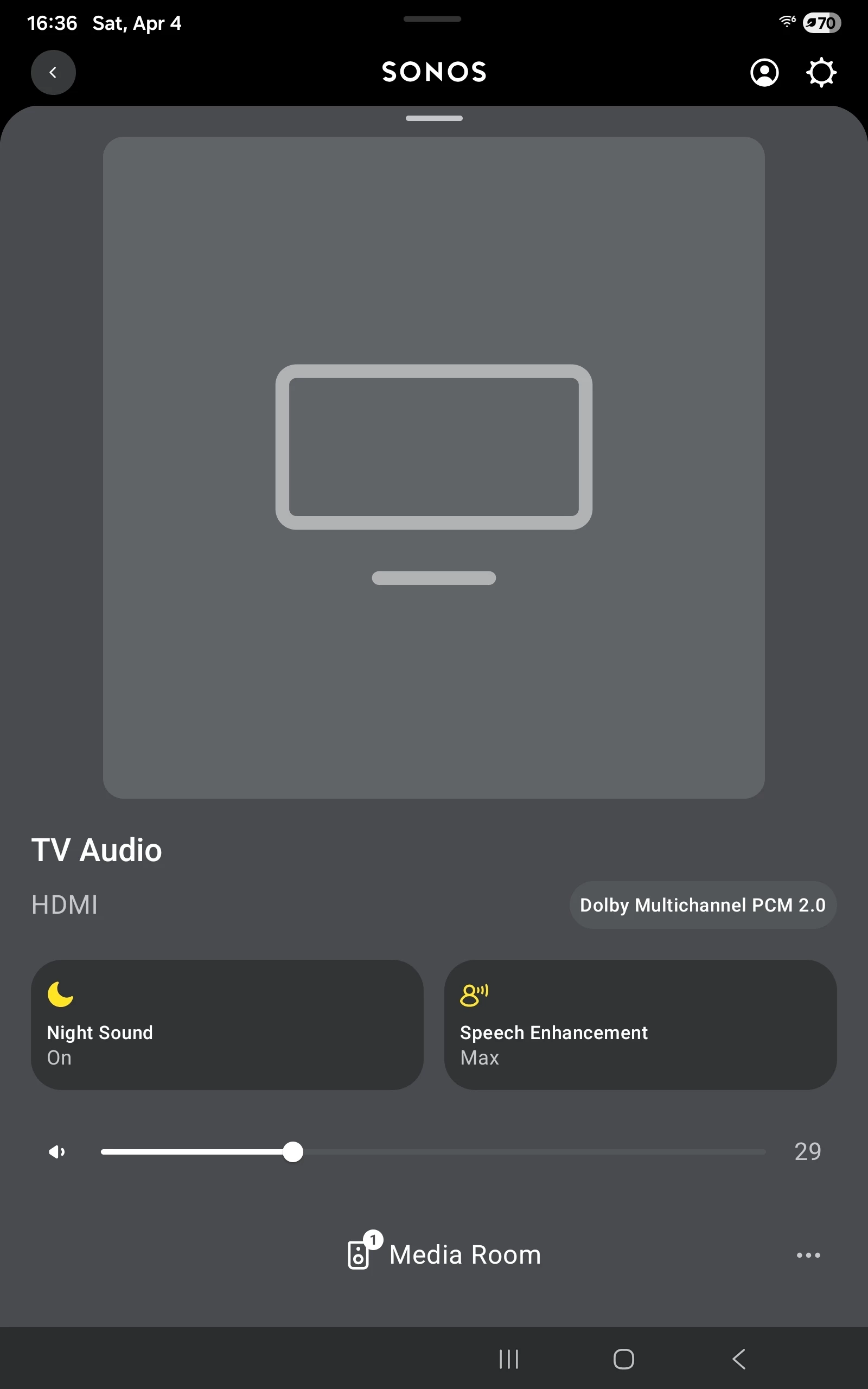
What does the Room screen (when expanded) show as the audio signal? 

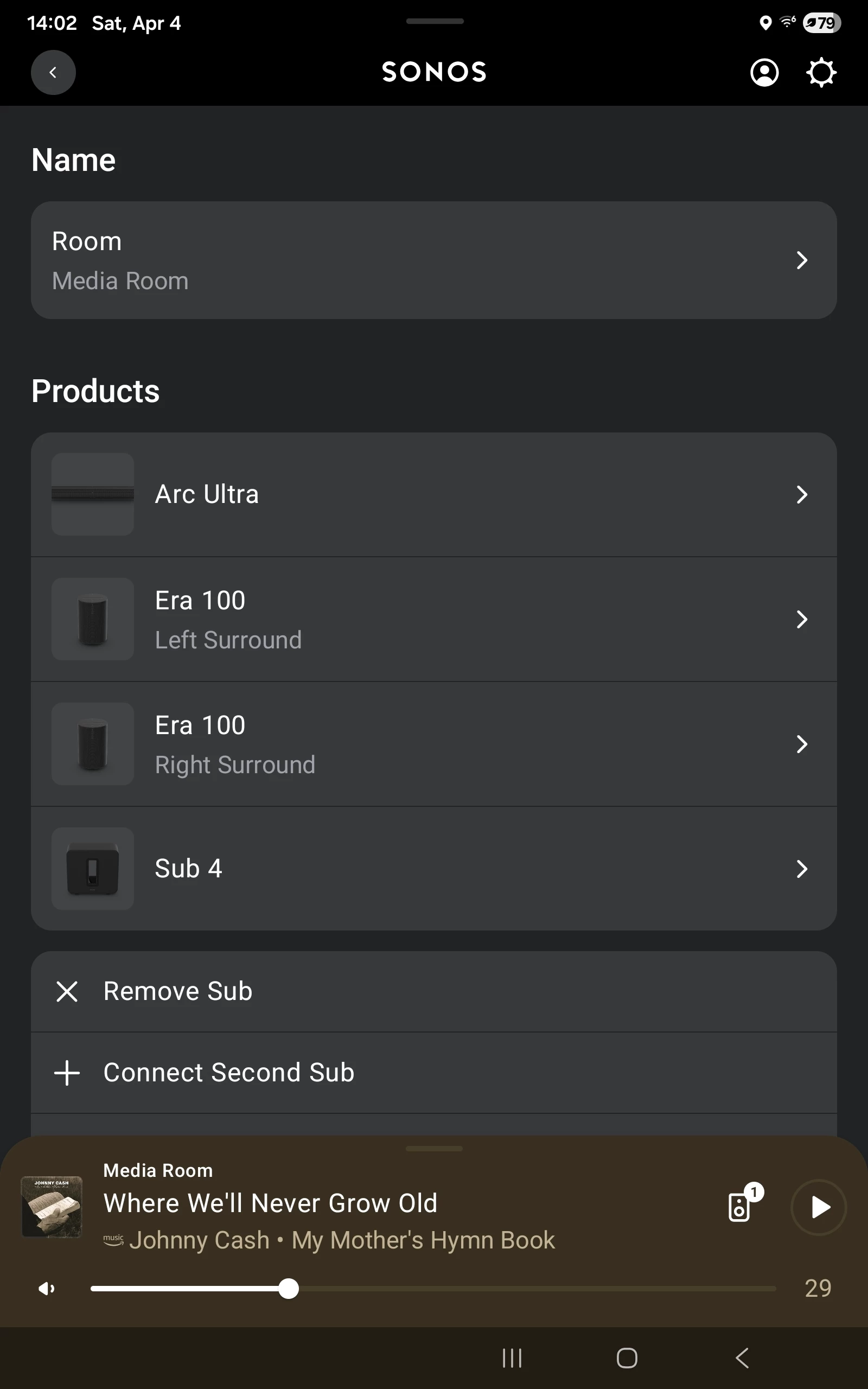
My TV Room looks like this:


AjTrek1
  • April 4, 2026

First a quick suggestion

It’s OK to have different speakers in the same space (room). For example I have the following in the same space. The Room Names are in Bold.

  • ArcUltra with Surronds and Sub = LG One
  • Five x 2 (Stereo Pair) = Stereo
  • Amp w/Turntable = Turntable

All the above are in the same space which is my Media Room, Man Cave or whatever you want to call it. 

In your case I assume the space in which you have the Arc and One SL’s is your Living Room. I would suggest naming the Arc or the One SL’s (or both) with a different Room Name. Let’s be honest..you know where the speakers are physically located 😊

To your issue…

First tell us which source is the lead source; as you are attempting to group Living Room and Living Room. Lead source means from where was the audio initially started?

Upon a second look at the picture you submitted it appears the TV is the Lead source. There is at least a 75ms delay with TV audio to other Sonos speakers the that are not part of the Arc setup (i.e. surrounds or sub). Interference can make the delay even worse.

Try this…

  1. Turn off the TV audio
  2. Ungroup the rooms
  3. Start playing music via the Arc
  4. Group in the One SL’s.

Let us know if the music plays through all speakers 


Forum|alt.badge.img+2
  • Author
  • Enthusiast I
  • April 4, 2026

Do the One SLs work if not set as surrounds?

I don't understand your setup, with two One SLs and an Arc you should only have one Sonos Room. Are you sure they are configured as surrounds?

Do you have the horribly named "disable wifi" activated? That disables both surround and Sub audio.

What does the Room screen (when expanded) show as the audio signal? 

My TV Room looks like this:


Hello, Stanley_4. Thank you very much for your reply. I must advise that i have never figured out how to use the Sonos app properly, so I apologize in advance for my ignorance of its full functionality. I find it very non-intuitive and ambiguous. I may have incorrectly set up my Arc sound bar and SL One speakers incorrectly from the outset.


For example, I do not know how to set the One SLs as a surround sound package. I cannot find that option on my App. My so-called “Home Screen” on my App opens with “Your recent history will show here once you’ve played some content” and then lists “Your Services.” Under “Your Sources” it shows “TV” and “Line-In.” “Line-In” has the right arrow functional, but “TV” has nothing on it to expand it.

At the bottom of my Home Screen are the three Rooms I’ve set up: Living Room, Living Room, Pro-Ject Turntable. How do I move the One SLs and the Arc into one Room only? In “Settings”, the two One SLs are listed as “Stereo Pair.” BTW, WiFi is enabled for each speaker. Regarding the Audio Signal, I don’t know how to expland the Room screen. Where on your “Room Screen” is the audio signal displaying?


Stanley_4
  • Grand Maestro
  • April 4, 2026

The app frustrates many of us. The support section here has some good help.

https://support.sonos.com/en-us/search?q=Surrounds

First under settings you want to remove the Pair option.


Under your Arc, in settings you will see the option to add them as surrounds


The mini list for the Room can be expanded by tapping it.


When open you will see the signal it is seeing


buzz
  • April 4, 2026

Do you want the Living Room to be a surround “Room”? 


Forum|alt.badge.img+2
  • Author
  • Enthusiast I
  • April 4, 2026

First a quick suggestion

It’s OK  to have different speakers in the same space (room). For example I have the following in the same space. The Room Names are in Bold.

  • ArcUltra with Surronds and Sub = LG One
  • Five x 2 (Stereo Pair) = Stereo
  • Amp w/Turntable = Turntable

All the above are in the same space which is my Media Room, Man Cave or whatever you want to call it. 

In your case I assume the space in which you have the Arc and One SL’s is your Living Room. I would suggest naming the Arc or the One SL’s (or both) with a different Room Name. Let’s be honest..you know where the speakers are physically located 😊

To your issue…

First tell us which source is the lead source; as you are attempting to group Living Room and Living Room. Lead source means from where was the audio initially started?

Upon a second look at the picture you submitted it appears the TV is the Lead source. There is at least a 75ms delay with TV audio to other Sonos speakers the that are not part of the Arc setup (i.e. surrounds or sub). Interference can make the delay even worse.

Try this…

  1. Turn off the TV audio
  2. Ungroup the rooms
  3. Start playing music via the Arc
  4. Group in the One SL’s.

Let us know if the music plays through all speakers 


Hello, AjTrek1. Thank you for responding to my concern. The Lead Source for my audio would be my tv, an LG OLED65C1 flat screen. The first Sonos product I attached to my tv was the Arc SL sound bar.

Following your instructions, I will turn off the TV audio by powering down the TV. 

I’m not sure how to ungroup the rooms, can you help me with that procedure?

I have a Pro-Ject turntable set up with my Sonos products. I’ll try using it now.


Stanley_4
  • Grand Maestro
  • April 4, 2026

On moving and naming, you are making things difficult for yourself, a problem the app encourages, by confusing rooms and Rooms. Yes that sounds foolish but Sonos decided to use the word Room to identify a speaker which then gets confused with room, as in a room of your house. The solution is to name each speaker something unique while setting up and then once setup change the name to whatever you like.

I'd start with names of arc, one left, one right and port. Once the surrounds are setup the one right and one left disappear under the arc Room. Which can then be renamed as you wish.

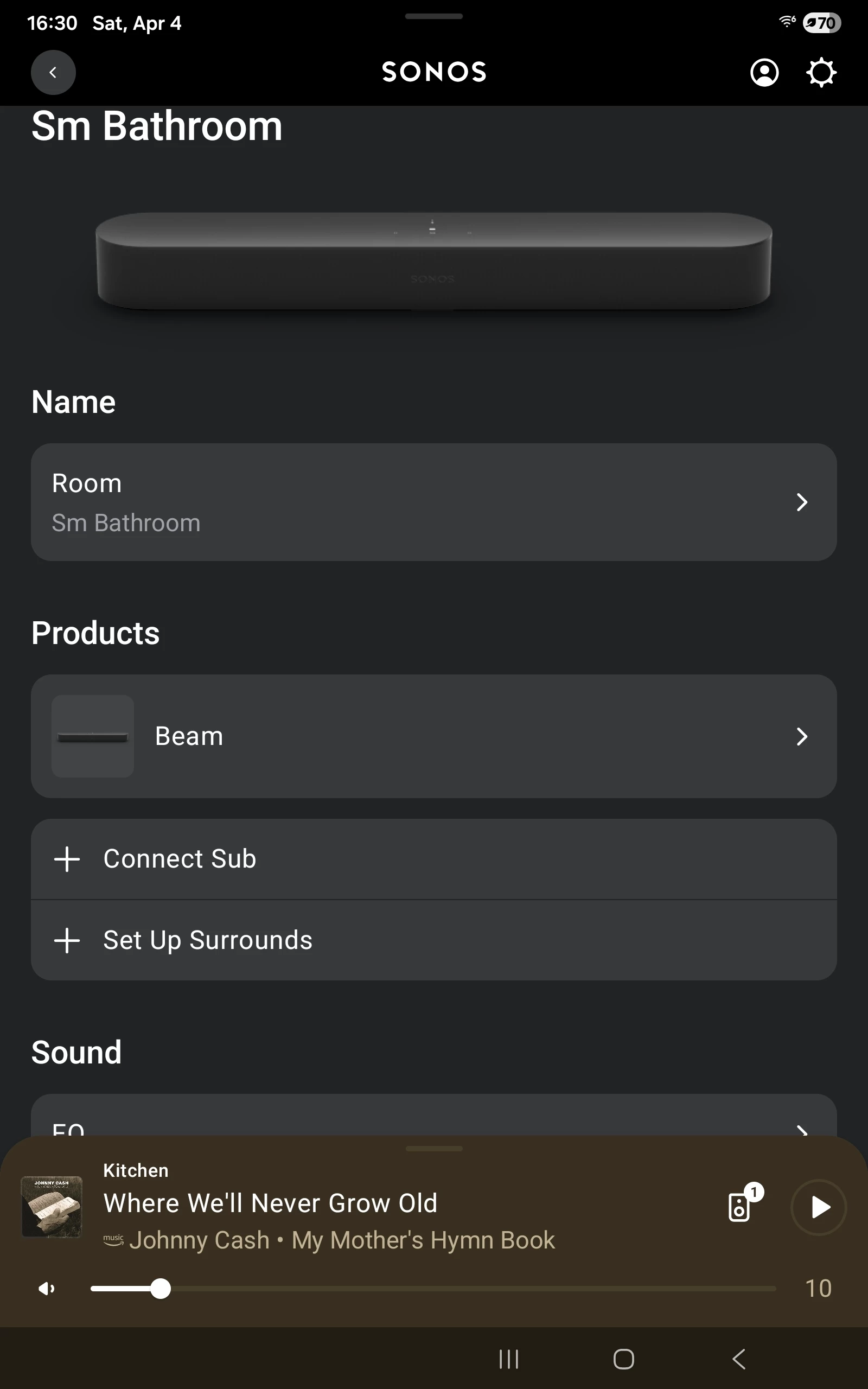
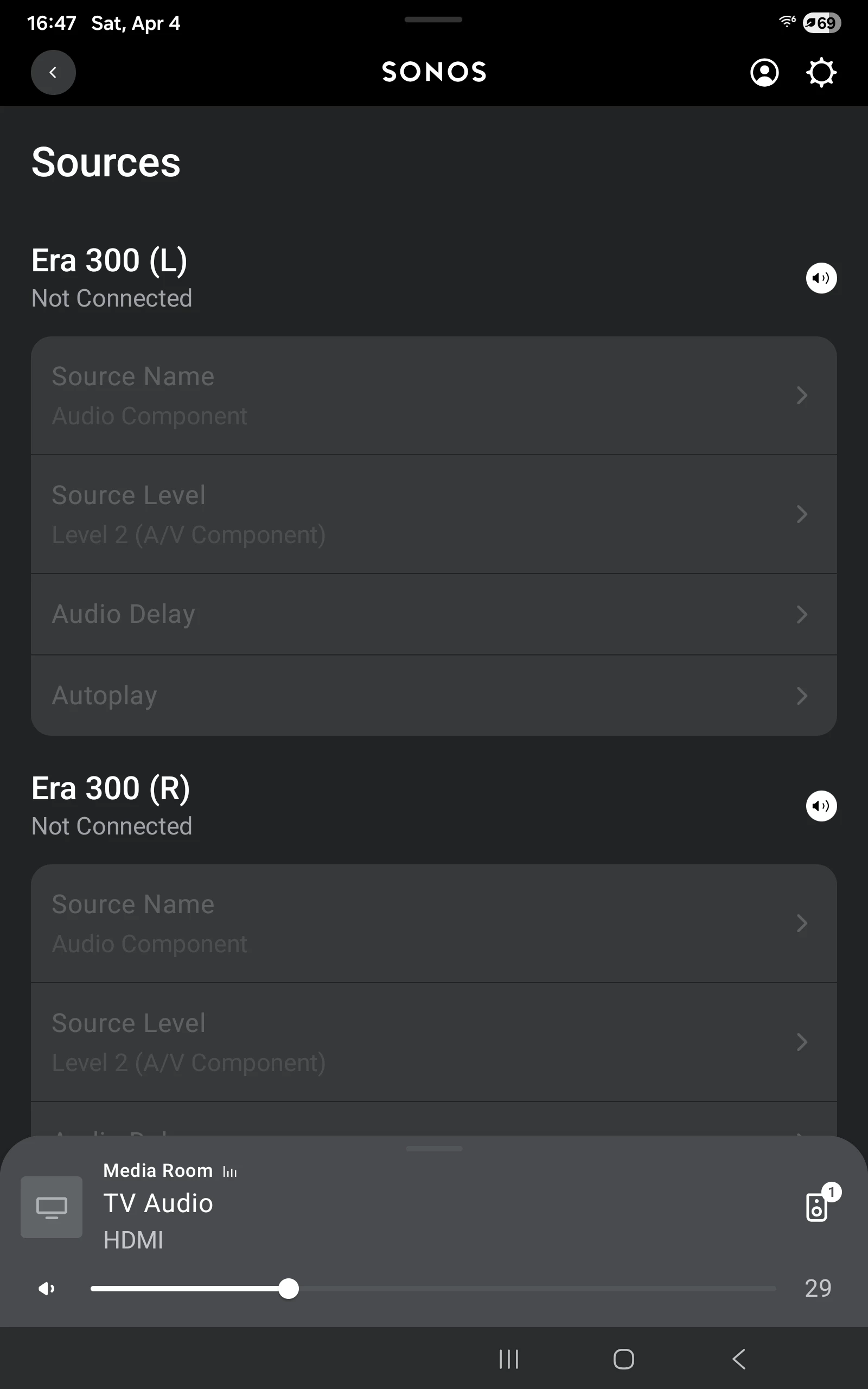
I don't use my line-in so they are dim here but you can see the spot you would name the Port line-in as turntable or your preference.


You will end up with two Sonos Rooms, arc and port. You can select the Port Room and the line-in there, then Group with the arc Room to play your turntable audio. You can also directly select it.

The Support section and the main forum page have links to a lot of useful information, not as well organized or easy to find as it could be but most everything you need is here somewhere.

If you have more questions feel free to ask and I or so some else will be happy to assist


kjhhjkasdfg

I think sonos has an outage atm.

I have a beam connected to two play1 as surrounds and a sub.

the play1 units and the sub were not connected to the network this morning.

reset and re-paired both play1 and sub unit to my account via s2

all speakers work now (play1 stereo paired with sub) BUT adding them to beam drops them from my network. restared the play1 and subs and still not on the network.

reset and re-paired both play1 and sub units to my account via s2 again and they’re back on the network.

adding them to my beam drops them off of the network again.

play1 and sub units show a blinking white light - indicative of unable to connect to Wi-Fi network.

I’ve reset and re-paired by beam and restarted my router and Wi-Fi network hardware.

seems like pairing anything to the beam breaks them at this stage.

I’ll wait for sonos to fix their back-of-house system.

I understand that with the migration to s2, sonos has made my local speaker system a ‘cloud speaker system’. i.e. the s2 app is not really a media player or speaker controller, it’s a browser which is loading pages from sonos cloud.

My speakers are not mine anymore and cannot work without sonos cloud service.

I believe this is the reason why so many customers are frustrated with sonos as a company and the root of most of the issues customers face with their hardware products that they have purchased and own. I believe this is also the reason the CEO of sonos stepped down last year.

It’s be nice if the speaker system I purchased as my own and not reliant on sonos cloud services to play songs from my phone or play audio from my TV inside my house.


Stanley_4
  • Grand Maestro
  • April 5, 2026

kjhhjkasdfg why did you dump this in a topic where it is completely unrelated?

Also you have a similar post in another topic.

https://en.community.sonos.com/ask-a-question-228987/sonos-beam-disconnecting-surround-play1-speakers-and-sub-from-my-wifi-6933564


AjTrek1
  • April 5, 2026

@Podbay 

As suggested by ​@Stanley_4 please disregard the post by ​@kjhhjkasdfg . There is no Sonos outage. 

@Stanley_4 had you on the right track to remove the One SL’s as a stereo pair and set them up as surrounds with your Arc.

However, there is one step you should perform before doing so and that is to ungroup everything as you asked how to do. Not to worry it’s very simple…

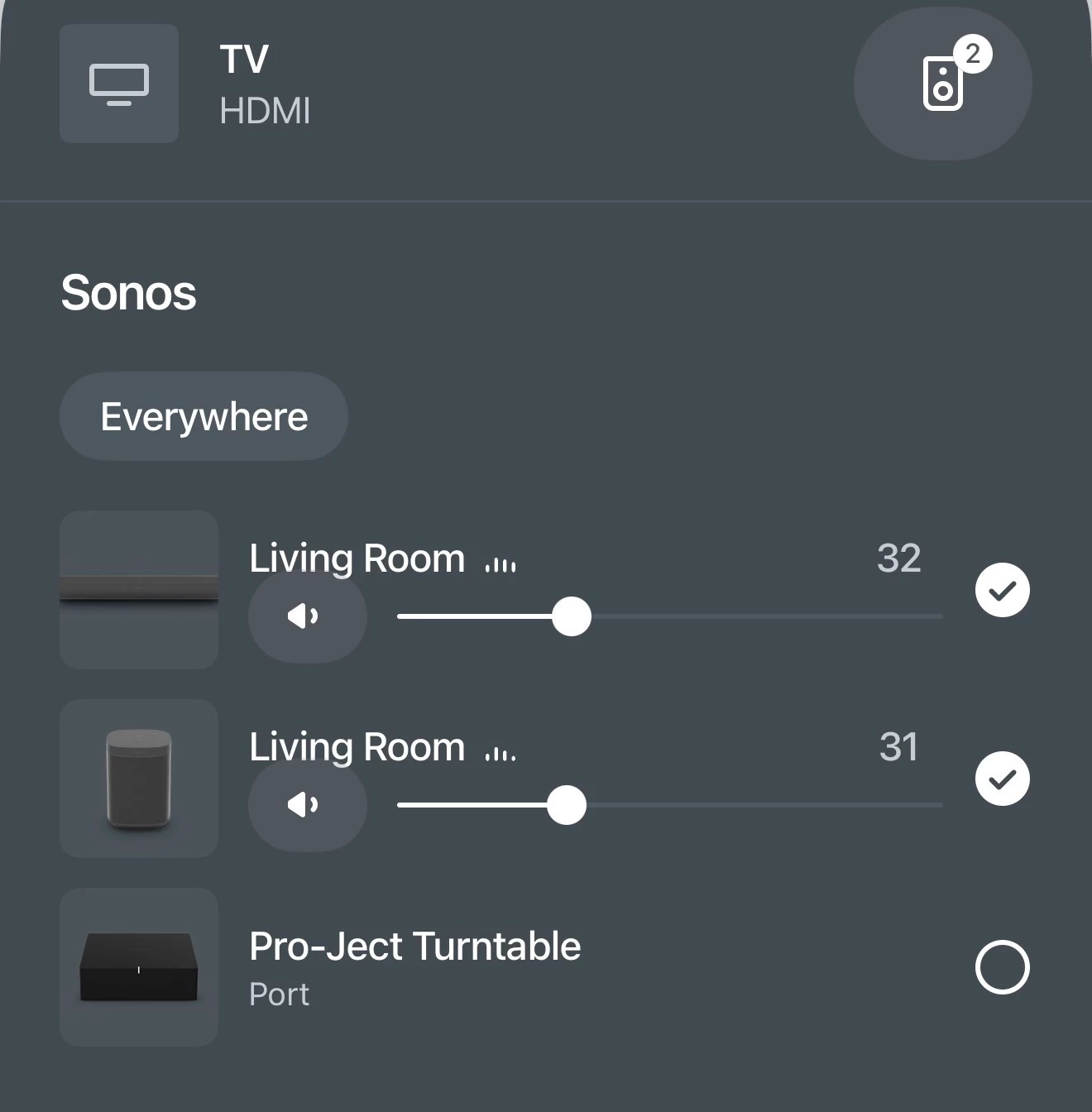
Uncheck one of the “Living Rooms” shown in your picture below by tapping a check mark (✔) and click Apply. Then follow ​@Stanley_4 instructions.


MoPac
Forum|alt.badge.img+19
  • Headliner III
  • April 5, 2026

@Podbay:

 First don’t have two Rooms with the same name.

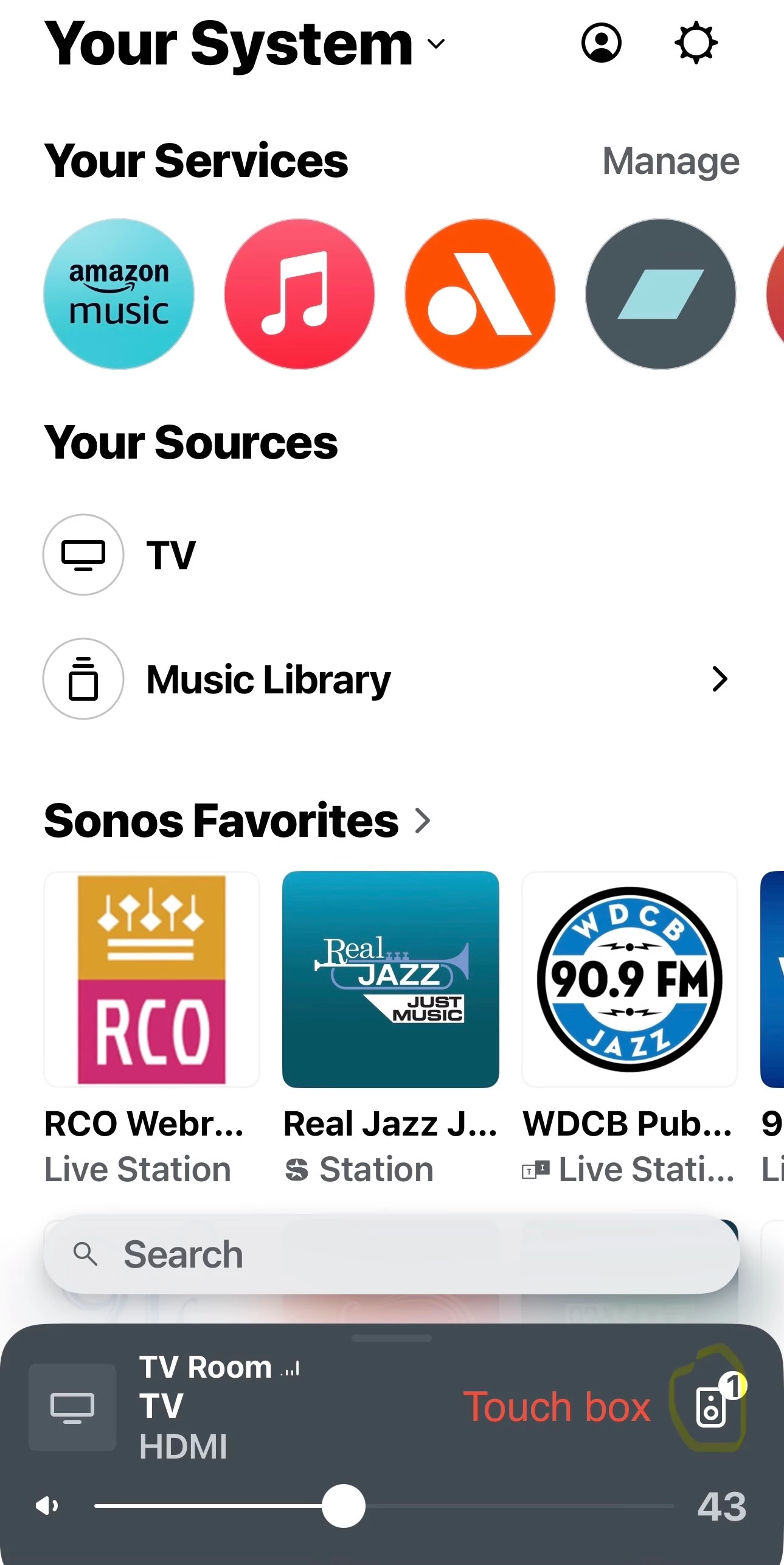
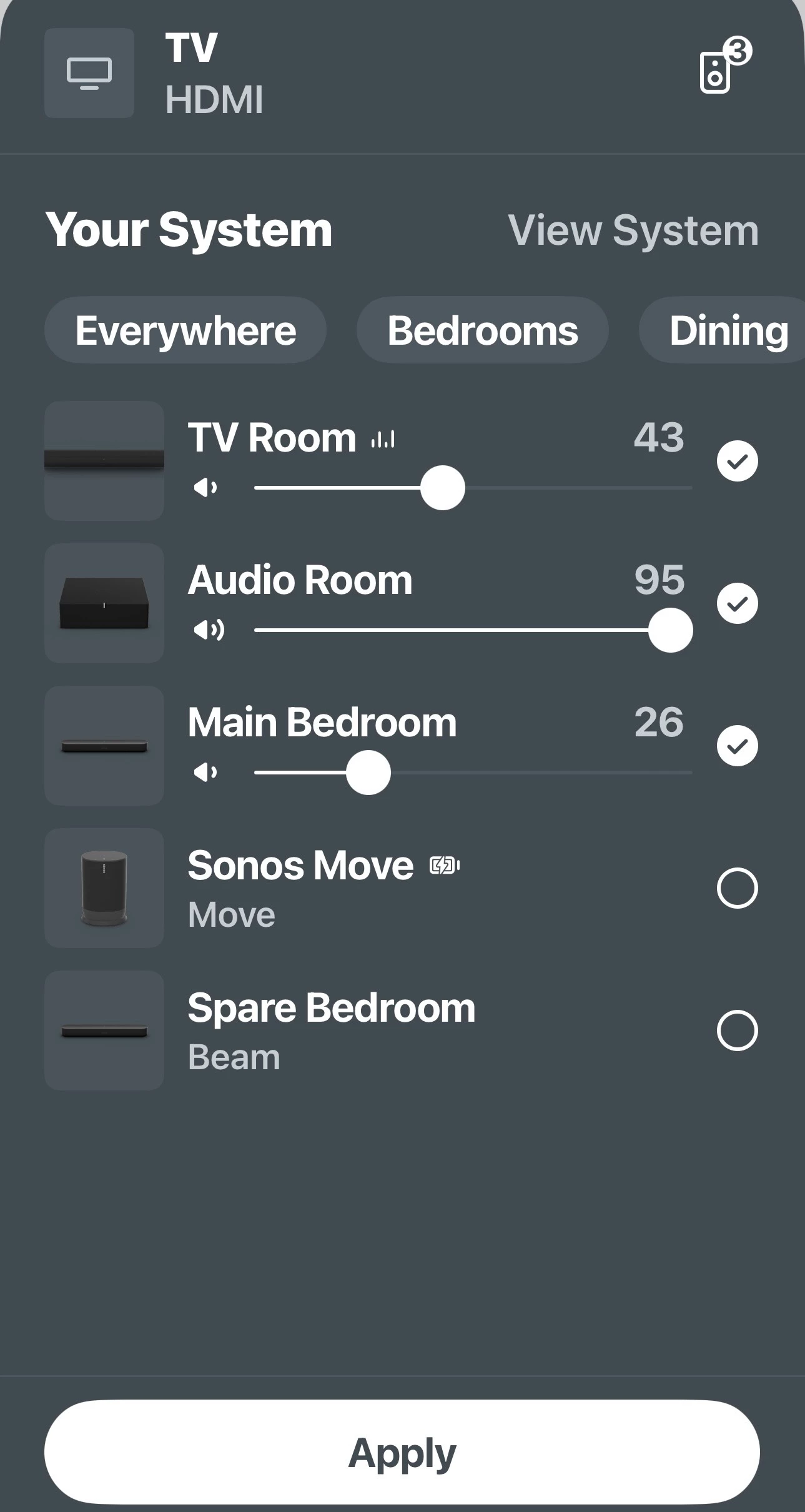
Touch the small speaker icon in the first screenshot to see the Group screen.

You asked about how to remove a Room(s) from a Group.  The second screenshot shows how.  Tap on the two Rooms Under TV Room then tap Apply.  Those rooms are then removed from the group.  In that screen you can add & remove rooms.

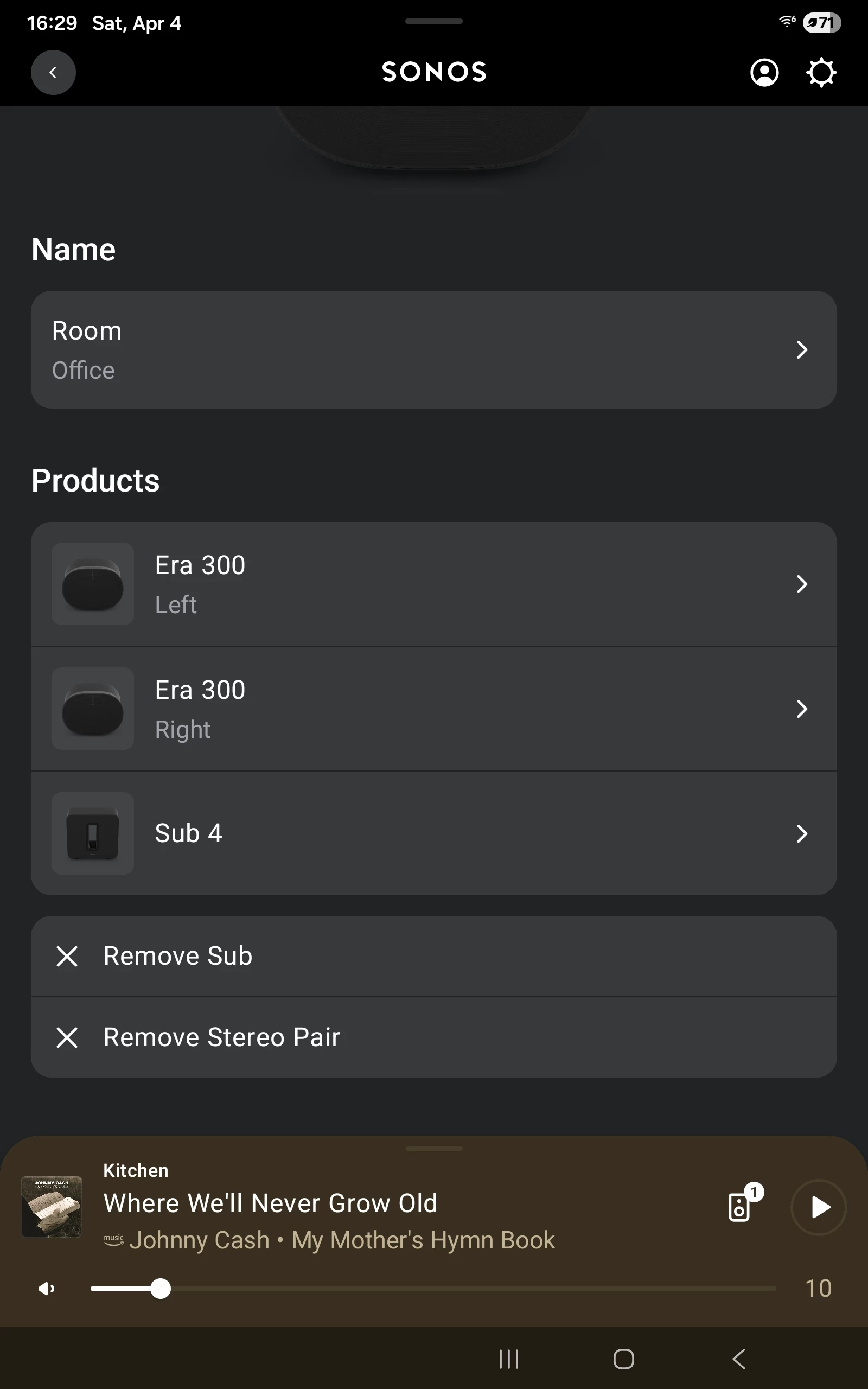
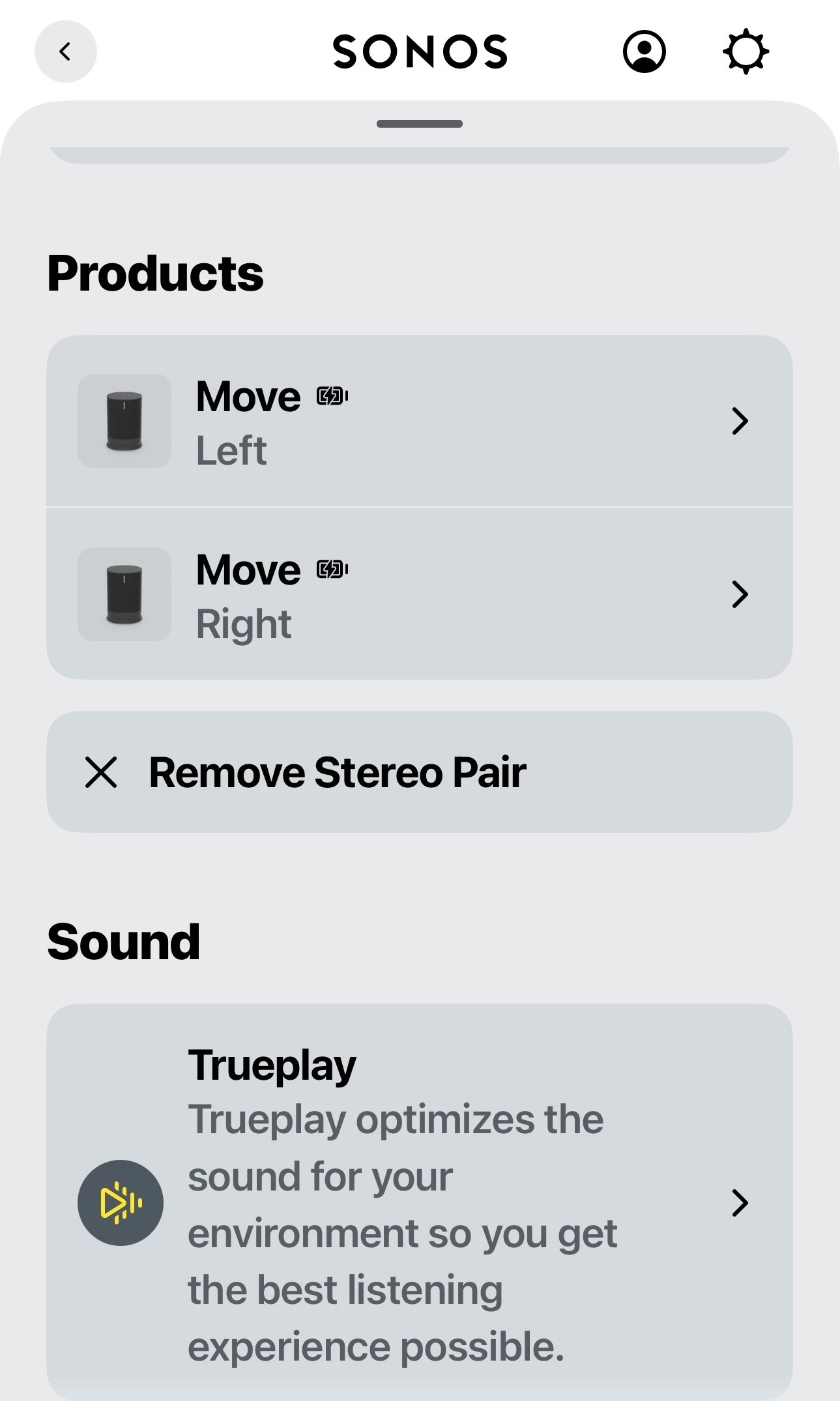
if you want to separate a stereo pair go to Settings (gear) - Choose stereo room - scroll down till you see Remove Stereo Pair.  This would have to be done before the two speakers that were in stereo can be added as surround speakers.  See third screenshot.


Forum|alt.badge.img+2
  • Author
  • Enthusiast I
  • April 5, 2026

Thank you, @AjTrek4 and @Stanley_4 for your help. What I tried to do in the last hour is reset the SL speakers, I did this four times. Each time, each speaker would connect to my wifi signal, but when I finished connecting both of them both would then lose the wifi signal shortly thereafter. The Arc stays connected but the SLs drop out.

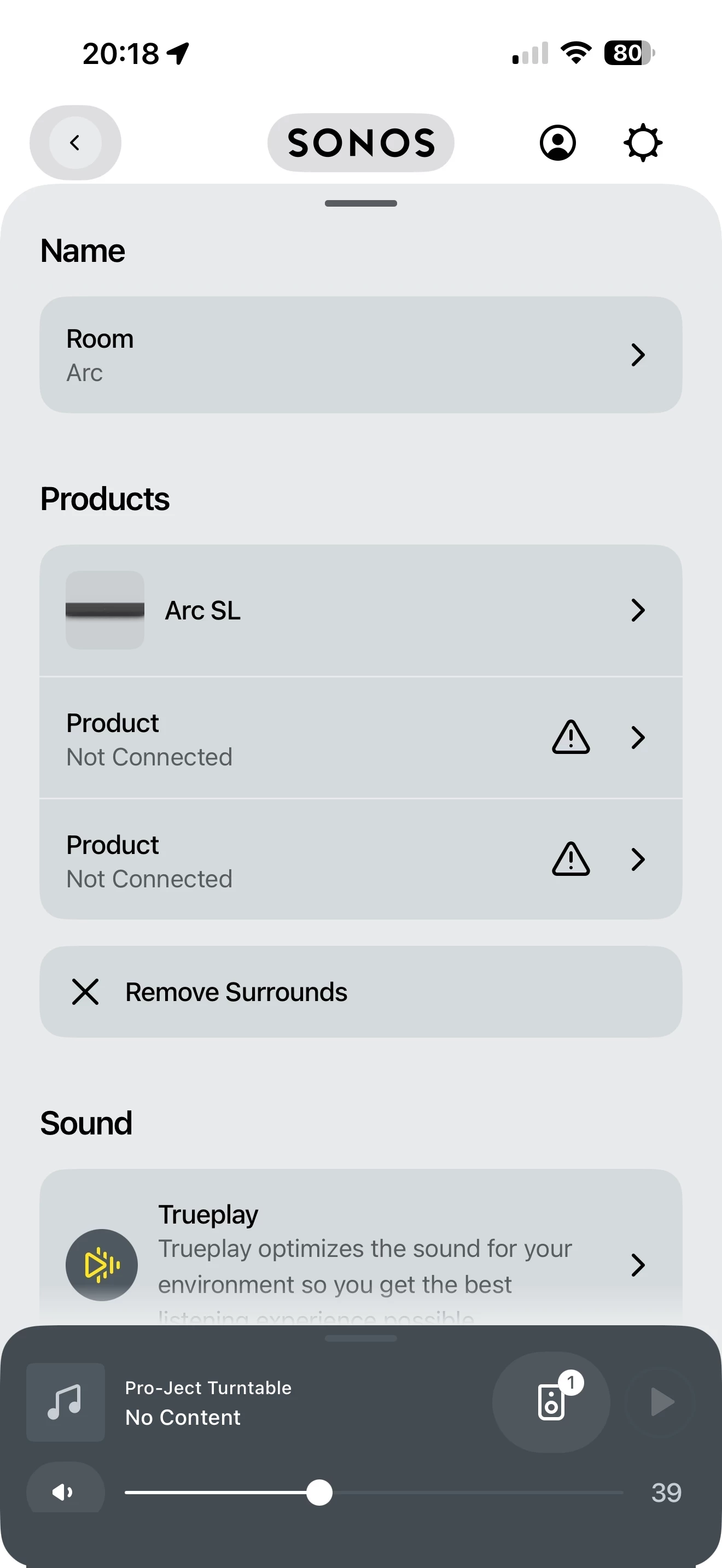
I can’t get to the TV HDMI screen above. I have renamed “Living Room” to “Arc”, as per @Stanleu_4’s suggestion.

I am unable to remove the SLs as a stereo pair and set them up as surround, because when I reset the SLs, they drop the wifi signal within 60 seconds.

The dilemma continues.

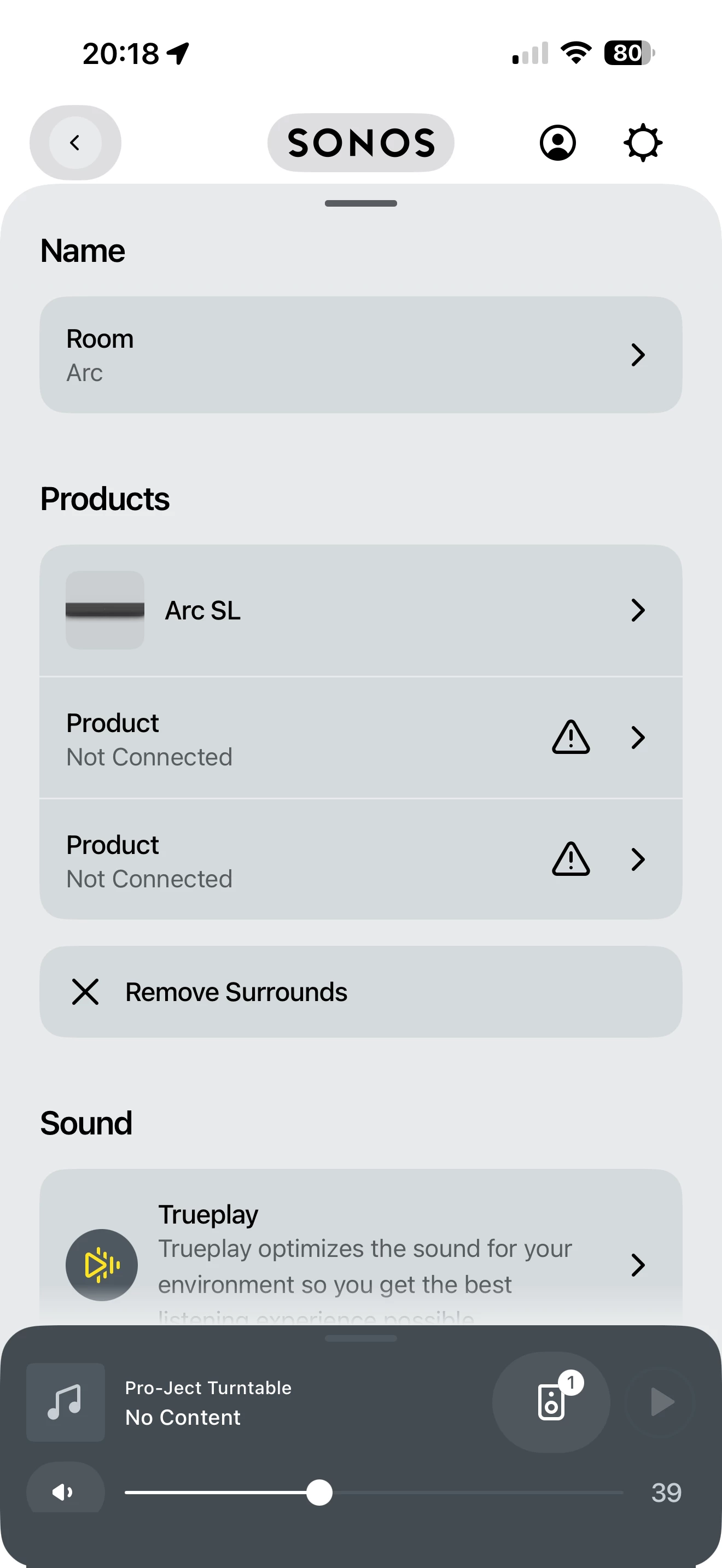
Some screen shots:


Forum|alt.badge.img+2
  • Author
  • Enthusiast I
  • April 5, 2026

@Podbay:

 First don’t have two Rooms with the same name.

Touch the small speaker icon in the first screenshot to see the Group screen.

You asked about how to remove a Room(s) from a Group.  The second screenshot shows how.  Tap on the two Rooms Under TV Room then tap Apply.  Those rooms are then removed from the group.  In that screen you can add & remove rooms.

if you want to separate a stereo pair go to Settings (gear) - Choose stereo room - scroll down till you see Remove Stereo Pair.  This would have to be done before the two speakers that were in stereo can be added as surround speakers.  See third screenshot.


Thank you, MoPac. I will investigate further following your instructions.


Stanley_4
  • Grand Maestro
  • April 5, 2026

Why are you resetting speakers that is counterproductive and will not solve your issues, just make more work and aggravation.

Lose the wifi signal? I hope you are not looking at your router to see connected devices, it is unlikely to correctly display Sonosnet 5 gHz device to device (not device to the router's wifi to device) connections used by sub and surrounds. You can spend endless hours chasing your own tail if you try to make Sonos function differently than it does. Stick to the simple steps above and don't get distracted by the misleading router status information.


AjTrek1
  • April 5, 2026

@Podbay 

You’re almost there!

The disconnect you see for the One SL’s as surrounds in the picture below is not your home Wi-Fi. What you are seeing is the One SL’s not communicating with the Arc via the hidden 5Ghz channel within the Sonos speakers.


Try this…

First tap the Room “Arc” in your picture above and make sure everything looks like what you see here. Then follow steps below:

  1. Unplug the One SL’s 
  2. Unplug the Arc
  3. Plug in the Arc and let it come back (You will see the solid white LED if you have it turned on in settings. If not wait at least 5 minutes)
  4. Plug in the One SL’s and let them connect to the Arc (Be patient as it may take awhile)
  5. After 10 minutes close the Sonos app and re-open it to see if everything is OK

Let us know the results.


Forum|alt.badge.img+2
  • Author
  • Enthusiast I
  • April 5, 2026

Why are you resetting speakers that is counterproductive and will not solve your issues, just make more work and aggravation.

Lose the wifi signal? I hope you are not looking at your router to see connected devices, it is unlikely to correctly display Sonosnet 5 gHz device to device (not device to the router's wifi to device) connections used by sub and surrounds. You can spend endless hours chasing your own tail if you try to make Sonos function differently than it does. Stick to the simple steps above and don't get distracted by the misleading router status information.

@Stanley_4 I was restting the speakers because with my limited knowledge and understanding of how this all works, I thought if I reintroduced the SLs to my account they might function normally. Clearly this wasn’t the case. I will try again w/o resetting the speakers.


AjTrek1
  • April 5, 2026

@Podbay 

You’re getting a lot of good advice from ​@Stanley_4 . I’m going to drop off so as not to interject more information than is required. Good luck to get everything sorted out. 


Stanley_4
  • Grand Maestro
  • April 5, 2026

There is so much bad advice out there about the factory reset, and even more from some AI answers it is a common problem. The Sonos position:

https://support.sonos.com/en-us/article/reset-your-sonos-product

There are a few specific situations where the support pages recommemd it.


I do wish the app was easier to explain and there were less picky steps to go through. Sonos is aware of the app issues and is working to make things better.


Forum|alt.badge.img+2
  • Author
  • Enthusiast I
  • April 5, 2026

.: Friends: I am pleased to report that thanks to direction and guidance from kind-hearted community members Stanley_4 and AjTrek1, my Sonos One SL speakers are now working in tandem with my Sonos Arc SL soundbar, and are providing most excellent surround-sound again. Thank you so much for your help, folks!


Forum|alt.badge.img+19
  • Senior Virtuoso
  • April 5, 2026

Well done, ​@Stanley_4, for providing such clear instruction, and to ​@Podbay for (finally) following the advice. Glad it’s all sorted. 


Forum|alt.badge.img+2
  • Author
  • Enthusiast I
  • April 7, 2026

Well done, ​@Stanley_4, for providing such clear instruction, and to ​@Podbay for (finally) following the advice. Glad it’s all sorted. 

Thanks also to AjTrek1 for their input and guidance.