Question

Apple music not transferring into sonos.

  • January 18, 2026
  • 5 replies
  • 50 views

When selecting music in Apple it always transferred into Sonos automatically very quickly. Now it does not work, nothing transfers and if I delete music from Apple a grey shadow image still appears in Sonos but it doesn’t play. I have tried deleting both accounts and reinstalling but that doesn’t fix. Anyone got any ideas what is wrong?

5 replies

  • Contributor I
  • January 18, 2026

Ditto - I’m glad it’s not just my system suffering from this issue.


AjTrek1
  • January 18, 2026

@PFTTFP  ​@GeraintEd 

Not really understanding your issue as a few more details would be helpful.

What device are you using?

Are both the Sonos app and your device up to date?

Are you searching Apple Music via its app or through the Sonos App?

What do you mean when you say you deleted both accounts? 

Have you tried stopping the Sonos app and restarting it?

Can you post a picture of what you are seeing?


  • Contributor I
  • January 18, 2026

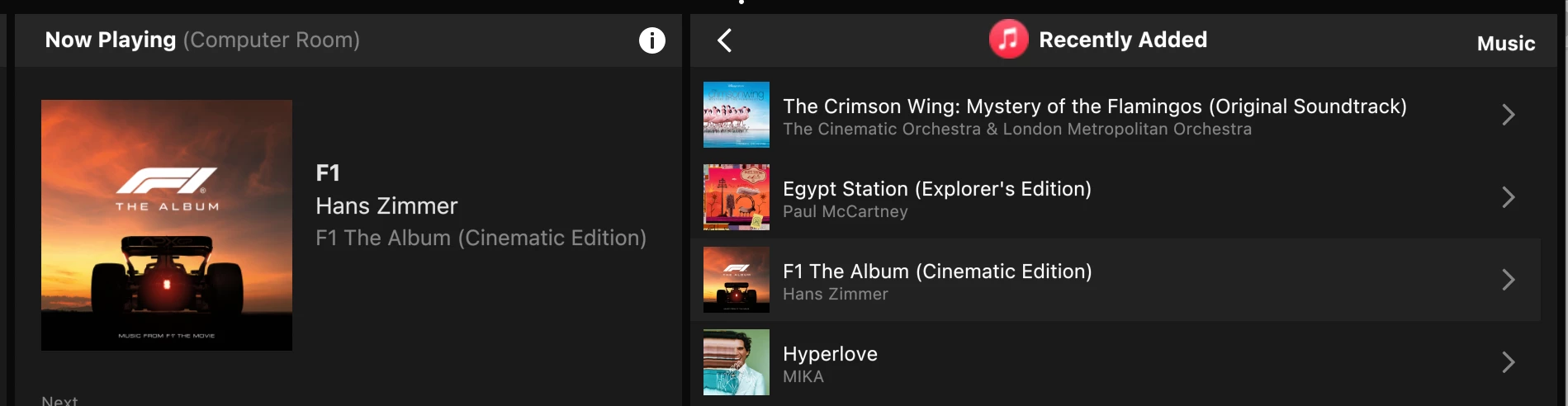
In the Sonos app (and Ive tried this on all my devices e.g. iPad, MacBook and iPhone) I select Apple Music - Library - Recently Added - and in this list, music that I’ve added two days ago do not appear in the list.

This list in the image was taken today (January 18th) but the items on the list are over 2 days old. Tracks and albums I’ve added since to Apple Music library do not appear.


  • Author
  • Contributor II
  • January 18, 2026

It seems I am not alone on this issue!

I am searching music via the Apple app. 
I have the problem on my ipad but my iPhone and my wife’s ipad have exactly the same problem so I think it’s not hardware problems?

 I deleted Apple Music and Sonos and reinstalled both and that didn’t work. 
my system software is up to date. 

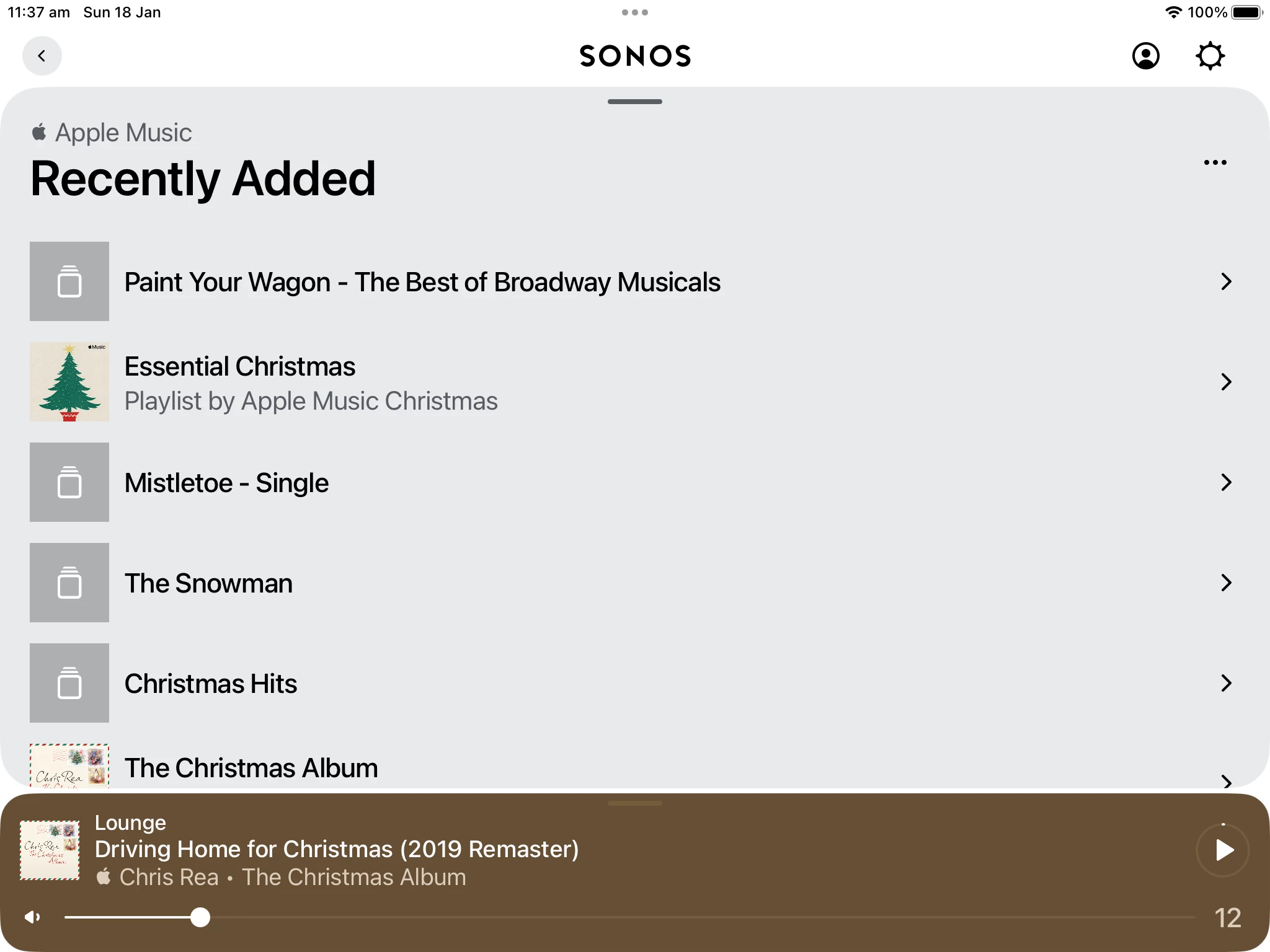
This is what I see after deleting music in Apple app. 
 

I have deleted these in Apple but still show like this in Sonos. No new music transfers. 


AjTrek1
  • January 18, 2026

If you guys do a community search for “Recently Added” and/or “Recently Played” you’ll find the issue has been broached before. The answer from a moderator was to log a case with Tech Support. It seems the issue was handled with Apple but may be back again. Bottomline the issue seemingly lies with Apple.