Question

App volume sliders missing

  • December 13, 2025
  • 12 replies
  • 92 views

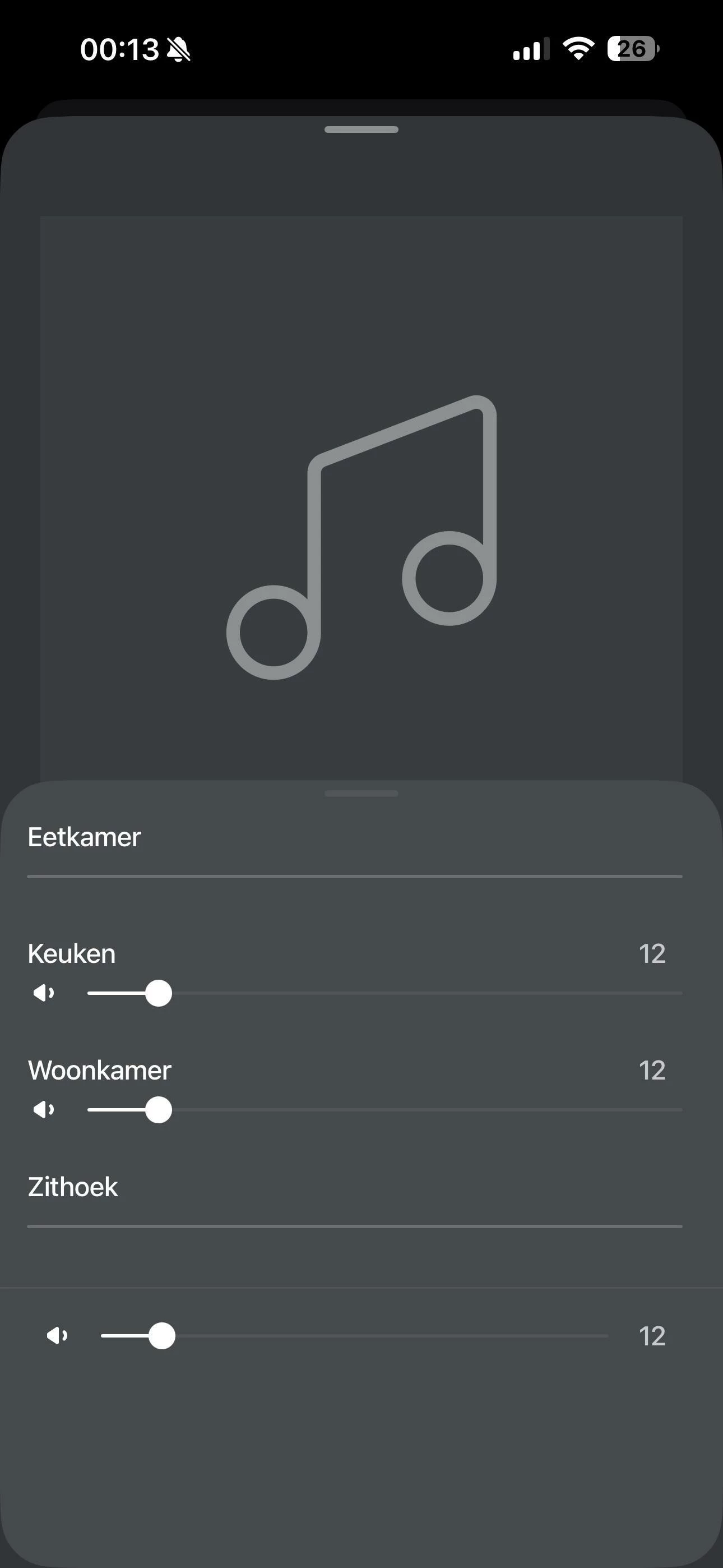
Some of my Sonos speakers don’t show volume sliders in the app and it’s driving me crazy. Audio plays fine and grouping works, but I can’t control volume for some of my speakers. It always ends up that one volume slider remains, while the rest disappear. And this on al my devices, they even show the same volume sliders grayed out.

What I’ve already tried:

  • All speakers are on the same 5GHz network, same AP

  • Disabled AP isolation, client isolation - no change

  • Turned off WiFi band steering - no change

  • Played with IGMP snooping settings on my switches - still broken

  • No multicast rate limiting configured

  • Speakers have static IPs assigned

Wireshark shows that all speakers are communicating, on both IGMP and SSDP. Even the ones that don’t show the volume sliders. The only thing that works is restarting my router, but even then the problem always returns. Running TP-Link Omada AP, Router and Switches.

Anything else that i could try to resolve this issue? Talked to support on the phone aswell but, they couldn’t help me unfortunatly
 

12 replies

Pools-3015
Forum|alt.badge.img+17
  • Prodigy I
  • December 13, 2025

Have you tried resetting the app and reconnecting to your system?


Mr. T
  • December 13, 2025

What happens if you force close and reopen app?


  • Author
  • Contributor I
  • December 13, 2025

I’ve tried both restarting and resetting the app. Unfortunately after reopening the same volume sliders remain unusable 


Pools-3015
Forum|alt.badge.img+17
  • Prodigy I
  • December 13, 2025

I’ve tried both restarting and resetting the app. Unfortunately after reopening the same volume sliders remain unusable 

If you have the latest updates in stalled, ( you may want to go into general settings and check) then try and hardwire a main speaker like a soundbar or a speaker that is not a surround or a Sub to see if that helps. If it does, you have some WIFI interference and you would need to troubleshoot it. 
 

Make sure you also have the latest iOS and are not using bata software


  • Author
  • Contributor I
  • December 13, 2025

The latest firmwares are installed on all speakers. I’ve installed iOS 26.2 today, but still fails.
Unfortunately none of my speakers have Ethernet plugs so hardwiring is kind of a hassle. 
What I have tried is having a separate 2.4Ghz only SSID, however this still resulted in the same outcome. 


Pools-3015
Forum|alt.badge.img+17
  • Prodigy I
  • December 13, 2025

What speakers do you have? Are they all Eras or Moves and Roams? 
 

Can you tells us who your ISP is and what device you have for internet? There are issues with certain devices that users here can help with.


  • Author
  • Contributor I
  • December 13, 2025

I have two era 100’s, a 300 and a move gen 1. I just read online that I can plug-in any usb c to Ethernet adapter into the era’s so I will try that later today. 
 

My ISP is Ziggo, but I put the provided router into bridge mode with my own TP-Link ER605 router behind it. 


  • Author
  • Contributor I
  • December 13, 2025

Do you suggest turning off the WiFi for this device? I’ve seen people suggest this to not start a sonosnet 


Mr. T
  • December 13, 2025

Do you suggest turning off the WiFi for this device? I’ve seen people suggest this to not start a sonosnet 

None of your devices create SonosNet when wired.


AjTrek1
  • December 13, 2025

I assume all rooms/speakers appear in the app if so I don’t think your issue is entirely network related. Although my suggestion will involve a router reboot. This also assumes  if using a mesh network that no satellite have DHCP  capability to assign IP addresses. I suggest you:

Uplug all Sonos

Reboot your router 

Delete the Sonos App

Reboot your device and reconnect to Wifi

Just for kicks check for iOS updates 

Plug in All Sonos and wait for them to reconnect to your network (about 5 minutes)

Re-install the App

Select Join existing system 

Accept all prompts (eg. Always allow and not just while using app)

Sign in with your credentials 

Edit

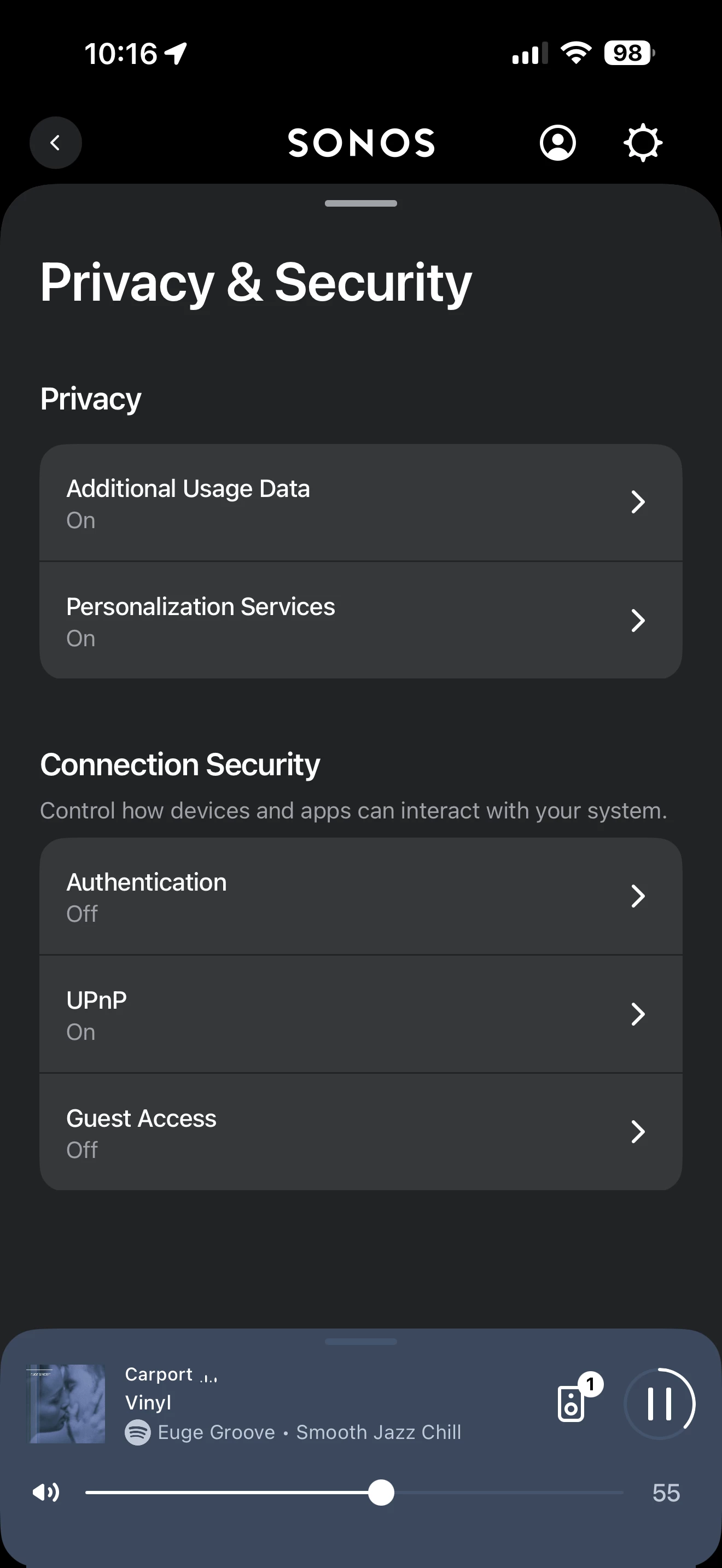
Click the Profile Icon

Go to Privacy and Security 

Make sure UPnP is turned on as shown below:


  • Author
  • Contributor I
  • December 13, 2025

I’ve wired one of my 100’s (the zithoek one that keeps losing the volume slider) up to Ethernet and turned off WiFi on the device to force it to use the Ethernet. Ive restarted the device and checked that it does indeed connect over Ethernet in the omada controller. 
 

The volume slider worked again for about 15 minutes but has now returned to being unavailable again….


  • Author
  • Contributor I
  • December 13, 2025

@AjTrek1 So I’ve tried unplugging and rebooting everything as you’ve suggested. I even restarted my APs and switches aswel as the router. This all with upnp on, I’ve experimented before with turning this off, also without succes. 
 

Everything worked, for about 15 minutes and then one of the speakers (woonkamer this time) wouldn’t allow me to adjust the volume again…


Just to clarify all speakers are visible in the app, they can be grouped, can be muted, and play music just fine. It’s only the volume control that keeps going away.