Question

Accessing music library

  • March 9, 2026
  • 5 replies
  • 43 views

Questions from a white-haired old granny who’s not great on technical jargon.

I’ve had a Sonos system in my house for some years: S1 controller, 2 Play3 speakers and a sound bar, plus a Connect box linked to a Denon CD player and speakers. Accessed via a Mac mini (running Tahoe 26.3.1) and the Sonos app on an iPad and iPhone.

For some months I have not been able to access my music library either on Mac mini or portable devices. I gather this problem has been raised before but I haven’t seen an answer.

Questions:

I gather I can upgrade to Sonos S2 – but will the Denon no longer fit?

Do I have to replace the speakers? If this is the case I think it’s a very poor do.

I have a Synology NAS drive – I’ve seen comments about using this but don’t understand where it fits in.


5 replies

MoPac
Forum|alt.badge.img+19
  • Headliner III
  • March 9, 2026

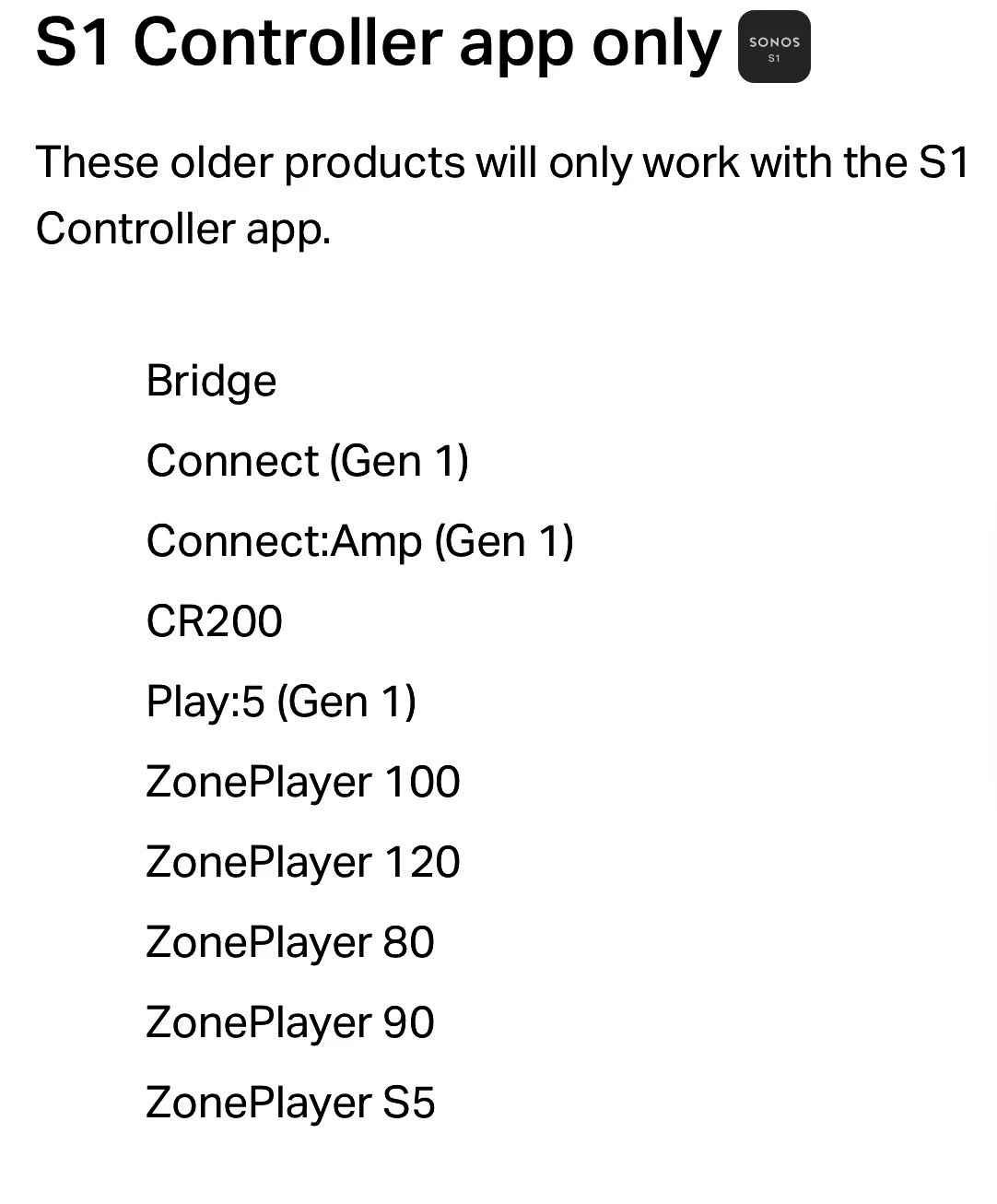
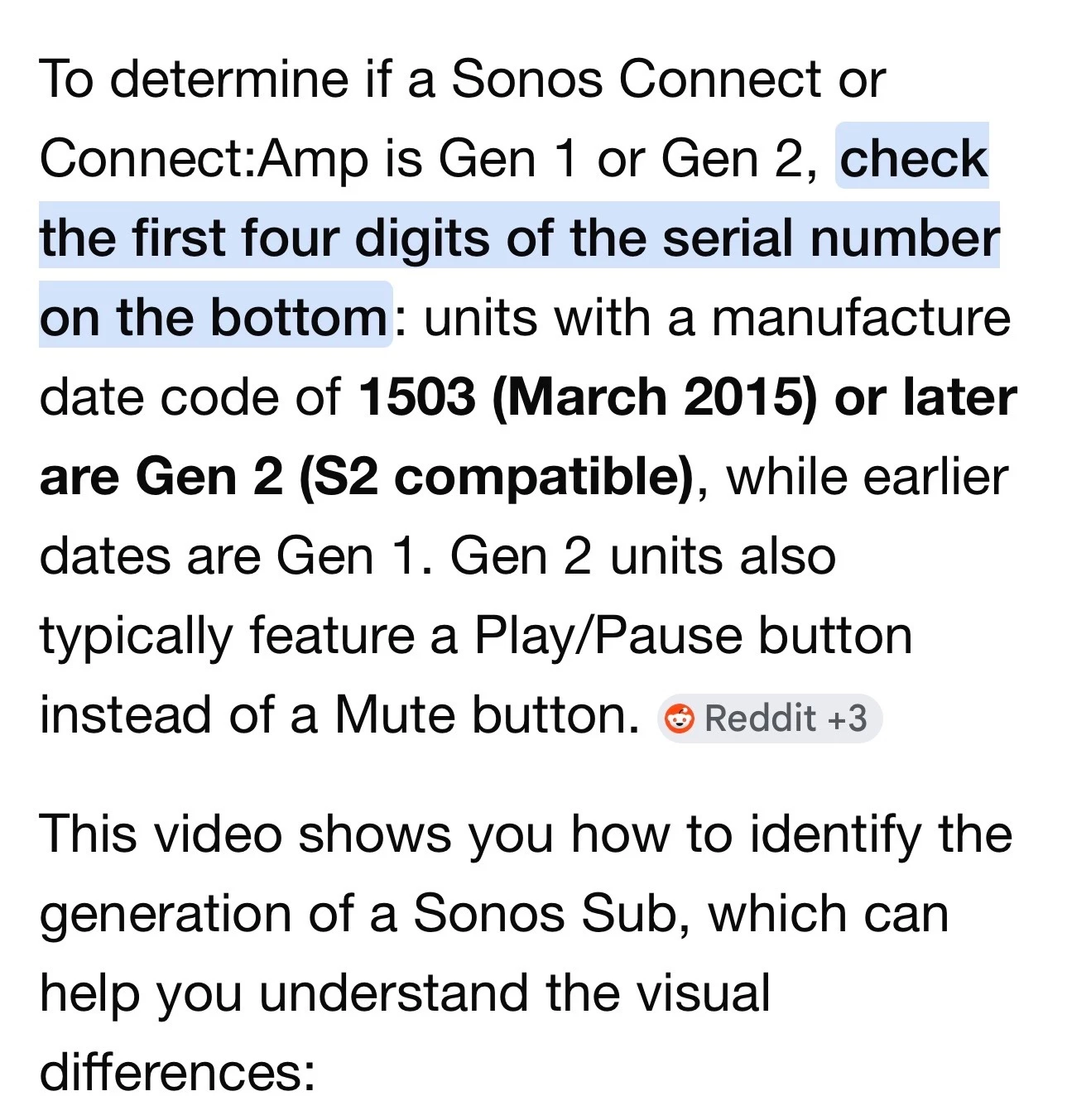
 First thing.  I would suggest you start using the new S2 app.  The screenshot shows the Sonos devices that are not compatible with S2.  If you have any of these you may have to keep using S1.  The Connect would need to be Gen 2 to be able to use S2.


  • Author
  • Contributor I
  • March 9, 2026

Sorry, I’m none the wiser ...


MoPac
Forum|alt.badge.img+19
  • Headliner III
  • March 9, 2026

 Look under the Connect.  If it is Gen 2 I would recommend you start using the new Sonos app.


buzz
  • March 9, 2026

Likely your issue is with the Synology. SONOS S1 requires the use of a NAS protocol that has some security issues. NAS manufactures have been routinely disabling this protocol. If your NAS has updated, the older protocol has been disabled. You can dig into the Synology configuration and re-enable the older protocol or upgrade the SONOS system to S2.

Given your remarks, I think you should work with SONOS support.


buzz
  • March 9, 2026

After an upgrade to S2, if possible for your units, the DENON CD player will still be welcome.