
Ryan S
Retired Sonos Staff
January 21, 2020

End of Software Updates for Legacy Products
Related content:Software
  • January 21, 2020
  • 1377 replies
  • 91043 views
End of Software Updates for Legacy Products

Please note that we’ve created a new thread with some clarifications to questions that have come up several times in this thread. Please see here to continue the discussion if you still have any questions. The information contained in this thread is outdated and may no longer be accurate.


We have some important news regarding our oldest Sonos devices shared on the Sonos Blog today. The text of that blog post is being included here for your convenience:


Starting in May 2020, some of our oldest products will no longer receive software updates or new features. We want to explain why and your options. 

When we first set out almost 20 years ago to invent the technology to easily listen to any song in any room, most of the ways we listen to music today did not exist. In fact, the first Sonos products were introduced before the first iPhone was announced and when Myspace still ruled social media. 


In order to invent multi-room music and smart speakers, we combined the worlds of high-fidelity audio and computing. Every Sonos product has a microprocessor, flash memory, and other hardware components typically found in computers and smartphones.  


Since launching our first products, technology has advanced at an exponential rate; from streaming services and voice assistants to wireless networking and Bluetooth capabilities.  Through all of this transformation, we have continued delivering new features via software updates. We’re extremely proud of the fact that we build products that last a long time, and that listeners continue to enjoy them. In fact, 92% of the products we’ve ever shipped are still in use today. That is unheard of in the world of consumer electronics. However, we’ve now come to a point where some of the oldest products have been stretched to their technical limits in terms of memory and processing power.  

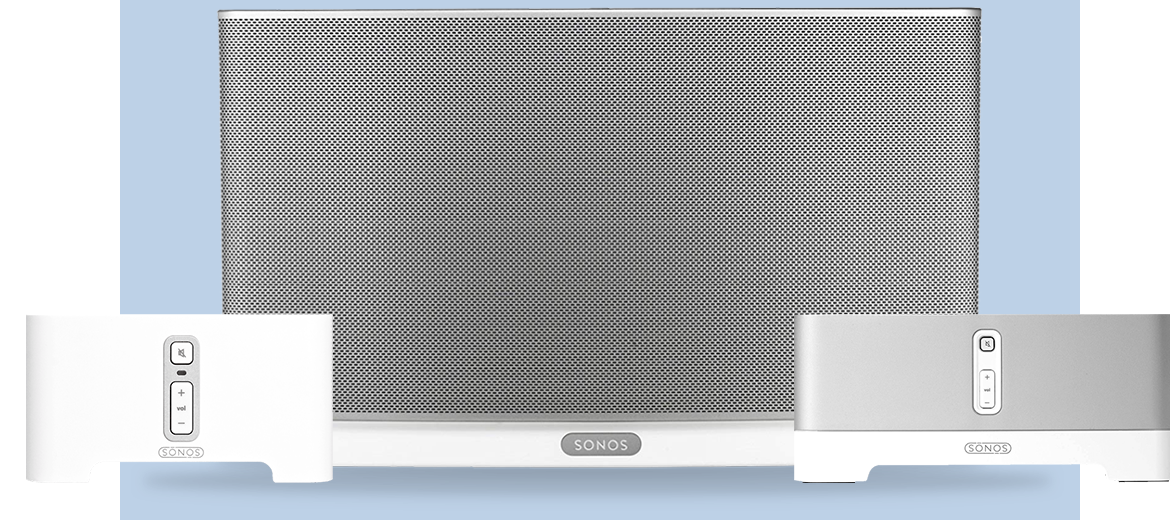
This coming May, these legacy products—our original Zone Players, Connect, and Connect:Amp (launched in 2006; includes versions sold until 2015), first-generation Play:5 (launched 2009), CR200 (launched 2009), and Bridge (launched 2007)—will no longer receive software updates or new features. 

 Today the Sonos experience relies on an interconnected ecosystem, giving you access to more than 100 streaming services, voice assistants, and control options like Apple AirPlay 2. Without new software updates, access to services and overall functionality of your sound system will eventually be disrupted, particularly as partners evolve their technology. 

To help you through this transition, we’re providing two options:

Option 1: Continue using these legacy products, recognizing that your system will no longer receive software updates and new features.  

Option 2: Trade up to a new Sonos product with a 30% credit for each legacy product you replace.

If you’re not sure if your products are affected, you can check in the System tab in your sonos.com-account

If you choose to participate in the trade up program, your legacy products will be put in Recycle Mode, a state that deletes personally identifiable information and prepares these products for e-recycling. Recycle Mode also protects unsuspecting people from buying legacy products that are approaching the end of their useful life and won’t provide the Sonos experience customers expect today. Recycle Mode will only apply to the legacy products listed above.


We ask that you take your legacy products to a nearby certified e-recycling facility. This is the most environmentally friendly way to recycle. That said, if there isn’t a facility in your area, we are happy to pay for you to ship your products back to Sonos for responsible recycling.    


Ideally all our products would last forever, but for now we’re limited by the existing technology. Our responsibility here is threefold: build products that last a long time; continually look for ways to make our products more environmentally friendly through materials, packaging, and our supply chain and take responsibility for helping you through the transition once products near the end of their useful life.  


We’ve always believed in freedom of choice, whether that means choosing a certain streaming service or way to control your listening experience. We hope the choices provided here—continuing to use these products without new software updates or trading up to our modern products—enable you to make the choice that’s right for you. 


We are honored to have a place in your home and want to make sure that we help continue to bring the best experience we can, even when products reach the end of their useful life. 


More information.


Please let us know if you have any questions.

    This topic has been closed for further comments. You can use the search bar to find a similar topic, or create a new one by clicking Create Topic at the top of the page.

    1377 replies

    Local Superstar
    January 21, 2020

    Does this mean that the older devices, while not receiving updates or features, will be ‘frozen’ but will continue to work fine and do their core job of playing music?

    So, a year or so from now they could be on software 10.7 but the rest of the components are on 12 for example? (a departure from the current way of working)

    Enthusiast I
    January 21, 2020

    Well I’d love to check the system page to see if I’m impacted….

    https://www.sonos.com/myaccount/system/households/devices/

    SONOS

    We apologise, but an error has occurred. The web team at Sonos has been notified.

    Error Reference: 04c2296e-27b2-45db-ad91-a2e28980bc53
    Error Detail:TVh3eHytScd7LXFw6E9goDMgD1MPOwLkFMjwey6Tr4dc0Q7VQbd7ETy8uJNdrCEvJT1j3tW4wM8EDg2NVx3ml9c2qdIk+fbF8SjDTRtSqCE6/DZFv1dN34Xwz1oQ1mNk7OAcCEUS


    edit:   Looks like it got fixed after about an hour

    melvimbe
    January 21, 2020

    Hey Ryan, thanks for the update...even if it’s not happy news.


    A few questions.  If I chose option 1, will I need to do anything to my system to prevent updates, or will the presence of these legacy products prevent updates from occurring


    Will legacy versions of the the Sonos controller apps be made available?  And if so, will it possible to revert a system back to this legacy version if their devices are already on a higher version?


    Related to above, will it be possible to operate two Sonos systems, one current and one legacy, under the same network?  (Understanding that you won’t be able to use some accounts, like voice services, on both systems)


    What level of support will be available for those who chose to stay on a legacy system?   Understanding that software updates will not be an issue, but if there are setup questions or network interference issues, will Sonos provide assistance?


    Danny
    January 21, 2020

    Uh oh; that’s half of my 6 zone system. I am very interested in all the clarifications that Ryan will no doubt be providing here.

    January 21, 2020

    And a very interesting cut/paste from Verge:

    Sonos tells me that beginning in May, it will introduce a software feature that allows customers who want to keep using their legacy hardware to separate those old products from their main Sonos system. You’ll want to do this splitting off step because once a device stops receiving updates, so does your entire Sonos system. Every speaker and other Sonos component in a system is meant to run the same software version to ensure they all work nicely together. But this is the first time that software support is ending, so some Sonos systems will get stuck on whatever software they’re running in May — unless customers quarantine the older gadgets into a secondary network. This software flow is still being developed, and Sonos doesn’t even mention that the option is coming on its FAQ page.

    The last sentence quoted may mean that Ryan may not comment on this development at this time.

    Ryan S
    Ryan SAuthor
    Retired Sonos Staff
    January 21, 2020

    Does this mean that the older devices, while not receiving updates or features, will be ‘frozen’ but will continue to work fine and do their core job of playing music?

    So, a year or so from now they could be on software 10.7 but the rest of the components are on 12 for example? (a departure from the current way of working)

    Systems containing older devices after the update in May will stop receiving updates, and will essentially be frozen as you said. Your Sonos products operate together as a system. As such, all products in the system need to be running the same software. If legacy products are part of a system with modern products, the modern products will not be able to receive the latest software updates as well.


    Well I’d love to check the system page to see if I’m impacted….

    https://www.sonos.com/myaccount/system/households/devices/

    SONOS

    We apologise, but an error has occurred. The web team at Sonos has been notified.

    Error Reference: 04c2296e-27b2-45db-ad91-a2e28980bc53
    Error Detail:TVh3eHytScd7LXFw6E9goDMgD1MPOwLkFMjwey6Tr4dc0Q7VQbd7ETy8uJNdrCEvJT1j3tW4wM8EDg2NVx3ml9c2qdIk+fbF8SjDTRtSqCE6/DZFv1dN34Xwz1oQ1mNk7OAcCEUS

    Thanks, I’ll have the team look into that.


    Hey Ryan, thanks for the update...even if it’s not happy news.


    A few questions.  If I chose option 1, will I need to do anything to my system to prevent updates, or will the presence of these legacy products prevent updates from occurring

    Will legacy versions of the the Sonos controller apps be made available?  And if so, will it possible to revert a system back to this legacy version if their devices are already on a higher version?

    Related to above, will it be possible to operate two Sonos systems, one current and one legacy, under the same network?  (Understanding that you won’t be able to use some accounts, like voice services, on both systems)

    What level of support will be available for those who chose to stay on a legacy system?   Understanding that software updates will not be an issue, but if there are setup questions or network interference issues, will Sonos provide assistance?

    The presence of the legacy products will prevent updates from occurring, and we don’t expect any app related issues with legacy or modern systems. As Kumar mentioned from that article, there will be more to come in May.

    While it is possible to run two Sonos systems on the same network, it usually is a better experience to split the LAN so that you know which of the two systems you are connecting with, the same will apply to legacy vs modern.

    And people with legacy products will absolutely still get the same support they receive today with regards to troubleshooting and setup related issues. The support team will happily assist where possible, keeping in mind that over time, access to services and overall functionality of the system will eventually be disrupted as partners evolve their technology.


    Mark good posts by pressing the like button, and select the best answer on questions you've asked to help others find solutions.
    melvimbe
    January 21, 2020

    Also wanted to share how that it will negatively effect me personally. 


    I currently use a Connect:Amp sitting in my master closet to run ceiling speakers in the garage.  Once that goes away, I’ll have a couple options.


    1 - Lose the speakers entirely.  Would have been ok before I put in the speakers, but now I use them fairly often.  Not a good option.

    2 - Setup a second legacy system just for the garage if possible.  Problem with that is I usually use an echo dot and alexa voice to control, like I do the rest of my house.  I’d lose that, or have to setup a 2nd alexa account, and not sure how that would work with my smart device controls.  And obviously, I would lose the ability to play with other rooms.

    3 - Replace the connect:amp with a normal amp, and run it directly from an echo dot or echo input.  I have a spare amp for that (oversized, but still) or could get a cheap amp.  it would not be in the Sonos system, but I think I can live with that.  Amp would need to be move to the garage and rewiring would need to occur.

    4 - Replace the Connect:amp with a Sonos Amp.  With the 30% discount, that’s $455 to basically restore what I currently have.   Don’t think I could take advantage of the new features.

    5 - Replace the Connect:amp with an Echo Amp ($300).  This would give me pretty much what I have today, except I wouldn’t be able to sync with my Sonos system.  The only real advantage over a normal amp is that I don’t have to relocate the amp to the garage.

    6 - Replace the Connect:amp with a normal amp and an Echo Link ($200).  Cheaper than the echo amp option and would not have to relocate my amp.

    7 - Replace the Connect:amp with a Sonos Move.  I have a Move already but not crazy about leaving it in the garage and don’t want to move it around that often.  I also don’t have an ideal shelf for the Move.  Wouldn’t be using my existing speakers.  Not a horrible option though.

    8 - Replace the speakers with a pair of Sonos Ones ($266) or Sonos One SLs ($252).  Actually, I have a spare set that I might use this for.  No good shelf, but mounting wouldn’t be too big of an issue ($60).  Power would need to be worked out, but I think I can do that.


    Leaning towards option 8 since I have the spare already.


    I also have 2 Connects that are not currently used, and was thinking of using my spare normal amp to add more speakers in the  backyard.  That’s not going to happen now.


    A couple months to decide.


    Danny
    January 21, 2020

    Systems containing older devices after the update in May will stop receiving updates, and will essentially be frozen as you said. Your Sonos products operate together as a system. As such, all products in the system need to be running the same software. If legacy products are part of a system with modern products, the modern products will not be able to receive the latest software updates as well.


    Ryan, how will you identify such systems that contain legacy products? Based on registration information about any legacy registered products linked to a user account? So if I have a Bridge registered in my account, regardless of whether it is powered on or not, my system will neither prompt me nor apply any update automatically, or otherwise, after the May date kicks in?


    Local Superstar
    January 21, 2020

    Disappointing then. I was hoping that the current mantra of ‘all devices run the same code version’ could have been revisited by a more major code update made possible by being able to use the extra space available on newer devices that isn't on the old ones. Just treat the older ones as speakers that are part of the system with a much more basic firmware and limited functionality.

    This is a big deal now meaning anyone perfectly happy with their functioning system won't be able to get newer features on their newer devices if they happen to have an older one too. :(

    Ryan S
    Ryan SAuthor
    Retired Sonos Staff
    January 21, 2020

    Good question, Kumar. That’ll be answered in May when we have more details to share, but powered off devices that are still registered to a system shouldn’t cause you any trouble.

    Mark good posts by pressing the like button, and select the best answer on questions you've asked to help others find solutions.