
Contributor I
March 28, 2023

Unable to set Sonos Era 100 as Alexa-enabled device in room/group using Alexa app

  • March 28, 2023
  • 102 replies
  • 7852 views

Today I’ve upgraded my two Sonos Ones with Sonos Era 100s. After adding Alexa to the speakers, I tried to go into the Alexa app to associate them with their respective rooms. I’m able to add them as the room speaker, but I am unable to set them as the Alexa device for that room (allowing for room-specific commands like “Alexa, turn off the lights”, etc).

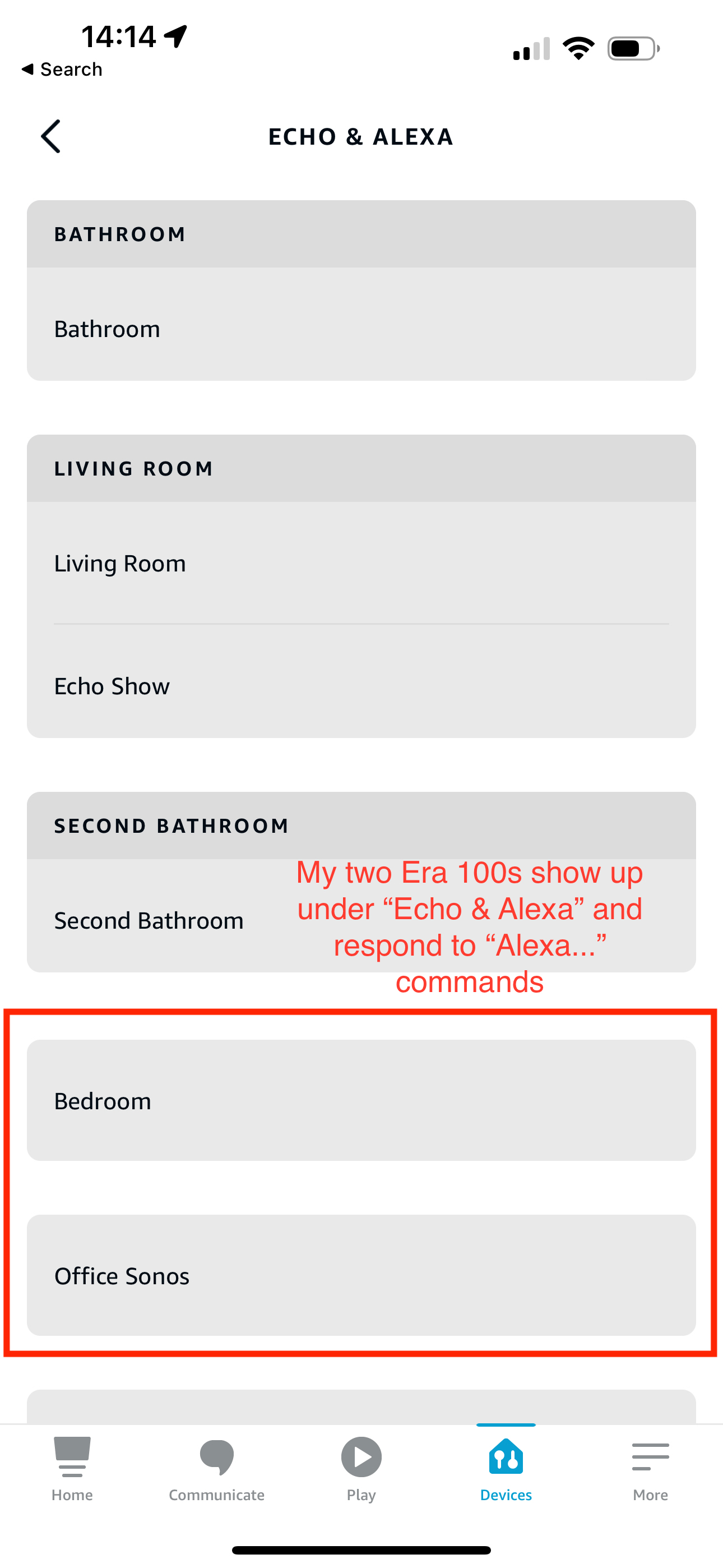
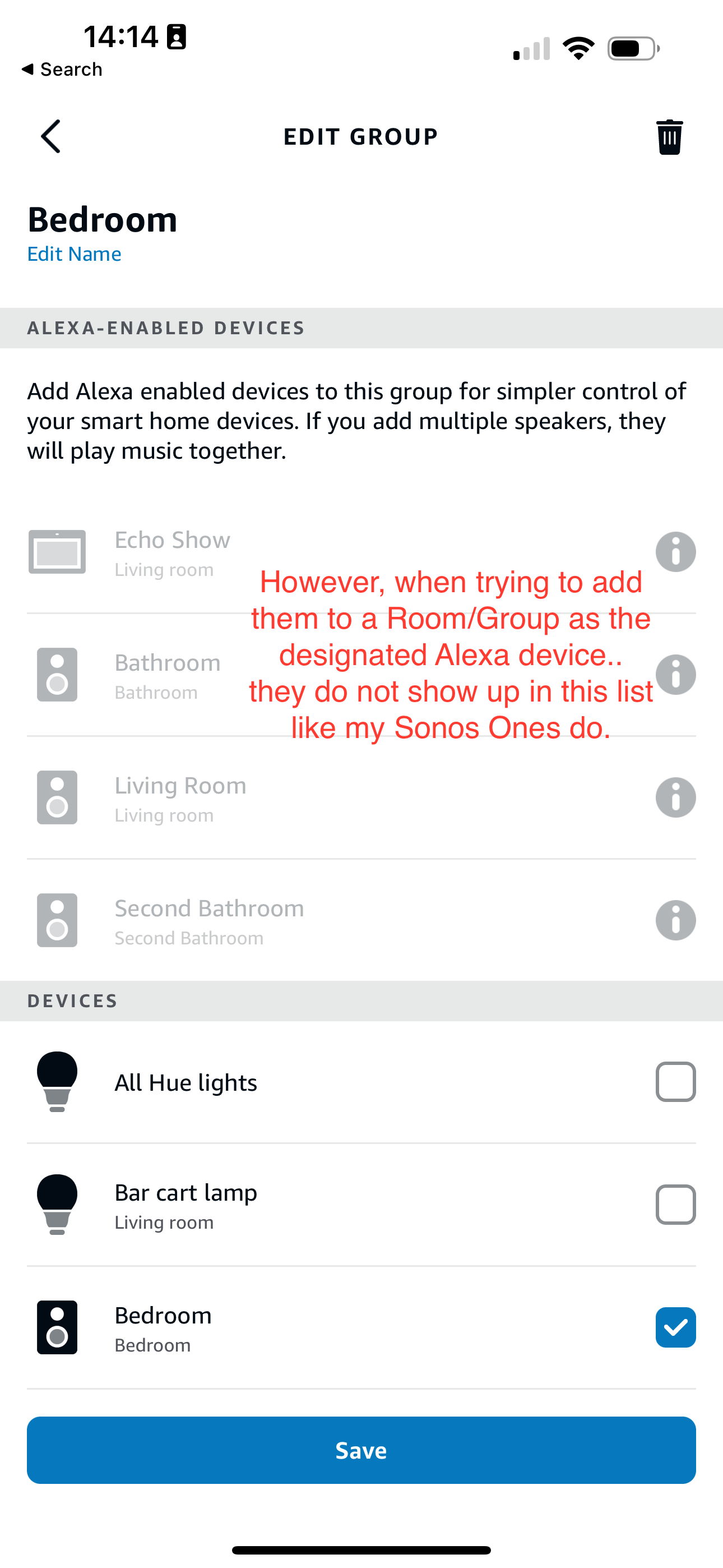
What’s weird is my Era 100s will show up under the Echo & Alexa devices section in the Alexa app, but they do not show up under Alexa-enabled devices when editing a room/group (see attached screenshots).

I’ve reached out to Alexa support and they were largely unhelpful, they claimed that from their resources Alexa isn’t supported on the Sonos Era 100 (maybe their documentation hasn’t been updated since this is a brand new product?). So they left the conversation there even after showing them that Sonos clearly states Alexa built-in support for the Era 100.

Has anyone else experienced this issue? Seems like a bug in the Alexa app, and their support team is unwilling to report the issue up their chain.
 

This topic has been closed for further comments. You can use the search bar to find a similar topic, or create a new one by clicking Create Topic at the top of the page.
Pinned Reply By Corry P

Hi Everyone

If you are still experiencing this issue (which we believed had stopped happening outside of Germany) please submit a support diagnostic and post the given number along with a screenshot of the Alexa app showing a lack of Era units under “Alexa-enabled Devices”, as above. Thank you.

102 replies

Contributor I
September 28, 2023

31112711 - Speaker “Bedroom” doesn’t show under Alexa enabled


Lyricist III
October 17, 2023

I think this may be sorted now in the UK

Contributor I
October 17, 2023

I think this may be sorted now in the UK

It looks like it is fixed, yes!

Lyricist III
October 17, 2023

Just set it myself, all sorted!

Collaborator II
October 18, 2023

No luck for me yet in the US

Airgetlam
October 18, 2023

Deleted, I was responding to spam, which has been reported. 


Bruce
Lyricist I
October 22, 2023

It’s fixed!!!


Went to my Alexa app this morning and found my Eras available as Alexas.


In New Zealand.

Lyricist I
October 26, 2023

Seeing the same issue in the US with my new Era 300. Diagnostic 2098672184


Ken_Griffiths
October 26, 2023

@Lmarshall,
The Era 300 is working here for me and can be used to enable/control an Alexa Group, that said, I’m based over in the UK.

As a thought, could it be that the Era 300 in your case is already enabling/controlling a different group, as these enabling/controlling devices can just be used for one Alexa group only. Or that the speaker is set as a Home Theatre surround and embedded in the HT device (Living Room) in your Alexa App?

Collaborator II
October 26, 2023

Good to hear our European (and UK) friends are getting fixes! Still doesn’t work for me in the US either. Over here, Era speakers are called “Devices” not “Alexa-enabled Devices”. They cannot control any groups.