Answered
This topic has been closed for further comments. You can use the search bar to find a similar topic, or create a new one by clicking Create Topic at the top of the page.
Dale63,
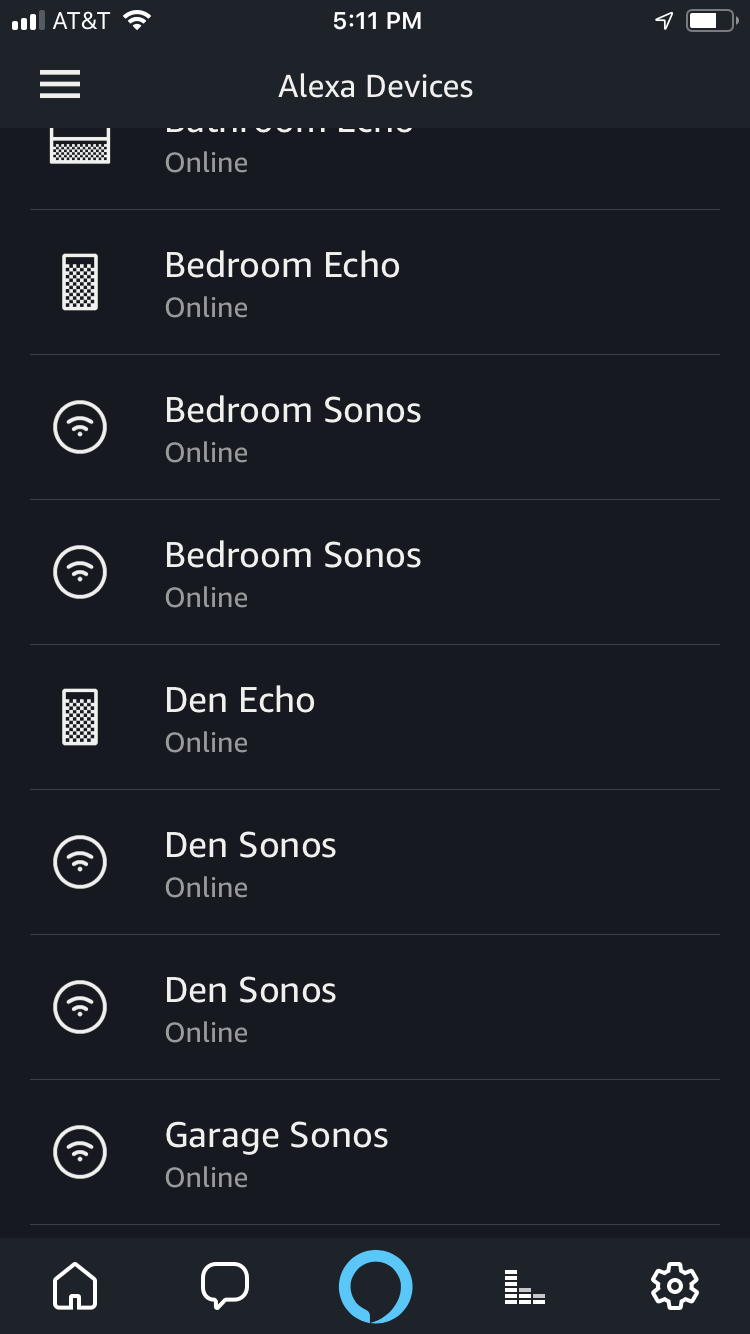
In addition to removing the devices and the Sonos Skill, like you have done previously, go online to your Amazon Account and remove your 'sharing agreement' with Sonos ... you will find that/those in your Amazon Account settings/'login with Amazon' section. Also make sure you remove any Sonos devices in the online Amazon 'Manage Content and Devices' area and then remove any elements of the Sonos devices in your Alexa App. When you then next rescan with Alexa, the Sonos devices should not reappear.
I think that should work (hopefully) to remove all your Sonos devices from the Alexa App.
In addition to removing the devices and the Sonos Skill, like you have done previously, go online to your Amazon Account and remove your 'sharing agreement' with Sonos ... you will find that/those in your Amazon Account settings/'login with Amazon' section. Also make sure you remove any Sonos devices in the online Amazon 'Manage Content and Devices' area and then remove any elements of the Sonos devices in your Alexa App. When you then next rescan with Alexa, the Sonos devices should not reappear.
I think that should work (hopefully) to remove all your Sonos devices from the Alexa App.
Enter your E-mail address. We'll send you an e-mail with instructions to reset your password.