
Ryan S
Retired Sonos Staff
October 2, 2017

Getting Ready for Sonos One
  • October 2, 2017
  • 80 replies
  • 8779 views


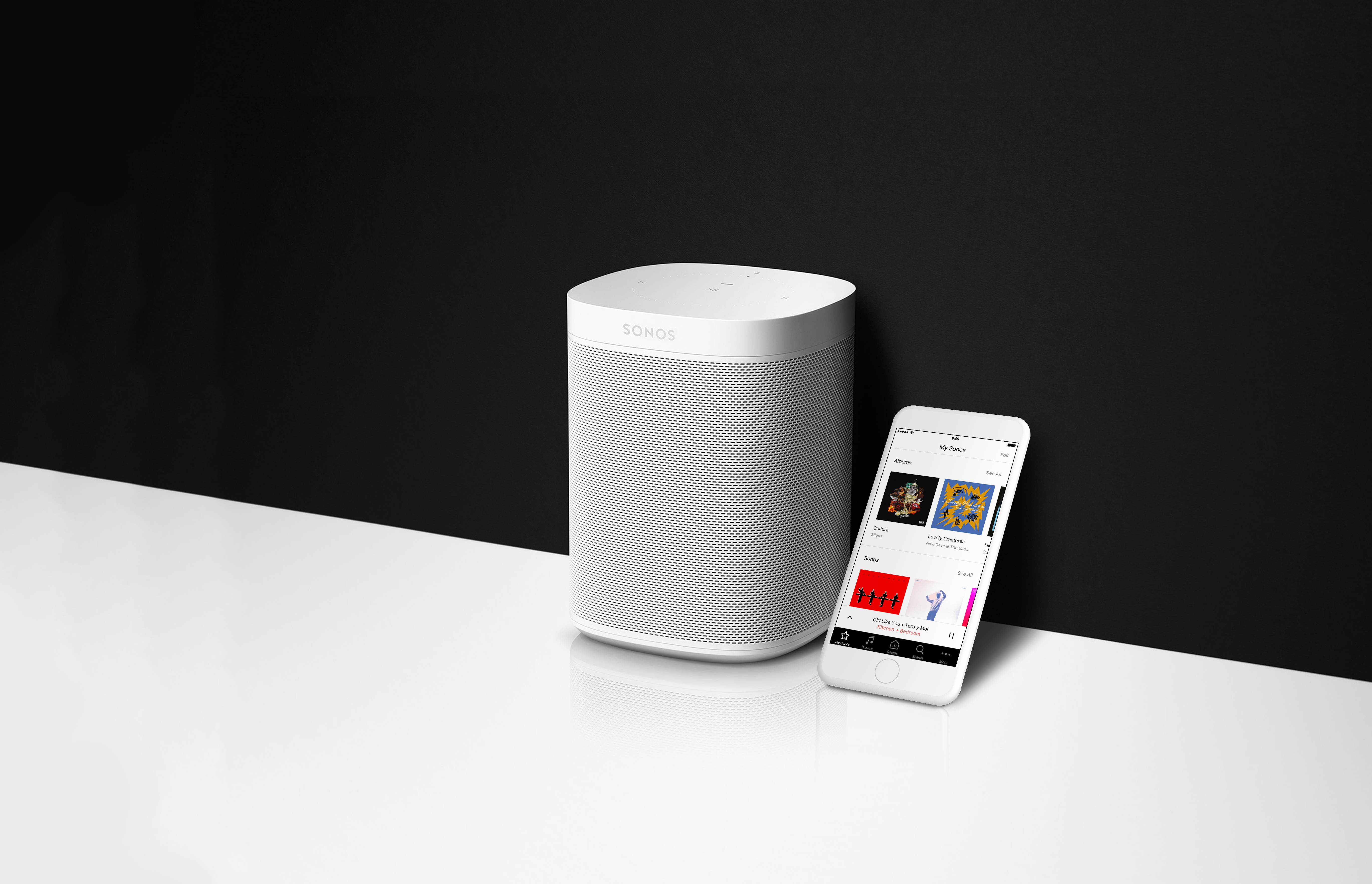
If you’re as excited about the new Sonos One as we are, you’ll want to make sure you’re ready to go the moment you pick it up on the 24th. Here’s everything you need to know to be all prepped for the release of the Sonos One.

  1. On your mobile device, download the Amazon Alexa app from the Apple app store or Google Play. This app is going to be used to control some basic Alexa services, such as picking a default music service from the Alexa supported services.
  2. Create an Amazon account, if you don’t have one yet. Just click Sign In and Start here where it asks if you’re a new user.
  3. Update all your Sonos devices to version 8.0 by checking for updates inside the Sonos app.

That’s it! You’ll be ready to go the moment your Sonos One gets to your home. If you’d like to read more about Alexa and Sonos, check out this page on using other Alexa enabled devices with Sonos, and this one too on How Alexa Works With Sonos.
    This topic has been closed for further comments. You can use the search bar to find a similar topic, or create a new one by clicking Create Topic at the top of the page.

    80 replies

    Ryan S
    Ryan SAuthor
    Retired Sonos Staff
    October 4, 2017
    Thanks Ryan. That's certainly a disappointment as Deezer Elite is a fantastic lossless (FLAC) subscription service and the music on my NAS is all in FLAC format as well. Any plans on the roadmap for voice control for local NAS and Deezer Elite?
    No specific ones I can share today. But we'd love to bring all services and voice to Sonos.
    Mark good posts by pressing the like button, and select the best answer on questions you've asked to help others find solutions.
    Lyricist III
    October 4, 2017
    Yes, understandably. You guys have done a great job and naturally I imagine that more capability will follow. For me, integration of voice support for local NAS and Deezer Elite and Napster will be the only reason to add a new SONOS ONE to my already extensive SONOS eco-system. I'm patient, everything SONOS does has been worth the wait.
    Contributor II
    October 5, 2017
    I really hope you will reconsider the ability to use a Sonos One in stereo with a Play 1. I understand the sound may not be perfectly matched but I’m betting it would be close enough for most of us. I saw your suggestion about using an echo dot with a pair of Play 1’s instead, but I’d really like the option of using Airplay when it’s available.
    Virtuoso
    October 5, 2017
    Yes, understandably. You guys have done a great job and naturally I imagine that more capability will follow. For me, integration of voice support for local NAS and Deezer Elite and Napster will be the only reason to add a new SONOS ONE to my already extensive SONOS eco-system. I'm patient, everything SONOS does has been worth the wait.

    Same here, I use Deezer Premium+ and my NAS mainly played through Sonos.
    Lyricist III
    October 6, 2017
    Will it be possible to change the wake word on a Sonos One like you can on an Echo?
    Contributor III
    October 7, 2017
    I have been a Sonos User for several years but never an Echo user. I have a few questions :

    My Setup
    POOL - Connect Amp with outdoor Bose speakers
    LIVING - Playbar
    MASTERS - Play1
    KIDS - Play 1

    I have ordered an Amazon Echo Dot to try out the Alexa integration. It hasn't arrived yet. I am also assuming the Echo Dot does not need to be installed by wire (echo dot line out to connect amp line in). It just needs to be wirelessly connected to the same wifi net work. Assuming the echo dot is connected in the living room area, where the playbar is located...

    My questions:
    1) If I am in the living room, can alexa control other areas (pool, masters, kids) ?
    2) If I am in the POOL, can I use the smartphone app alexa to control the other areas ?
    3) If I install a SONOS ONE in the MASTERS room, can I control other areas ?
    chicks
    October 7, 2017
    You can send music via voice control to any Sonos device, by name, from any Alexa device within earshot.
    Lyricist III
    October 7, 2017
    1) Yes. Anything Alexa can do with Sonos it can do either any Sonos on your network. However there are limitations on what Alexa can do.

    2) If you are in the pool, hopefully your Smartphone is water proof. But to answer your question, when you're going to be controlling Sonos with your phone it's probably better to use the Sonos app rather than the Alexa app.

    3) The Sonos One basically in a Echo with Sonos speakers built in, so yes it can control any Sonos speakers as much as any Echo can.
    Avid Contributor I
    October 9, 2017
    I've read every post posted and I have some questions that I hope can be definitively answered:
    1. Can the Sonos One access libraries on a home NAS or computer?
    2. Am I correct in believing that SONOS One is more flexible that SONOS via Echo in terms of music choices?
    3. Does the SONOS One also function as an Alexa device (like the dot, etc.), where non-SONOS functions, Alexa, what's the weather outside?, function? Or is the SONOS One purely a SONOS music playing device?
    4. Where is there instructions/literature specifying the SONOS ONE functional commands, such as how to make what other apps call scenes (play "downstairs"), grouping SONOS Players?
    5. Does it show differences between SONOS One and using the Echo solution?
    6. For those of us who use the Connect Amp or Soundbar or Bass, or 3's or 5's, is there a way to get the functionality of the SONOS One (many more services) today?
    Thanks,
    jgatie
    October 9, 2017
    1. Not at this time.
    2. Nothing points to that belief. Service support is through the Sonos skill in the cloud, not the hardware.
    3. Yes, but there are some functions that will not work. Listen in is the one mentioned specifically.
    4. Grouping or scenes are not supported in the beta at this time.
    5. See 4.
    6. See 1 & 2.