
Contributor I
November 11, 2019
Answered

Alexa stopped working on my Sonos Beam

  • November 11, 2019
  • 4 replies
  • 545 views

Recently with no changes from my side, Alexa stopped working and says it can't communicate if I try to call it. The Mic is definitely on and the Sonos system is working fine otherwise.

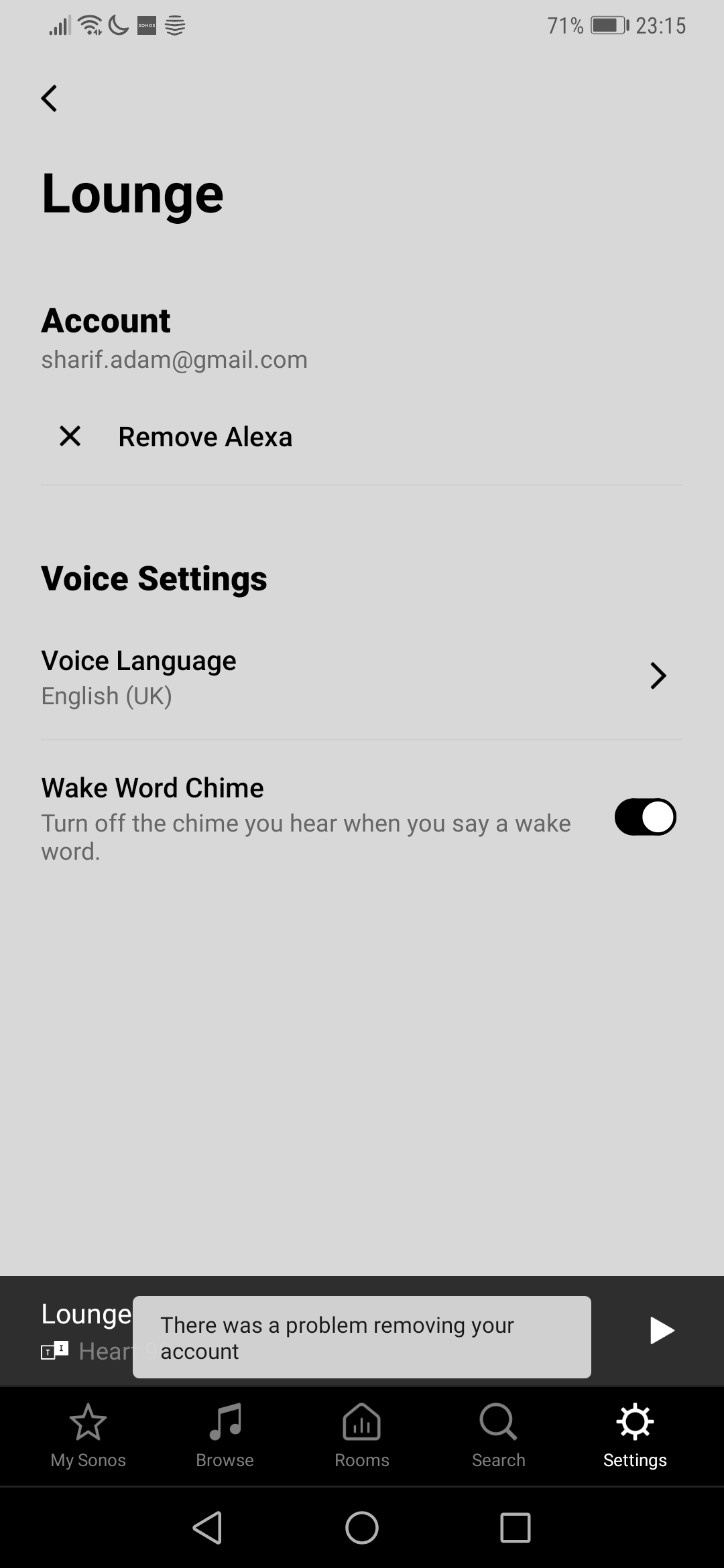
I already restarted my Beam, and I removed the device and skill via Alexa app, but now if I try to de-register Alexa via the Sonos app I get an error "there was a problem removing your account".

Connectivity (i.e.wifi and internet) are fine, does anyone know how I can resolve this?


    This topic has been closed for further comments. You can use the search bar to find a similar topic, or create a new one by clicking Create Topic at the top of the page.
    Best answer by Ken_Griffiths

    Hi Ken,

    Apologies I had a mistake in my original message (now corrected), I already removed the skill and device from my Alexa app


    Thanks,

    Adam

    Try powering off/on the speaker and fully close and reopen the Sonos app and then try again to remove Alexa from the device.

    4 replies

    Ken_Griffiths
    November 11, 2019

    Perhaps try removing and reinstalling the Sonos Skill in your Amazon Alexa App.

    Contributor I
    November 11, 2019

    Hi Ken,

    Apologies I had a mistake in my original message (now corrected), I already removed the skill and device from my Alexa app


    Thanks,

    Adam

    Ken_Griffiths
    November 11, 2019

    Hi Ken,

    Apologies I had a mistake in my original message (now corrected), I already removed the skill and device from my Alexa app


    Thanks,

    Adam

    Try powering off/on the speaker and fully close and reopen the Sonos app and then try again to remove Alexa from the device.

    Contributor I
    November 17, 2019

    Thanks @Ken_Griffiths that fixed it! Not sure why the first restart didn’t do it, but the good thing is it’s working now :slight_smile:
