Answered

Unable to AirPlay to Era 100/300 in separate VLANs

  • March 27, 2025
  • 40 replies
  • 1168 views

Show first post

40 replies

Forum|alt.badge.img+17
  • Local Superstar
  • July 7, 2025

And for people asking why you would want to segregate your network please consider something like this: you could have a Trusted network for personal devices (phone/Macbook/etc) 

When you take your personal devices away from your home network, do you create a separate ‘trusted’ VLAN for them to connect to, or do they connect directly to an untrusted public network?


Forum|alt.badge.img
  • Author
  • Trending Lyricist I
  • July 7, 2025

And for people asking why you would want to segregate your network please consider something like this: you could have a Trusted network for personal devices (phone/Macbook/etc) 

When you take your personal devices away from your home network, do you create a separate ‘trusted’ VLAN for them to connect to, or do they connect directly to an untrusted public network?


NOT AT ALL…. 
with unlimited data, “always on VPN” connected back home…. 


Forum|alt.badge.img
  • Author
  • Trending Lyricist I
  • July 30, 2025

Another finding, while I was doing some other troubleshooting… 

SAME network, but a DIFFERENT SSID… AIRPLAY will not work?!!! 

So just let check the facts here… it is the SAME /24 network… same GW… but a DIFFERENT SSID working on the same Network… it still isn't possible to STREAM over AIRPLAY?? 

So it looks to be more than only a VLAN/NETWORK seperation, there is also a bonding on the SSID which is being used on the client and the SONOS speakers???


Airgetlam
  • July 30, 2025

As far as I’m aware, both the Sonos, as well as the device sending data to them, are still required to be on the same subnet. The stack that Sonos uses for access requires this. 


Forum|alt.badge.img
  • Author
  • Trending Lyricist I
  • October 11, 2025

https://www.reddit.com/r/sonos/comments/1l6bzez/sonos_airplay_still_broken_across_vlans/

based on this story, there is some hope? 
SONOS ? can anyone check how it is still possible, when using the same netmask for the subnets it starts to work with ARP-proxy etc?

Can we not stick to the original ONE/BEAM technology? 


Stanley_4
  • Grand Maestro
  • October 11, 2025

Probably best asked on reddit where Sonos has people dealing with that sort of thing.


I know this is an old thread, just saw it after I purchased an Era 100. This doesn’t make sense to me at all. I have 4 other Sonos products that all still work across vlans two Sonos ones, an Arc and a Beam. I was about to get an other era 300, a roam and an amp to add outdoor speakers. This is truly disappointing in 2026 that there isn’t the ability to have the newer products work across vlans. Time to look for new products sadly.


  • Lyricist II
  • February 6, 2026

Following this week’s update, I am now able to Airplay to my ERA100’s across VLANs once again! Hope this is fixed generally for everyone now!


Forum|alt.badge.img
  • Author
  • Trending Lyricist I
  • February 6, 2026

Following this week’s update, I am now able to Airplay to my ERA100’s across VLANs once again! Hope this is fixed generally for everyone now!

Seriously? How to update?


UPDATE: wow!!!! It works!!! At last!!!! 
someone from Sonos; can you please enlighten us what happened? How it is fixed? 


Smilja
  • February 6, 2026

FYI, in general, the following applies:


Sonos products are compatible with most managed switches with some important considerations:

  • Sonos products must be on the same VLAN as all devices running the Sonos app. Devices on separate VLANs will not be able to connect to Sonos products.

https://support.sonos.com/en-us/article/using-sonos-with-a-managed-switch


Forum|alt.badge.img
  • Author
  • Trending Lyricist I
  • Answer
  • February 8, 2026

@FedUpCustomer ​@tim_p ​@controlav ​@Zappp ​@UltraPhonic ​@Charlew 


not sure if you have seen the message, but at last it is fixed!!!!!


Forum|alt.badge.img+3
  • Enthusiast II
  • February 9, 2026

I’ve been keeping my Sonos app and speaker firmware up to date over the last few months and since a recent update, have been struggling to use Airplay from my phones/tablets on one VLAN/SSID to the speakers on another VLAN/SSID. I have mDNS correctly configured on my UniFi network and this has been working well for months. My speakers are on firmware 93.1-73190 which is still listed as the latest at https://support.sonos.com/en-gb/article/release-notes-sonos-system-updates

Airplay has been pretty much unusable for the last couple of weeks. I ran a check in the iPhone app for system updates and it seems that there’s a later version available (93.1-73290) which isn’t even listed at the updates page. 
The complete lack of any detail in the release notes has always been irritating in the extreme. Vanilla platitudes along the lines of “This release includes multiple fixes to improve overall player stability and reliability” are meaningless. Please keep the release notes more up to date and provide a bit more detail about what’s new/changed/removed in each release. 


Smilja
  • February 9, 2026

@Arcticpollen, Did you also ran a check for iOS bug fixes?


Forum|alt.badge.img+3
  • Enthusiast II
  • February 9, 2026

@Arcticpollen, Did you also ran a check for iOS bug fixes?

I updated the Play 5s to  93.1-73290  this morning and Airplay is still unusable to Sonos devices.

It’s only using Airplay to Sonos devices that are affected.  The stream starts and then fails a few seconds later.  Other Airplay targets work fine, for instance, I’m using my phone for an Airplay stream to an Eversolo DMP-A6 currently in my home office.  Airplay to other devices is also fine including a Cambridge Audio streamer and a Raspberry Pi based PiCorePlayer.

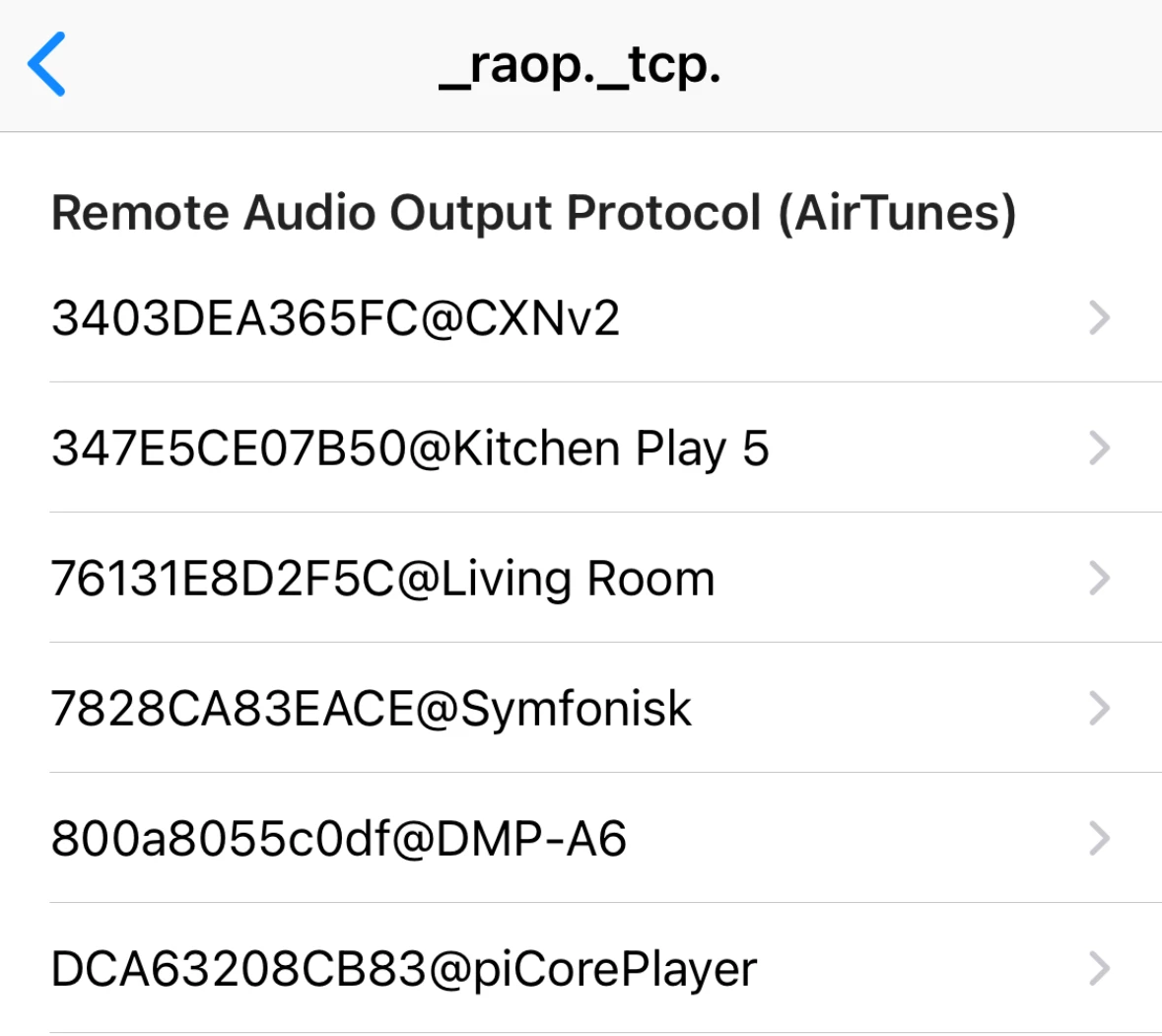
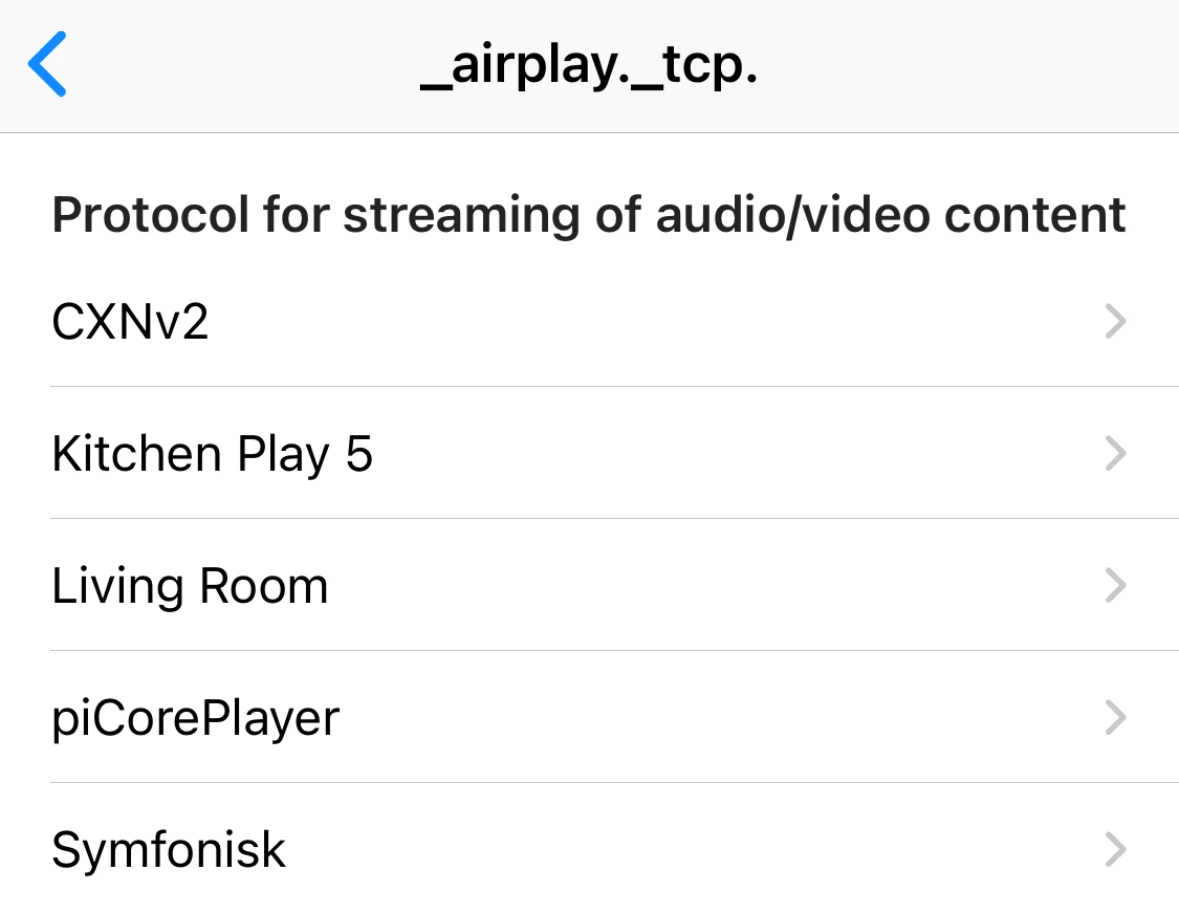
All the Airplay targets are on a different VLAN/SSID from my iPhone and iPad but show up happily in the iOS Discovery app.  Other services relying on functioning mDNS are all OK tto - Philips Hue etc.

Airplay version 1 devices: -

And Airplay version 2 devices: -


Forum|alt.badge.img
  • Lyricist II
  • February 9, 2026

@kingebeng thanks for the heads-up, I’d given up all hope of this ever being fixed! It is absolutely wonderful to get that (expected from what seems most of us) functionality back again! It would truly be wonderful of Sonos would care to share some details on this fix – or if we should consider it a happy accident that may be gone again by next  update.