transfer of ownership or factory reset of s1 wired celling mounted lan network sonos system with complex tree network managed on netgear switch

  • December 28, 2025
  • 11 replies
  • 48 views

Please help:
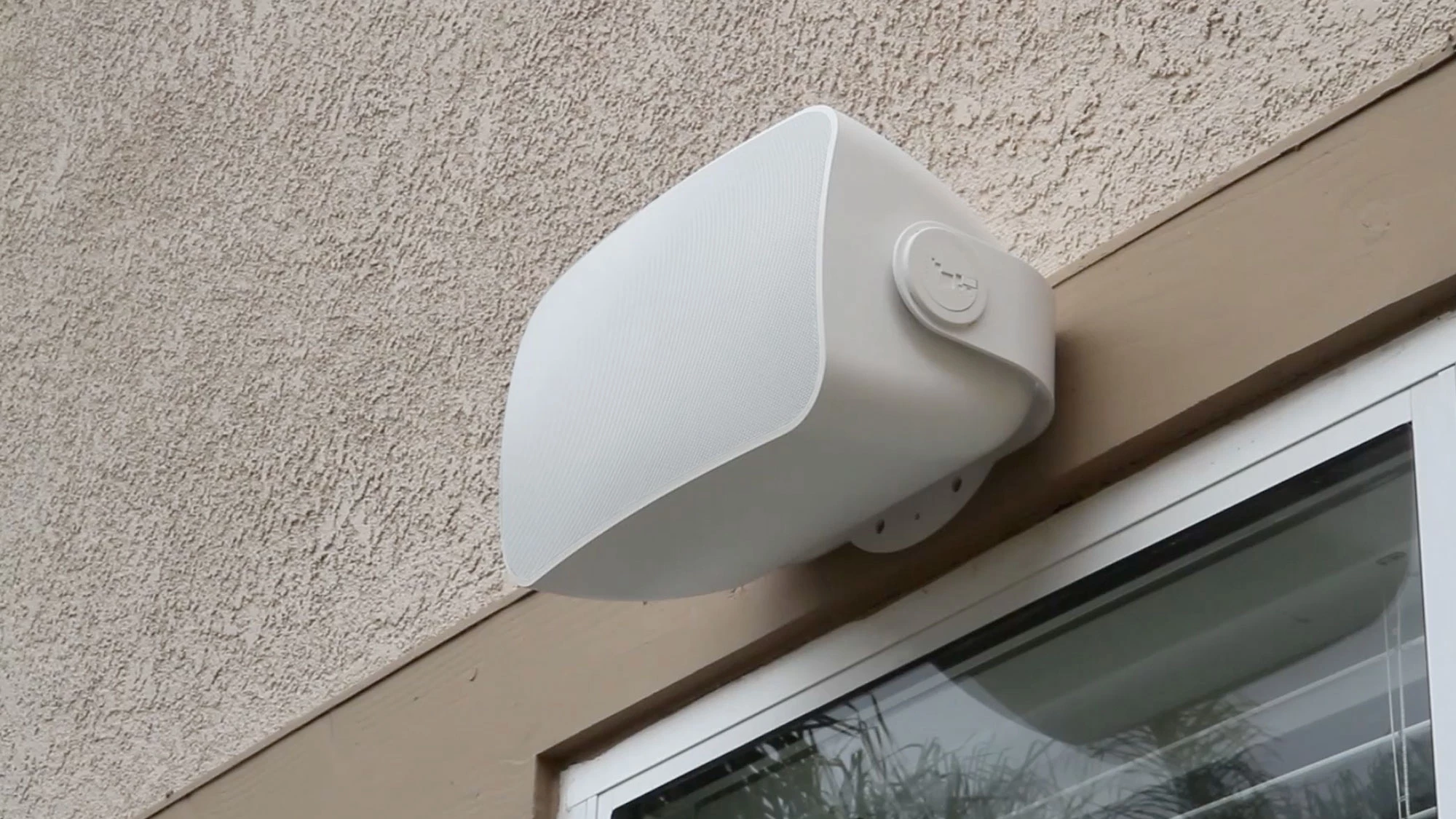
I have purchased and moved into a new house. The last owners were not the purchasers or installers of the pre-existing wired sound system and do not have the details. The house is 3 stories and 4000m2 in size, there is a very complex lan and wlan nbn enabled tree network that has a server room and cables running throughout. There are 5 wireless routers and the current speakers a visible in spotify via at least 2 different wifi routers. I am looking to transfer the sound system ownership of the new house and merge it with my current (small in comparison) s2 sonos wireless speaker network. The pre-existing speakers are built into the ceiling and are indoor and out door (there are around 15 speakers in 3 rooms).  I think the old system is about 5-10 years old and the mounted installed sonos s1 wired speakers might have integrated amps and the system seems to be run via lan network, with inputs via the wifi routers coordinated via a netgear switch in the server room. There is no access to the roof above the speakers and i can not see and independent control hub or amp.

11 replies

Forum|alt.badge.img+19
  • Senior Virtuoso
  • December 28, 2025

What speakers and devices can you see on the network? And in the app? And physically?


Pools-3015
Forum|alt.badge.img+17
  • Prodigy I
  • December 28, 2025

I would first check app compatibility found here:

https://support.sonos.com/en-us/article/sonos-app-version-compatibility
 

Some of the older speakers may not be compatible with the S2 app and would either need to stay on that app version or be removed from the network.

The ceiling speakers should all be powered by Amps, that may be located inside the server room. Again refer to the compatibility list to find out if the Amps are able to be updated.

Since Sonos is controlled by the app, you won’t find any volume knobs around the house, but you can use an old tablet as a main controller for the system.

Post some pictures of the server room and rack so that we can offer more guidance.


  • Author
  • Contributor I
  • December 28, 2025


The pre-existing speakers are old ceiling mounted and where built into the structure, with the cables running on the frame at the time of building the house (this big systems has more than 15 speakers per level and the zones and speakers spread indoors and outdoors over the 3 levels. The max line of site distance would be up to 50 meters).

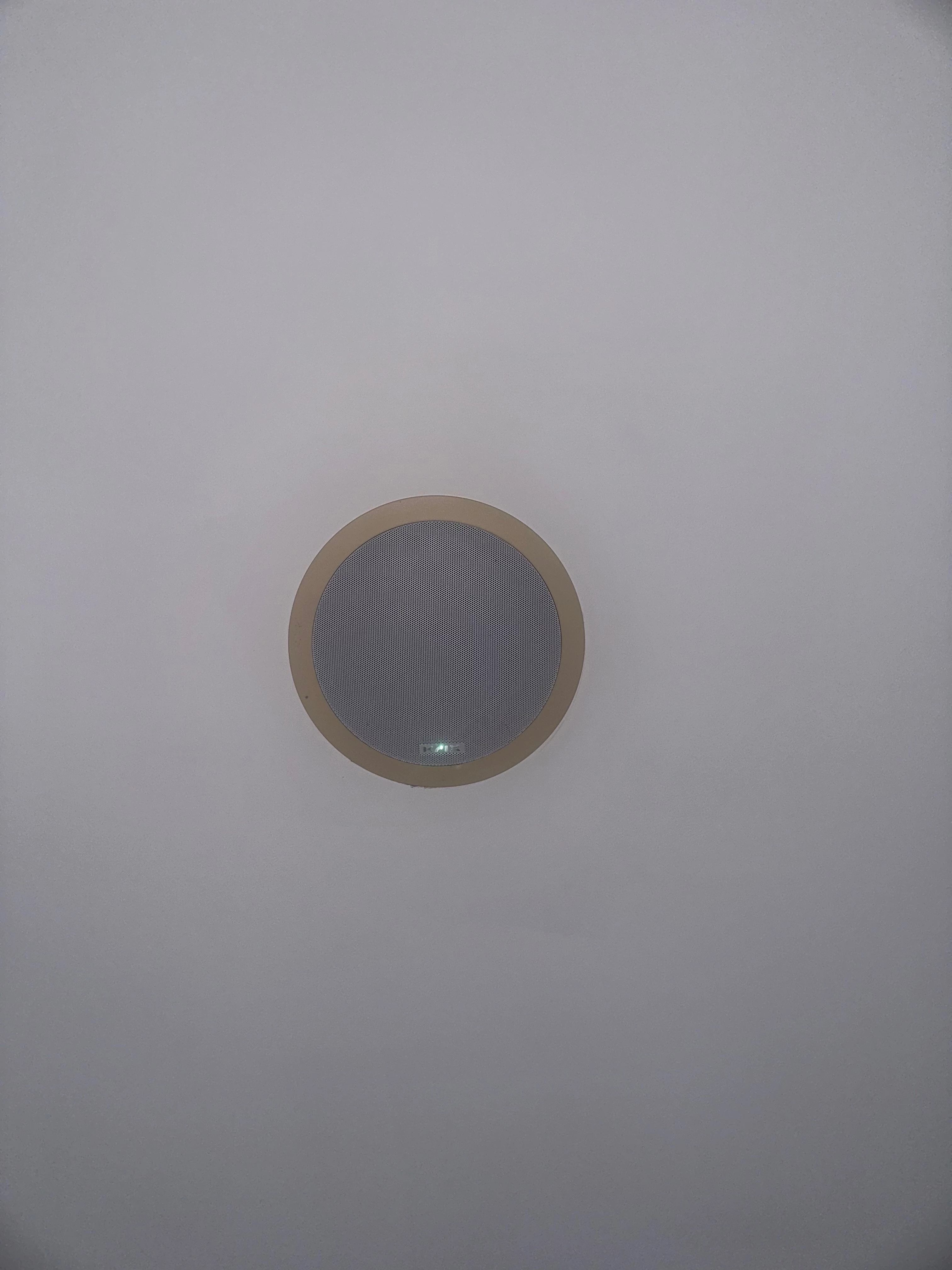
Some speakers have the Krix brand visible on the faceplate, however sadly apart from this there are no additional identify labels and no identification on the network - however photos attached. 

When i run a diagnostic i can see the “amps” (at least 3) are labeled as:
- Series ID: P100
- Sonos OS: S1
- which I assume would be: the old Sonos ZonePlayer ZP100

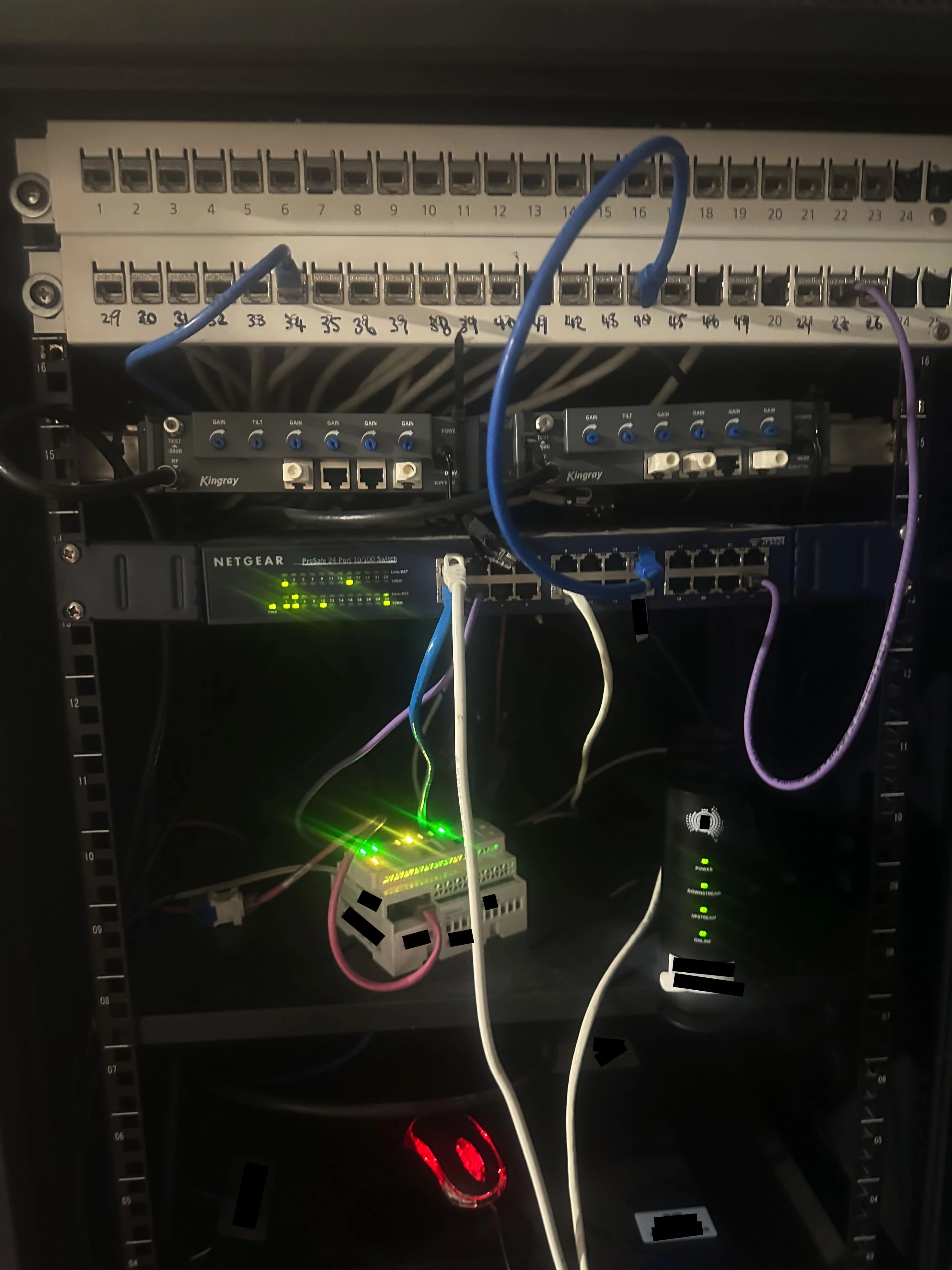
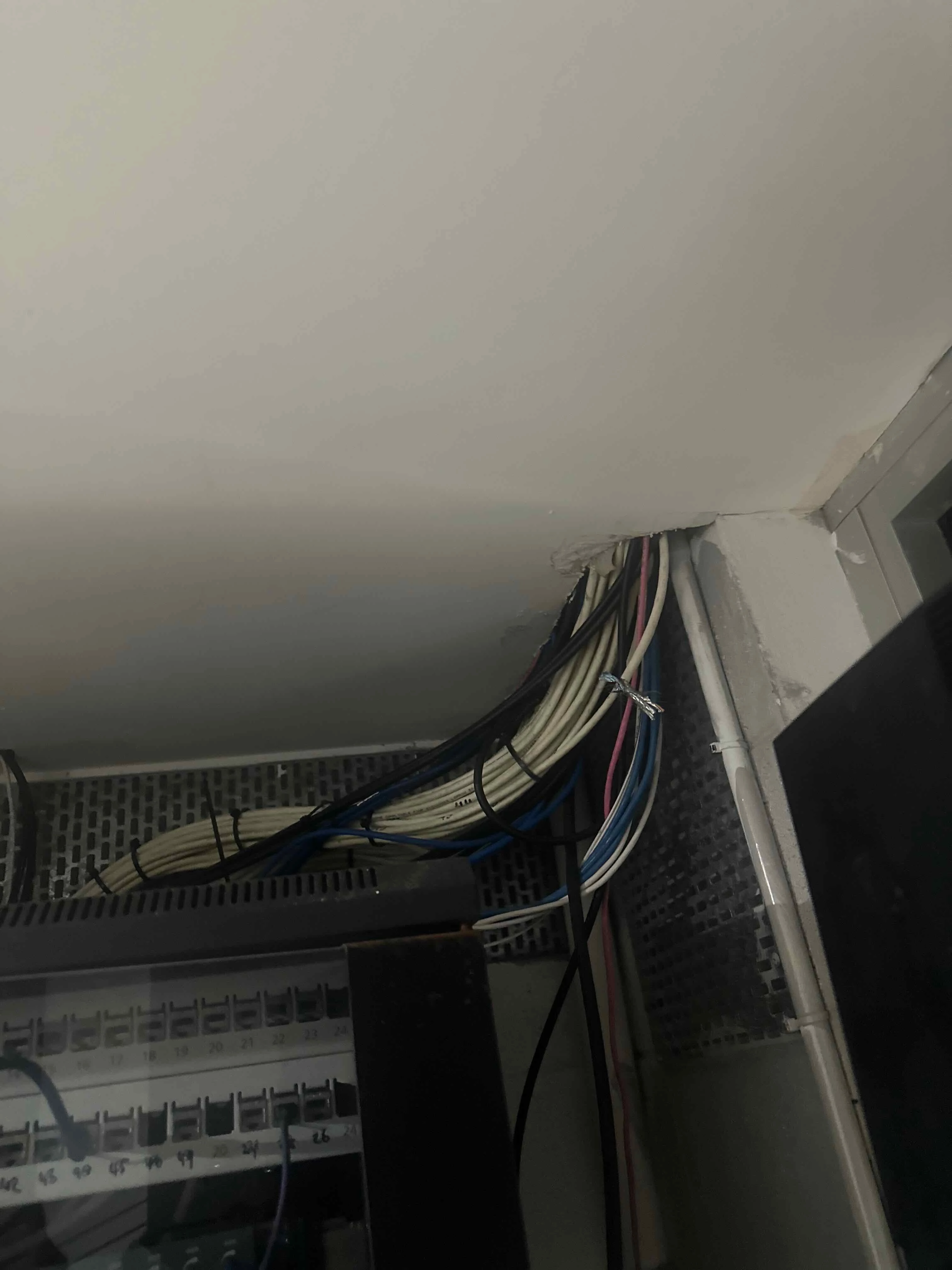
The physical network is very large with a server room and a network cabinet on each level. However, whilst i can see the central network server rack, LAN ports, routers and data switch (see image) - i can not see anything that looks like a Sonos Amp (I can however see 2 Kingray amps but these apparently are for television).

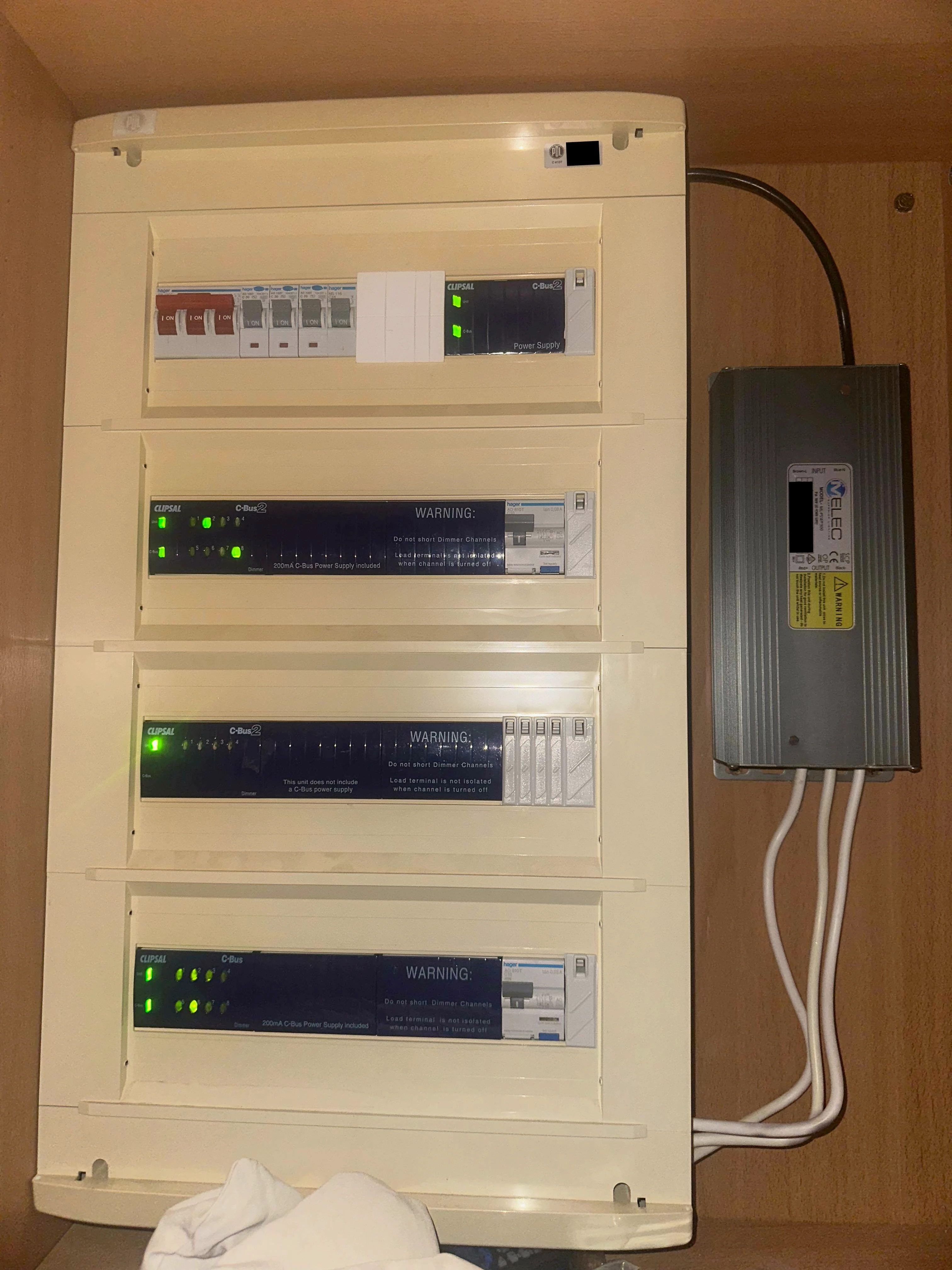
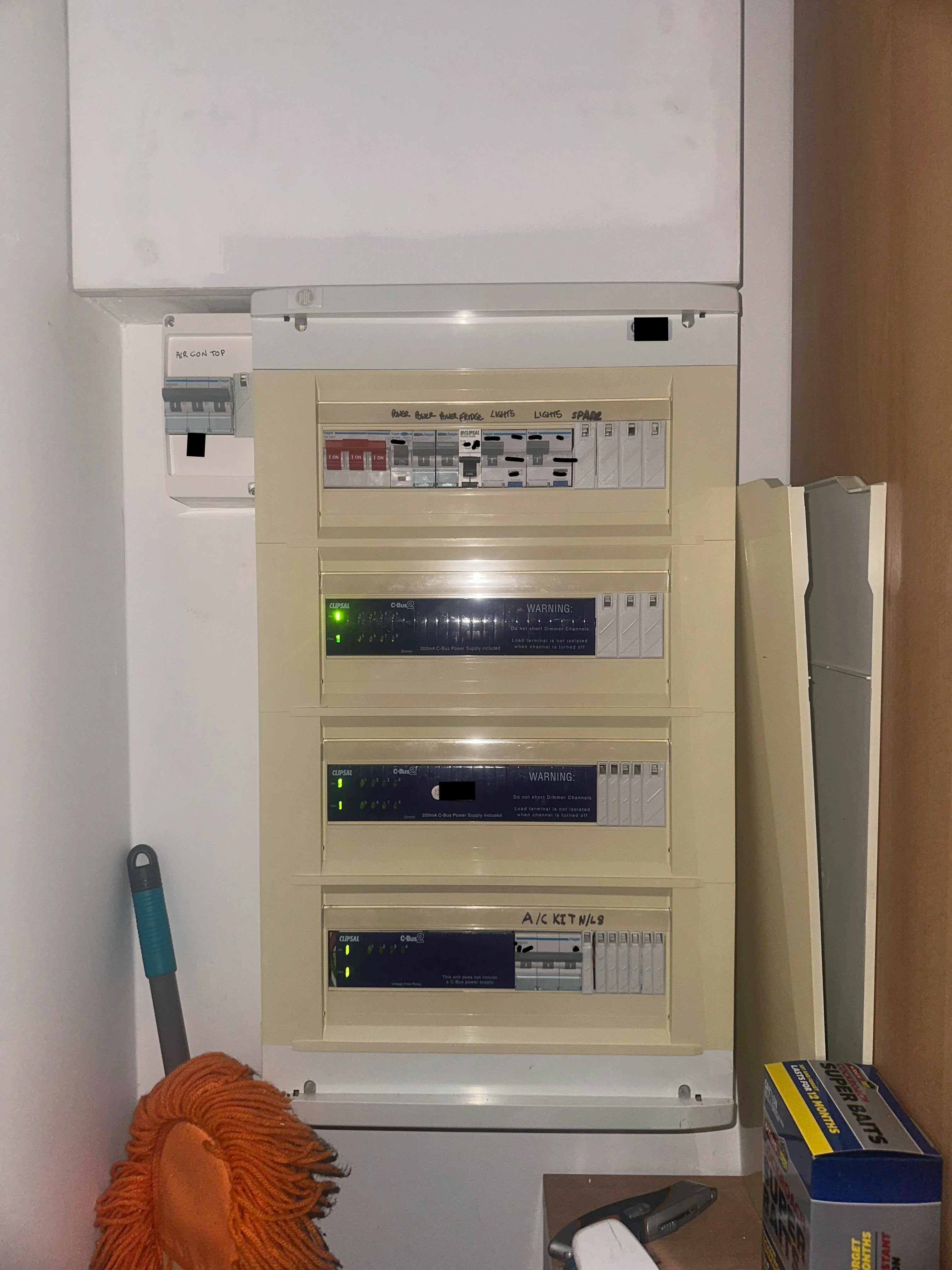
I am concerned the amps might be built into a wall (if so they would be impossible to find). I have noticed with some googling that with these large-complex and old networks it was common when using these generic third party speakers that the layout is inconsistent. I also have seen some reports on “ZonePlayer(s)” being virtually present on lan networks, however the owners/installers deny using the actual physical device for the sonos integration. This made me think that the PCBs might have been OEM sold to third parties and used as a sub-assembly to allow traditional products to support sonos integration..? This made me wonder if something tricky might of occurred and the sonos network could be being establish via one of the network management products (netgear switch, cbus controller, analogue booster or one of the wifi routers or extenders). 


Stanley_4
  • Lead Maestro
  • December 28, 2025

I'd consider hiring a professional network type to review and document your network, as a first step that will give you a solid foundation to work from. Make sure they also give you links to any owner's manuals and such they discover. Doing this now will avoid doing it in panic mode when it fails when it is most needed. 

Once the networking is solid start with the Sonos and it will go a lot smoother.


  • Author
  • Contributor I
  • December 28, 2025

I would first check app compatibility found here:

https://support.sonos.com/en-us/article/sonos-app-version-compatibility
 

Some of the older speakers may not be compatible with the S2 app and would either need to stay on that app version or be removed from the network.

The ceiling speakers should all be powered by Amps, that may be located inside the server room. Again refer to the compatibility list to find out if the Amps are able to be updated.

Since Sonos is controlled by the app, you won’t find any volume knobs around the house, but you can use an old tablet as a main controller for the system.

Post some pictures of the server room and rack so that we can offer more guidance.


Thank you Pool,
I am completely aware and happy with the S1 vs S2 app control stuff. The issue i am having relates to not having the details of the original installer (probably over 10 years ago) and hence I assume ill need to do a factory reset. However the amps don’t seem to be in any of the normal places and due to the complexity of a multi-device lan network I am not sure how to do the reset or transfer ownership.

It is however both odd and nice that the old speakers are appearing on multiple downstream wifi networks. 


  • Author
  • Contributor I
  • December 28, 2025

I'd consider hiring a professional network type to review and document your network, as a first step that will give you a solid foundation to work from. Make sure they also give you links to any owner's manuals and such they discover. Doing this now will avoid doing it in panic mode when it fails when it is most needed. 

Once the networking is solid start with the Sonos and it will go a lot smoother.

Thank you Stanley,
I have already attempted your sensible suggestion once and we spent 2 and a bit days working on the network (there were some other matters we resolved at the same time). Sadly, due to the complexity, lack of documentation and atypical specifics the contractor was not able to help (apart from 1. there should be an amp. 2. we must find the amp, 3. do a factory reset as is common practice).
 
However, Im actually a electrical and computer engineer and this field of networking and low level electronic development is my field of expertise. I have been able to do a short term work around and get pairing and casting access to the old speakers by isolating that network circuit from the internet and then casting back to it via spotify on another device whilst blocking all other outgoing traffic on the source device. This allows us to use the wired system in the short term but it is not a long term solution and there is no ownership transfer.

Does anyone have any experience or knowledge of the atypical amp setups or might notice anything in the photos that could be acting as a amp that i might be missing?

The amps listed and the layout is over 10 years old so i might be missing something obvious...

Amps on network:
- Series ID: P100
- Sonos OS: S1
- which I assume would be: the old Sonos ZonePlayer ZP100 


Stanley_4
  • Lead Maestro
  • December 28, 2025

I've never heard of anyone stripping out Sonos electronics to build a new device.

Somewhere the Sonos devices are hidden. Only plus is they have to be on tne same LAN as the other Sonos and Controller. Fhat may simplify tracking them down. Still in walls, above ceilings and any other cubby that has power access is suspect.

Looking at your pictures, well, I'd have smacked the realtor up the side of the head for even showing me that place. Good luck.


buzz
  • December 28, 2025

Using an infrared camera you may be able to get a hint about the location of buried ZonePlayers.

That ceiling speaker showing a glowing status light indicates that there is some sort of buried power wiring and remote amplification. It’s hard to know if line level or speaker level signals are circulating.

You can probably at least pull ceiling speaker grills and log model numbers. It may be possible to pull a ceiling speaker without too much paint damage and have a look around.

You should also display http://[IP address of a player]:1400/support/review. This is undocumented, but you’ll be able to see some details of old S1 players. Newer players do not populate this area.


buzz
  • December 28, 2025

In spite of all the network ports, there are relatively few active network ports. At the bottom of the support/review page is the network matrix. Here you can easily discover wired and wireless SONOS S1 components that are currently active as a system. If you remove a SONOS network connection, there will be a change in the matrix. Note that this is not a realtime display. You need to refresh the view after making changes.

Maybe you can use a cable probe to follow some of the wires and get a hint of SONOS player locations. You can follow network or speaker wires. Once you have ID’d the players from support/review you may be able to use a wireless scanner to find buried players by following WIFi signal strength, but this tends to be a very low resolution scan.


  • Author
  • Contributor I
  • December 28, 2025

Thank you Buzz,
I have a few question and I hope your answers might illuminate a new idea to try something to help me progress. 

1. I am wondering why did you ask initially about the specific speaker details? I mention this as nearly all (and I would definitely bet my bottom dollar) the ceiling mounted speakers used 10 years ago or in layouts like this are just simple analogue models (just wires and a magnet). We know at least a few of them are old Krix speakers and with Krix even in 2025 this are simple analogue units (i have included the like to the portfolio below for completeness).
https://www.krix.com.au/home-entertainment?category=in-ceiling  
https://www.krix.com.au/product/aquatix

2. In the hack work around mentioned above I am running the old units via the S1 application. Also all of the devices at the time this network was installed were on S1. As well as both the Sonos P100 amp (that this virtually listed) and the old Sonos ZonePlayer ZP100 (which i would assume would be more likely what would be being used, if there is no randomness) are S1 controlled legacy devices. Was there any other reason or do you think there is any additional value to try to verify this further? (I also tested the hack setup with the S2 application and it did not work - so im pretty sure we are S1).

3. I do have the IP addresses (I haven’t shared them yet due to cyber precautions) and I do no what ports the amps are running on. However as the house is so large and the network spans 3 levels the cable will have numerous bridge devices etc along the path (i would assume the circuits would be 100 to 500m at least - based on the area of each level being 1480 m2, a floor plan of 25 x 50m each level for 3 level, and the server room is on the front left corner of ground with speakers going all the way to the top-back-right corner of level 3. I don’t think i can hard open circuit or manually inject a reset signal on the cable due to the interruptions and length. 

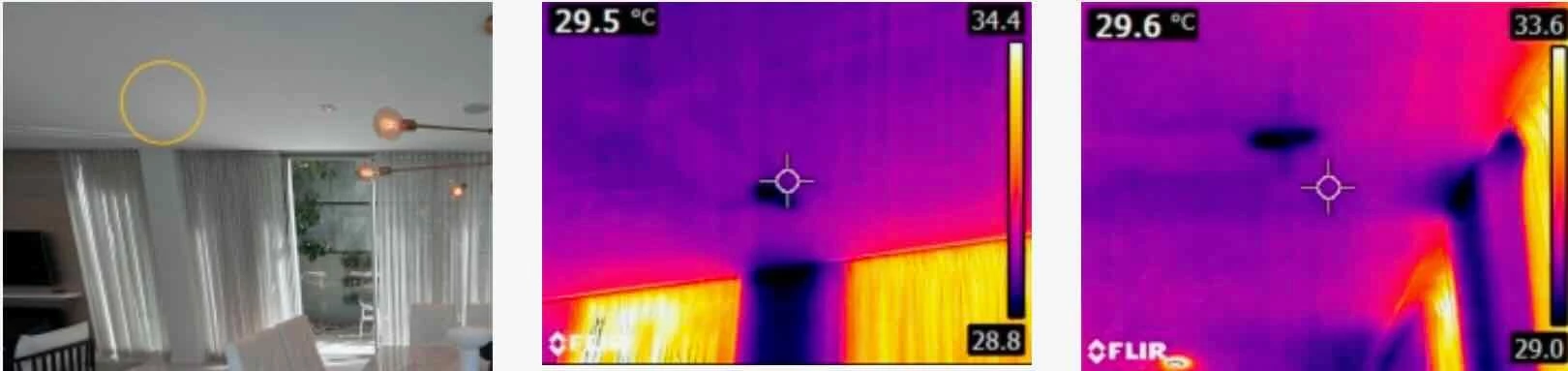
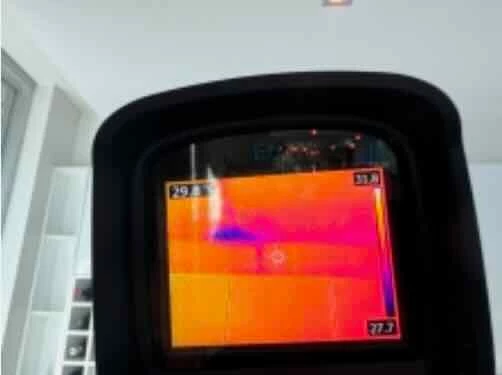
4. Good idea with the IR/thermal camera (I thought similar and did this as well, there was a small previously undetected shower leak coming from level 3 done to level 2.) See below some of the images of the mapping when i surveyed with this method. Sadly, once again this house prevented this from being helpful. The main house is built from concrete on brick and as you might expect from such a big and heavy building this concrete is so thick there is nothing (even with all of that networking and power going to aircon etc there is nothing).

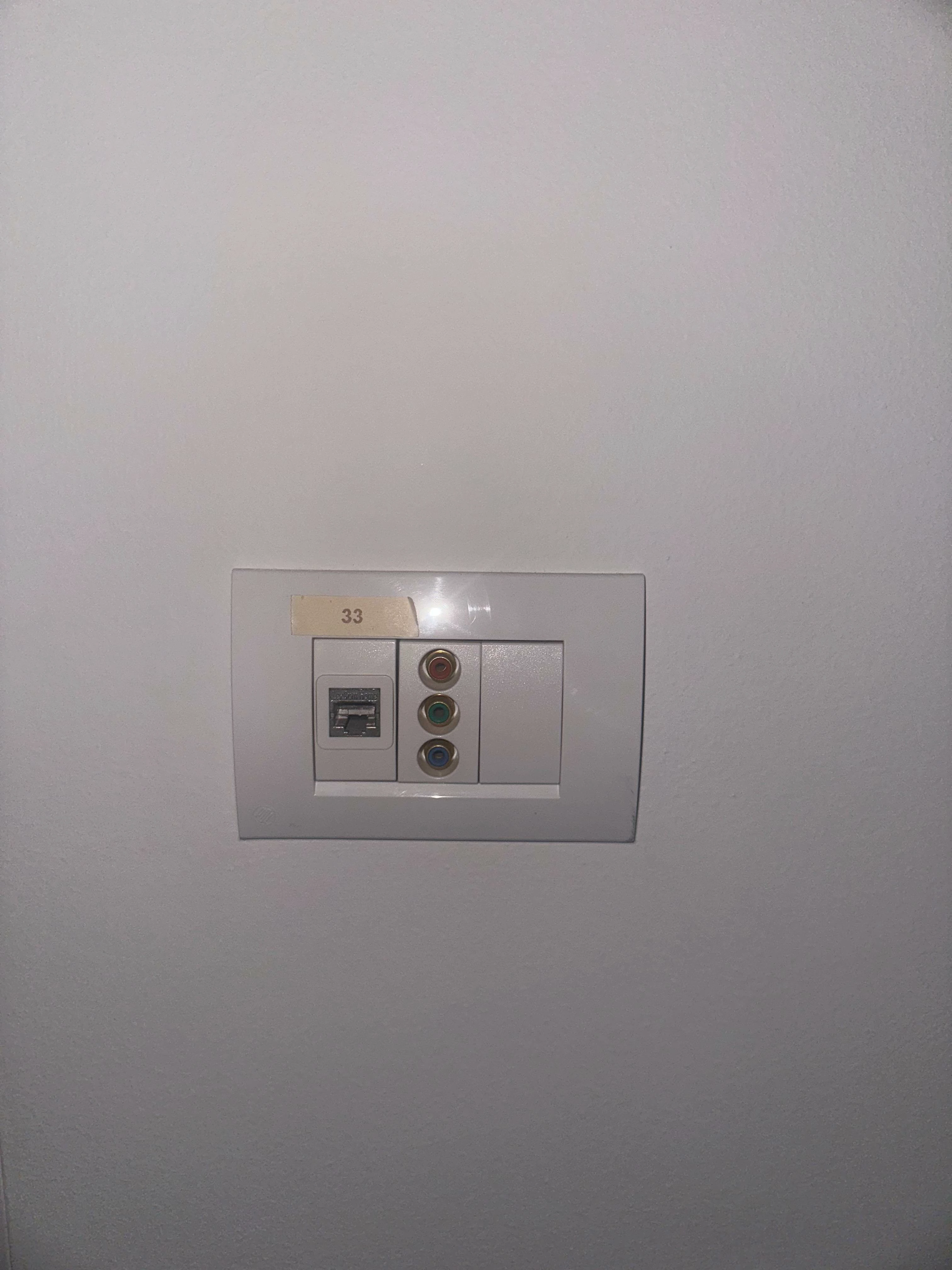
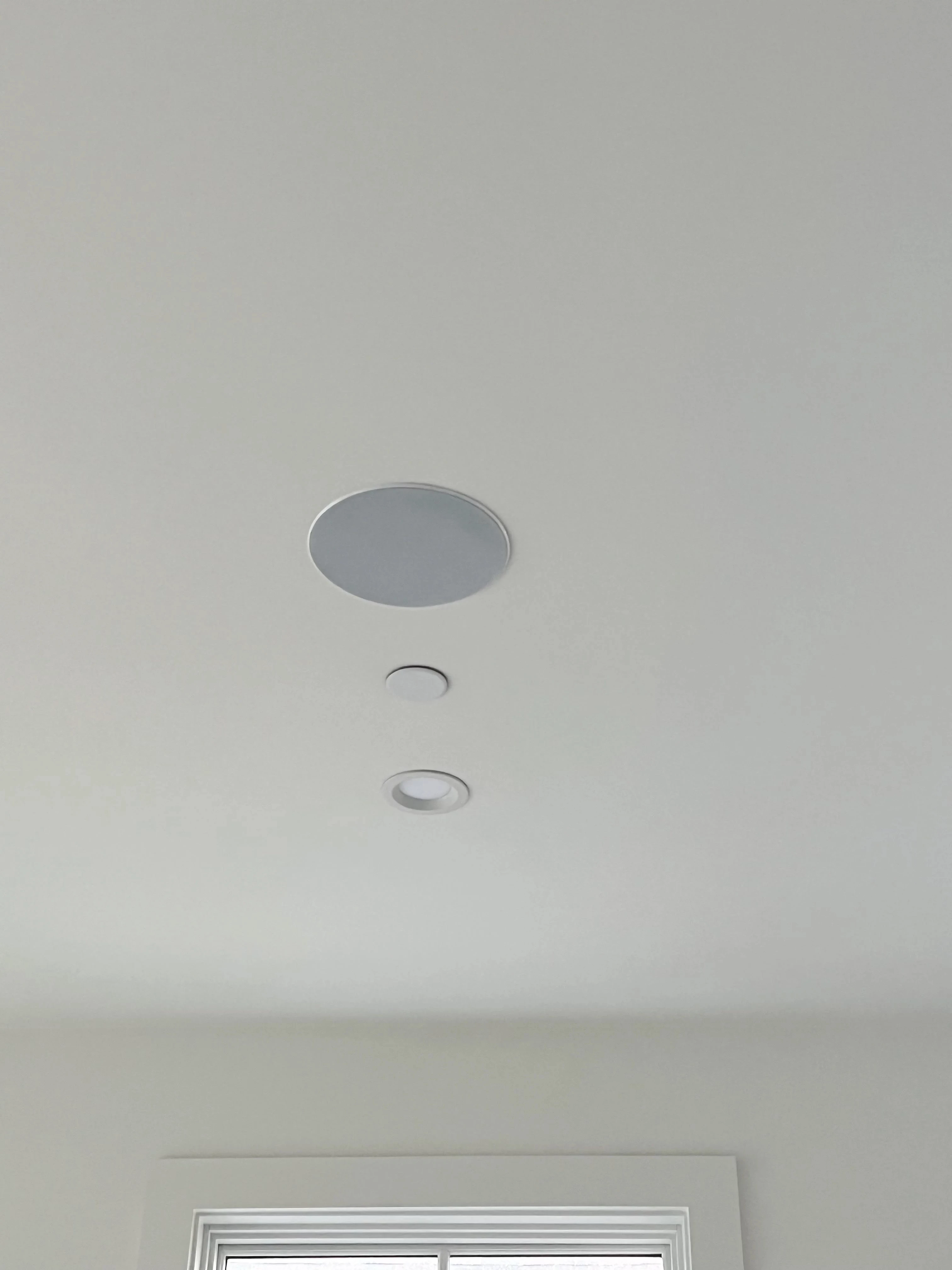
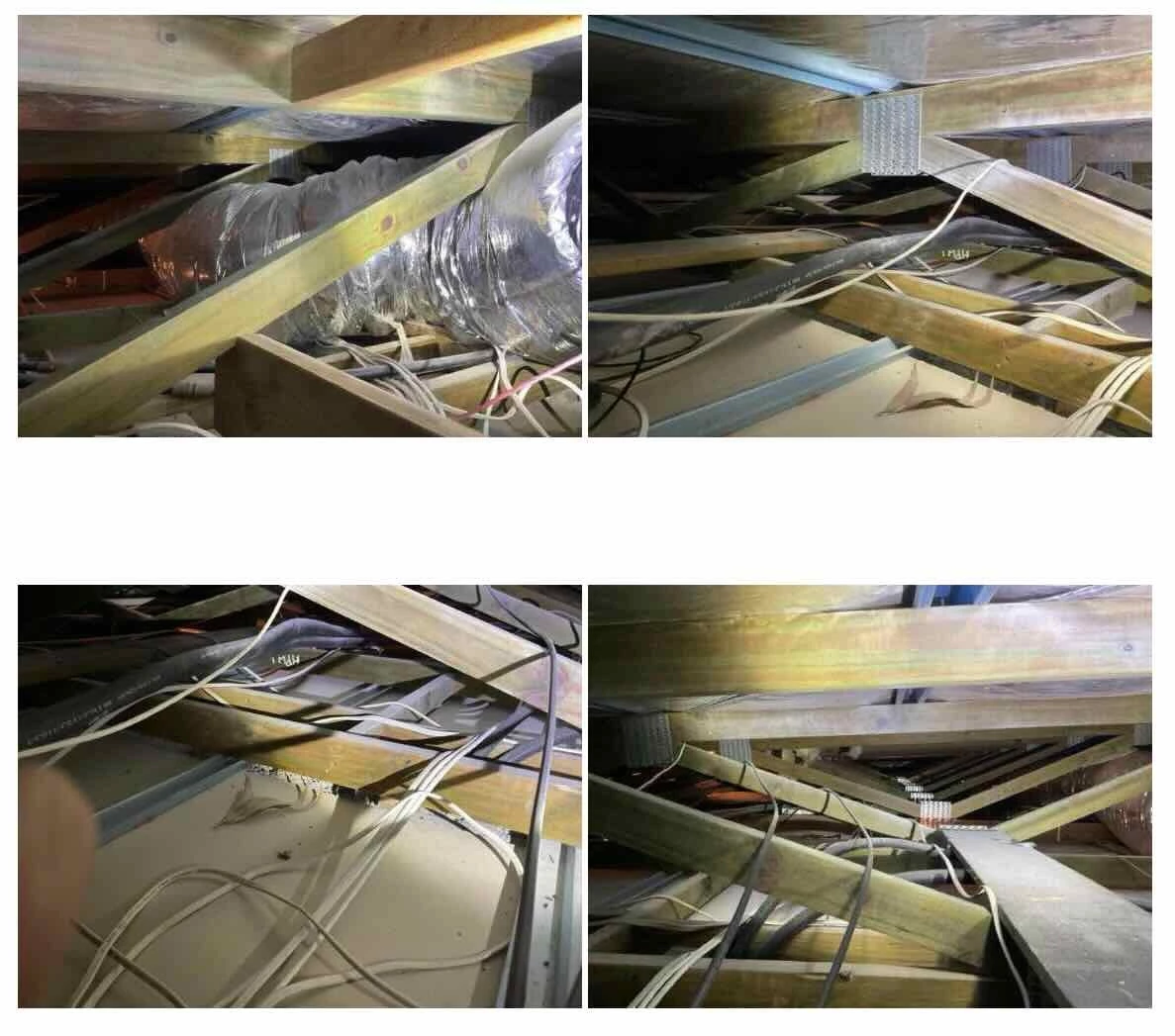
5. I am optimistic that is there is a “normal amp” then it would be somewhere visible (I am hoping someone notices something in the photos or it might be being supported by the cbus or netgear network switch). I did peak in the parts of the walls and roof that I could easily access (there are service holes all over the property. I have included some images of what I observed and as you would see if there are amps in there it would not be humanly possible to get to them.

Any other thoughts? 


buzz
  • December 28, 2025

In one of your original ceiling speaker photos there was a light spot suggesting a pilot light. Maybe it was a simple reflection and the speaker is not active.

Did you use your thermal scanner to view inside the ceiling areas shown in the latest batch of photos?

There is no need to post IP addresses or diagnostic conformations here.

ZP100’s are S1 only.

Although it’s messy, working on the assumption that each power circuit serves a relatively small area (no guarantee), you could selectively power down each circuit in an effort to approximate SONOS locations. I did this in one college apartment and discovered a circuit that was not fused!

If there is a 3rd party amplifier, there will be a ZP80, ZP90, or CONNECT on the network. Unless you have a direct view, I doubt that a thermal imager would spot any of these.

Are there any in-wall speaker Volume controls? These may give location hints and can be connection points for wire scanners.

Your dense walls will enhance the precision of a WiFi scan for players.