

I’ll answer the Title of this post (which is posed as a question) in one word which IMO is “None”.
Sonos prefers a wireless environment whenever possible. Today’s routers are more robust with increased internal storage, gigabit RAM and top-end chipsets (i.e. processors).
WiFi 7 routers are the growing trend which allows more information to be pushed through at faster speeds. However, you don’t need a WiFi 7 capable router to enjoy Sonos. Wi-Fi 6 and Wi-Fi 5 routers are fine. Only upgrade if you are noticing more drops than normal on an otherwise stable network. Routers do wear out and/or become more susceptible to interference.
- 2.4Ghz is the band selected by most devices by default
- Devices capable of choosing between 2.4Ghz or 5Ghz will chose the latter when convenient for faster communication.
- Most devices will ignore 6Ghz unless they contain a chipset capable of handling the faster speed.
Sonos will select 2.4Ghz or 5Ghz depending upon two factors:
- Equipment release date which we’ll call pre-Arc Ultra, Era series, Move 2 and Roam 2
- Signal strength and/or convenience
Steering Sonos to a particular band (2.4Ghz or 5Ghz) will limit its flexibility to maintain a seamless communication when rooms are grouped and/or when streaming audio content. Believe it or not; Sonos devices are smarter than one might think when it comes to selecting the 2.4Ghz or 5Ghz band for best communication.
Another common misconception today is that 2.4Ghz, 5Ghz and 6Ghz bands need different SSID’s. In some environments it may be necessary; but for most home users it’s not. Unless one has very old legacy devices today's Wi-Fi capable components know which band to select for best performance.
Separating bands with different SSID’s can be detrimental for Sonos causing communication issues. For example your device (with Sonos App) may on the 5Ghz band with SSID “X”. Your Sonos may be on the 2.4Ghz band with SSID “Y”. The resulting problem is that you can’t see your Sonos in the App on your device.
Solution: Use the same SSID for all bands
The examples below are taken from my routers Admin page. It shows two of my Sonos products that are located in the same room with a satellite that is wired back to the main router in my Mesh network.
The Era 300 has selected 5Ghz
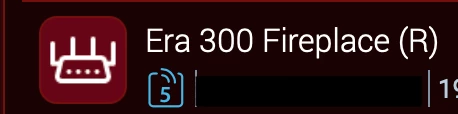
The Sonos Amp selected 2.4Ghz primarily because it is pre-Arc Ultra, Era series, Move 2 and Roam 2

Bottomline...Both devices selected the WiFi band of their choice for best communication. I had no hand in placing them on my network other beyond setting them up in the Sonos App. Not once did I have to open my routers settings to choose a Wi-Fi band. If I were to move the Era 300’s to a different location in my home they may choose 2.4Ghz or 5Ghz; but it would be device making that decision not me.
That’s why I use the same SSID for all bands and do not steer Sonos to a particular band.
The above has worked quite well for me with up to 61 clients on my network at any given time which includes 31 Sonos units.
