
Contributor I
May 18, 2019
Answered

Wireless range extender error message - but there is nothing wrong

I have an ASUS router (RT-AC88U) with both wired and wireless speaker connections. I have an ASUS repeater (RP-AC68U) connected (wireless) to the router. Finally i have one speaker that is hard wired to the repeater.

Everything works great. I can group all of the speakers if I want. I can control the music anywhere on the network.

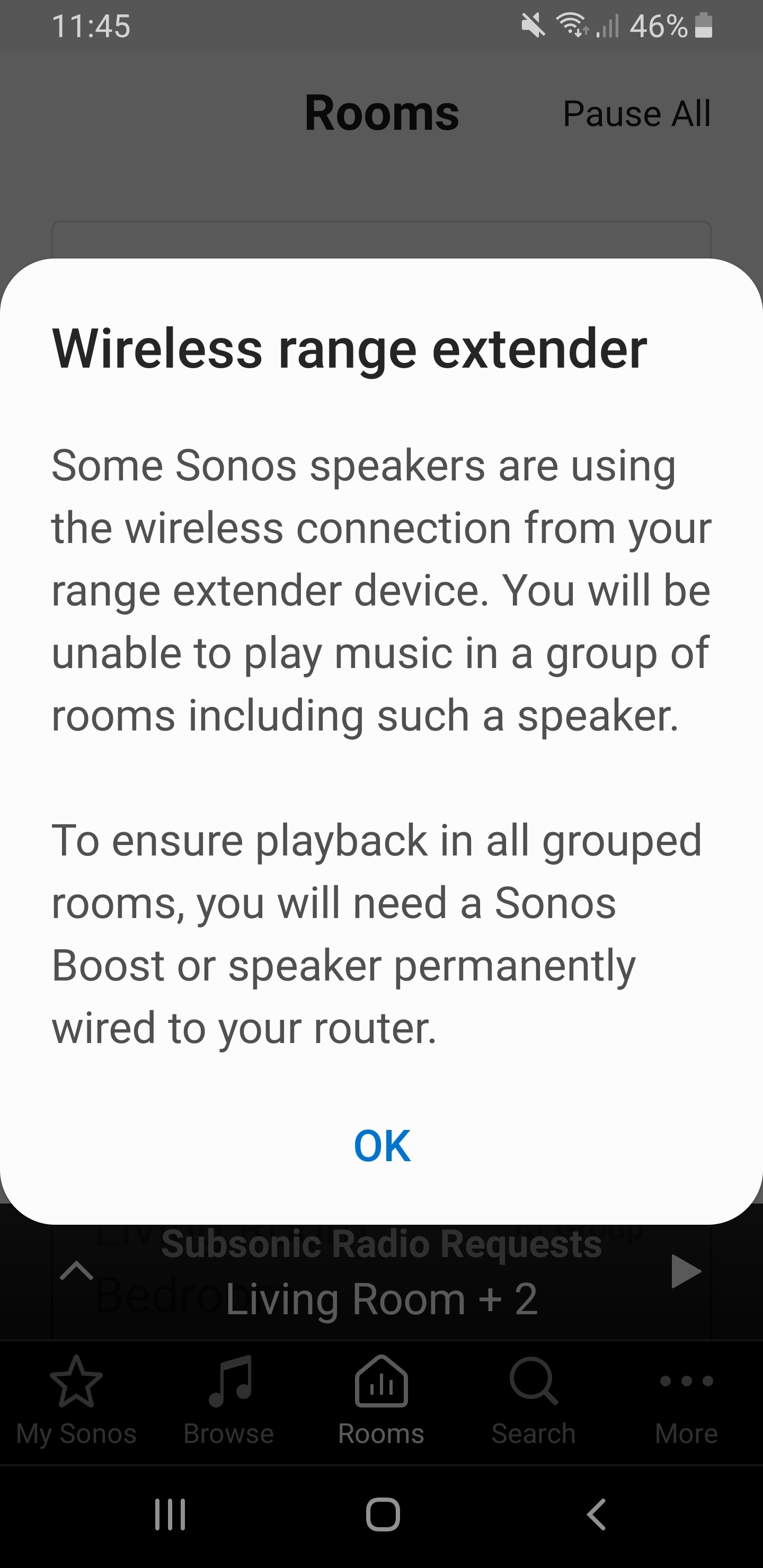
However, the Sonos app insists there is a problem and pops an error message when I do just about anything in the app. It doesn't impact the functionality, but it is annoying as it comes up all. the. time.

Is there anyway to turn off this prompt?
    This topic has been closed for further comments. You can use the search bar to find a similar topic, or create a new one by clicking Create Topic at the top of the page.
    buzz
    buzzAnswer
    Grand Maestro
    May 18, 2019
    Wiring one or more SONOS units to your wired network would be the best approach. Or, you could wire a SONOS BOOST to the network.

    The SONOS system is complaining because the assumption is that the wired connection is a real wired connection, not a connection routed through a wireless repeater. Depending on wireless conditions, it is possible that one or more units might flip-flop between WiFi and SonosNet (the SONOS wireless protocol). This flip-flop rarely works satisfactorily.

    Also try removing the wired connection between the repeater and SONOS while using the same WiFi channel for the main WiFi and the repeater.

    Yet another approach would be to delete the WiFi password from the SONOS system and use the wired connection to the repeater. This would not be high on my list of approaches, but it might work well enough.

    4 replies

    Smilja
    May 18, 2019
    You would need to wire the speaker to the router rather than to the repeater.
    »And the world is like an apple whirling silently in space, Like the circles that you find in the windmills of your mind.« (›Windmills Of Your Mind‹ [1967]. Music by Michel Legrand ; English lyrics written by Alan & Marilyn Bergman)
    fallcityAuthor
    Contributor I
    May 18, 2019
    That would require a very long Ethernet cable. 🙂

    OK, understood. it's just frustrating that it is fully functional and yet I still get the error over and over. It feels like Sonos is using error messages to sell more equipment.
    buzz
    buzzAnswer
    Grand Maestro
    May 18, 2019
    Wiring one or more SONOS units to your wired network would be the best approach. Or, you could wire a SONOS BOOST to the network.

    The SONOS system is complaining because the assumption is that the wired connection is a real wired connection, not a connection routed through a wireless repeater. Depending on wireless conditions, it is possible that one or more units might flip-flop between WiFi and SonosNet (the SONOS wireless protocol). This flip-flop rarely works satisfactorily.

    Also try removing the wired connection between the repeater and SONOS while using the same WiFi channel for the main WiFi and the repeater.

    Yet another approach would be to delete the WiFi password from the SONOS system and use the wired connection to the repeater. This would not be high on my list of approaches, but it might work well enough.
    Smilja
    May 18, 2019
    @fallcity, Consider getting a Boost. After wiring it to the router delete the WiFi password in order to avoid Sonos being in "Mixed Mode".

    Sonos app for iOS or Android: From the More menu, tap Settings > Advanced Settings > Wireless Setup. On the Wireless Setup screen, click the button that says "Reset". Then click "Done" on the next screen.

    https://www.sonos.com/en-us/shop/boost.html
    »And the world is like an apple whirling silently in space, Like the circles that you find in the windmills of your mind.« (›Windmills Of Your Mind‹ [1967]. Music by Michel Legrand ; English lyrics written by Alan & Marilyn Bergman)
