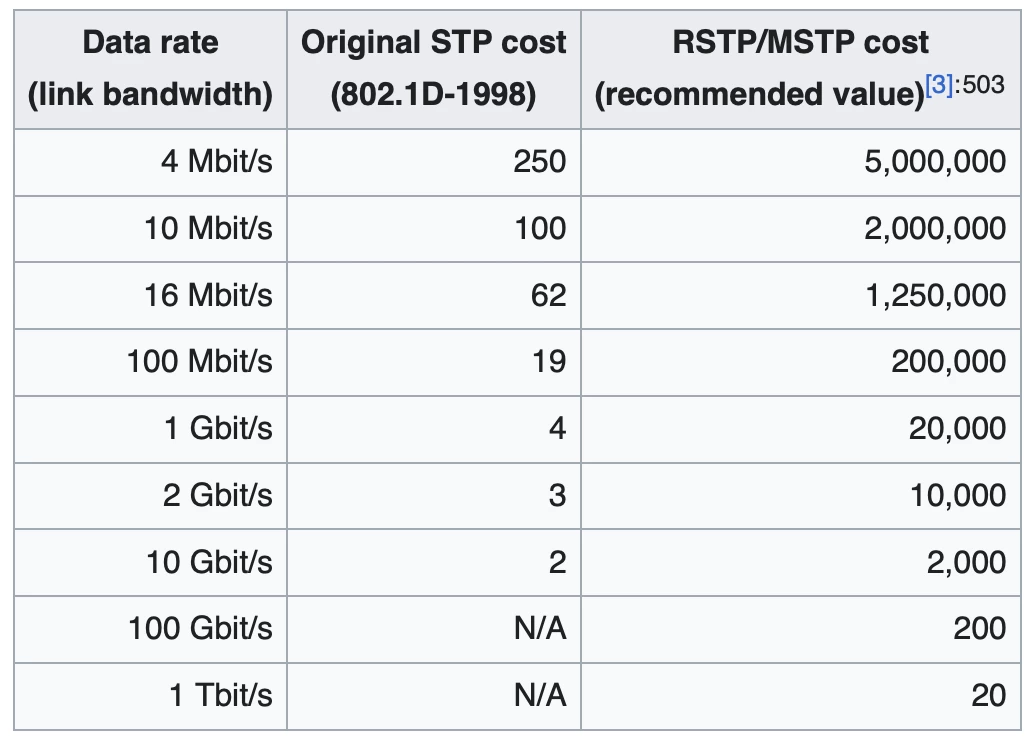
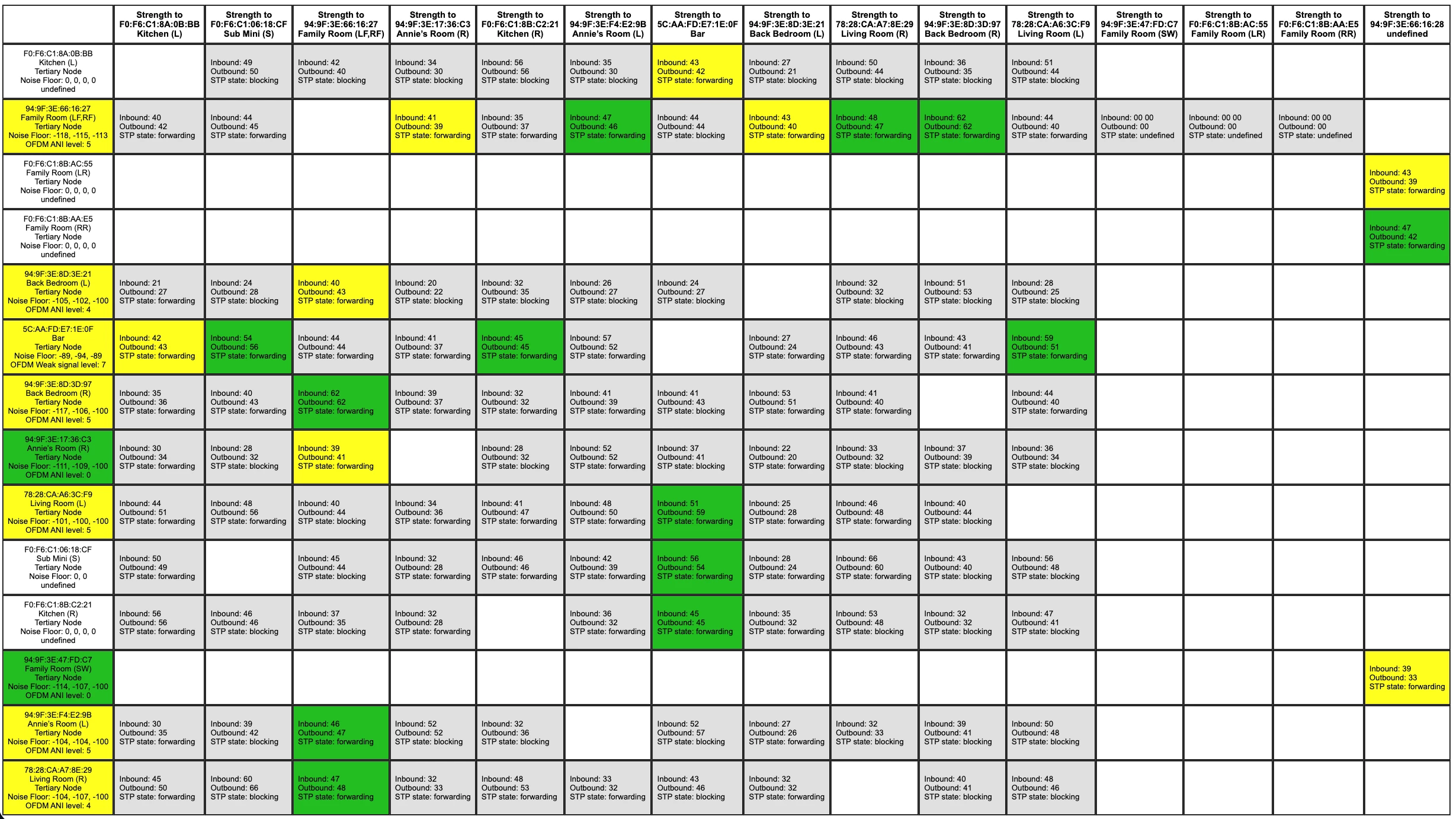
Preface: My networking skills are not what I’d like them to be. I’ve been referencing the Sonos STP document and Sonos Networking Best Practices guide to try and resolve the issue below.
Two questions:
- With two (of 14) Sonos devices connected to ethernet should SonosNet be split across those two devices? Isn’t that why the Matrix reports some STP blocking and some forwarding?
- If yes to #1, I need help configuring STP to work that way.
Before:
After moving to a larger house three years ago and SonosNet was not working great, Sonos tech support instructed me to connect a second Sonos device to ethernet which resolved the network issues.
My previous topology was:
- Managed switch with STP enabled
- Port 5 → to “dumb” switch → Soundbar
- Port 6 → to another “dumb” switch → Amp
This worked, but unfortunately I don’t remember if or how my 14 Sonos devices were split across those.
The Issue:
Last week I replaced the dumb switch connected to the Soundbar above with a managed switch. The remaining “dumb” switch started reporting a loop, so I enabled STP on the new managed switch and that resolved the loop reporting.
BUT, now my network is reporting one of the ports as blocking and it appears that ALL 14 of my Sonos devices are running through just one of the switches -- that is, they are not (somehow) split between the two ethernet connections.
The Sonos matrix reports some as STP state: blocking and some as STP state: forwarding.
I do wonder with my new topology if it’s a (Omada) network config that is forcing one of the ports to be in blocking mode, or if it’s perhaps my mix of dumb and smart downstream switches that STP is just deciding that one path is the lowest cost for everything. (Again, my STP understanding is limited.)
Current Topology:
This is all TP-Link hardware with and OC200 hardware controller. I consider my “root” switch, a SG2210P, as it is connected to my ER7206 router. I’ve tried using both “STP” and “RSTP” settings and no change. Currently using “STP” everywhere.
- SG2210P (CIST Pri: 4096) →
- Port:5 STP Pri 128 →
- Port:1 Pri 128 of an SG2008 (CIST 4096)
- Port 5 pri 128 → Soundbar
- Port:1 Pri 128 of an SG2008 (CIST 4096)
- Port:6 STP Pri 128 →
- Port 5 of ES205GP (“dumb”) Port 2 → Sonos Amp
- Port:5 STP Pri 128 →
The ES205GP only has “Loopback control”, which is enabled, but no STP settings.
With this configuration ALL 14 Sonos devices are showing connected to the ES205GP and Omada is showing Port 5 on the SG2008 as “STP blocking”.
If I unplug the Sonos Amp from the ES205GP then ALL the Sonos devices move to/show as connected to the SG2008 on its port 5.
I’ve tried various settings (like lower CIST for the root than the SG2008), and also setting port 6 of the root SG2210P to 240 (highest) to try and make the SG2008 a higher priority, but TP-Link still blocks port 5 on the SG2008 (soundbar).
Assuming that SonosNet should split across the two wired devices, is it STP configuration or could it be the least “cost” is always through the dumb ES205GP to the root SG2210P?