Question

cant pair the gen 4 to my system

  • December 19, 2025
  • 3 replies
  • 21 views

i have a arc a gen 4 sub and pair of play ones.i cant get the gen 4 sub to pair what do i do

3 replies

Airgetlam
  • December 19, 2025

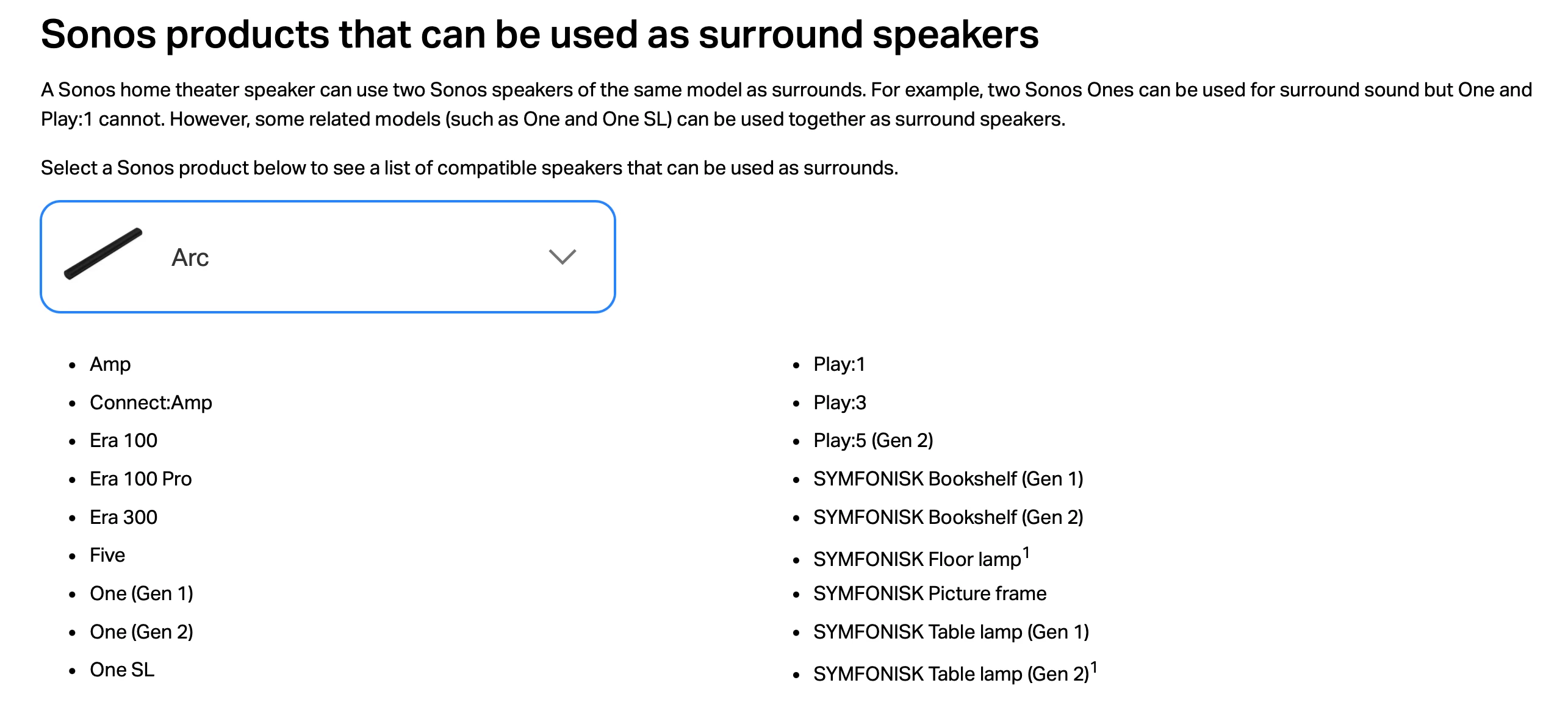
To the best of my recollection, the PLAY:1s can’t be used as surrounds for the Arc. Try setting up your system without the surrounds. You should be able to bond the Sub gen 4 with your Arc. 

If memory serves, the min spec on the Arc for surrounds is the Sonos One, or higher. 


AjTrek1
  • December 19, 2025

@jerome one 

I think ​@Airgetlam (who is usually spot-on) may have misread your post. His memory (as he puts it) isn’t serving him correctly this time around 😂

Jokes aside….to your question first things first:

  • No matter where you are trying to use a Sonos Sub the proper terminology is “Bond or Bonding”.
  • Pair or Pairing” is only correct if you are trying to create a stereo pair with two like speakers.

Play:1’s can be used as surrounds with the Arc as are other speakers shown below. You can follow this link for more information.

  • To add surrounds to any Sonos soundbar follow the instructions in this link.
  • To add the Sub 4 to your Arc (Home Theater) follow the instructions in this link.

If you have additional questions or we’re still not understanding your issue please come back for additional assistance.

Note: In the link to add your Sub 4 please pay attention to products it cannot be “Bonded” with.


AjTrek1
  • December 19, 2025

@jerome one 

I just peeked at your profile which indicates that you have a Play:5 (Gen1). That speaker isn’t compatible with the Arc nor the Sub 4. If your Sonos previously only consisted of the Play:1’s and Play:5 (Gen 1) then the Play:1’s must have been downgraded to S1 compatibility to match the Play:5 (Gen 1). At this juncture to make the Play:1’s compatible with the Arc you’ll need to factory reset them to make them S2 compatible with the Arc. If you still want to use the Play:5 (Gen1) you’ll need to setup a separate system for it.