This topic has been closed for further comments. You can use the search bar to find a similar topic, or create a new one by clicking Create Topic at the top of the page.
To move surrounds from one Sonos sound bar to another: *
Remove them as surrounds from the current soundbar by going to the room containing the soundbar and select “remove surrounds”.
The Surrounds will revert back to separate rooms
After you have setup the new Sonos soundbar:
Open the app and select “add surrounds”.
The app will locate the surround speakers that were removed from the previous soundbar
The app will ask it if you would like to add them as surrounds to the new soundbar.
Follow the directions to add them as surrounds
Review what speakers were used as surrounds with which Sonos soundbar
* If you have gone beyond these steps and are getting error messages...factory reset the speakers and set them up as separate rooms. Then follow instructions in the app for the room with the soundbar to add them as surrounds.
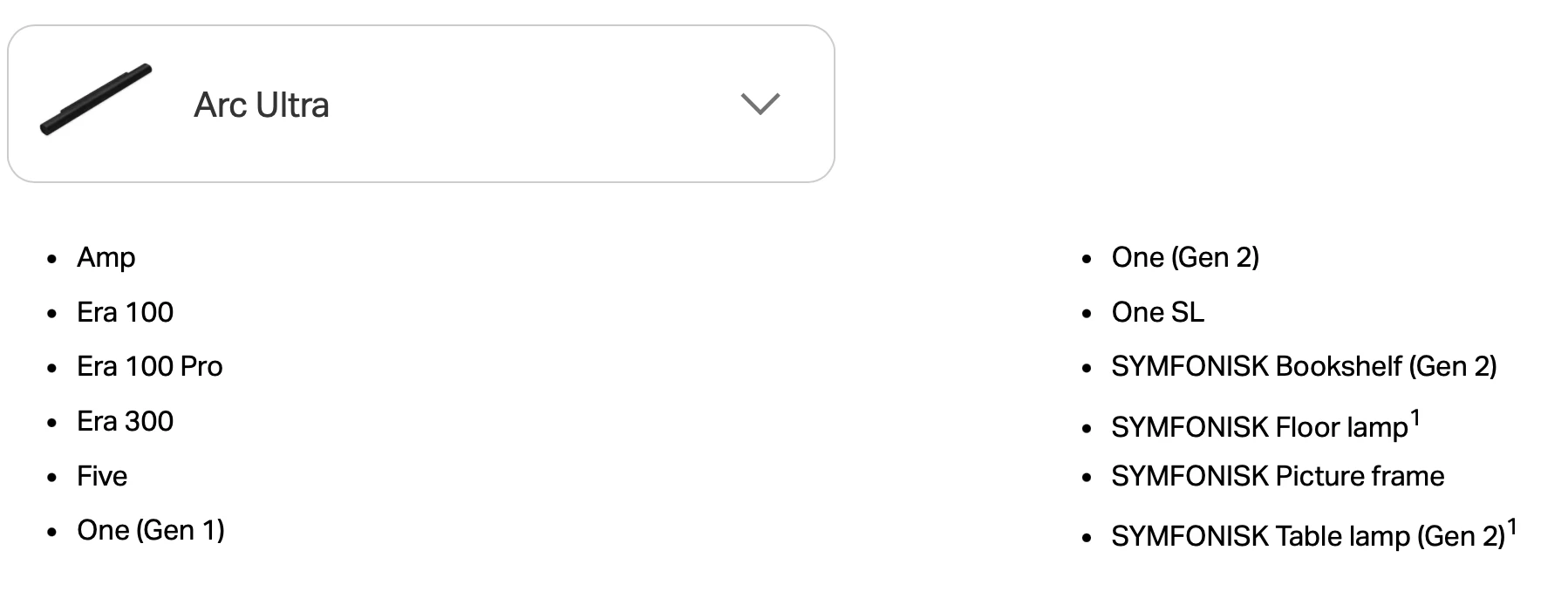
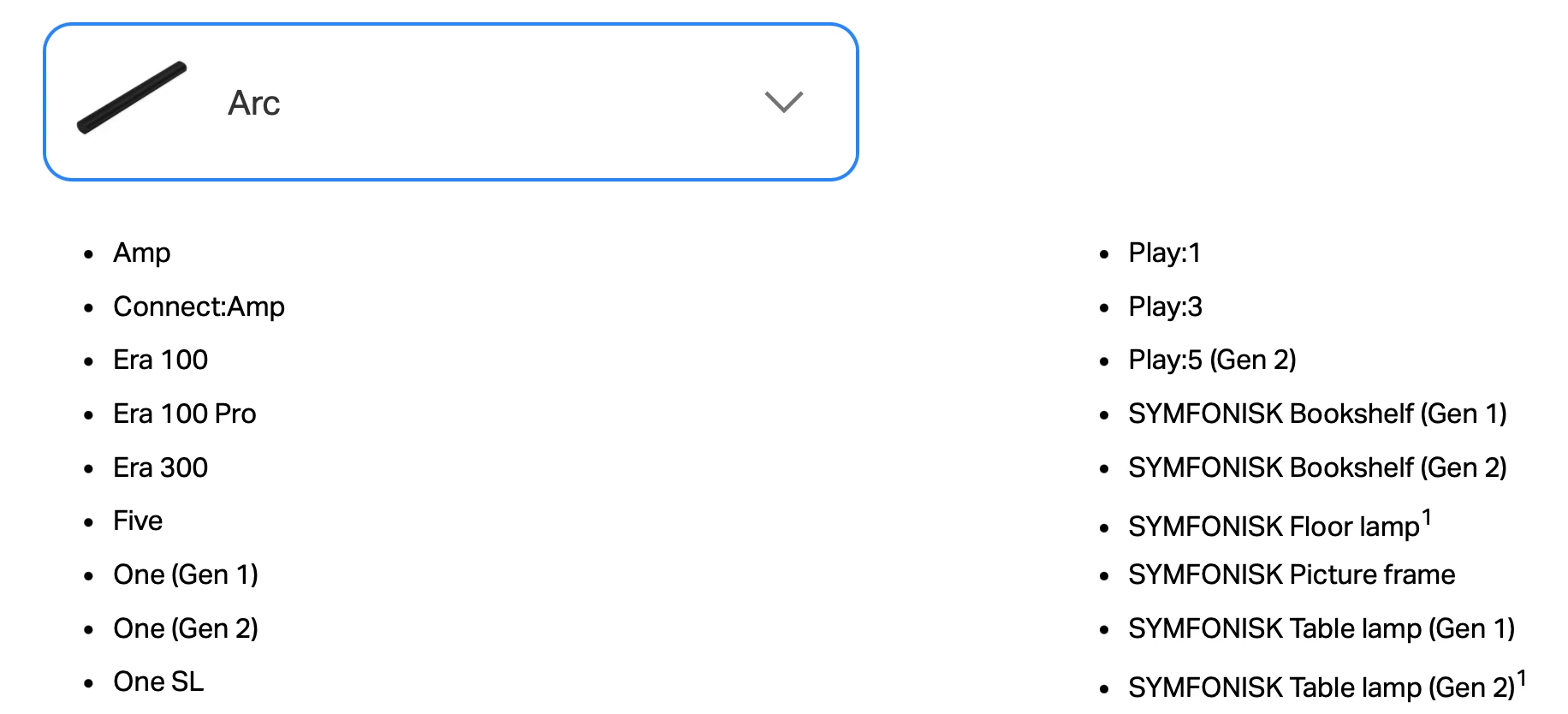
Correction: they are compatible with Arc but not Arc Ultra. Set them up temporarily as individual rooms, and then Add Surrounds in settings for the Arc room.
Since replacing the Playbar1 with the Arc I can’t get the app to find the play1’s
Did you add the Arc to your existing system, or have you set it up as a new system? If the latter, factory reset it. Power it off and you should see the Play:1’s in the app. Then power up the Arc and add it to the existing system.
To move surrounds from one Sonos sound bar to another: *
Remove them as surrounds from the current soundbar by going to the room containing the soundbar and select “remove surrounds”.
The Surrounds will revert back to separate rooms
After you have setup the new Sonos soundbar:
Open the app and select “add surrounds”.
The app will locate the surround speakers that were removed from the previous soundbar
The app will ask it if you would like to add them as surrounds to the new soundbar.
Follow the directions to add them as surrounds
Review what speakers were used as surrounds with which Sonos soundbar
* If you have gone beyond these steps and are getting error messages...factory reset the speakers and set them up as separate rooms. Then follow instructions in the app for the room with the soundbar to add them as surrounds.