
Enthusiast II
May 9, 2024

found a workaround for the problem caused by new Sonos controller app when adding a new speaker

Trying to add a new speaker to an existing Sonos system doesn’t work with the new Sonos controller on iOS.

There is a way to workaround this.

Firstly, in the controller try to add the new speaker as usual.  You will get so far and the app will keep crashing.   You’re probably getting an error like this:
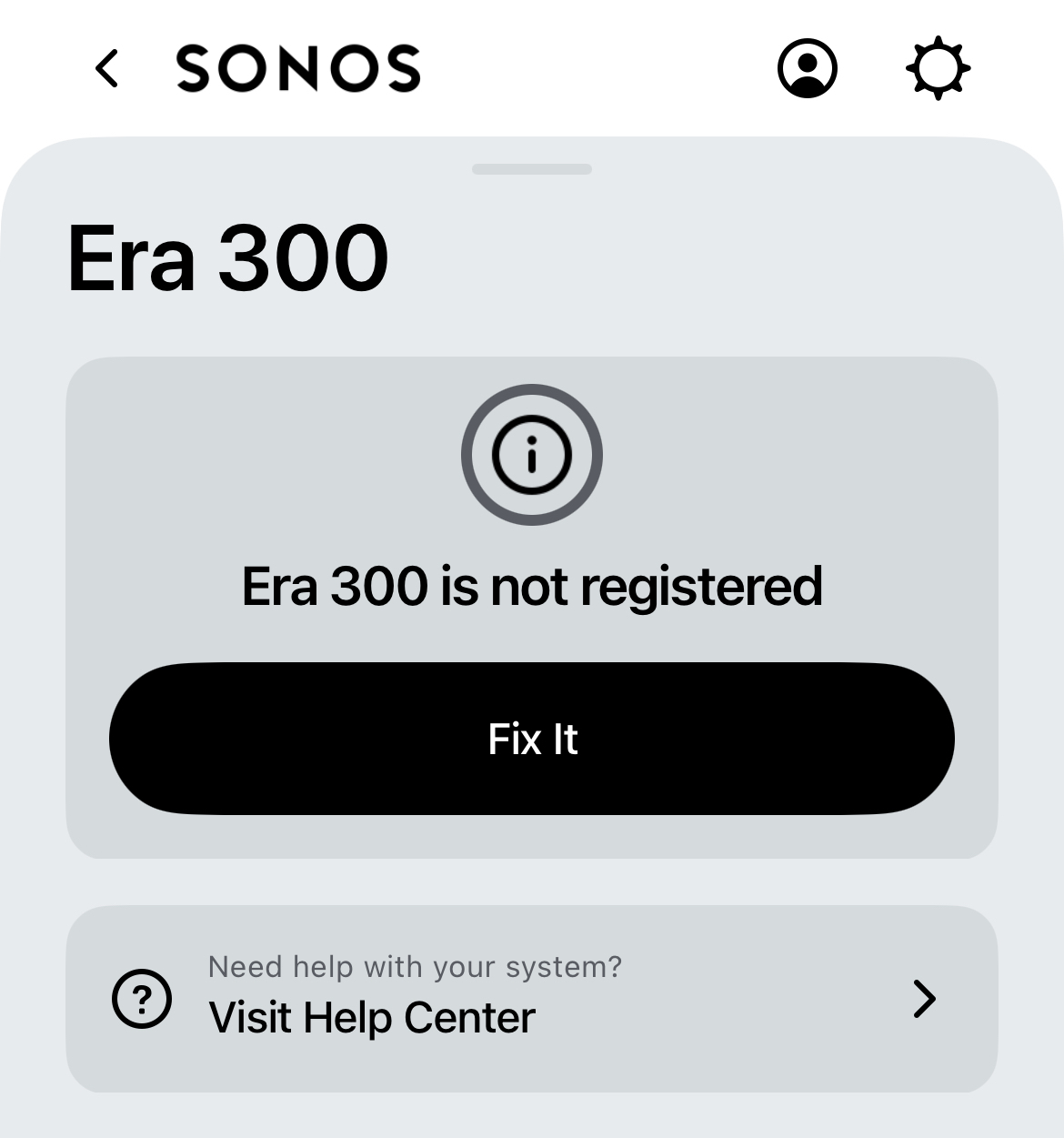
 

Secondly, you need to go into the controller app and choose to transfer ownership of the system (settings/manage/transfer system ownership), putting in your account as both old and new owners. All speakers including the one that you tried to add unsuccessfully will now transfer to your account and work perfectly. 

This topic has been closed for further comments. You can use the search bar to find a similar topic, or create a new one by clicking Create Topic at the top of the page.

33 replies

Lyricist I
May 24, 2024

Holly cow!!

Thank you so much for the tip.  I have been dealing with this mess in the new app for several months now!  Every time I would launch the app it would say can’t find your system and ask to join a existing system that had the name of my WiFi network.


thank you so much

Lyricist I
June 6, 2024

Unfortunately not working to add the sub. I can add the sub on our iPhone and all other devices on Android (both on same account).


You would expect logging in would automatically show and add associated devices. Till fixed, no use for 700 euro sub.

Lyricist II
July 20, 2024

For me, the app freezes when I try to transfer ownership. 

Lyricist I
July 21, 2024

Hi, trying to do this. However when transferring system, I am first asked to sign in, press continue in order to do.so, but the button is unresponsive. I am already signed in at this ppi t of course others  no functions at all possible of course. Any ideas? 

Lyricist II
July 21, 2024

Same thing happening for me

Lyricist I
July 22, 2024

Hi, trying to do this. However when transferring system, I am first asked to sign in, press continue in order to do.so, but the button is unresponsive. I am already signed in at this ppi t of course others  no functions at all possible of course. Any ideas? 

Same here.. any update SONOS team?.. this is so frustrating for an expensive equipment. 

Lyricist I
July 22, 2024

Check the update on the app store.. SONOS released an update on July 4th.. I applied it and now is working.

Lyricist I
July 22, 2024


1.- open your app store and make sure the app is up to date (there is an update released on July 4th solving the issue)
2.- after doing the update, let's  please do a factory reset in your speaker. Factory Reset Instructions for Sonos Devices: Because we will need to re-add it.
3.- We will need to perform a factory reset on your Sonos device  will erase all internal information, including registration details, My Sonos content, and music services. This process allows you to add the device to a new system or existing one. Follow these steps carefully:
4.- Unplug the Power Cord: Disconnect the power cord from the Sonos speaker or component you wish to reset.
5.- Enter Reset Mode: Press and hold the "Join button (∞)" on the device.
6.- Reconnect Power: While holding the button, reconnect the power cord to the Sonos device.
7.- Continue Holding: Keep holding the button until you see the light on the device flashing orange and white.
8.- Completion Indicator: When the factory reset process is complete, the light on the device will flash green, indicating that it's ready to be set up again.

Follow these steps precisely to ensure a successful factory reset of your Sonos device.  

9.- Then, when the speaker gets the flashing green light, please re-add the speaker following these steps.
Steps to add a speaker to the system. 
 1. Open the Sonos app
 2. Navigate to Settings. Under Products, select Add Product.
 3. Follow the on-screen prompts to add a new Sonos product.

Lyricist II
July 24, 2024


1.- open your app store and make sure the app is up to date (there is an update released on July 4th solving the issue)
2.- after doing the update, let's  please do a factory reset in your speaker. Factory Reset Instructions for Sonos Devices: Because we will need to re-add it.
3.- We will need to perform a factory reset on your Sonos device  will erase all internal information, including registration details, My Sonos content, and music services. This process allows you to add the device to a new system or existing one. Follow these steps carefully:
4.- Unplug the Power Cord: Disconnect the power cord from the Sonos speaker or component you wish to reset.
5.- Enter Reset Mode: Press and hold the "Join button (∞)" on the device.
6.- Reconnect Power: While holding the button, reconnect the power cord to the Sonos device.
7.- Continue Holding: Keep holding the button until you see the light on the device flashing orange and white.
8.- Completion Indicator: When the factory reset process is complete, the light on the device will flash green, indicating that it's ready to be set up again.

Follow these steps precisely to ensure a successful factory reset of your Sonos device.  

9.- Then, when the speaker gets the flashing green light, please re-add the speaker following these steps.
Steps to add a speaker to the system. 
 1. Open the Sonos app
 2. Navigate to Settings. Under Products, select Add Product.
 3. Follow the on-screen prompts to add a new Sonos product.

That kind of worked. 

The update got me further, seemed to go through the set up correctly. 

But now I am stuck on "Unnamed room is not connected". Very frustrating. 


Lyricist I
July 25, 2024

man this was such a pain.. took me hours.. but finally this is how it worked for me:

Background :

  1. I have ARC + Base + 2 Sonos one as a Home theatre
  2. I have 4 other Sonos one
  3. and a sonos move

I changed my router and thus the wifi was changed. all hell broke loose..nothing was working. I added the ARC and then I added the base. but the moment I was adding base to ARC, the app was crashing. I use IOS.


finally this is the order in which it started working

  1. I unplugged all speakers
  2. I transferred the ownership from the new app to myself
  3. then I added ARC
  4. then I added 2 Sonos one and made them pair with ARC. I did after factory reset ( unplug -- keep the button behind pressed and plug in power while keeping the button pressed. let the lights change, they change from white to orange and finally Green blinking). when the lights were blinking I selected “add a new speaker” and thats when the app detected the speaker and added it 
  5. then I added the base. -- then app did not crash. I did after factory reset (as described above). I feel that if base is added directly after the arc, the mess happens
  6. then my home theatre was complete
  7. after that I plugged in each of the 4 other Sonos one, one by one using same reset
  8. finally all was restored.

I hated this process as it wasted literally hours of mine, to figure out how to make it work.

Sonos should fix this immediately. when we pay hundreds of dollars for the speakers, then this is not what is expected. hope this helps some of you. and saves a few hours to