Answered

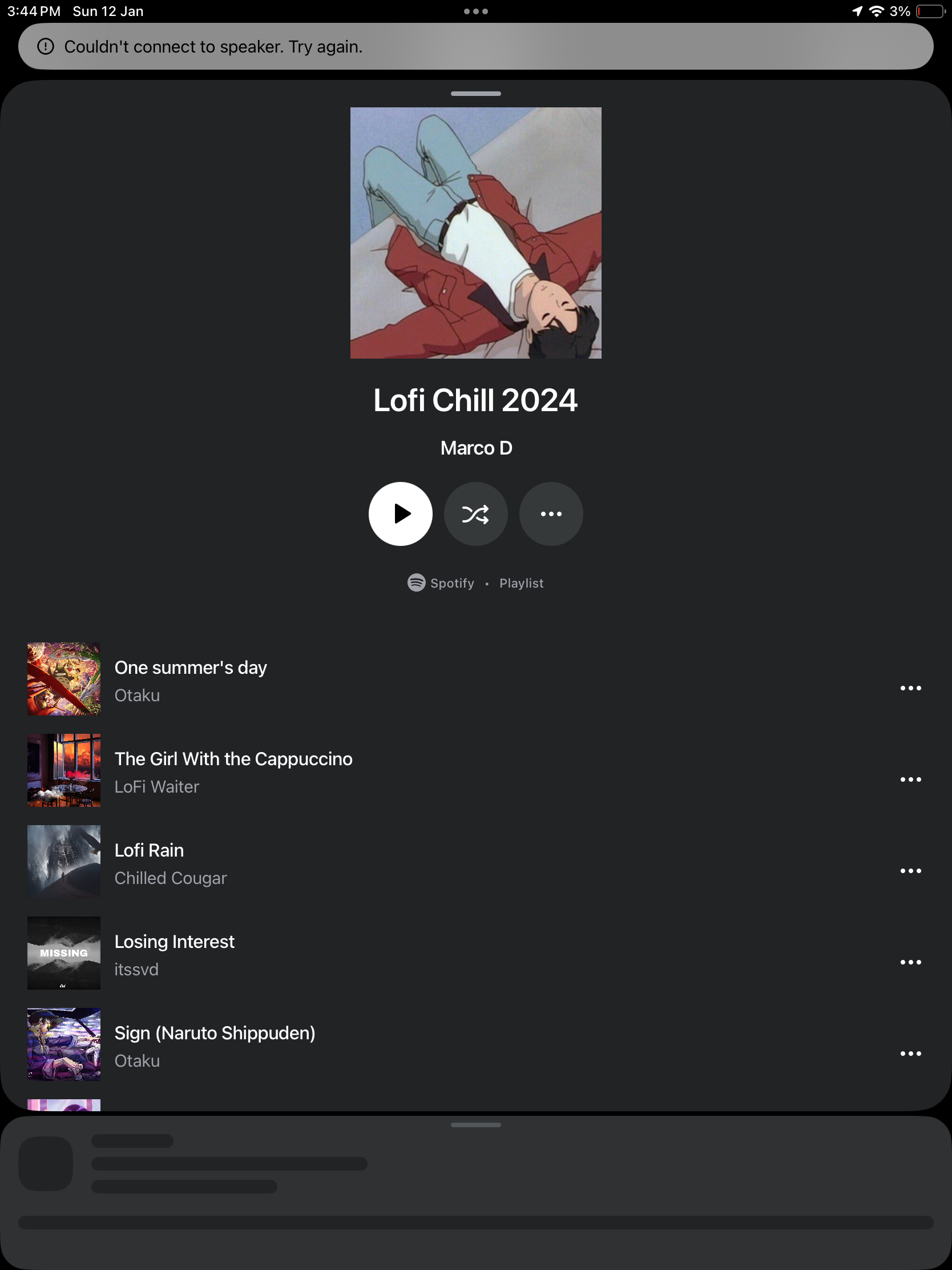
couldn’t connect to speaker, try again

  • January 12, 2025
  • 1 reply
  • 254 views

I am getting this error when I try to play. I am constantly plagued by “Sonos-issues” and reading the various forums, I understand that is what is to expect from Sonos.  This is a new one and all troubleshooting is in vain. Is it already bricked? 


Best answer by Sotiris C.

Hello ​@sanchalli, welcome to the Sonos Community!

I’m sorry to hear you are experiencing connection issues with your Sonos system.

Since you are not mentioning what troubleshooting steps you’ve already taken I will list some basic ones below:

  1. Reset the Sonos App. When launched again, make sure to connect to existing system.
  2. Refresh the network connections by rebooting all related network devices. Start with your Router → Sonos → Controller (smartphone/tablet).
  3. There might be some wireless interference involved. Have a look at our Support Article Reduce wireless interference.

If you are still having this issue, I would recommend you to reach out to our Support Team for some live troubleshooting.

They have tools at their disposal to provide you with advice and information specific to your system and what it reports.

I hope this helps.

This topic has been closed for further comments. You can use the search bar to find a similar topic, or create a new one by clicking Create Topic at the top of the page.

1 reply

Sotiris C.
Forum|alt.badge.img+16
  • Sonos Staff
  • Answer
  • January 13, 2025

Hello ​@sanchalli, welcome to the Sonos Community!

I’m sorry to hear you are experiencing connection issues with your Sonos system.

Since you are not mentioning what troubleshooting steps you’ve already taken I will list some basic ones below:

  1. Reset the Sonos App. When launched again, make sure to connect to existing system.
  2. Refresh the network connections by rebooting all related network devices. Start with your Router → Sonos → Controller (smartphone/tablet).
  3. There might be some wireless interference involved. Have a look at our Support Article Reduce wireless interference.

If you are still having this issue, I would recommend you to reach out to our Support Team for some live troubleshooting.

They have tools at their disposal to provide you with advice and information specific to your system and what it reports.

I hope this helps.