Question

After 2.5 years of working flawlessly, my Beam Gen 2 has disconnected from my wifi and will not reconnect.

  • August 5, 2026
  • 15 replies
  • 44 views

This is so frustrating. Last night, when I said "Alexa, turn off the TV", it failed repeatedly. I checked the app on my iPhone and it showed no products in my system. So I went to re-add my Beam and when I got to the part where I need to input my wifi password, it failed. I rebooted the Beam, I rebooted my Google Wifi router, I reset my Sonos app. Nothing worked. Then I connected an ethernet cable directly to my Beam and that worked. So I went to update my network in the app while connected to ethernet still. Once again when I went to input my password. I got an error saying it couldnt connect. Nothing about my home network has changed, including my password. At this point, I give up. I bought an unmanaged switch to place behind my entertainment center and will just connect the Beam with an ethernet cable. It shouldnt be this hard. 
 

15 replies

Stanley_4
  • Grand Maestro
  • August 5, 2026

If nothing changed you may have a failed radio.

Submit a diagnostic and calll Sonos support to have it checked.


If nothing changed you may have a failed radio.

Submit a diagnostic and calll Sonos support to have it checked.

I submitted diagnostic and started a support chat. All they said is wifi password is incorrect. It is NOT incorrect. 

They then had me do all the troubleshooting steps that i did last night. Same results. 


They now escalated it to someone else. He asked if I had any special characters in my wifi password. When I said yes, a $ sign, he said that could be the reason and told me to change it. 

How could that be the reason? I have had the same password for 10 years. I had that same password when I first set up the beam gen 2 two years ago, it didint have an issue then. I am not changing my password, I have 14 other devices using this password. 


Stanley_4
  • Grand Maestro
  • August 5, 2026

I prefer calls to the chat, not as convenient but worh it if the chat doesn't help.

If you hadn't reset the Beam there were other better options that reset should be a last resort after a support call.

If the chat is correct and the radio is working properly then it may be a password issue, the app messages are not much help, it could be something password related - other than wrong.

Make sure you only have one device/mesh using that SSID.

Make sure Sonos and the controller are connected, or are trying to get connected, to it.

Power down all Sonos, reboot the router and your controller, give them a couple minutes the power up the Sonos. 


I prefer calls to the chat, not as convenient but worh it if the chat doesn't help.

If you hadn't reset the Beam there were other better options that reset should be a last resort after a support call.

If the chat is correct and the radio is working properly then it may be a password issue, the app messages are not much help, it could be something password related - other than wrong.

Make sure you only have one device/mesh using that SSID.

Make sure Sonos and the controller are connected, or are trying to get connected, to it.

Power down all Sonos, reboot the router and your controller, give them a couple minutes the power up the Sonos. 

Yup, I live in a condo, so I only have one google wifi router. No other access points. What do you mean “controller”, do you mean the iOS app I use? If so, i reset that too and then forced closed it. No luck. 


Stanley_4
  • Grand Maestro
  • August 5, 2026

Yes the App is the controler.

Only one active network eliminates a few possibilities.

Did you do the steps in the sequence I listed them? Out of order are far less likely to help.


Yes the App is the controler.

Only one active network eliminates a few possibilities.

Did you do the steps in the sequence I listed them? Out of order are far less likely to help.

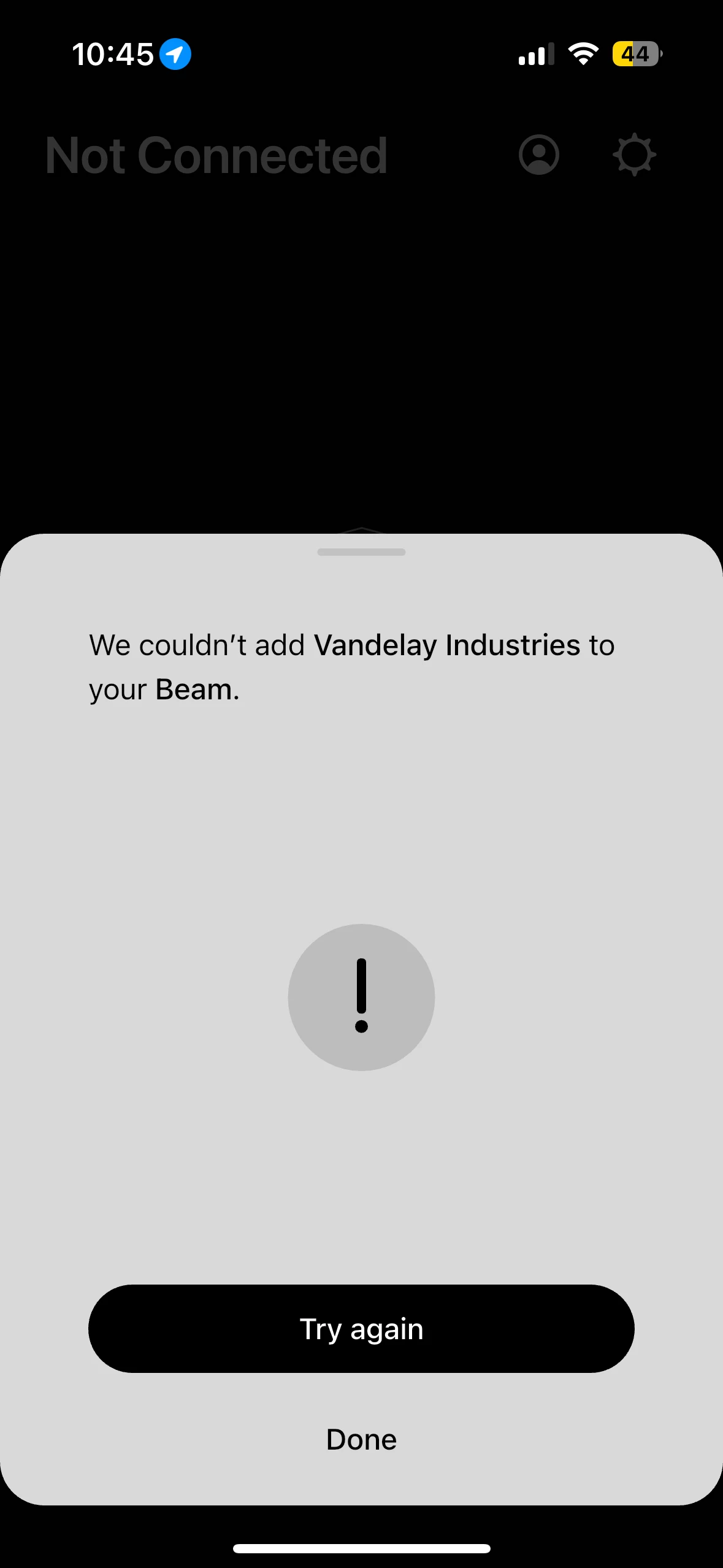
Yeah, last night I googled troubleshooting steps on my own. I unplugged the beam, then i went and restarted my google wifi router. I also reset my app and then force closed it when the router came back online, i plugged the sonos back into power and waited. then i fired up the app went through the process where i had to login to my sonos account, find my beam, go through the steps. so far so good, then at the final step where i input my wifi password, I got that message above in the screenshot. 


Stanley_4
  • Grand Maestro
  • August 5, 2026

I'm not familiar with Google routers but is there a chance it got an update that changed something Sonos was using?

After the reset, and since the other options failed, another diagnostic and a call to support are in order. If the first line folks can't help request escalation. 


I'm not familiar with Google routers but is there a chance it got an update that changed something Sonos was using?

After the reset, and since the other options failed, another diagnostic and a call to support are in order. If the first line folks can't help request escalation. 

Their next troubleshooting step is for me to use a different iphone or tablet to try setting it up. I dont have a another iphone, nor an iPad. I think I give up. I am going to get a switch and hard wire it with ethernet. I am disappointed in sonos as the sound from by beam gen 2 is great. 


Stanley_4
  • Grand Maestro
  • August 5, 2026

Buy a friend a pizza and beer and install the controller app on their phone. Maybe an Android using friend?


Buy a friend a pizza and beer and install the controller app on their phone. Maybe an Android using friend?


Haha, I appreciate all your help and thank you for taking the time to respond. 


AjTrek1
  • August 5, 2026

I read your initial post. Not saying what follows is definitely your issue but I have to ask.

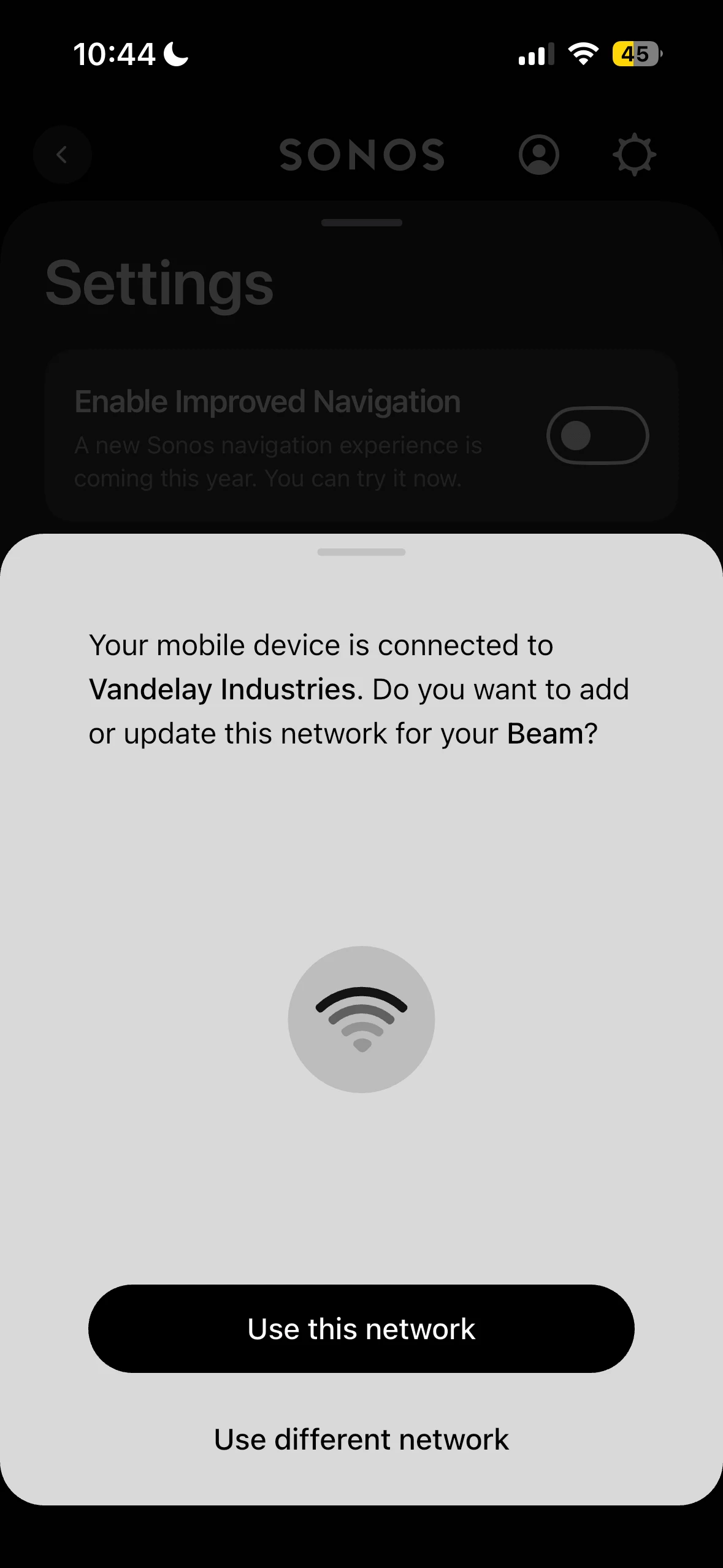
The message says your Device is connected to Vandelay Industries. That’s the SSID of your network. Did your network have a different SSID when you originally installed your Beam 2? Even though you may be using the same password if the SSID changed that is still a problem as Sonos doesn’t recognize the new SSID. 


I read your initial post. Not saying what follows is definitely your issue but I have to ask.

The message says your Device is connected to Vandelay Industries. That’s the SSID of your network. Did your network have a different SSID when you originally installed your Beam 2? Even though you may be using the same password if the SSID changed that is still a problem as Sonos doesn’t recognize the new SSID. 

Yup, its always been Vandelay Industries


buzz
  • August 5, 2026

A quick search of several sites suggests that using special characters in the password is risky. All of the sites suggested not using “$”. They didn’t say these characters would universally fail, only that they are risky.

Was there a SONOS update? If so there may have been a change in password processing, however, if this is the case, I expect we’ll be seeing many more similar reports.

If you have an old router in your dustbin you could temporarily wire it to your network, wirelessly connect BEAM and your phone to it, and experiment with passwords. I’m not suggesting that this will initially be a forever useable setup, only that you can experiment with passwords. This is just a quick trial. If you prove it’s a password issue, you’ll need to decide about changing the system password or permanently establishing two WiFi networks. With a little care it is not too difficult to start a parallel WiFi. For a while I had two WiFi’s and my SONOS units were free to use either. If one WiFi went down for maintenance, units would switch to the other without a fuss. The SONOS units are also aware of my work WiFi and I can simply walk-in with a unit from home.

Perhaps a little scary or inconvenient, you could temporarily change your password and experiment. Obviously only the SONOS will be working during this period.


AjTrek1
  • August 5, 2026

I read your initial post. Not saying what follows is definitely your issue but I have to ask.

The message says your Device is connected to Vandelay Industries. That’s the SSID of your network. Did your network have a different SSID when you originally installed your Beam 2? Even though you may be using the same password if the SSID changed that is still a problem as Sonos doesn’t recognize the new SSID. 

Yup, its always been Vandelay Industries

OK… Are you sure you aren’t locking your keypad to all CAPS when typing the “$” sign which would cause all subsequent characters to be incorrect.