
Contributor I
May 2, 2021
Answered

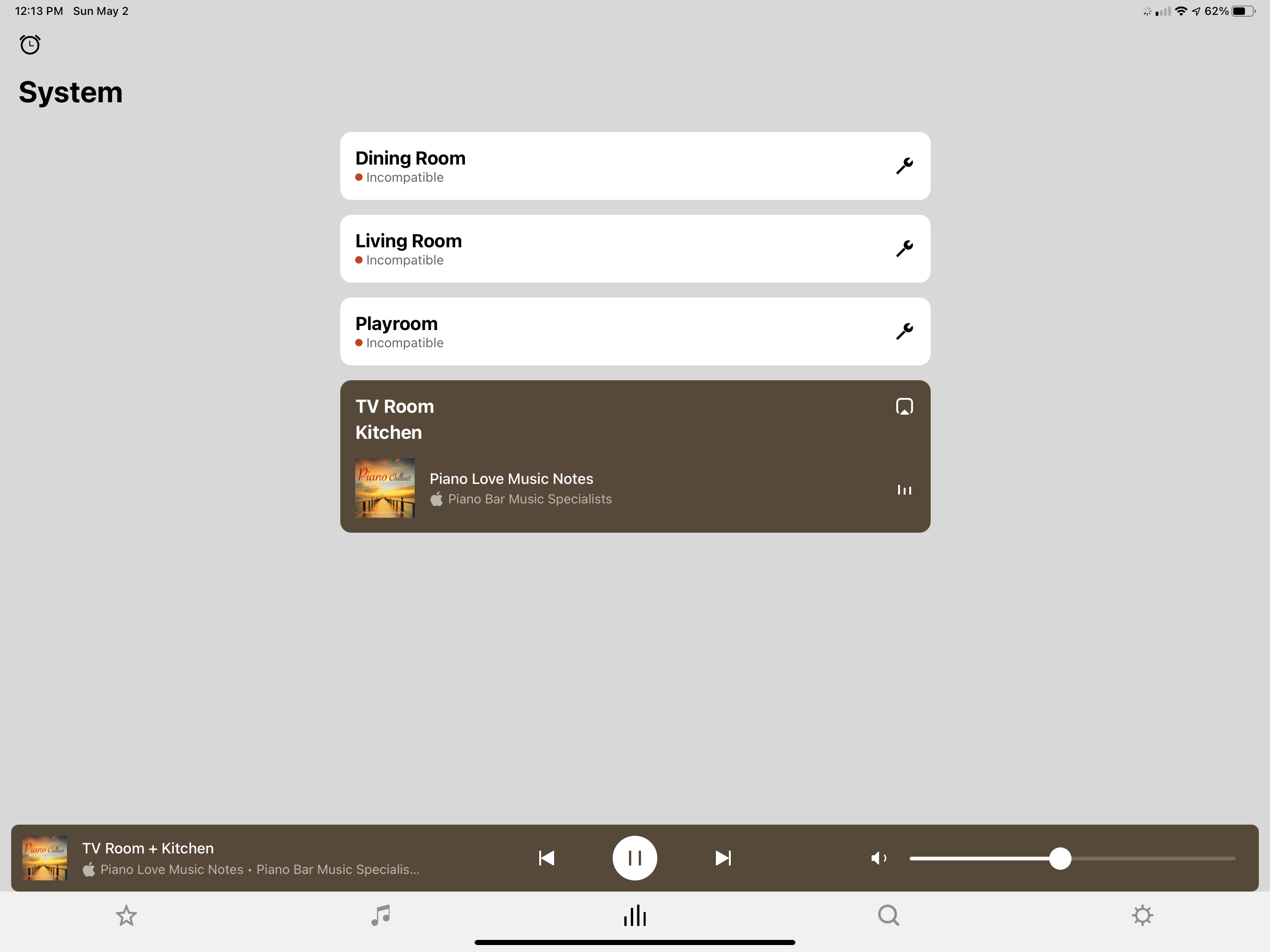
Suddenly most of my speakers say incompatible

Hi Everyone 


I am not super tech. Suddenly most of my zones say INCOMPATIBLE. I clicked the update and it says there is a problem . I did retry a few times but still nothing is happening. Please help. 


This topic has been closed for further comments. You can use the search bar to find a similar topic, or create a new one by clicking Create Topic at the top of the page.
ratty
rattyAnswer
May 2, 2021

ZP100 and Play:5/gen1 can only run S1.

You’ll need to downgrade Kitchen, TV Room and the Boost back to S1.

Uninstall the S2 app from everywhere.

Temporarily wire one of Dining Room, Living Room or Playroom to the network. Make sure the S1 app can see them all okay.

For each of Kitchen, TV Room and the Boost follow the directions at https://support.sonos.com/s/article/4845, in the section headed “Is this process reversible?”.


12 replies

Contributor I
May 3, 2021

I have reset everything and then when I follow the directions to add my components to my S1 system it right after I click ADD PRODUCT that my app needs to update and then when I click update it takes me to the App Store and asks me to download the S2 version which is why this all happened in the first place. Any idea ?

Xander P
Retired Sonos Staff
May 5, 2021

Hi @PearlRiverDad, I had a quick look over your system and it looks like you’ve managed to get everything running properly on S1 again, just wanted to confirm if that’s the case?

The steps provided by ratty should have sorted it out, however sometimes there can be small hiccups with the setup - let us know if you still need any assistance getting everything working :)
