
Ryan S
Retired Sonos Staff
Jan 22, 2020 3:20 PM UTC

End of Software Support - Clarifications
  • Dec 8, 2022 11:29 AM UTC
  • 4256 replies
  • 270560 views
  • Translate All
End of Software Support - Clarifications

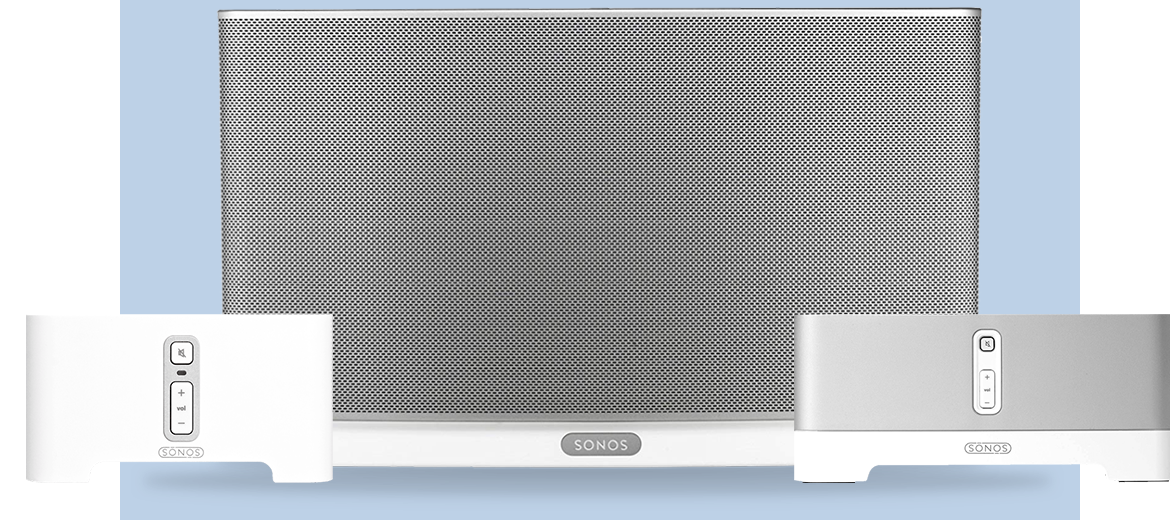
We announced yesterday that some of our oldest Sonos products will be moving into a legacy mode in May of 2020. Our commitment is to support products with regular software updates for a minimum of five years after we stop selling them, and we have a track record of supporting products far longer. 

Here is some public information we’ve shared, gathered into one place to respond to some of your questions in one easy thread, so that people can find the correct information easily.

Beginning in May, software updates and new features from Sonos will only be delivered to systems with only modern products.

After May, systems that include legacy products will continue to work as before - but they will no longer receive software updates or new features. 

Sonos will work to maintain the existing experience and conduct bug fixes, but our efforts will ultimately be limited by the lack of memory and processing power of these legacy products.

We don’t expect any immediate impact to your experience, but access to services and overall functionality will eventually be disrupted, particularly as partners evolve their own services and features. 


Customers with both legacy and modern products have time to decide what option is best for them. You can continue to use your whole system in legacy mode - in this case, it will stop receiving updates and new features. 

You will also be able to separate your legacy products from your modern products, so that the modern products can still receive updates and new features, and legacy products can still be used separately. We’ll have more information on how to do this in May when you can take that action.

Another option available to all customers with legacy products is to take advantage of the Trade Up program, which allows you to upgrade older Sonos products to modern ones with a 30% discount. Trade Up will be open to customers at any time should they decide to upgrade. 

We recognize this is new for Sonos owners, just as it is for Sonos. We are committed to help you by making options available to you to support the best decision for your home.
 

If you have any further questions, please don’t hesitate with asking.

Update 2/22: A message from our CEO

We heard you. We did not get this right from the start. My apologies for that and I wanted to personally assure you of the path forward:

First, rest assured that come May, when we end new software updates for our legacy products, they will continue to work as they do today. We are not bricking them, we are not forcing them into obsolescence, and we are not taking anything away. Many of you have invested heavily in your Sonos systems, and we intend to honor that investment for as long as possible. While legacy Sonos products won’t get new software features, we pledge to keep them updated with bug fixes and security patches for as long as possible. If we run into something core to the experience that can’t be addressed, we’ll work to offer an alternative solution and let you know about any changes you’ll see in your experience.

Secondly, we heard you on the issue of legacy products and modern products not being able to coexist in your home. We are working on a way to split your system so that modern products work together and get the latest features, while legacy products work together and remain in their current state. We’re finalizing details on this plan and will share more in the coming weeks.

While we have a lot of great products and features in the pipeline, we want our customers to upgrade to our latest and greatest products when they’re excited by what the new products offer, not because they feel forced to do so. That’s the intent of the trade up program we launched for our loyal customers.

Thank you for being a Sonos customer. Thank you for taking the time to give us your feedback. I hope that you’ll forgive our misstep, and let us earn back your trust. Without you, Sonos wouldn’t exist and we’ll work harder than ever to earn your loyalty every single day.

If you have any further questions please don’t hesitate to contact us.


Patrick Spence
CEO, Sonos

This topic has been closed for further comments. You can use the search bar to find a similar topic, or create a new one by clicking Create Topic at the top of the page.

4256 replies

Enthusiast II
Mar 7, 2020 11:50 AM UTC

The “Every unit needs to be on the same firmware level” is not something that is unavoidable, just something that sonos CHOSE not to do.


The mode of operation of a multiroom system is a tinsy bit more complex than that of a standalone device. Or have you ever seen a standalone device requested to group and play in perfect sync with itself? I daresay no.

Well it is working today, so why would it not be able to work tomorrow.
 

The modern units have more ram and storage, would it be totally unrealistic to think they would be able to keep the legacy “interconnect” mode in the firmware so that when there is a legacy unit, they would communicate via “legacy protocol”, while still being able to update the modern units with regards to functionality.

Anyone that has done a bit of software development knows that different aspects of the software is usually made so that, changing one part will not be a problem for another.


There are subroutines for different functions, so changing the “spotify” subroutine should not affect the “output to speaker” routine.

I can upgrade the driver for my network card in my PC, just fine, and my sound card will still be able to play music, because there is an established interface standard that means that updating a driver for one part, does not invalidate the driver for another part.

Translate
Smilja
Mar 7, 2020 12:17 PM UTC

The “Every unit needs to be on the same firmware level” is not something that is unavoidable, just something that sonos CHOSE not to do.


The mode of operation of a multiroom system is a tinsy bit more complex than that of a standalone device. Or have you ever seen a standalone device requested to group and play in perfect sync with itself? I daresay no.

Well it is working today, so why would it not be able to work tomorrow.


Currently each unit of your Sonos system is running the same firmware build. In separated systems legacy gear will remain on a legacy firmware build, while modern gear will continue to get firmware updates on a regular basis.


I can upgrade the driver for my network card in my PC, just fine, and my sound card will still be able to play music, because there is an established interface standard that means that updating a driver for one part, does not invalidate the driver for another part.


A PC is a standalone device not required to play with other computers in your household in sync. I’m using Microsoft Word and Onenote daily on different devices and 7 times out of ten both applications fail to sync properly to Onedrive at first attempt. And that’s just a unidirectional sync with no peer-to-peer connection involved.

Translate
»And the world is like an apple whirling silently in space, Like the circles that you find in the windmills of your mind.« (›Windmills Of Your Mind‹ [1967]. Music by Michel Legrand ; English lyrics written by Alan & Marilyn Bergman)
Enthusiast II
Mar 7, 2020 12:25 PM UTC


Currently each unit of your Sonos system is running the same hardware build. In separated systems legacy gear will remain on a firmware legacy build, while modern gear will continue to get firmware updates on a regular basis.

That is just SO not true.

I have 4 Play 1’s and even those 4 are 2 different hardware builds.

They are on similar software revisions but if that means that the exact same firmware file is inside every unit, that would mean that the Play 5 1.gen would contain A LOT of code that it would never be able to use.

Airplay 2 for example, this is something the play 1 have never been able to and will never be able to.


A PC is a standalone device not required to play with other computers in your household in sync. I’m using Microsoft Word and Onenote daily on different devices and 7 times out of ten both applications fail to sync properly to Onedrive at first attempt. And that’s just a unidirectional sync with no peer-to-peer connection involved.

So my PC does not need to sync up with other devices in my house.

I would REALLY think my kids, playing Multiplayer games would disagree with that statement.


Let me make it crystal clear.


Today all of my sonos units can sync…..If sonos wanted to, it would be possible to make alle sonos units sync, even though some got new features as well.

Why would the Airplay 2 units be able to sync with units that are not able to do airplay 2…This is a feature that was added later

Translate
Smilja
Mar 7, 2020 1:17 PM UTC


Currently each unit of your Sonos system is running the same hardware build. In separated systems legacy gear will remain on a firmware legacy build, while modern gear will continue to get firmware updates on a regular basis.

That is just SO not true.


I made a mistake and subsequently corrected it to “running the same firmware build”.


Airplay ist a different matter. Airplay requires a 64bit processor built into, it’s hardware-related. Playback via Airplay is initiated and controlled by an iOS device while grouping still occurs within the Sonos app between devices running on the same Sonos firmware build.

Translate
»And the world is like an apple whirling silently in space, Like the circles that you find in the windmills of your mind.« (›Windmills Of Your Mind‹ [1967]. Music by Michel Legrand ; English lyrics written by Alan & Marilyn Bergman)
Chromatic Producer I
Mar 7, 2020 3:06 PM UTC

I recycle 5 Amps this Christmas and now Sonos drops the recycle requirement.

They really know how to make a customer happy, NOT!


If you had waited, you could have gotten the 30% AND been able to sell your old amps for a bit of money.


Really seems like Sonos did not analyse their initial decision and is now running around in the forest, blindfolded, trying to escape.


If i had been a major sonos stock holder i would certainly have demanded that sonos got rid of the current management, as they are clearly not very good at reading the market, and if not, i would drop all of my sonos stock faster than a pair of panties in a brothel.


Yes, and I also have five more with the glaring “Legacy no support” message! 3 more Amps and 2 Play5s. They sure do know how to make me really want to upgrade more.

Doesn't help that my Vizio tablets I use around house as perfect Sonos interfaces have a glaring message on top telling me the OS isn't supported. “Can you make it where I can ack msg so it goes away?” Sonos: “No”. They just want to continue to send glaring messages to me to remind me they dont care about existing loyal customers.

Translate
Playbar(2) Sub(1) Play:5(2) Play:3(6) Play:1(5) Connect:AMP(3) Sonos:AMP(5) Move(1)
Local Superstar
Mar 7, 2020 5:10 PM UTC

The analogy of Sonos audio/nnetwork sync tech to Onenote is funny bordering on hilarious.

Translate
Smilja
Mar 7, 2020 5:25 PM UTC

The analogy of Sonos audio/nnetwork sync tech to Onenote is funny bordering on hilarious.


Sure. Compared to the sophisticated comparisons to cars with Sonos I’m amateurish. :slight_smile:

Translate
»And the world is like an apple whirling silently in space, Like the circles that you find in the windmills of your mind.« (›Windmills Of Your Mind‹ [1967]. Music by Michel Legrand ; English lyrics written by Alan & Marilyn Bergman)
Local Superstar
Mar 7, 2020 5:52 PM UTC

Not really. It's just the comparison attempt to a PC file sync that is ‘obviously' simpler and has no P2P - the irony being that is why there is a difference and what the clever part of Sonos depends on.

Translate
Jayseph
Lyricist I
Mar 7, 2020 6:23 PM UTC

Well, I started the exodus from Sonos. With no more official communication, I disconnected a couple of my old Sonos speakers and bought two new HomePods from Apple. I will be giving away the old Sonos speakers to a family member as there is no way I would trade up for just 30% off. Hard to believe that only a few short months ago I was looking at adding more Sonos speakers after we moved to a new home. 
 

And now I can finally listen to music from my iPad again from a wireless speaker! I gave Sonos the benefit of the doubt when they removed this skill, but not anymore after this debacle. As Sonos speakers continue to degrade I will be removing more from the system. 

Translate
Ken_Griffiths
Mar 7, 2020 6:44 PM UTC

Well, I started the exodus from Sonos. With no more official communication, I disconnected a couple of my old Sonos speakers and bought two new HomePods from Apple. I will be giving away the old Sonos speakers to a family member as there is no way I would trade up for just 30% off. Hard to believe that only a few short months ago I was looking at adding more Sonos speakers after we moved to a new home. 
 

And now I can finally listen to music from my iPad again from a wireless speaker! I gave Sonos the benefit of the doubt when they removed this skill, but not anymore after this debacle. As Sonos speakers continue to degrade I will be removing more from the system. 

Not sure I would have bought Apple HomePod devices right now with the upcoming Spring announcement perhaps due this month and all the rumours that there might be an updated version of the 2year old device in the spring of 2020… there’s also rumour it might be getting cheaper, as sales have not been exactly overwhelming.

https://www.macworld.co.uk/news/apple/homepod-2-3673666/

I would have maybe waited a month or two, as nothing is going to alter with Sonos anyway, at least until May 2020.

Having sat and played my son-in-laws HomePod, side by side, with a Sonos 'Move' (which is portable too) I far prefer the sound of the Move, but that’s maybe a personal thing and they are around the same price-tag.


Translate