
Contributor I
May 16, 2024 3:03 PM UTC
Answered

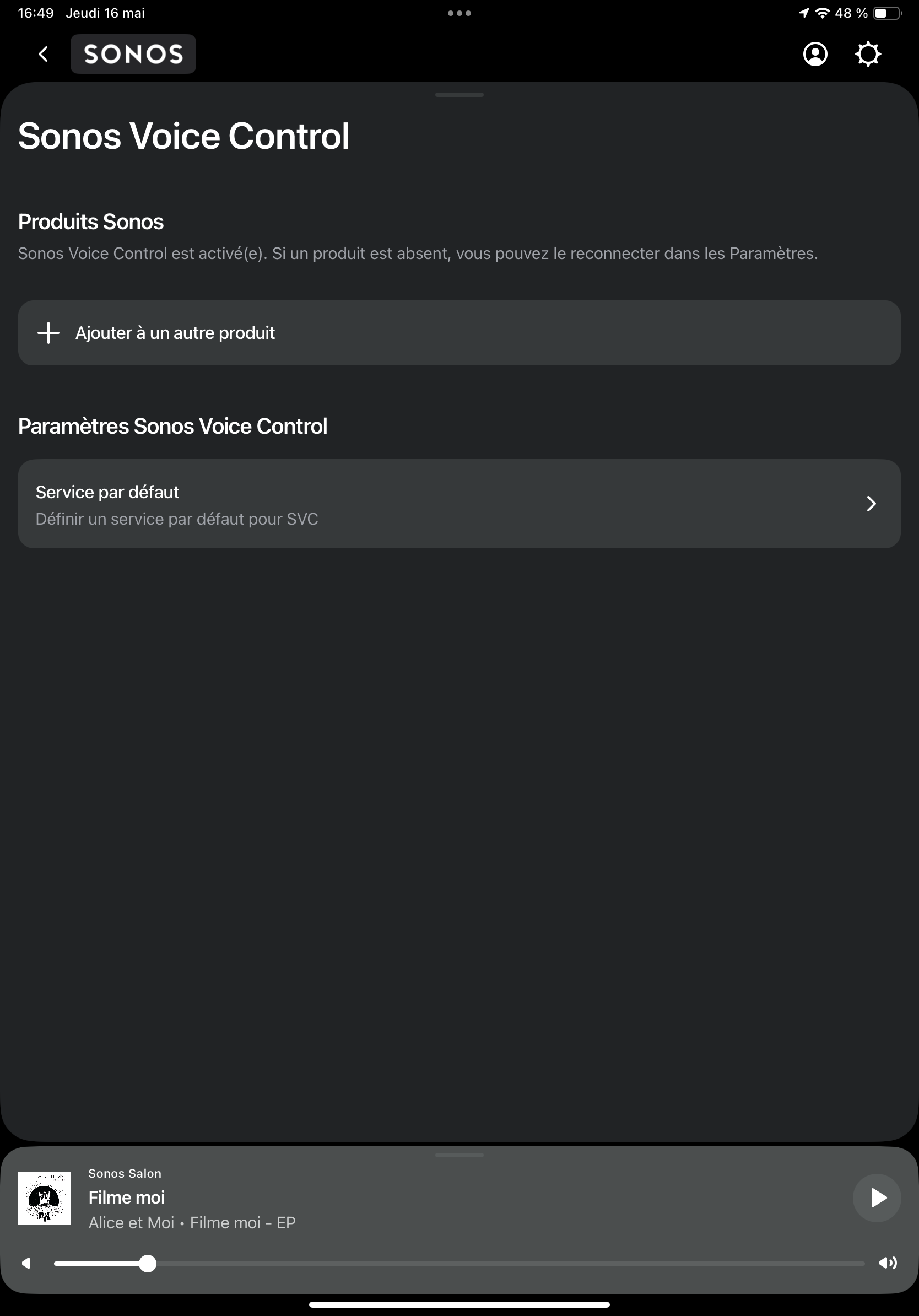
No weather location option in sonos voice control settings

Hi everyone !

As stated in the post title, there’s no weather location option in sonos voice control settings so when I ask about weather to SVC it says I have to setup the location…

To provide any possibly relevant details :

- I confirm the app as well as all speakers firmwares are running last version.

- In case it matters I am French and so everything is settled in French language.

- I tried with both iPhone and iPad apps (I haven’t any android device to check)

- I already tried to uninstall and install again SVC as it was already installed prior the new version but without success…

Thanks for reading and if you have any ideas I’m all ears 🙏😊 


This topic has been closed for further comments. You can use the search bar to find a similar topic, or create a new one by clicking Create Topic at the top of the page.
renan22Answer
Lyricist II
Jun 1, 2024 9:50 PM UTC

Actually it seems that  it was an authorization issue. I’ve let the app access the different auths it asks for, and removed cache, restarted the app, and the weather location appeared.

13 replies

Contributor I
May 23, 2024 3:50 AM UTC

I have the same problem, in the US. No location setting for Sonos Voice Control. I’ve uninstalled and reinstalled the app on iPad and iPhone, it’s the latest version, firmware update says that I am on the latest version.

I don’t have the alarms appearing in the UI, either, don’t know if that’s related.

Translate
JoloKPGAuthor
Contributor I
May 24, 2024 4:08 PM UTC

Helloooo 😊

so no one can help ? Isn’t there Sonos technician somewhere in here !?

please 

Translate
Lyricist III
May 30, 2024 7:38 AM UTC

I have the same problem, in Belgium.

No location setting for Sonos Voice Control on Android.

I use english SVC.

Translate
Prodigy III
May 30, 2024 7:45 AM UTC

Make sure you’ve updated to the latest version. It’s there on my app (iOS).
 

Settings / Manage / Voice Assistant / Sonos Voice Control / Weather Location

Translate
JoloKPGAuthor
Contributor I
May 30, 2024 7:58 AM UTC

Hey y’all,

I think there must have been an update because I didn’t have the option until now but I just checked right now and now the option appeared so for me !!

So on my side it’s settled thank you and I wish you also find it on your side 😊

keepin the post open for the ones not having it.

Translate
Lyricist III
May 30, 2024 11:42 AM UTC

I am on version Android 80.01.08 but still not possible to add location to SVC.

Translate
Lyricist III
May 30, 2024 1:40 PM UTC

Update, on Lenovo android tablet SVC with weather location activated now.

On Samsung A41 cellphone still not visible, 

Translate
Lyricist II
Jun 1, 2024 9:19 PM UTC

Same here : not available in France, Android latest version.

Translate
renan22Answer
Lyricist II
Jun 1, 2024 9:50 PM UTC

Actually it seems that  it was an authorization issue. I’ve let the app access the different auths it asks for, and removed cache, restarted the app, and the weather location appeared.

Translate
Contributor I
Jun 5, 2024 2:26 AM UTC

If you are using a DNS-based ad blocker, that might be the source of the problem.


With the latest version of the iOS app, I was able to get the weather option (and the alarm management and the sleep timer) to appear by:

  1. Force-quitting the Sonos App
  2. Switching from NextDNS back to my ISP’s DNS provider
  3. Turning off Private Relay (probably not needed)
  4. Restarting the Sonos App

I was then able to turn back on NextDNS and the options remained. I read somewhere that Sonos is using features flags to enable/disable features and I suspect that the feature flag file is being hosted by a server that’s blocked by my usual DNS settings. It’d be nice if Sonos would tell us what sites to put on the allow list.

Translate