

They're here! - iOS Live Activities
Hey all, today is the day! iOS Live Activities are here. We’re excited to finally bring back Sonos control from the iOS lock screen, but in an all-new way with iOS Live Activities. We know this is a much requested, anticipated, and needed feature, and we can’t wait for you to try it out.
First things first. Live Activities are off by default and you will need to enable it before you can use it. Here’s what to do:
- Make sure you’re logged in as the system owner
- Account > App Preferences > Live Activity
- “Always Allow” first time you see the Live Activity
- “Allow Live Activity” and “More Frequent Updates” in iOS Settings for the Sonos app
How do Live Activities work and look?
Once enabled the activity will appear after you initiate playback and then close the app. It will show the current room or group you were last playing audio from. When playback stops, the live activity will disappear after 15 minutes. While the iOS Live Activity can be viewed from your Lock Screen, you must first unlock your iPhone with FaceID or a Passcode before being able to make playback changes.
On the Lock Screen:
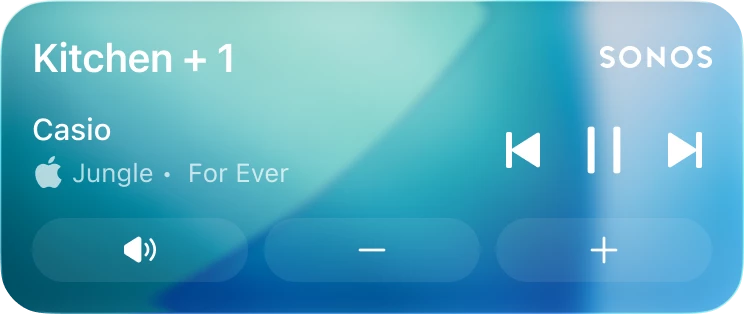
In the Dynamic Island:

Expanded in the Dynamic Island:
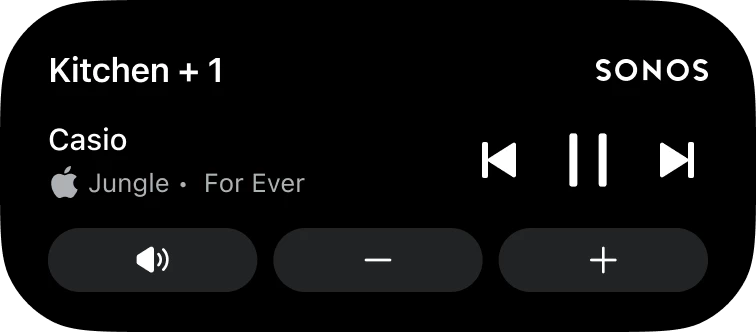
What if I don’t want the Live Activity to be showing on the screen?
If you want to keep Live Activities enabled but not have it appear on your screen you can swipe it away. To get it back go to App Preferences > Live Activity and toggle it on/off or force quit the app and relaunch it.
What if my Live Activity is only showing outlines?
If you are only seeing outlines you most likely need to change the iOS setting under Face ID & Passcodes > “Allow Access When Locked” > Toggle on “Live Activities”.
We’re super excited that the feature is now out, but that doesn’t mean the team has stopped working on it.
- Right now we are unable to support album art on the Live Activity, but alternative ways to enhance the lock screen experience are being explored.
- Live Activities include support for Apple Watch and CarPlay so the Live Activity will show up on your Apple Watch or car, but right now the controls aren’t supported.
- If you prefer to initiate playback on Sonos from outside the Sonos app (Direct Control from supported services, Bluetooth, or AirPlay) you can still use the local playback controls that appear on screen or the Live Activity. You can choose which you prefer to use.
Two more things before we leave you to explore the feature:
- For Android users: we hope you’re still enjoying the lock screen notifications the team shipped out in February. Be sure to let us know if you have any feature requests and look forward to more good things coming your way.
- iOS 27 is coming later this year from Apple and the teams have been exploring the new capabilities it has in Beta. No news to share right now but keep your eyes peeled and ears open!
As always, please let us know any of your questions, concerns, or feedback! We’ll take it all.