
Ditte
March 13, 2023

Sonos introduces New Search
Related content:Software
Sonos introduces New Search

 Hi all,

Last week we started rolling out New Search, a new feature that will make it easier to find content in the Sonos app.

What’s New Search?

We’re introducing a new single search box that searches across all categories (Artists, Songs, Albums, Playlists etc), to improve your overall search experience. This means that you no longer need to select a category to search in ahead of time. Instead, the search results will be broken down by category, and aggregated across all your content services, which you can easily switch between at the top of the search menu. 

When performing a search, you will be able to narrow your search results by content service, rather than by category.
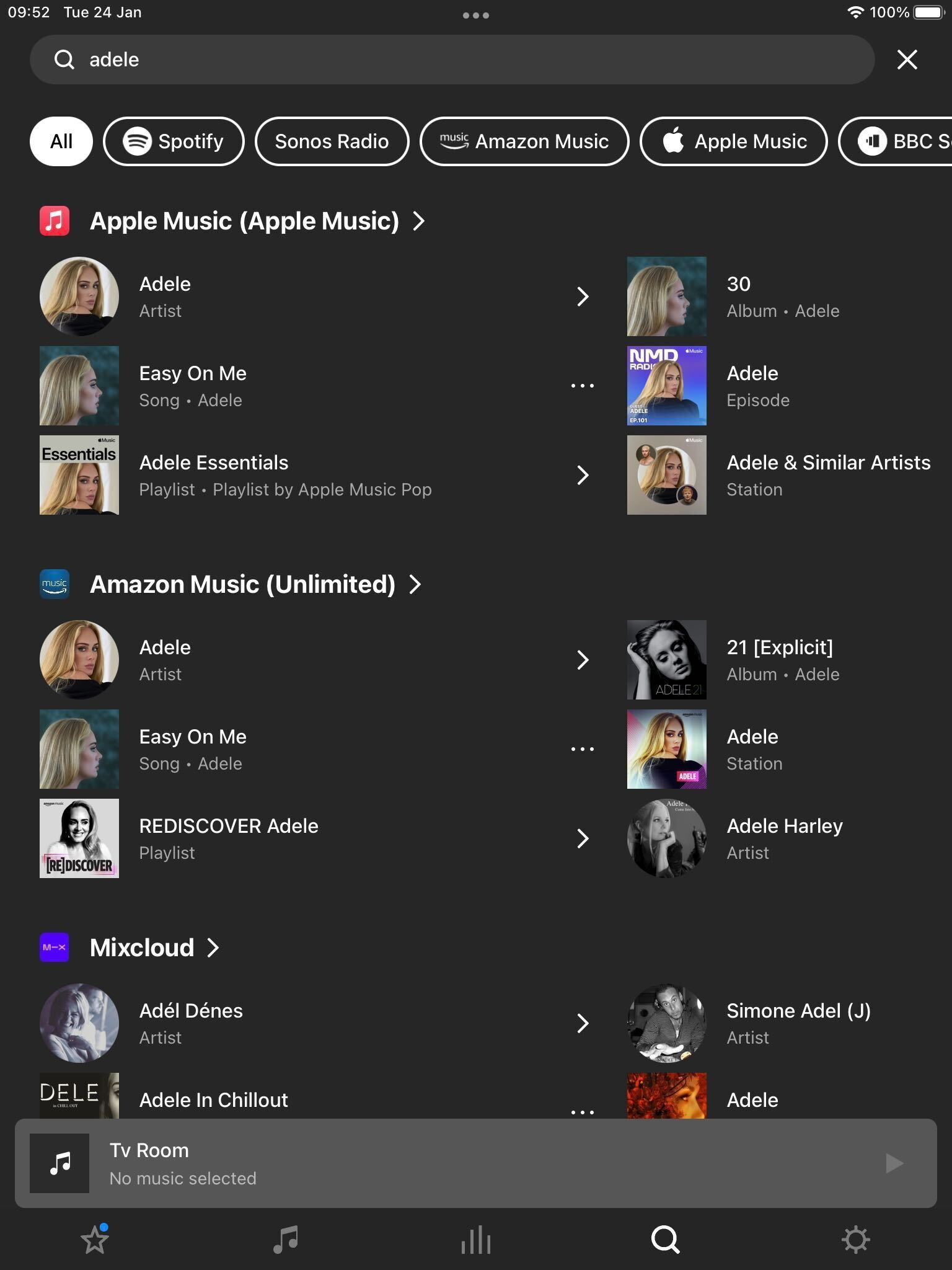
 

New Search on Sonos

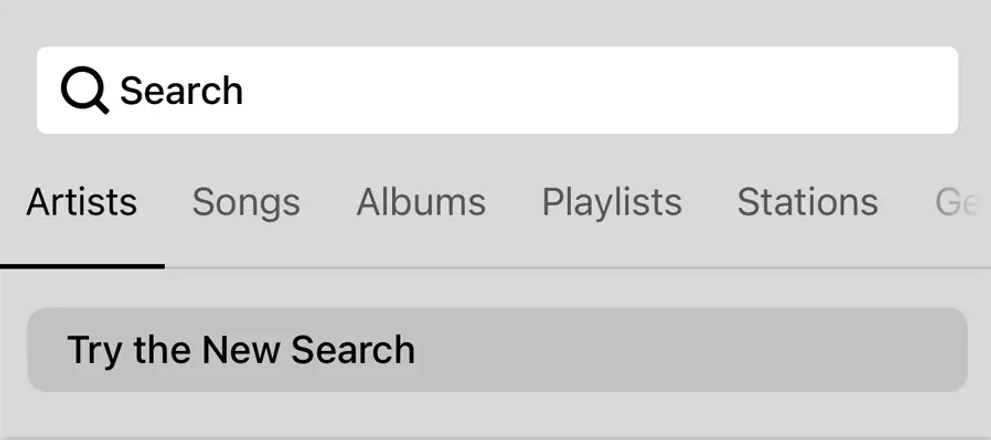
To try New Search, tap on “Try the New Search” in the search menu.

New Search will be rolling out to all users over the coming weeks, with all users receiving the feature by 25th April [edited from 18th April].

This means that not all of you will have access to New Search right away, but you can expect it soon. 

Will New Search look through all of my audio sources?

New Search does not currently support searching through personal music libraries, “On this Device” (Android) content, or music services with library functionalities.


Why is my specific music service not being searched?

While the vast majority of content services on Sonos are available in New Search, there are some that are not yet compatible. We’re working with our partners to add more music services to New Search and look forward to rolling these out over time. In the meantime, all music services continue to be compatible with classic search.


I liked the classic search option, can I use that instead?

You can switch between Classic Search and New Search by navigating to the search menu and tapping the buttons labeled “Switch to Classic Search” and “Try the New Search” respectively.


Is Classic Search going away? 
No, users will continue to have the option to use classic search .

 Please note: We can’t grant you access to New Search prior to it being available to you.


For further information, please see how to switch between New Search and Classic Search.

129 replies

Bumper
July 19, 2024


There’s always the case aswell, that when some are persuaded to eventually call in, that’s it perhaps not the software bug they initially thought it was,

it’s time consuming and a waste of time. If they wanted bug reports they wouldn’t take 2 hours + to file. 
It takes 30 seconds to fire up SonoPhone and confirm the bug. This app is a buggy POS we all know it’s more than likely the app. 🙄

press250
Prodigy III
July 19, 2024

Hi @Multiculti, a good slug of my professional work is around networking and IoT so I wanted to comment on your excellent questions.

Broadly speaking, it is considered “best practice” to put your IoT (aka smart home) devices on their own Wi-Fi network. And given that many of those devices are 2.4GHz only, that dictates the band for your “Things Network.”

With regards to Sonos devices, it depends on your home Wi-Fi and your neighbors’ Wi-Fi. Ken is very much correct that minimizing interference is key to ensuring stable connectivity, and the 5GHz band almost always experiences lower interference than the 2.4GHz band. That said, the 5GHz band is shorter range than the 2.4GHz band which can be an issue if you have a larger home.

Here are some common sense rules of thumb:

  • The closer you are to your neighbors the more likely your network may experience interference in the 2.4GHz band. Apartments/condos are the extreme case.
  • The smaller your home the more likely the 5GHz band will cover it with a strong signal.
  • A mesh network with a main unit and one or more satellites provides great coverage for larger homes and makes the 5GHz band even more attractive. 
Multiculti
Avid Contributor I
July 19, 2024

If Sonos actuall wanted people to report bugs they would have an easy way to do so. Waiting on hold for 2 hours is not a viable way to do this. 

Hi @Bumper, I continue to be super surprised that Sonos doesn’t have a channel for users to submit tickets through a support portal...

There is a cornucopia of superb support portals available through SaaS, including Salesforce which is used by Sonos.

I started a related point, feel free to part-take: https://tinyurl.com/29gyuc7p

Contributor I
September 2, 2024

I want to search my NAS library only. I have thousands of precious digitized  analogs I want to listen to. I want to make playlists etc. on my iphone App

How is this possible???

Schlumpf
Virtuoso
September 2, 2024

I want to search my NAS library only. I have thousands of precious digitized  analogs I want to listen to. I want to make playlists etc. on my iphone App

How is this possible???

Searching your Sonos library is possible, but creating Sonos playlists or adding something to an existing Playlist not yet. 
See the other post where I have answered to your question. 


Ralf
MoPac
Headliner III
September 2, 2024

 You’re better off creating playlists using software on your computer.  I use JRiver Media Center.  The playlists I create are in the M3U format.  Then in my music folder on the NAS I created a folder named Playlists and put the M3U playlist files in that folder.  When you index Sonos those playlists will show.

 The problem I had with using Sonos Playlists is the limit Sonos puts on the total number of tracks you can have in all the playlists combined.  Sonos claimed 30,000 was the track number limit, but I reached the limit with a lot fewer tracks.  This was with the older S2 app.

Multiculti
Avid Contributor I
September 2, 2024

Thanks @MoPac valuable point, though I so far do not keep “my” music on a NAS drive, I moved on to streaming platforms the first day of Spotify hit the States and since then have used Apple Music and Google Music (the latter for free with YouTube Premium). Will your JRiver Media M3U playlist method work on streamers like Apple Music?

I do two type of lists, permanent (on going music banks that I latter shuffle extractions from using Apple Shortcuts for temporary, say 60 song playlists e.g. made from 5-10 songs of different ‘banks’) and temporary playlists with 10 new albums each, say I end up with 20 of those per year, save them for about 6 months into the next year and then goodbye. That (and international web radio and music podcasts) is how I consume music. I asked about playlists mainly for the consumption pattern in red font. 


Thanks. 


MoPac
Headliner III
September 2, 2024

 I have not tried that in a long time.  I think at one time I tried to insert Qobuz track URLs into a JRiver playlist for my Bryston BDP-2 player because the Bryston web interface Qobuz access was not good and none of the MPD apps that can control the BDP included Qobuz.  Don’t use the BDP as much as I used to.  Now I just create playlists on the service whether it be Spotify, Qobuz. Amazon, Apple etc.

 The easiest services for playlist editing are Amazon Music and Qobuz because they let you insert new tracks/albums in a playlist alphabetically.  Let’s say I want to add the artist-album Miles Davis: Kind of Blue into my Qobuz Jazz playlist.  I’ll start playing the playlist at the last track of the album alphabetically where the Miles Davis album should be inserted.  Then from the “three dot” menu for that album I choose Play Next.  Then I open the queue and from queue “three dot” menu I choose Create a playlist.  I choose the + sign to create a new playlist which I name Jazz 2.  Now in the list of playlists there will be the 2 playlists: Jazz & Jazz 2.  I delete the Jazz playlist and then edit the name of the Jazz 2 playlist back to Jazz.  Amazon Music differs a bit but it is the same concept.

 Spotify does allow you to choose to sort alphabetically but that does not work well for classical music.

Multiculti
Avid Contributor I
September 3, 2024

@MoPac thanks much for taking the time. I think your suggestion or something like it will work on Apple Music. Appreciated, 

ps didn’t know about Qobuz and had to search for MPD ;)