
Ditte
March 13, 2023

Sonos introduces New Search
Related content:Software
Sonos introduces New Search

 Hi all,

Last week we started rolling out New Search, a new feature that will make it easier to find content in the Sonos app.

What’s New Search?

We’re introducing a new single search box that searches across all categories (Artists, Songs, Albums, Playlists etc), to improve your overall search experience. This means that you no longer need to select a category to search in ahead of time. Instead, the search results will be broken down by category, and aggregated across all your content services, which you can easily switch between at the top of the search menu. 

When performing a search, you will be able to narrow your search results by content service, rather than by category.
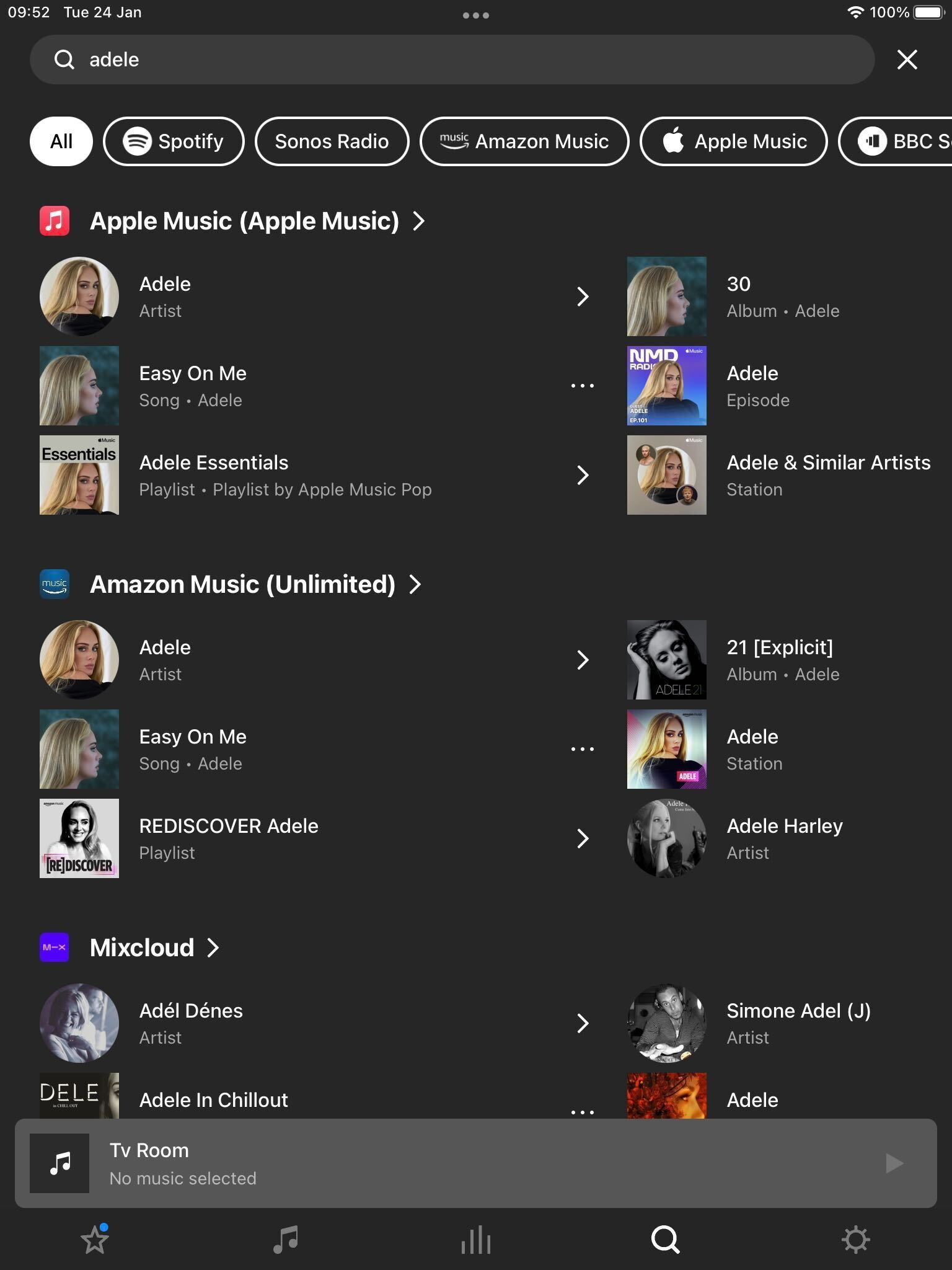
 

New Search on Sonos

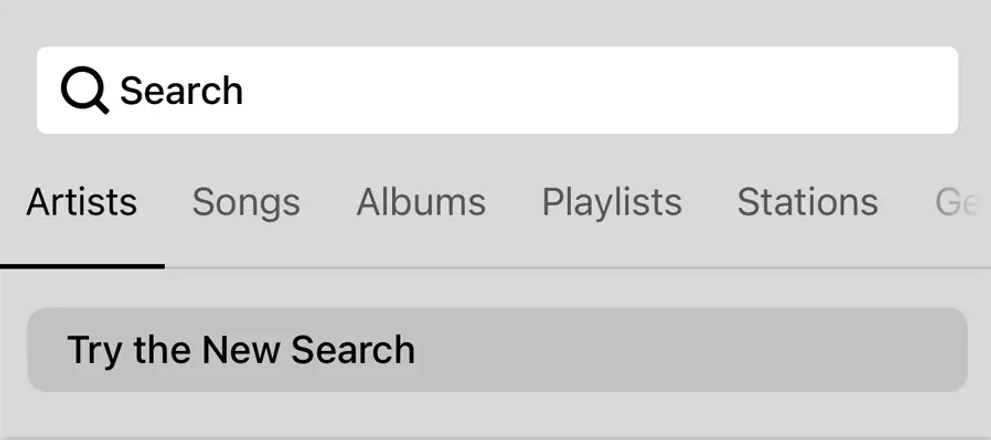
To try New Search, tap on “Try the New Search” in the search menu.

New Search will be rolling out to all users over the coming weeks, with all users receiving the feature by 25th April [edited from 18th April].

This means that not all of you will have access to New Search right away, but you can expect it soon. 

Will New Search look through all of my audio sources?

New Search does not currently support searching through personal music libraries, “On this Device” (Android) content, or music services with library functionalities.


Why is my specific music service not being searched?

While the vast majority of content services on Sonos are available in New Search, there are some that are not yet compatible. We’re working with our partners to add more music services to New Search and look forward to rolling these out over time. In the meantime, all music services continue to be compatible with classic search.


I liked the classic search option, can I use that instead?

You can switch between Classic Search and New Search by navigating to the search menu and tapping the buttons labeled “Switch to Classic Search” and “Try the New Search” respectively.


Is Classic Search going away? 
No, users will continue to have the option to use classic search .

 Please note: We can’t grant you access to New Search prior to it being available to you.


For further information, please see how to switch between New Search and Classic Search.

129 replies

Lyricist I
September 21, 2023

Shame about this update.  Search works from home screen, you play your music, then go back to say the same artist and everything has disappeared. So you have to go to the home screen again and select Search and start allllll over a again. 
Currently looking forward to ditching my Sonos system after all these years of managing a nightmare of an app.  First speaker gets donated next week  - I can almost feel the stress leaving me already 😁

Lyricist III
October 26, 2023

Hi @Stanley_4 

Not only that, but it will happen automatically!


7 months later! Waiting for new search to do anything but add more clicks. I want Apple Music my library to always be default (top of results)


if I want something else I’m happy to scroll but 95% of the time im using Apple Music my library. I don’t care if it does it magically or not but at least let us prioritize the results in our settings please? 

Ken_Griffiths
October 26, 2023

Hi @Stanley_4 

Not only that, but it will happen automatically!


7 months later! Waiting for new search to do anything but add more clicks. I want Apple Music my library to always be default (top of results)

if I want something else I’m happy to scroll but 95% of the time im using Apple Music my library. I don’t care if it does it magically or not but at least let us prioritize the results in our settings please? 

The new search uses tabs, can’t you just select the Apple Music Tab, rather than scroll? See attached highlighted button…


Corry P
Sonos Staff
October 26, 2023

Hi @abj0028 

If you predominantly use Apple Music, it should already be giving you Apple Music results first - I use YouTube Music, and after doing a search now, YouTube Music results were at the top of my screen. For My Library results, you will need to toggle the switch at the top, between the list of music services and the results, to see the search results for tracks you have uploaded (this works for me and YouTube). With YouTube, this switch has no writing on it, which is a little bit of an issue, but it should still work:

Left picture shows all services searched, right picture shows uploaded tracks only

I’ll see if I can noise someone up about the label still being missing, though I don’t think it is with Apple Music.

I hope this helps.

"Common sense is the collection of prejudices acquired by age eighteen." - Albert Einstein
Stanley_4
Grand Maestro
October 26, 2023

My big frustration with the new search today, on Android, is that I type the first two letters (slowly as my fat fingers go) and then the cursor leaves the search box and I have to wait for the usually incorrect search to complete, to reposition it and type more.

Good news, it hasn’t aggravated me enough yet that I’ve reverted to the old search. :-)

Lyricist III
October 27, 2023

Like I said I almost ONLY use Apple music and it NEVER shows up as the top option - I would like to set a default search mode so i don’t have to take three actions to get where I want to be in the search function. Happy to chat more 


check out this loom to see what i see 
https://www.loom.com/share/0c70c27727ed443a9e75dd6d2840234f?sid=4c0b8794-eec6-4b90-9503-085d23f59163

Corry P
Sonos Staff
October 27, 2023

Hi @abj0028 

Thanks for the video - all I can say is it looks like you use Soundcloud more than Apple Music, but I believe you when you say you don’t. Assuming there isn’t anyone else in the house who listens to Soundcloud more than you listen to Apple Music, I recommend you get in touch with our technical support team who have tools at their disposal that will allow them to give you advice specific to your Sonos system and what it reports.

"Common sense is the collection of prejudices acquired by age eighteen." - Albert Einstein
Lyricist I
November 1, 2023

New Search leaves a lot to be desired 


Corry P
Sonos Staff
November 1, 2023

Hi @Enzo Zucchini 

I don’t have Apple Music to compare directly, but New Search looks fine to me:

Can you find R.E.M. on Apple Music using Classic Search? If so, I can only really recommend using that instead.

I hope this helps.

"Common sense is the collection of prejudices acquired by age eighteen." - Albert Einstein
Mr. T
November 1, 2023

Hi @Enzo Zucchini 

I don’t have Apple Music to compare directly, but New Search looks fine to me:

Can you find R.E.M. on Apple Music using Classic Search? If so, I can only really recommend using that instead.

I hope this helps.


Looks like the “R.E.M.” New Search issue is specific with Apple Music not showing any result as I don’t get anything either, but other music services correctly populate with the artist.

R.E.M. will however appear under New Search for Apple Music using “michael stipe” as the search query…