
Ryan S
Retired Sonos Staff
April 21, 2020

Sonos 11.1 Brings Sonos Radio
Related content:Software
Sonos 11.1 Brings Sonos Radio

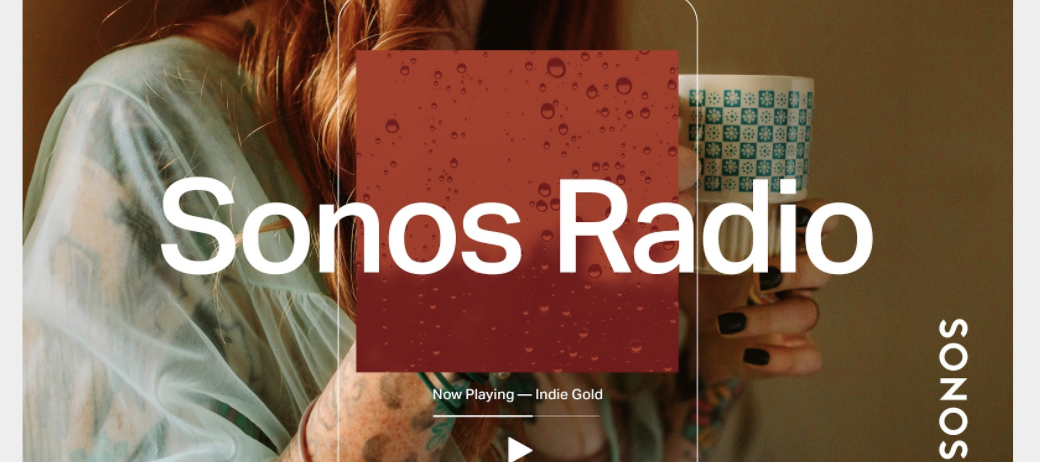
We’re proud to announce the launch of Sonos Radio, the premier radio experience on Sonos.  This is a free, ad-supported streaming radio service available to Sonos customers, offering access to an extensive assortment of music, news, live sports and more. 


Sonos Radio connects you with radio stations from around the world, with over 60,000 broadcast radio stations brought together in an easy to use interface. You can also use Sonos Radio to access radio services from our partners, such as iHeartRadio in North America, with more on the way. 


Sonos Radio features exclusive Sonos Stations, 30 genre-based stations based off of the music our owners listen to most. Get quick access to music with stations designed to complement the things you do at home, like getting ready in the morning, relaxing, working from home, cooking, and more.


Broadcasting from our Sonos Store in New York City, Sonos Sound System is the destination for music discovery and sonic inspiration. You can find Sound System along with our exclusive artist-curated stations under Sonos Presents in the app. 

Learn more here: https://support.sonos.com/s/article/482

    This topic has been closed for further comments. You can use the search bar to find a similar topic, or create a new one by clicking Create Topic at the top of the page.

    181 replies

    Enthusiast II
    April 25, 2020

    Did 11.1 mess with the 3rd party Sub controls with the Amp?  I got one right when they came out. At some point (6 months after release?) I had to adjust my sub settings louder in the Sonos app because the sub stopped auto sensing input. Tonight I started playing some music on the Amp for the first time since 11.1 and the sub was WAY too loud. I had to turn them down significantly. The release notes don’t say anything...

    Airgetlam
    April 25, 2020

    Yes, there are several threads in which Ryan S. has posted that it has been adjusted.

    Bruce
    Lyricist III
    April 26, 2020

    I am not going to search through this entire thread to try and see if this has already been answered (threaded comments, Sonos?)

    I’m just playing Sound System, here in the UK, and a track called Still Dreamin by Dreamville is playing - there’s a lot of explicit language in it, I’m home in my study with two young boys near - I’ve now had to turn off this stream and can’t listen to it any more; I can’t skip it or do anything, other than stop listening to the Sound System stream

    Furthermore - it’s now stopped me listening to ANY SONOS RADIO because I cannot trust you to remove explicit content - I want to relax when listening to music, and it’s normally/often “background music” where I can tune out of the lyrics and work - I now cannot do that.

    Had high hopes but this is a big fail.

    Trending Lyricist I
    April 26, 2020

    I would like to add my voice to the people demanding an option to remove ‘Sonos Radio’ service without agreeing to the new privacy conditions.

    In fact, I feel cheated. Before moving to 11.1, I checked the release notes, and the description of Sonos Radio which included instructions for removing the service. Knowing I would not want the new service, I thought it would be safe to move to the new version, then remove it. As it turns out, it does not show up on the list of services, probably until I actually install it by agreeing to new terms of service (which I cannot even read, as the in-app links do not work). There is no information anywhere to confirm that removing the service revokes my agreement to the new rules.

    PLEASE ADD A REAL OPT-OUT OPTION ASAP.

    el rubio
    April 26, 2020

    I would like to add my voice to the people demanding an option to remove ‘Sonos Radio’ service without agreeing to the new privacy conditions.

    In fact, I feel cheated. Before moving to 11.1, I checked the release notes, and the description of Sonos Radio which included instructions for removing the service. Knowing I would not want the new service, I thought it would be safe to move to the new version, then remove it. As it turns out, it does not show up on the list of services, probably until I actually install it by agreeing to new terms of service (which I cannot even read, as the in-app links do not work). There is no information anywhere to confirm that removing the service revokes my agreement to the new rules.

    PLEASE ADD A REAL OPT-OUT OPTION ASAP.


    In the v11.1 SONOS APP I removed under preferences, services, the SONOS Radio service account. The SONOS Radio icon has disappeared on my SONOS APP, so I believe this is a way to opt out.

    salu2.eu
    Trending Lyricist I
    April 26, 2020

    In the v11.1 SONOS APP I removed under preferences, services, the SONOS Radio service account. The SONOS Radio icon has disappeared on my SONOS APP, so I believe this is a way to opt out.

    What OS are you using?

    In both Windows and Android, I do not have ‘preferences,’ only ‘settings,’ and there, under ‘services’ (Windows) or ‘Services & Voice’ (Android) the SONOS radio is not listed. I have not yet agreed to open a SONOS radio account, but I still get the button in my app (on both Windows and Android)


    Airgetlam
    April 26, 2020

    What version of the Sonos controller are you using?

    Settings > Services & Voice 

    Listed below Music & Content should be Sonos Radio, if both the controller and the speakers are on version 11.1. When you click on Sonos Radio, you should have a ‘remove account’.

    Given that you seem to have the display without having authorized the account, I’m guessing a software issue of some type. I’d recommend either adding/authorizing the Sonos Radio account, and then you can likely remove it, or potentially just deleting the Sonos app, and downloading a fresh copy, where you ‘connect to existing system’. My bet would be that the former solution has a better chance of correcting your issue than the latter.


    Bruce
    Airgetlam
    April 26, 2020

    And the reason I suspect the former is that it may have been a marketing decision to show the option, even if it isn’t initially authorized. I suspect authorizing, then deauthorize will remove the shown option. 

    Bruce
    biggetjeindewei
    Collaborator II
    April 26, 2020

    Settings > Services & Voice 

    Listed below Music & Content should be Sonos Radio, if both the controller and the speakers are on version 11.1. When you click on Sonos Radio, you should have a ‘remove account’.


    Strangely enough, you first have to authorise Sonos Radio before the ‘remove account’ option appears.

    However, ‘remove account’ does not remove Sonos Radio under Browse. Pretty annoying.

    Maurice
    Airgetlam
    April 26, 2020

    Have you tried deleting the app, then downloading a fresh copy, as I suggested?

    Conversely, you might submit a system diagnostic, and contact Sonos Support to discuss it. I would expect that they would appreciate some hard data to look at in order to resolve this issue. 

    I usually suggest the phone folks, they have more tools available, and are available Monday through Friday during business hours. Twitter support folks are available 24/7.

    There may be information included in the diagnostic that will help Sonos pinpoint the issue and help you find a solution.  

    Bruce