
Ryan S
Retired Sonos Staff
April 21, 2020

Sonos 11.1 Brings Sonos Radio
Related content:Software
Sonos 11.1 Brings Sonos Radio

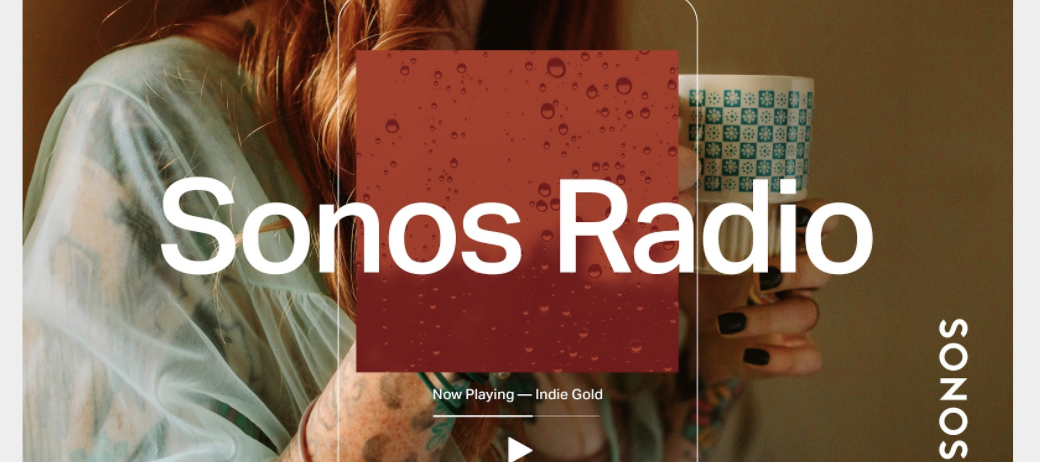
We’re proud to announce the launch of Sonos Radio, the premier radio experience on Sonos.  This is a free, ad-supported streaming radio service available to Sonos customers, offering access to an extensive assortment of music, news, live sports and more. 


Sonos Radio connects you with radio stations from around the world, with over 60,000 broadcast radio stations brought together in an easy to use interface. You can also use Sonos Radio to access radio services from our partners, such as iHeartRadio in North America, with more on the way. 


Sonos Radio features exclusive Sonos Stations, 30 genre-based stations based off of the music our owners listen to most. Get quick access to music with stations designed to complement the things you do at home, like getting ready in the morning, relaxing, working from home, cooking, and more.


Broadcasting from our Sonos Store in New York City, Sonos Sound System is the destination for music discovery and sonic inspiration. You can find Sound System along with our exclusive artist-curated stations under Sonos Presents in the app. 

Learn more here: https://support.sonos.com/s/article/482

    This topic has been closed for further comments. You can use the search bar to find a similar topic, or create a new one by clicking Create Topic at the top of the page.

    181 replies

    Contributor I
    April 22, 2020

    Just did the controller update and am checking out Sonos radio.  Mostly looks great. 


    One station is playing great on TuneIn, but that same station on Sonos Radio, the songs aren’t properly encoded (KUTX 98.9, Austin TX).  The HD2 version of that station plays well on Sonos Radio.  Hoping the wrinkle gets worked out.


    Thanks!


    Local Superstar
    April 22, 2020

    What does everyone think about Sonos Radio in this Sonos Radio thread?

    Not much given that it doesn’t work with the cr200 - and I avoid ad-based stations like the - err - plague.

    It's the courageous bee's knees - all 6 🐝🐝🐝🐝🐝🐝. - - - - - Make Sonos Great Again - - - - -
    Lyricist I
    April 22, 2020

    @Ryan S - FYI, on Windows controller, your links are messed up in the add a service “Terms of Service” for SONOS radio.This happens because the close parenthesis “)” are part of the link.

    Might want to fix this, unless it is intentional that people can’t review your terms of service :-P


    Ryan S
    Ryan SAuthor
    Retired Sonos Staff
    April 22, 2020

    Thanks for the heads up! I’ll let the team know.

    Mark good posts by pressing the like button, and select the best answer on questions you've asked to help others find solutions.
    Trending Lyricist I
    April 22, 2020

    What does everyone think about Sonos Radio in this Sonos Radio thread?


    This is the start of death by a thousand cuts to “legacy systems” comprising previously very expensive and fully working components. Why allow the update and show the music service on my CR200 controllers when I cannot then access the service to play via them? I have to use my only “smart device” with the app. What next - my Play 5s and Connect not able to process the service? It’s bad enough not having my Bridge - the heart of my system and not fully software updateable after May apparently, not included in the discount scheme.

    On first listening I won’t be missing much as the sound quality is typical of streaming radio, flat, tiring to the hearing. If I’m allowed, I’ll stick with TuneIn Radio for speech and my BBC HD URL feeds for decent radio music.

    melvimbe
    April 22, 2020

    @Ryan S, I just noticed this bug today.   The album art and , title is showing the ‘Pool’ room and it’s displaying the track info on Pool (not visible), however, it’s actually controlling a group that doesn’t contain Pool.  I included the volume to illustrate.  If I switch the Room to the proper group, everything works properly.  However, if I switch to a different app and then back to Sonos, I see the image below again.  The group is playing a Sonos Radio station, but not sure if it’s specific to Sonos radio or an issue with 11.1. in general.


    Danny
    Lyricist I
    April 22, 2020

    So, where is it?

    My apps are on 11.1 and I’m looking at the Browse screen but nothing new. If I try to add a service. no option. If I use Tunein I get a popup telling me how great Sonos Radio is.

    In this world of simplicity, why does Sonos continue to buck the trend and swim against the current?

    HHH

    Contributor II
    April 22, 2020

    It's a great feature. 128kbps is a bit disappointing though, and also somewhat confusing, given the primary talking point of the upcoming S2 software being higher-resolution audio.

    Ryan S
    Ryan SAuthor
    Retired Sonos Staff
    April 22, 2020

    So, where is it?

    My apps are on 11.1 and I’m looking at the Browse screen but nothing new. If I try to add a service. no option. If I use Tunein I get a popup telling me how great Sonos Radio is.

    In this world of simplicity, why does Sonos continue to buck the trend and swim against the current?

    HHH

    Any chance your players haven’t updated yet? Check in the Sonos app under Settings > System > System Updates that everything is up to date first.

    Mark good posts by pressing the like button, and select the best answer on questions you've asked to help others find solutions.
    melvimbe
    April 22, 2020

    It's a great feature. 128kbps is a bit disappointing though, and also somewhat confusing, given the primary talking point of the upcoming S2 software being higher-resolution audio.


    The system wouldn’t be capable of playing higher resolution right now.  It’s entirely possible higher than 128 stream are available once the system is in place to play that content.

    Danny