
Ryan S
Retired Sonos Staff
April 21, 2020

Sonos 11.1 Brings Sonos Radio
Related content:Software
Sonos 11.1 Brings Sonos Radio

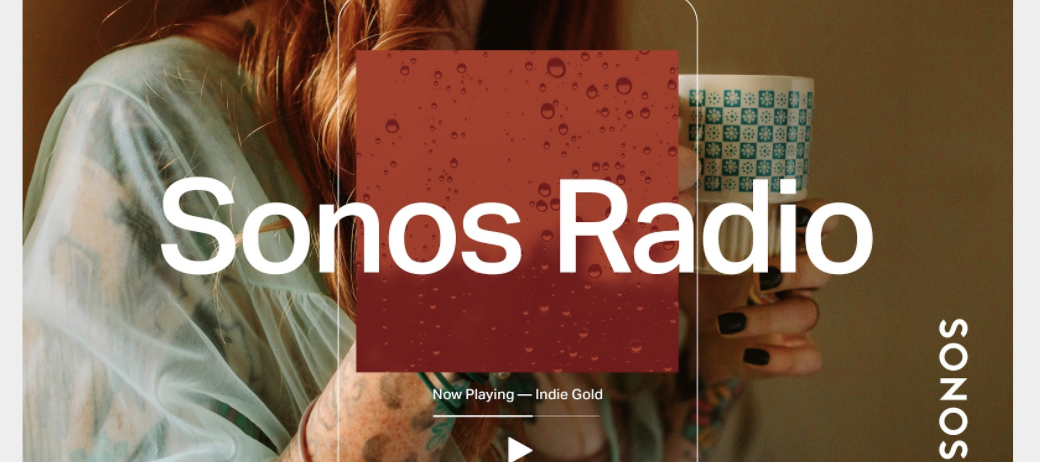
We’re proud to announce the launch of Sonos Radio, the premier radio experience on Sonos.  This is a free, ad-supported streaming radio service available to Sonos customers, offering access to an extensive assortment of music, news, live sports and more. 


Sonos Radio connects you with radio stations from around the world, with over 60,000 broadcast radio stations brought together in an easy to use interface. You can also use Sonos Radio to access radio services from our partners, such as iHeartRadio in North America, with more on the way. 


Sonos Radio features exclusive Sonos Stations, 30 genre-based stations based off of the music our owners listen to most. Get quick access to music with stations designed to complement the things you do at home, like getting ready in the morning, relaxing, working from home, cooking, and more.


Broadcasting from our Sonos Store in New York City, Sonos Sound System is the destination for music discovery and sonic inspiration. You can find Sound System along with our exclusive artist-curated stations under Sonos Presents in the app. 

Learn more here: https://support.sonos.com/s/article/482

    This topic has been closed for further comments. You can use the search bar to find a similar topic, or create a new one by clicking Create Topic at the top of the page.

    181 replies

    Prominent Collaborator I
    April 21, 2020

    Hi.  Is this streaming only (live content) or will catch-up (on demand programmes) also be available?

    Will this replace TuneIn?

    Ryan S
    Ryan SAuthor
    Retired Sonos Staff
    April 21, 2020

    Hi User933635, currently it’s only for streaming content, no demand programs and podcasts are not available, but I’ll let the team know you’re looking for them. TuneIn is and will still be available on Sonos as a music service. Sonos Radio is going to be available to everyone, and new setups will see Sonos Radio first, but TuneIn will remain available in the Sonos app as a stand-alone service to add for all.

    Mark good posts by pressing the like button, and select the best answer on questions you've asked to help others find solutions.
    Trending Lyricist I
    April 21, 2020

    At first sight this seems like a good initiative.  One obvious change - the “location” listings only work at a city level.  That might work for the US, but in Europe many if not most radio stations are national, so it makes no sense to force them to appear only under a single city (for example, BBC stations in the UK).  A “national stations” category under the country would be a good idea and is used by a number of other radio streaming directories.


    And a question.  Will this work on BBC stations with the Sonos skill on Amazon Echo devices, which hasn’t worked since they left TuneIn?

    Ryan S
    Ryan SAuthor
    Retired Sonos Staff
    April 21, 2020

    I’ll pass along that feedback Philips999!

    Sonos Radio isn’t linked with Alexa at this time, so unfortunately it won’t help fix that issue today.

    Mark good posts by pressing the like button, and select the best answer on questions you've asked to help others find solutions.
    Contributor I
    April 21, 2020

    Hello,

    I have a question, I’m not able to find either the curated stations, Sonos Sound System, or artist stations. All I see on the Sonos Radio service are usual internet radios and local stations. Are those Sonos stations somehow region-restricted? I live in Czech Republic. Thank you for your answer.

    Sjoop1985
    April 21, 2020

    Great, a “native” Sonos Radio service. Immediately started replacing my TuneIn stations!

    I ran into the same issue as @Philips999. In a tiny country like the Netherlands, it is even stranger to have to find a national station based on the city that it is broadcast from, although I found most national stations under “Other”. TuneIn, for example, also shows national stations applicable to my location in the “local radio” list, but I agree that a category “National stations” would work better in the UX Sonos has chosen.


    Hello,

    I have a question, I’m not able to find either the curated stations, Sonos Sound System, or artist stations. All I see on the Sonos Radio service are usual internet radios and local stations. Are those Sonos stations somehow region-restricted? I live in Czech Republic. Thank you for your answer.

    Sonos’ press release on Sonos Radio states that these advanced features are initially only available in the US, Canada, UK, Ireland and Australia and that additional countries will follow. I assume this has to do with licensing.

    Life is what happens to you while you're busy making other plans (John Lennon) --- Living room: Arc, Sub, 2x One - Kitchen: One - Bedroom: Play 3 - Office: Beam - Bathroom: Play 1
    Ryan S
    Ryan SAuthor
    Retired Sonos Staff
    April 21, 2020

    Hello,

    I have a question, I’m not able to find either the curated stations, Sonos Sound System, or artist stations. All I see on the Sonos Radio service are usual internet radios and local stations. Are those Sonos stations somehow region-restricted? I live in Czech Republic. Thank you for your answer.

    As @Sjoop1985 said, they are currently region restricted. The Sonos Sound System, Genre and Artist Curated Stations are currently available in the US, Canada, Australia, UK, and Ireland. We hope to expand their availability in the future.

    Mark good posts by pressing the like button, and select the best answer on questions you've asked to help others find solutions.
    I Love Spring Flowers
    Lyricist III
    April 21, 2020

    I didn't add the Sonos Radio service to my system yet there it is in my browse menu. How do I remove it from my browse page?

    Airgetlam
    April 21, 2020

    Settings > Services > Sonos Radio > Remove Account.

    Bruce
    I Love Spring Flowers
    Lyricist III
    April 21, 2020

    Settings > Services > Sonos Radio > Remove Account.

    Thanks for the reply but Sonos Radio isn't listed in my services. Should I actually add it then remove? I hesitate to add it as I don't want to not be able to walk a change back.