
Ditte
March 9, 2021

Meet Sonos Roam, the ultra-portable smart speaker
Related content:Hardware
Meet Sonos Roam, the ultra-portable smart speaker

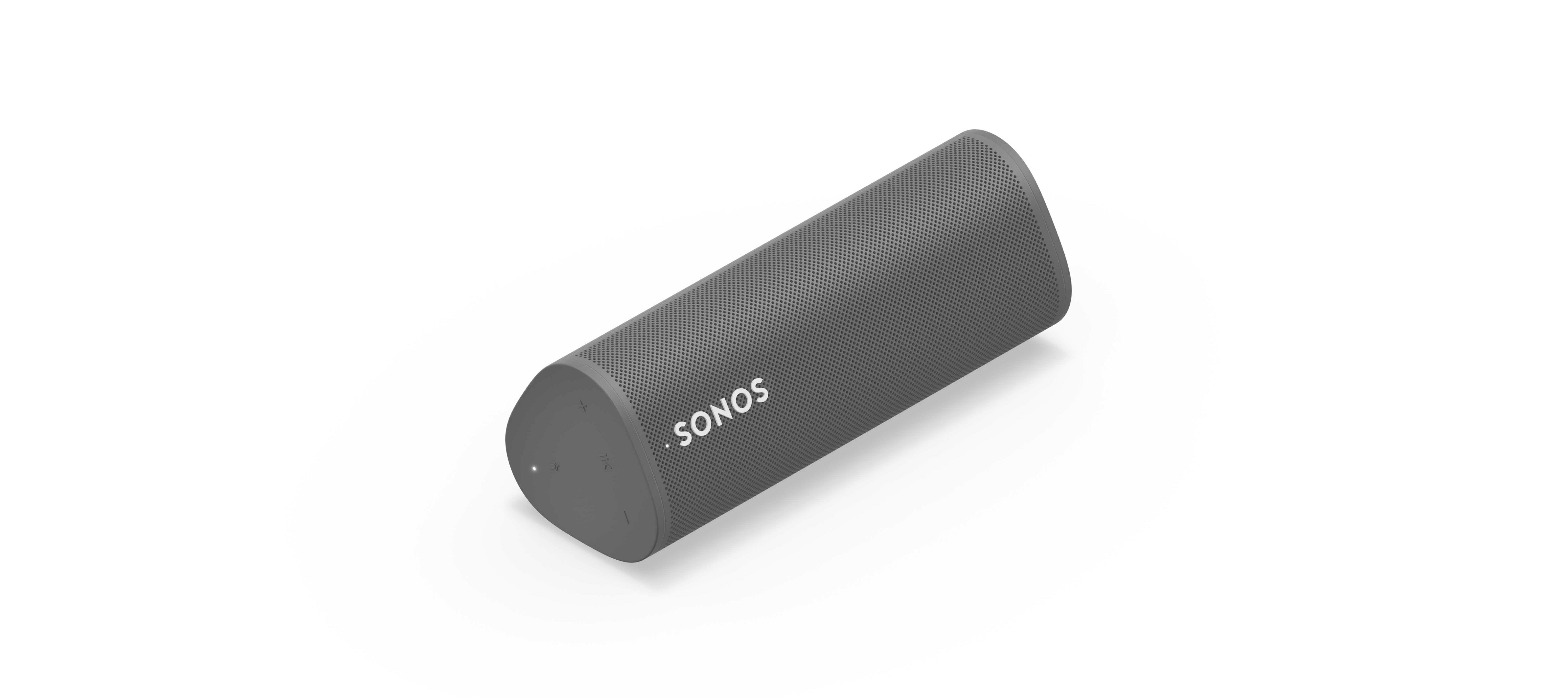
We’re happy to introduce you all to Sonos Roam, the ultra-portable smart speaker built to deliver great sound at home and on any adventure. Fully connected to your Sonos system on WiFi at home and automatically switching to Bluetooth when you’re on the go, Roam’s powerful, adaptable sound defies expectations for a speaker of its size. Effortless set-up and control and new smart features make it easier than ever to enjoy music and more from anywhere. Weighing less than a pound (450g), Roam’s elegant yet durable design is perfect for your home, the backyard, and wherever you go.

Get to know Sonos Roam

A simultaneous connection to both WiFi and Bluetooth makes streaming wherever you are seamless. When you’re listening at home Roam connects to your system and streams on WiFi, and when you leave it intuitively switches to Bluetooth and automatically re-pairs with your mobile device.

With an all-new feature called Sound Swap, you can hold the play/pause button on the speaker to switch the music to the nearest speaker on your system, making it easy to move music from room-to-room.
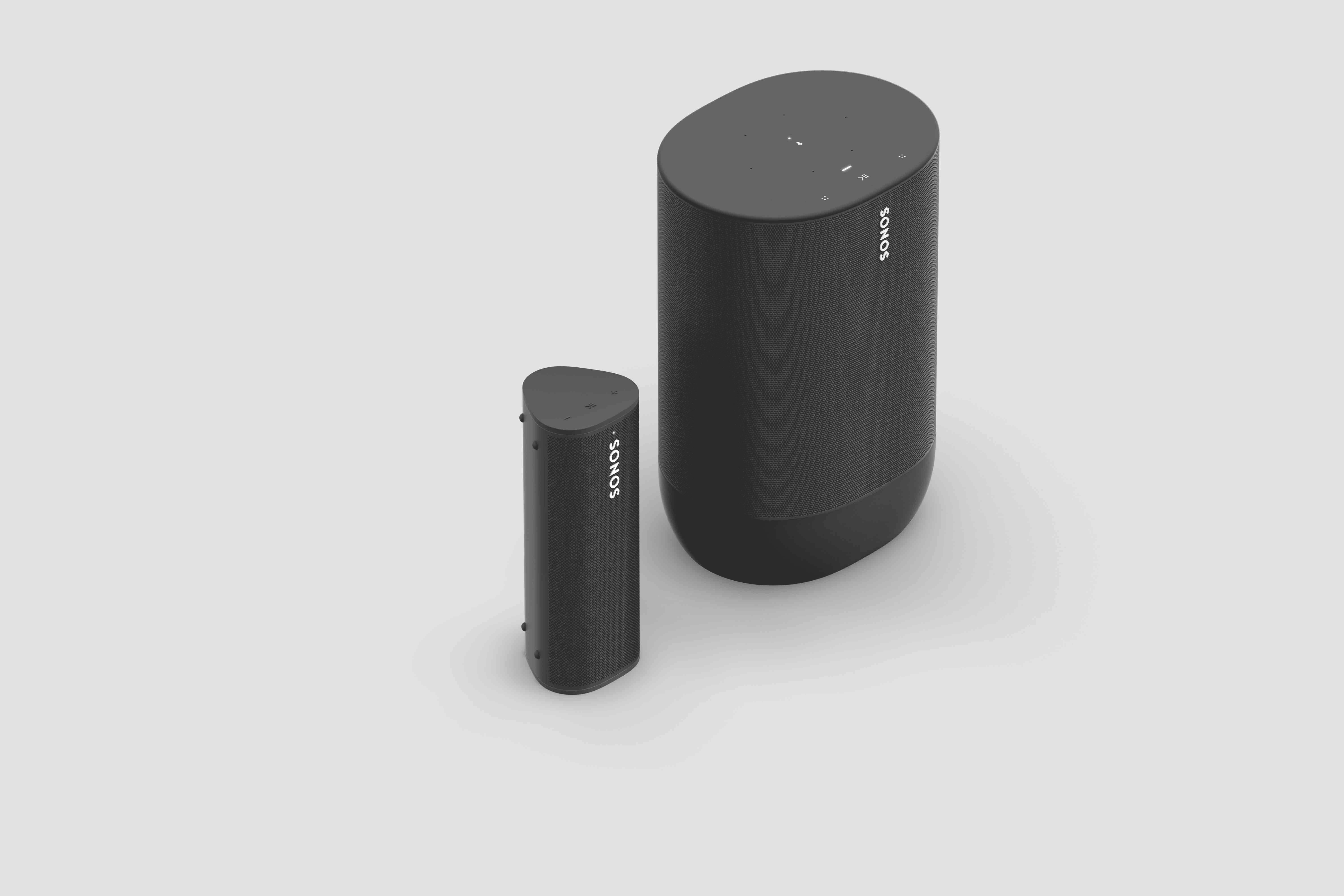
Sonos Roam (left) and Sonos Move (right)

Seamless connectivity also unlocks Bluetooth streaming for your entire system, with the Sonos app allowing you to group any of your Sonos speakers to Roam when streaming with Bluetooth. Roam works with more than 100 streaming services, including Sonos Radio, and is easily controlled with the Sonos app, your voice with Amazon Alexa or Google Assistant, Apple AirPlay 2, or directly from your favorite music service app.

Roam was created to deliver an incredible sound experience no matter where you are. Like all Sonos products, Roam was tuned by industry leaders across music and film to ensure the speaker reproduces content exactly how the creator intended. A carefully designed acoustic architecture delivers rich, detailed sound with the clarity, depth, and fullness you’d expect from a larger speaker.

Automatic Trueplay is now available when streaming via Bluetooth as well as Wi-Fi, and means Roam is always tuned for the best listening experience in any environment.

Available in shadow black or lunar white, Roam’s tactile triangular shape and soft profile is comfortable to pick up and looks great inside the home. Combining elegance and durability, Roam is dust proof and fully waterproof with a rigorously tested IP67 rating, and features silicone end caps and physical buttons to protect against drops or bumps.

Roam is ready for any adventure with up to 10 hours of continuous playback on a single charge and up to 10 days of battery life when not in use.

To recharge, Roam connects to a custom magnetic wireless charger from Sonos sold separately, any Qi wireless charger, or with the USB-C cable included in the box.
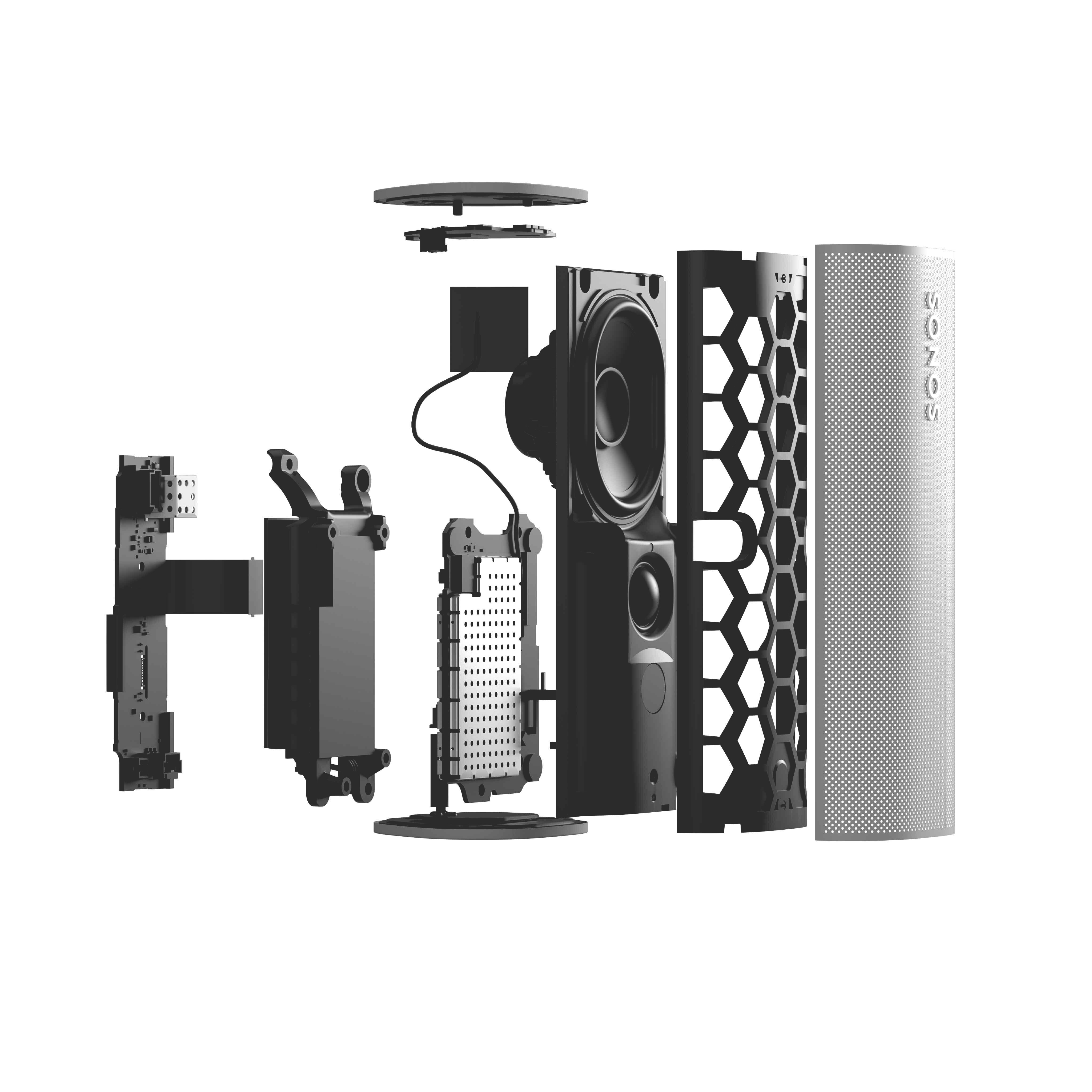
 

Sonos Roam

Roam’s compact size will fit into any bag or the smallest corner of your living space. Listeners can place Roam vertically for a smaller footprint or horizontally to provide added stability on uneven surfaces outdoors. Even the packaging leaves a light footprint, with a structure that is made of 100% sustainably-sourced paper, minimizes the use of inks, and includes no single-use plastics. 

Roam is available starting April 20 for $169, €179, £159, NOK1799, SEK1999, DKK1349. You can pre-order today on sonos.com.

This topic has been closed for further comments. You can use the search bar to find a similar topic, or create a new one by clicking Create Topic at the top of the page.

394 replies

Airgetlam
May 6, 2021

And if it isn’t a BT Smart Hub 2, perhaps more information might be helpful to allow folks to understand and make a better analysis of what might be going on. Particulars, such as what software version your Sonos is on, S1 or S2, and which controller you’re using. What device you’re running the controller on, and what OS that device is running. What Sonos devices you have beyond just the Roam? How your Sonos is connected to your network, is it wired or wireless? Do you have a BOOST or BRIDGE? 


Edit: Forgot to ask about what kind of network you have, too. Is it a mesh, or a single point router? If it is a mesh, what brand is it, as it does make a difference as to figuring out what might be going on. 

Bruce
Contributor I
May 6, 2021

Thank you so much I do have a smart hub 2 hopefully BT will sort it soon 

thanks for your help

Contributor I
May 7, 2021


When the Roam or Move powers on this way and is not targeted for playback, it will be in a low power state, so battery drain will be kept to a minimum. Rest assured, you shouldn’t see any negative effects from the Roam waking like this.

Well this design does not appear to be working. I’m seeing rapid battery drain. What is the point of having a power button if you can never really turn the speaker off?

James L.
Retired Community Staff
May 7, 2021


When the Roam or Move powers on this way and is not targeted for playback, it will be in a low power state, so battery drain will be kept to a minimum. Rest assured, you shouldn’t see any negative effects from the Roam waking like this.

Well this design does not appear to be working. I’m seeing rapid battery drain. What is the point of having a power button if you can never really turn the speaker off?

You can turn the speaker off. You’re probably confusing sleep mode with off. Pressing the button once for a short time will put the Roam to sleep. This allows it to be woken by the app or by another short button press. Holding the power button for 7 seconds will power the Roam off completely. You will need to hold the power button for at least 1 second to turn it back on. 

Mark good posts by pressing the like button, and select the best answer on questions you've asked to help others find solutions.
Avid Contributor I
May 7, 2021

You will need to hold the power button for at least 1 second to turn it back on. 

Interesting, mine turns on with the briefest press I can manage.  This is from off and not standby.

Contributor I
May 7, 2021

Has anyone managed to use “Switch Account” with Alexa on their Roam?

There’s two people in the house and we have our own Spotify accounts tied to our own Alexa profiles in one Amazon Household. I have the Sonos account so it defaults to my Alexa profile, which means that if we want to use Spotify on Roam other people (okay, my mum) has to AirPlay from her phone, and she’s in a very learned pattern of walking in and asking Alexa to play. 

I’ve tried disabling the Alexa Sonos Skill, and adding it to my mum’s Alexa account in the household. Switching accounts works perfectly on my Sonos Beam so I don’t think there’s an issue with the Alexa integration. Asking the Roam to Switch Account, it replies “I’m sorry, I can’t switch accounts right now”. All other Alexa functionality works, albeit from my profile.


Edited to highlight the use of Amazon Household Profiles. 

BMF
Prodigy III
May 7, 2021

I don’t think you can have multiple Alexa profiles on Sonos, at least you couldn’t when I last checked.


You can use the Sonos App to use multiple Accounts for the streaming service such as Spotify, but from a voice activation perspective it is always through the one Alexa account…. So will always be played on the Spotify account registered with Alexa.


unless things have changed since I last looked at this use case.

Contributor I
May 7, 2021

@BMF sorry I mixed my terminology, there’s one Voice account (mine) that has household profiles. It works on the Beam (i.e. “Alexa Switch accounts” works as intended), but not on the Roam

Ken_Griffiths
May 7, 2021

@BMF sorry I mixed my terminology, there’s one Voice account (mine) that has household profiles. It works on the Beam (i.e. “Alexa Switch accounts” works as intended), but not on the Roam

Yes, it seems that switching profiles isn’t available on the Roam at the moment. I also see that the Alexa component on Roam cannot be used to control/enable groups in the Amazon Alexa App too. Hope these things get sorted. 

Contributor I
May 7, 2021

@BMF sorry I mixed my terminology, there’s one Voice account (mine) that has household profiles. It works on the Beam (i.e. “Alexa Switch accounts” works as intended), but not on the Roam

Yes, it seems that switching profiles isn’t available on the Roam at the moment. I also see that the Alexa component on Roam cannot be used to control/enable groups in the Amazon Alexa App too. Hope these things get sorted. 

Interesting, I can’t think of it being a hardware issue seeing as it’s capable of handoff etcetera. Must have been a feature that didn’t make the launch software release or the day1 software release. Glad it’s not me; I still love it, I’ll just train my mum to use her phone/iPad more… or fork out for Apple Music; seeing as I already have to share with my cat who has his own mid-day siesta playlist!