
Ditte
March 9, 2021

Meet Sonos Roam, the ultra-portable smart speaker
Related content:Hardware
Meet Sonos Roam, the ultra-portable smart speaker

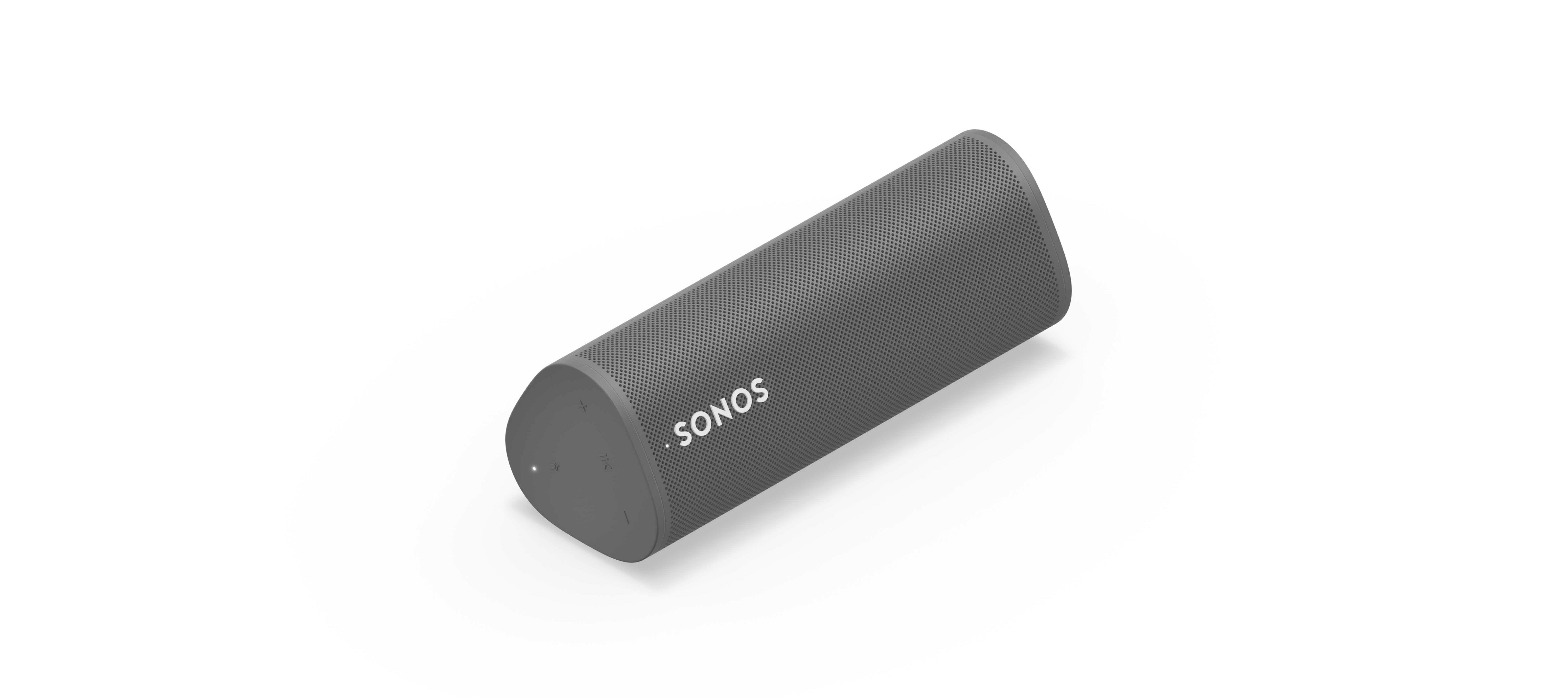
We’re happy to introduce you all to Sonos Roam, the ultra-portable smart speaker built to deliver great sound at home and on any adventure. Fully connected to your Sonos system on WiFi at home and automatically switching to Bluetooth when you’re on the go, Roam’s powerful, adaptable sound defies expectations for a speaker of its size. Effortless set-up and control and new smart features make it easier than ever to enjoy music and more from anywhere. Weighing less than a pound (450g), Roam’s elegant yet durable design is perfect for your home, the backyard, and wherever you go.

Get to know Sonos Roam

A simultaneous connection to both WiFi and Bluetooth makes streaming wherever you are seamless. When you’re listening at home Roam connects to your system and streams on WiFi, and when you leave it intuitively switches to Bluetooth and automatically re-pairs with your mobile device.

With an all-new feature called Sound Swap, you can hold the play/pause button on the speaker to switch the music to the nearest speaker on your system, making it easy to move music from room-to-room.
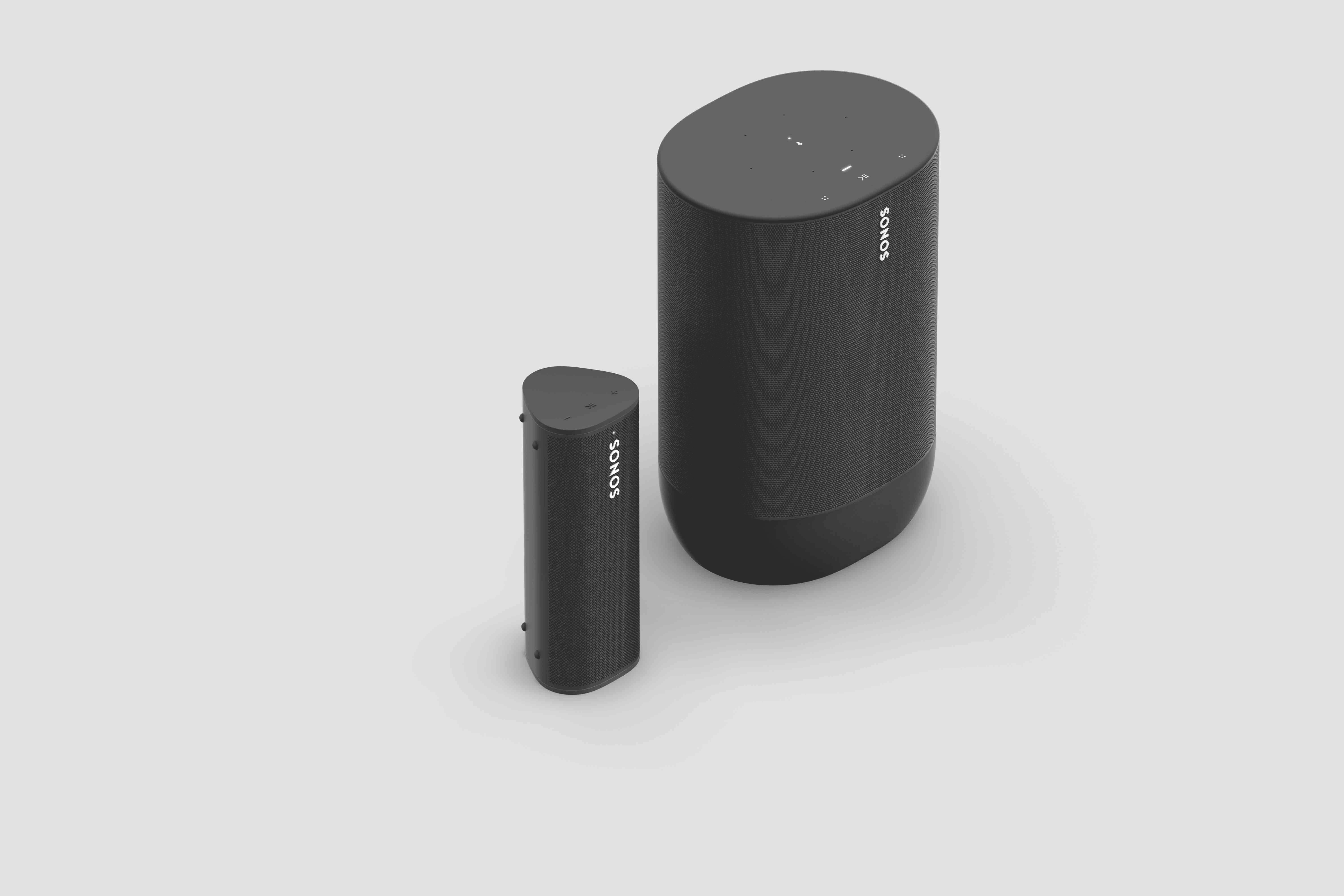
Sonos Roam (left) and Sonos Move (right)

Seamless connectivity also unlocks Bluetooth streaming for your entire system, with the Sonos app allowing you to group any of your Sonos speakers to Roam when streaming with Bluetooth. Roam works with more than 100 streaming services, including Sonos Radio, and is easily controlled with the Sonos app, your voice with Amazon Alexa or Google Assistant, Apple AirPlay 2, or directly from your favorite music service app.

Roam was created to deliver an incredible sound experience no matter where you are. Like all Sonos products, Roam was tuned by industry leaders across music and film to ensure the speaker reproduces content exactly how the creator intended. A carefully designed acoustic architecture delivers rich, detailed sound with the clarity, depth, and fullness you’d expect from a larger speaker.

Automatic Trueplay is now available when streaming via Bluetooth as well as Wi-Fi, and means Roam is always tuned for the best listening experience in any environment.

Available in shadow black or lunar white, Roam’s tactile triangular shape and soft profile is comfortable to pick up and looks great inside the home. Combining elegance and durability, Roam is dust proof and fully waterproof with a rigorously tested IP67 rating, and features silicone end caps and physical buttons to protect against drops or bumps.

Roam is ready for any adventure with up to 10 hours of continuous playback on a single charge and up to 10 days of battery life when not in use.

To recharge, Roam connects to a custom magnetic wireless charger from Sonos sold separately, any Qi wireless charger, or with the USB-C cable included in the box.

 

Sonos Roam

Roam’s compact size will fit into any bag or the smallest corner of your living space. Listeners can place Roam vertically for a smaller footprint or horizontally to provide added stability on uneven surfaces outdoors. Even the packaging leaves a light footprint, with a structure that is made of 100% sustainably-sourced paper, minimizes the use of inks, and includes no single-use plastics. 

Roam is available starting April 20 for $169, €179, £159, NOK1799, SEK1999, DKK1349. You can pre-order today on sonos.com.

This topic has been closed for further comments. You can use the search bar to find a similar topic, or create a new one by clicking Create Topic at the top of the page.

394 replies

BMF
Prodigy III
April 23, 2021

Not sure I have seen this asked or the info…


how many devices can roam remember with Bluetooth?


could it Bluetooth pair to an iPhone, an iPad and a laptop?


Also, I assume it is not multipoint?

James L.
Retired Community Staff
April 23, 2021

how many devices can roam remember with Bluetooth?

Roam can remember up to 8 devices.


could it Bluetooth pair to an iPhone, an iPad and a laptop?

Yes, but not simultaneously.


Also, I assume it is not multipoint?

Roam connects to one device at a time.

Mark good posts by pressing the like button, and select the best answer on questions you've asked to help others find solutions.
BMF
Prodigy III
April 23, 2021

how many devices can roam remember with Bluetooth?

Roam can remember up to 8 devices.


could it Bluetooth pair to an iPhone, an iPad and a laptop?

Yes, but not simultaneously.


Also, I assume it is not multipoint?

Roam connects to one device at a time.

Great, thanks for the info 😀

Lyricist I
April 23, 2021

Also received (UK) today, it’s a lovely little thing, slightly disappointed it’s grey rather than white but it’s a very light grey so no biggie.

One thing I’ve noticed is it comes out of sleep mode whenever the SONOS App is opened which is not ideal if playing music elsewhere in the house as I imagine it will run down the battery. Has anyone else noticed this? It can be fully turned off but that’s a bit fiddly so would prefer not to have to do that.

That’s correct, both Move and Roam do this. It’s by design to ensure there is little to no delay between opening the app and being able to target playback to that speaker. When the Roam or Move powers on this way and is not targeted for playback, it will be in a low power state, so battery drain will be kept to a minimum. Rest assured, you shouldn’t see any negative effects from the Roam waking like this.

Also received (UK) today, it’s a lovely little thing, slightly disappointed it’s grey rather than white but it’s a very light grey so no biggie.

One thing I’ve noticed is it comes out of sleep mode whenever the SONOS App is opened which is not ideal if playing music elsewhere in the house as I imagine it will run down the battery. Has anyone else noticed this? It can be fully turned off but that’s a bit fiddly so would prefer not to have to do that.

That’s correct, both Move and Roam do this. It’s by design to ensure there is little to no delay between opening the app and being able to target playback to that speaker. When the Roam or Move powers on this way and is not targeted for playback, it will be in a low power state, so battery drain will be kept to a minimum. Rest assured, you shouldn’t see any negative effects from the Roam waking like this.


All due respect, but people are pointing out the “negative effects” of your decision to have the Roam wake up every time someone uses the app.  The “negative effects” are that you either have to go back each time to make sure to turn the thing back off, or you have to keep it plugged in 100% of the time.  The alternative is that you wake up in the morning (like I did today) and the speaker has gone from 100% to 6% overnight.

Why not just let people either turn it on when they want to use it, by pushign the button, or activate it through the app?  I have five other Sonos products in my house and am constantly using the app to tune in radio stations, or play music, or podcasts, or whatever.  The Roam only needs to turn it on when I want to use the Roam, not when I want to listen to music on my Move or whatever.

Listener
April 24, 2021

Great looking product.  Would like to pre-order one, but it doesn’t appear the pre-order link is working.


bestmasticatingjuiceronline.com

how can i order i need it in my kitchen

Contributor I
April 24, 2021

I see you can create stereo pair, is that WiFi only or can be done that also be done when Bluetooth away from home?


Wifi only, sadly.  I was going to buy two for stereo over Bluetooth, but now I won't.

Lyricist I
April 24, 2021

Can you leave the usb C lead plugged into the Roam full time when you’re not moving the speaker around? As a permanent bathroom speaker for example? Would that be bad for the battery? Thanks!

Trending Lyricist I
April 24, 2021

Still learning how to get the best from my Roams but this morning I noticed that on both, Trueplay (which I originally set up and it appeared to be working) is now greyed out in menu settings. I haven’t changed anything so can’t figure out why the option has disappeared...

Trending Lyricist I
April 24, 2021

Still learning how to get the best from my Roams but this morning I noticed that on both, Trueplay (which I originally set up and it appeared to be working) is now greyed out in menu settings. I haven’t changed anything so can’t figure out why the option has disappeared...

Spent some considerable time researching this in an attempt to sort it out myself. I found guidance on the Sonos Trueplay guide that said Auto Trueplay is disabled when using a Move with Google Assistant in Bluetooth mode, something I tried yesterday. The guide went on to say that it can be re-enabled by removing GA, enabling Trueplay and adding GA back. I've tried this several times on my Move and Roams but every time I reinstall GA, Trueplay disappears. Can @James L. or anyone offer any advice please?

James L.
Retired Community Staff
April 26, 2021

Still learning how to get the best from my Roams but this morning I noticed that on both, Trueplay (which I originally set up and it appeared to be working) is now greyed out in menu settings. I haven’t changed anything so can’t figure out why the option has disappeared...

Spent some considerable time researching this in an attempt to sort it out myself. I found guidance on the Sonos Trueplay guide that said Auto Trueplay is disabled when using a Move with Google Assistant in Bluetooth mode, something I tried yesterday. The guide went on to say that it can be re-enabled by removing GA, enabling Trueplay and adding GA back. I've tried this several times on my Move and Roams but every time I reinstall GA, Trueplay disappears. Can @James L. or anyone offer any advice please?

Hi @radiomike,


Unfortunately, due to external issues, Auto Trueplay is disabled when Google Assistant is active on Roam and Move. This is a recent change (20th April) and the guidance from the Trueplay article is not valid at the moment. Rest assured, we’re working on getting this functionality restored, but we don’t have any further information to share at this time.

Mark good posts by pressing the like button, and select the best answer on questions you've asked to help others find solutions.