
Ditte
March 9, 2021

Meet Sonos Roam, the ultra-portable smart speaker
Related content:Hardware
Meet Sonos Roam, the ultra-portable smart speaker

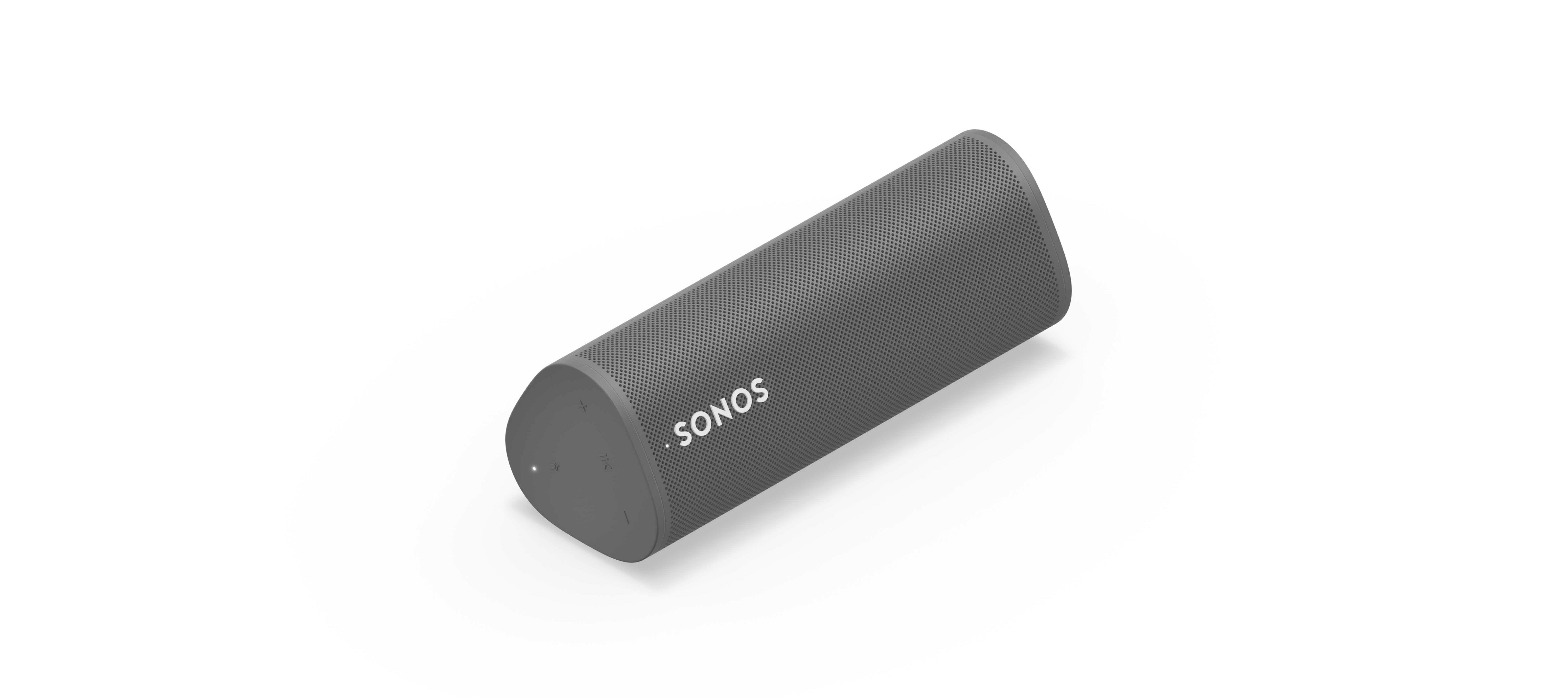
We’re happy to introduce you all to Sonos Roam, the ultra-portable smart speaker built to deliver great sound at home and on any adventure. Fully connected to your Sonos system on WiFi at home and automatically switching to Bluetooth when you’re on the go, Roam’s powerful, adaptable sound defies expectations for a speaker of its size. Effortless set-up and control and new smart features make it easier than ever to enjoy music and more from anywhere. Weighing less than a pound (450g), Roam’s elegant yet durable design is perfect for your home, the backyard, and wherever you go.

Get to know Sonos Roam

A simultaneous connection to both WiFi and Bluetooth makes streaming wherever you are seamless. When you’re listening at home Roam connects to your system and streams on WiFi, and when you leave it intuitively switches to Bluetooth and automatically re-pairs with your mobile device.

With an all-new feature called Sound Swap, you can hold the play/pause button on the speaker to switch the music to the nearest speaker on your system, making it easy to move music from room-to-room.
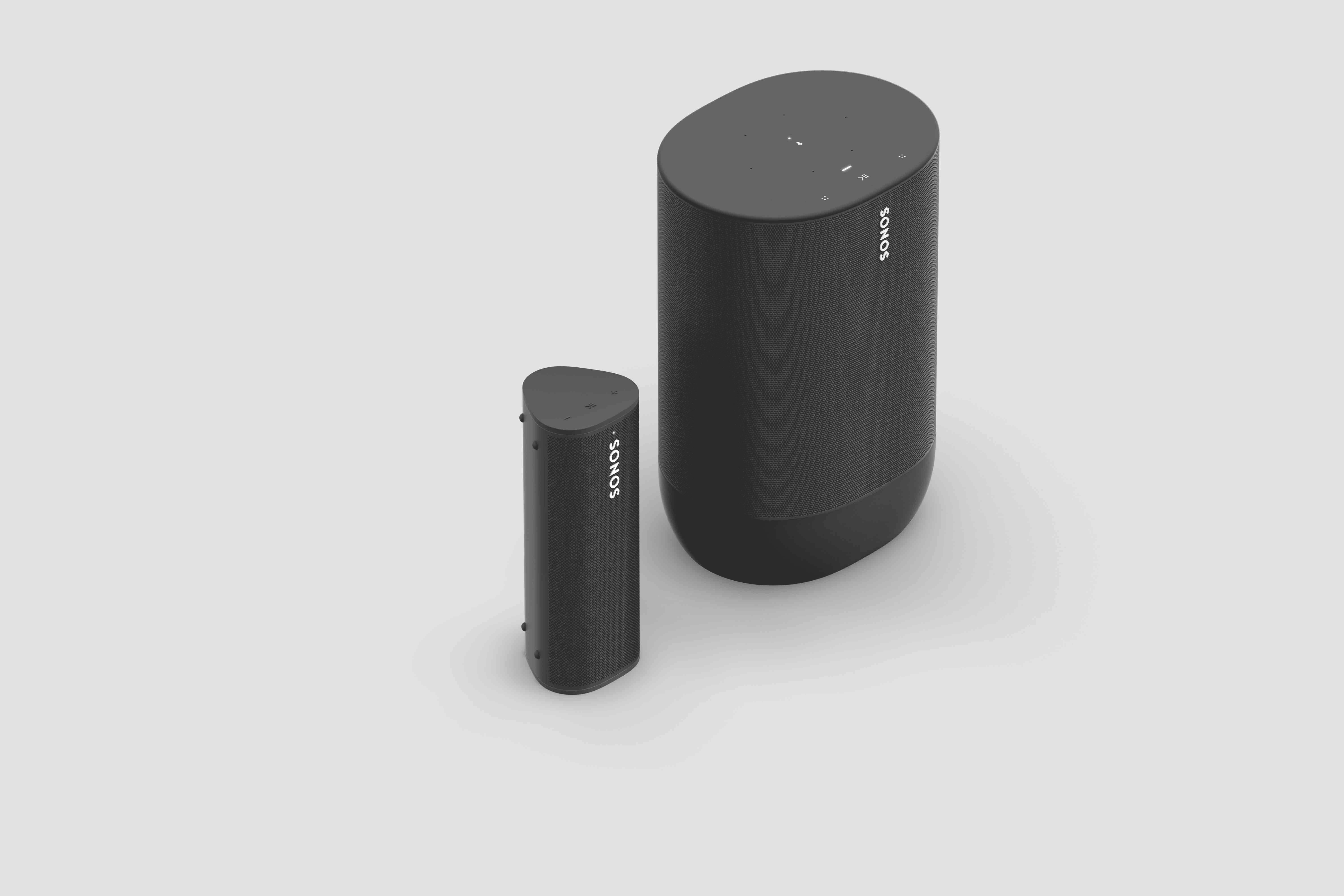
Sonos Roam (left) and Sonos Move (right)

Seamless connectivity also unlocks Bluetooth streaming for your entire system, with the Sonos app allowing you to group any of your Sonos speakers to Roam when streaming with Bluetooth. Roam works with more than 100 streaming services, including Sonos Radio, and is easily controlled with the Sonos app, your voice with Amazon Alexa or Google Assistant, Apple AirPlay 2, or directly from your favorite music service app.

Roam was created to deliver an incredible sound experience no matter where you are. Like all Sonos products, Roam was tuned by industry leaders across music and film to ensure the speaker reproduces content exactly how the creator intended. A carefully designed acoustic architecture delivers rich, detailed sound with the clarity, depth, and fullness you’d expect from a larger speaker.

Automatic Trueplay is now available when streaming via Bluetooth as well as Wi-Fi, and means Roam is always tuned for the best listening experience in any environment.

Available in shadow black or lunar white, Roam’s tactile triangular shape and soft profile is comfortable to pick up and looks great inside the home. Combining elegance and durability, Roam is dust proof and fully waterproof with a rigorously tested IP67 rating, and features silicone end caps and physical buttons to protect against drops or bumps.

Roam is ready for any adventure with up to 10 hours of continuous playback on a single charge and up to 10 days of battery life when not in use.

To recharge, Roam connects to a custom magnetic wireless charger from Sonos sold separately, any Qi wireless charger, or with the USB-C cable included in the box.

 

Sonos Roam

Roam’s compact size will fit into any bag or the smallest corner of your living space. Listeners can place Roam vertically for a smaller footprint or horizontally to provide added stability on uneven surfaces outdoors. Even the packaging leaves a light footprint, with a structure that is made of 100% sustainably-sourced paper, minimizes the use of inks, and includes no single-use plastics. 

Roam is available starting April 20 for $169, €179, £159, NOK1799, SEK1999, DKK1349. You can pre-order today on sonos.com.

This topic has been closed for further comments. You can use the search bar to find a similar topic, or create a new one by clicking Create Topic at the top of the page.

394 replies

Trending Lyricist I
April 19, 2021

The sound swap feature is amazing, so impressed.

Contributor I
April 19, 2021

Also received (UK) today, it’s a lovely little thing, slightly disappointed it’s grey rather than white but it’s a very light grey so no biggie.

One thing I’ve noticed is it comes out of sleep mode whenever the SONOS App is opened which is not ideal if playing music elsewhere in the house as I imagine it will run down the battery. Has anyone else noticed this? It can be fully turned off but that’s a bit fiddly so would prefer not to have to do that.

That’s correct, both Move and Roam do this. It’s by design to ensure there is little to no delay between opening the app and being able to target playback to that speaker. When the Roam or Move powers on this way and is not targeted for playback, it will be in a low power state, so battery drain will be kept to a minimum. Rest assured, you shouldn’t see any negative effects from the Roam waking like this.


Thanks for the response James. However I’ve been listening to the Radio on another SONOS speaker, I noted the white light came on the Roam and then went off after a few minutes. In the 75mins I was listening to the radio the Roam dropped from 42% to 40% which I think is quite a drop.

I started with the Roam in Standby (short press of Off) and the SONOS App closed down on my iPad.

Maybe I’m worrying about it too much and will see how it goes over the next few days and once I’ve charged it back up to 100%.

Are there any good practice tips about recharging to keep the battery in the best health?

Yeah, I wouldn’t keep staring at the battery level personally, things seem a lot worse when you keep checking on them :smile:  As for how to care for the battery, there’s nothing special you need to do charging-wise. The only thing I would suggest is to avoid letting it run completely flat too often, as it will take a bit longer to recharge when going from 0% compared to say, 10 or 15%. 


Thanks James :grinning:

Prominent Collaborator I
April 19, 2021

Happy to see people starting to receive their Roams! Let us know what you guys think! :smile:

I see a number of software issues - the Roam speaker wakes from sleep and resumes playing in the group it was part of. This might also be a feature but really unexpected when you have manually put it to sleep...

I have not successfully connected the speaker to any other wi-fi network than my own primary network?

I have trouble joining and leaving groups.

The intro guide in the app tries to load for a long time and then fails.

melvimbe
April 19, 2021

Happy to see people starting to receive their Roams! Let us know what you guys think! :smile:

I see a number of software issues - the Roam speaker wakes from sleep and resumes playing in the group it was part of. This might also be a feature but really unexpected when you have manually put it to sleep…


This is actually what I would expect.  If you didn’t want it to automatically wake when the group it belongs to resumes play, why not just power it off?


Danny
Ken_Griffiths
April 19, 2021

Happy to see people starting to receive their Roams! Let us know what you guys think! :smile:

I see a number of software issues - the Roam speaker wakes from sleep and resumes playing in the group it was part of. This might also be a feature but really unexpected when you have manually put it to sleep...

I have not successfully connected the speaker to any other wi-fi network than my own primary network?

I have trouble joining and leaving groups.

The intro guide in the app tries to load for a long time and then fails.

For any Sonos product, including the Roam, you can always use the Play/Pause button to associate/disassociate the speaker from any Sonos group. https://support.sonos.com/s/article/3391 

The opening of the Sonos App will wake the speaker from Sleep, that’s by design, maybe disassociate it from the group with the Play/Pause button before you manually put it to sleep.

The Roam can be setup on 16 WiFi networks, you can add/remove those using "Settings/System/Networks” area in the Sonos App.  

I’ve not personally seen an issue loading the Roam’s ‘product tour’ if that’s what you are referring to in your post - have you tried another Controller device, if you have one available, just to see if the matter might be mobile device-related?

Prominent Collaborator I
April 19, 2021

Happy to see people starting to receive their Roams! Let us know what you guys think! :smile:

I see a number of software issues - the Roam speaker wakes from sleep and resumes playing in the group it was part of. This might also be a feature but really unexpected when you have manually put it to sleep…


This is actually what I would expect.  If you didn’t want it to automatically wake when the group it belongs to resumes play, why not just power it off?


The situation is: a group is playing including the Roam speaker, I set the Roam to standby, the Roam stops playing for about five minutes and starts playing again. The controller/phone has not been touched.

I do not find this logical?

melvimbe
April 19, 2021

Happy to see people starting to receive their Roams! Let us know what you guys think! :smile:

I see a number of software issues - the Roam speaker wakes from sleep and resumes playing in the group it was part of. This might also be a feature but really unexpected when you have manually put it to sleep…


This is actually what I would expect.  If you didn’t want it to automatically wake when the group it belongs to resumes play, why not just power it off?


The situation is: a group is playing including the Roam speaker, I set the Roam to standby, the Roam stops playing for about five minutes and starts playing again. The controller/phone has not been touched.

I do not find this logical?


It seems logical to me.  I would expect that you need to stoop current playback before going into standby mode if currently grouped, or just power it off.  Actually, I guess I would expect it to not go in standby mode, just keep playing, if it’s currently grouped to an active stream of audio.  

On ungrouping though, I am not exactly sure that press and holding the play/pause button will group/ungroup the Roam, since the sound swap process also requires press and hold of the play/pause button.  Maybe it won’t do a sound swap if it is not near another player?  Not sure on that.

Danny
April 19, 2021

It seems very logical to me. I would not expect to take a speaker from actively playing directly to standby. I would expect to stop the music first. If the speaker was playing as part of the group I would do this by a long press on the Play/pause button. 

Edit: @melvimbe beat me to it.

Ken_Griffiths
April 19, 2021


It seems logical to me.  I would expect that you need to stoop current playback before going into standby mode if currently grouped, or just power it off.  Actually, I guess I would expect it to not go in standby mode, just keep playing, if it’s currently grouped to an active stream of audio.  

On ungrouping though, I am not exactly sure that press and holding the play/pause button will group/ungroup the Roam, since the sound swap process also requires press and hold of the play/pause button.  Maybe it won’t do a sound swap if it is not near another player?  Not sure on that.

If you consider a quick-press of the Roam’s Play/Pause button as being the first ‘bleep’, that starts/stops the music playback. 

I then understand a longer press of its Play/Pause button (two ‘bleeps’) is used for grouping/ungrouping - which is exactly like a long-press (audio source-cycling) action thats on most other Sonos products.

...and then an even longer press (three ‘bleeps’) on Roam’s Play/Pause is used for the new ‘Sound Swap’ feature.

Hope that helps clarify the Roams button action for Play/Pause.

Ken_Griffiths
April 19, 2021

I believe similar to the three Play/Pause Button ‘bleep’-actions mentioned in my earlier post, the Roam’s rear Power button has three separate actions too:

Initial ‘bleep’ short-press: Sleep/Wake

2nd ‘bleep’ long press: Bluetooth/WiFi modes

3rd ‘bleep’ much longer press (5sec+): Power On/Off