

Introducing the New Sonos One
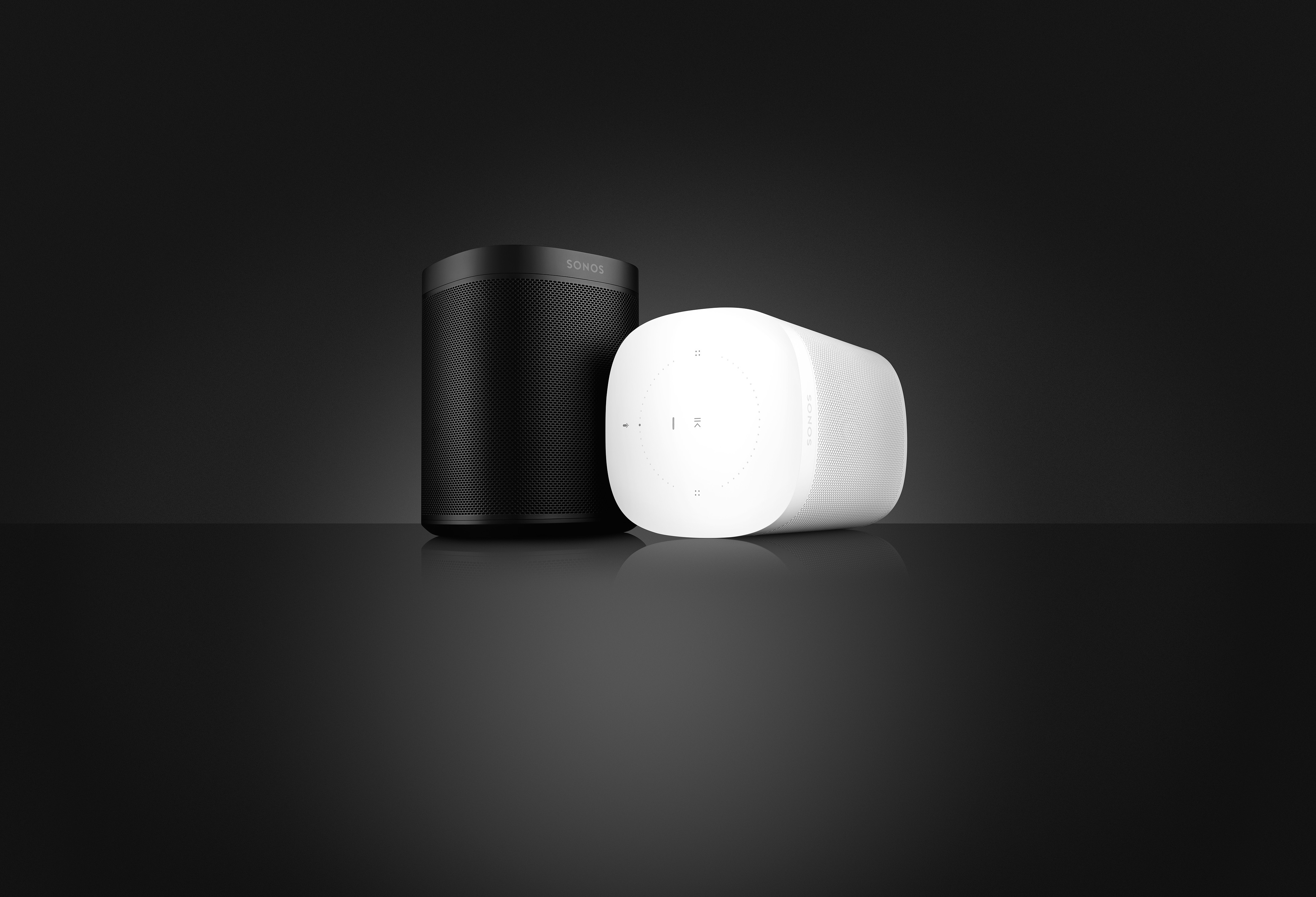
Available on October 24th, Sonos One is the smart speaker for music lovers. It’s everything you expect from a Sonos speaker, and now with built-in Alexa and microphones, you can control your entire Sonos system with your voice.
With seamless control, you can start music with your voice, add songs to your playlist from the Sonos app, and even start playing music from the Spotify app in a different room. Amazon Alexa comes built into the Sonos One, and we’re working hard to include more voice assistants in the future. First up will be Google Assistant.
Sonos One delivers rich, room-filling sound in a compact size. Two Sonos One players can be stereo paired, or become rear surround speakers in a 5.1 set-up. They’ll also be able to control the music on PLAYBASE or PLAYBAR while being set up as surrounds in the home cinema.
Some more details on Sonos One:
Security and Microphones
Your security and data are very important to us, as we said in our blog here. With Sonos One we are keeping to that.
Sonos One is designed with extra security: An illuminated LED indicator light ensures you always know when your speaker’s microphones are active, or turned off. You can tap on the microphone symbol to enable or disable the microphones, the light is always tied to the microphone’s status. For security and privacy reasons, it’s impossible to disable the LED when the microphones are turned on.
Pre-order today on Sonos.com in stunning all black or all white for $199 US (€229 EUR, $299 AUD, $269 CAD, ¥1,680 RMB, 1,699 DKK, 1,999 NOK, 1,999 SEK, $4,999 MEX), available worldwide starting October 24.
Sonos One is voice-ready in the US, UK, and Germany. It’s everything you’d expect from a Sonos speaker to start with, and future-ready for when Sonos and a voice service launch together in your region if you’re located somewhere else.
While you wait, check out our community thread here to get yourself ready for the new Sonos One. Already have Alexa devices in your home? Check out our thread here.
With seamless control, you can start music with your voice, add songs to your playlist from the Sonos app, and even start playing music from the Spotify app in a different room. Amazon Alexa comes built into the Sonos One, and we’re working hard to include more voice assistants in the future. First up will be Google Assistant.
Sonos One delivers rich, room-filling sound in a compact size. Two Sonos One players can be stereo paired, or become rear surround speakers in a 5.1 set-up. They’ll also be able to control the music on PLAYBASE or PLAYBAR while being set up as surrounds in the home cinema.
Some more details on Sonos One:
- We use echo cancellation technology, created by the same engineering team that worked on Trueplay, which allows the speaker to still hear you over the music – even if it’s cranked up to 11.
- The volume will intelligently lower, or “duck” when you speak to it so you don’t feel like you have to shout over the music.
- The speaker includes a six-mic array that forms a beam and focuses on the person speaking to help make sure Alexa understands everything clearly.
- Since this is a Sonos speaker, you can use TruePlay on an iOS device to easily tune Sonos One to sound great no matter where you place it in your home.
- Capacitive touch controls on top, like Play:5 gen2 and the PLAYBASE, that you can tap and swipe. There's also a Mic button that can be tapped, to easily enable and disable the microphones.
- Features a Join button and an Ethernet port on the back of the player.
Security and Microphones
Your security and data are very important to us, as we said in our blog here. With Sonos One we are keeping to that.
Sonos One is designed with extra security: An illuminated LED indicator light ensures you always know when your speaker’s microphones are active, or turned off. You can tap on the microphone symbol to enable or disable the microphones, the light is always tied to the microphone’s status. For security and privacy reasons, it’s impossible to disable the LED when the microphones are turned on.
Pre-order today on Sonos.com in stunning all black or all white for $199 US (€229 EUR, $299 AUD, $269 CAD, ¥1,680 RMB, 1,699 DKK, 1,999 NOK, 1,999 SEK, $4,999 MEX), available worldwide starting October 24.
Sonos One is voice-ready in the US, UK, and Germany. It’s everything you’d expect from a Sonos speaker to start with, and future-ready for when Sonos and a voice service launch together in your region if you’re located somewhere else.
While you wait, check out our community thread here to get yourself ready for the new Sonos One. Already have Alexa devices in your home? Check out our thread here.