
Ryan S
Retired Sonos Staff
August 29, 2018

Introducing Sonos Amp
Related content:Hardware


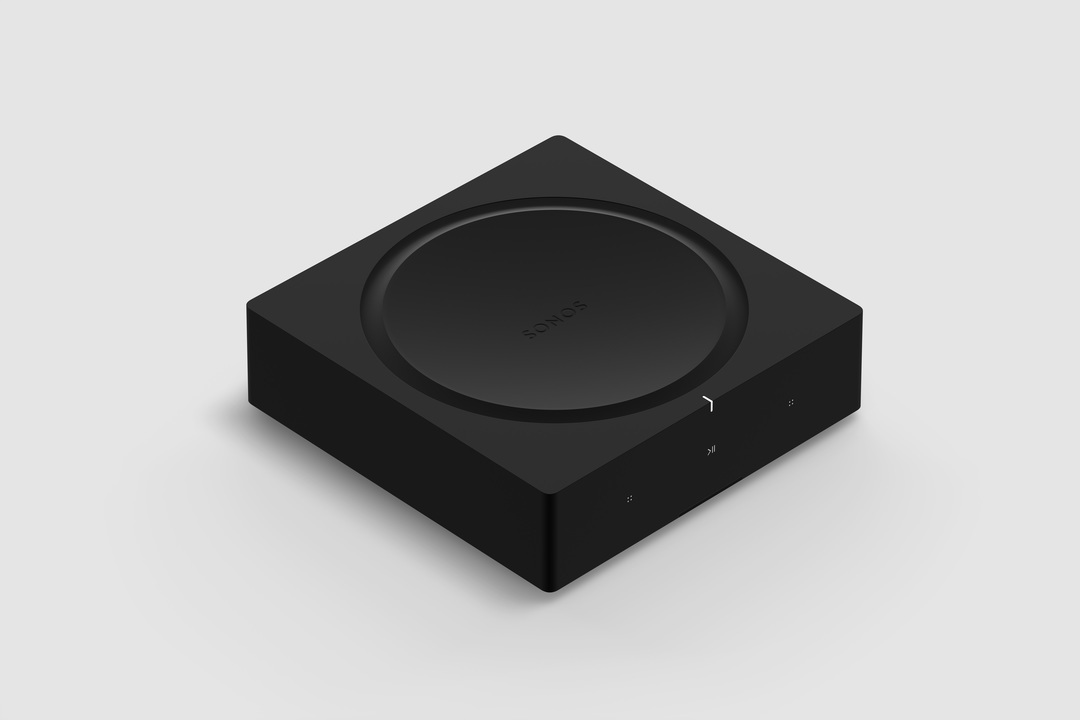
Available starting February 2019, Sonos Amp is the all-new, versatile amplifier to power all your entertainment and bring the sonic content you love to every room of your home. The Amp has been redesigned with more than twice the power of the original Connect:Amp, with more versatility, and will enable new experiences through the platform.

Play your favorite streaming content on Sonos, connect to your TV through HDMI-ARC, or plug into any audio device, including a turntable to power your vinyl collection.

Sonos Amp will fit in any home environment, whether as a compact and elegant solution for in-rack AV installations, wall mounted, tucked under furniture, or on display in a room.

Details and Specs
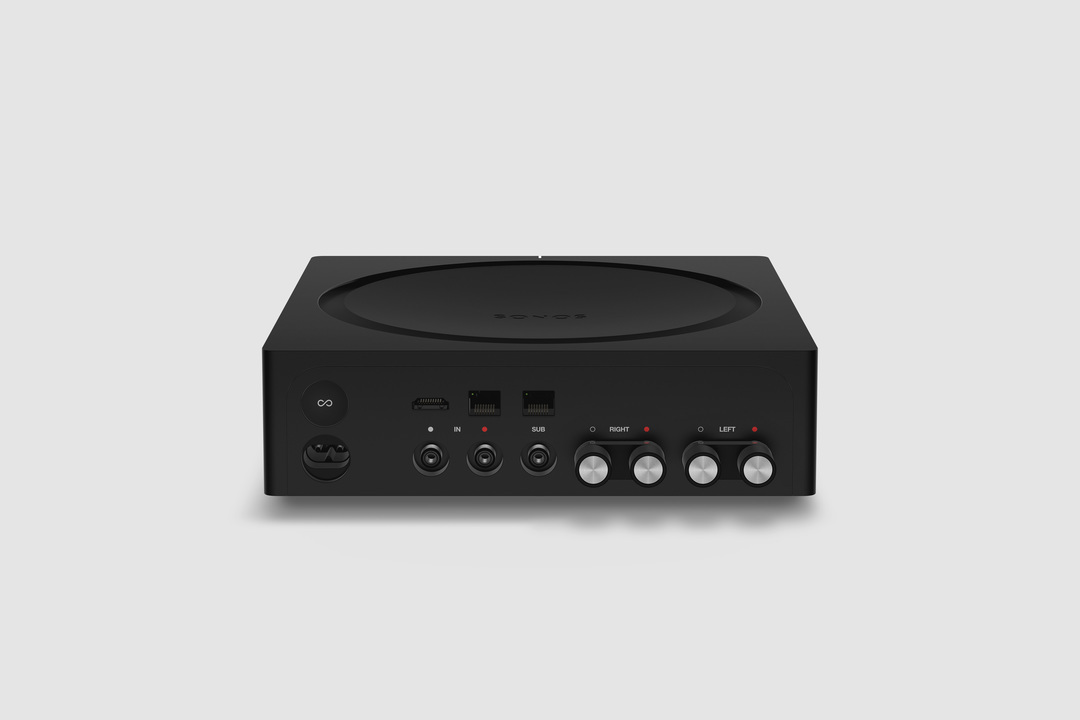


Physical Specs Amp comes in Matte black with black and silver banana plugs all in a standard rack fit size. The dimensions are 8.54 x 8.54 x 2.52 in. (217 mm (w) x 217 mm (d) x 64 mm (h)) and it weighs 4.6 lbs. (2.1 kg). Custom banana plugs that accept 10 - 18 AWG speaker wire and the Class-D digital amplifier sends a maximum of 125W per channel at 8 Ohms.

The subwoofer output is auto-detecting RCA with adjustable crossover (50 to 110Hz).

Capable of using two line-in sources, analog RCA audio input, and HDMI-ARC inputs. Amp plays Dolby Digital 5.1 or PCM stereo sound over HDMI-ARC.

Versatile Design


Use Sonos Amp to power your installed speakers as a separate Sonos room, or bond it with a pair of Sonos Ones, Play:1s, Play:3s, or Play:5s to become a surround sound setup that you can use with your TV. You can also use Amp to add your speakers as rears to a Sonos home-theater setup (by wirelessly bonding an Amp with Beam, Playbar, or Playbase) or use two Sonos Amps (one for the front right and left channels, the other for the rear channels) for surround sound.

The Sonos Amp drives left and right speakers, and it will create a phantom center channel when sent discrete audio for that channel.

Sonos Amp has all the features of Sonos in a powerful package:
  • Sonos supports over 100 services. Choose the ones you want and listen to music, podcasts, radio, and audiobooks. You can also play all the music stored on your computer or other devices.
  • Sonos has built a software platform that enables hundreds of partners and gives our customers unparalleled freedom of choice. Amp features AirPlay 2, access to home automation partners, and voice control when wirelessly connected with Amazon Echo or Alexa-enabled devices, including Sonos One and Beam.
  • Use the Sonos app on your phone or tablet, your TV remote, keypads, AirPlay 2, or your voice with Amazon Echo and Alexa-enabled devices.
  • New APIs and deeper integrations with our platform partners let you create seamless smart home control.
  • Sonos is a system. Start with Amp and expand into more rooms with additional speakers through WiFi.
  • Sonos regularly updates with new features, voice services, and API integrations, so your options are always up to date and improving.


Availability


General availability on February 5, 2019 for $599 USD (£599 GBP, €699 EUR). Early access for installed solutions professionals on December 1 in the United States and Canada. Sign up to be notified of availability on Sonos.com.

For more details, check out our blog post on the Sonos Amp here.

This topic has been closed for further comments. You can use the search bar to find a similar topic, or create a new one by clicking Create Topic at the top of the page.

364 replies

Ken_Griffiths
June 1, 2019
kamilkonrad,

Yes, the Amp can be bonded with the Sonos Sub. The sub can be bonded with any Sonos Room.

There’s no option to swap the Sonos and Passive Speakers, but you could go with say a Sonos Beam at the front and the Amp setup for the rear surrounds instead... or even use two Amps front and rear.

There is no option to use Sonos standalone speakers, Play 1,3,5 etc as the two front speakers in a Sonos HT setup.

I pretty sure you can use a 3rd party powered sub and the Sonos sub at the same time if the Amp is used for the front channels, but you may need to just check that matter as I’m not entirely sure. I understand the sub port is only disabled when the Amp is used for the rear channels.

Yes there are ‘autoplay’ (switch) setting options (and room grouping options) for both the HDMI-ARC source and the line-in audio source.

i don’t think it comes with the HDMI to optical converter ... that is available to purchase separately.

There is no switch to turn off the phantom centre channel when playing a 5.1 Dolby Digital source... maybe switch the paying source to PCM stereo ...and of course it does not Apply to PCM audio, nor music audio.

Hope I’ve managed to cover all your points.
Lyricist I
June 1, 2019
I'd like to use the Sonos Amp to power some old floor standing Cerwin Vega speakers which I have running at 4Ohms. Can I bridge the right and left channels to run mono at 4Ohms without causing damage to the amplifier of the Sonos Amp? Is it stable at 4Ohms?


Moderator edit: removed invalid link
Ken_Griffiths
June 1, 2019
I'd like to use the Sonos Amp to power some old floor standing Cerwin Vega speakers which I have running at 4Ohms. Can I bridge the right and left channels to run mono at 4Ohms without causing damage to the amplifier of the Sonos Amp? Is it stable at 4Ohms?I'd like to use the Sonos Amp to power some old floor standing Cerwin Vega speakers which I have running at 4Ohms. Can I bridge the right and left channels to run mono at 4Ohms without causing damage to the amplifier of the Sonos Amp? Is it stable at 4Ohms?

The guide for the Sonos Amp says ...The speakers’ power rating should be at least 125W for 8 ohm speakers, and at least 200W for 4 ohm speakers. Do not connect speakers that are rated at less than 4 ohm.

So my thoughts are you should be fine to connect those and there is a mono option too, if you prefer that.
Lead Maestro
June 3, 2019
Does setting the Amp to dual-mono mode in any way effect the line-in inputs? For example, if I plug a turntable into the line-in inputs on the Amp and the Amp is in dual-mono mode, will the sound played throughout the house on other Sonos speakers play in mono or stereo?
"Receive with simplicity everything that happens to you." - Rashi
Lyricist I
June 5, 2019
Does Amp support HDMI-eARC?
Ken_Griffiths
June 5, 2019
Does Amp support HDMI-eARC?
It’s an HDMI-ARC port, but any TV with HDMI-eARC is backward compatible with the HDMI-ARC standard.
Contributor I
July 1, 2019
Do not buy! I made the mistake and bought the amp with the external speakers only to find out that the Sonos app is designed to not emit any sound from the speakers until the volume slider is about 80% of the way up. Only then does sound start to trickle out from the speakers with very little room to increase the volume. When I submitted a ticket to support, they told me that this is the way Sonos designed the app with this exact sound curve. However, they were happy to hear from me. They can't be serious! Who would want to get NO SOUND from the amp and speakers combo until the volume was turned up 80%?
Ryan S
Ryan SAuthor
Retired Sonos Staff
July 1, 2019
@olympicref, that doesn't sound right. From most setups you can get audio at around 2% of the audio curve, for most players. Some of the Sonos players people have complained that the lowest volume setting is too loud.

What kind of speakers are you using and what kind of power draw/ratings do they have?

Make sure that in the Sonos app, you don't have the max volume set really low. This is under Settings > Room Settings > Room name.
Mark good posts by pressing the like button, and select the best answer on questions you've asked to help others find solutions.
Contributor I
July 1, 2019
i am using the Sonos Amp along with the Sonos External Speakers. I will check the volume setting later when I'm at home with my Sonos system. However, Sonos Support wrote the following to me:

"Hello Stephen.

The volume curve is currently set up this way to emphasize listening at regular levels with a substantial increase at louder volumes in the upper range of the curve.

This is by design and is not a defect or flaw. We always take user feedback on-board and we can submit a feature request to our Product Development team if you'd like to request a different volume curve.

We hope this answer your questions an please send us a reply if you need any further assistance."

They deliberately designed the app not to emit any volume until the slider reaches about 80%.
Airgetlam
July 1, 2019
Seems like there's some sort of misunderstanding, to my knowledge, that's not the way it's supposed to work. As Ryan already indicated, it might be helpful to know exactly what brand and model of the speakers you're using, along with the size of the speaker wire, and the length involved.

Since Ryan has already suggested looking at the the controller route, I'd also be looking at the opposite side, and suggest the speakers don't match the impedance rating of the Sonos Amp.
Bruce