
Beam Me Up: A Deep Dive into Beam Ultra 🔊
Greetings everyone 🖖
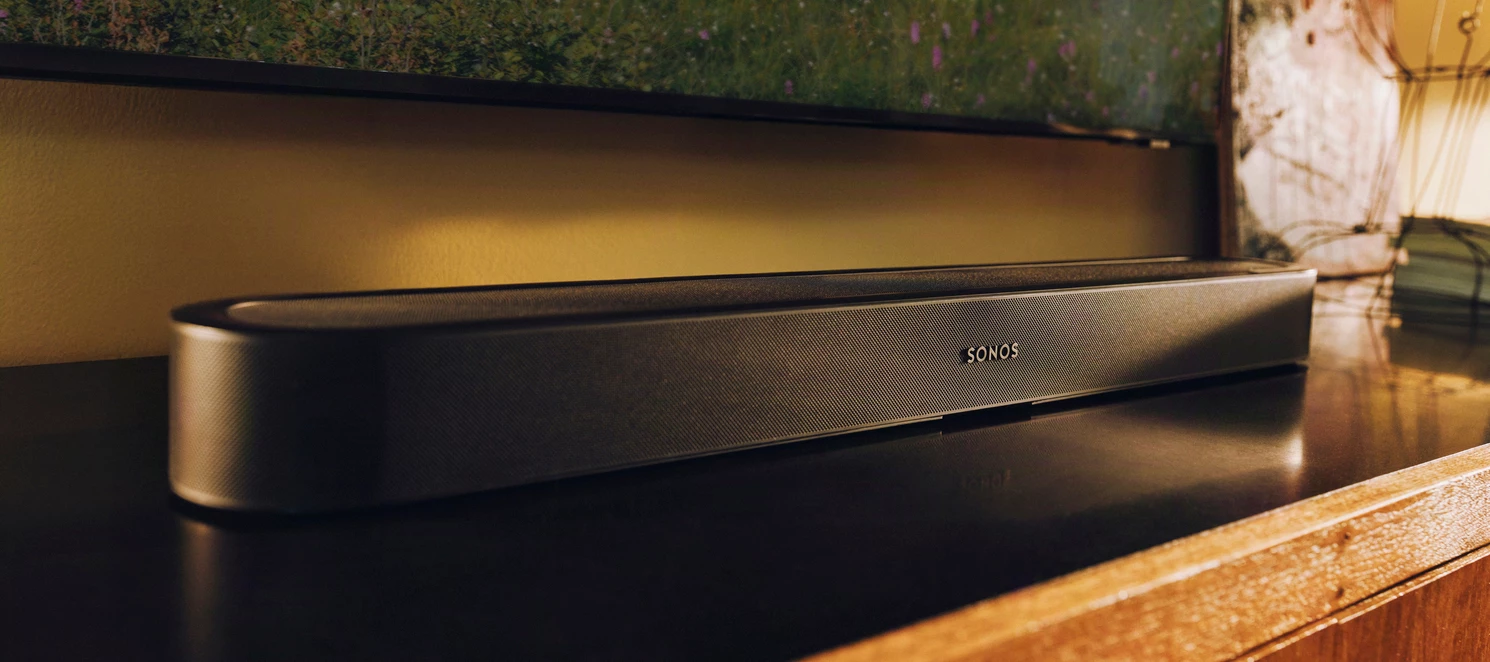
I've been looking forward to this one for a while. We recently announced a whole bunch of really cool new stuff coming soon, including the Beam Ultra.
As always, this is a deep-dive for the nerds like me that want to dig into the details. Everything here comes from my own time with the product, and any mistakes in this post are strictly my own. So grab a snack and get your questions ready. Ask them in the comments, and let me know if I missed anything 🍿
TL;DR
- Sonos Beam Ultra is a 7.1.2 Dolby Atmos soundbar with two dedicated up-firing drivers, for TVs up to 65".
- $699 USD (€699 / £699 / $1,099 AUD / $1,299 NZD). Pre-orders are open; it ships September 29, 2026 in matte black or white.
- New vs. Beam (Gen 2): physical height channels, AI Speech Enhancement (four levels), Bluetooth 5.3, quick Trueplay on Android, WiFi 6, portable surrounds with Sonos Play or Move 2.
- Beam (Gen 2) stays in the lineup at $499.
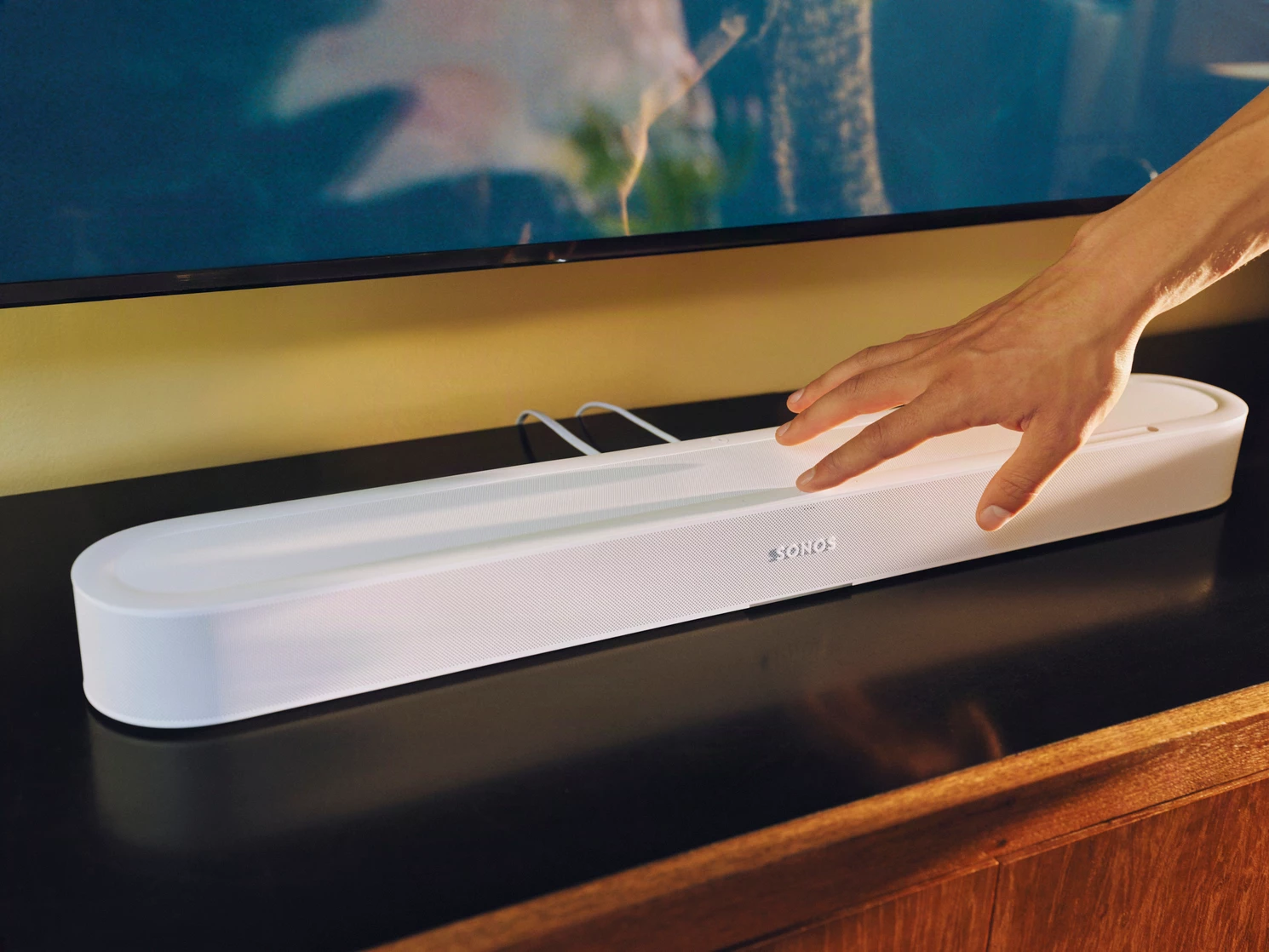
Beam Ultra vs. Beam (Gen 2) vs. Arc
The question I've been seeing the most this week is how Beam Ultra stacks up against the rest of the lineup, like Beam (Gen 2) and Arc. Here’s a comparison chart that should answer the basics.
| Feature | Beam (Gen 2) | Beam Ultra | Arc (Original) |
| Price | $499 | $699 | $899 (Original MSRP)* |
| Physical Width | 25.6 in (651 mm) | 29.5 in (750 mm) | 45.0 in (1142 mm) |
| Channels | 5.0 (phantom height) | 7.1.2 (physical height channels) | 5.0.2 (physical height channels) |
| Up-Firing Drivers | None | 2x Dedicated (horn-loaded) | 2x Dedicated |
| AI Speech Enhancement | ❌ (standard Speech Enhancement only) | ✅ (On-device AI Model) | ❌ (standard Speech Enhancement only) |
| Bluetooth Audio | ❌ (Wi-Fi / AirPlay only) | ✅ Bluetooth 5.3 | ❌ (Wi-Fi / AirPlay only) |
| Trueplay Tuning | Advanced (iOS Only) | Quick (iOS & Android) + Advanced (iOS) | Advanced (iOS Only) |
| Compatible with Portable Surrounds (Move 2 & Play) | ✅ | ✅ | ✅ |
* Arc’s MSRP listed for comparison. We no longer sell the original Arc directly, and retail inventory is often discounted — worth pricing out if it's on your list.
Of course, specs alone don’t tell the full story. I’m sure that many of you are asking, is it worth it to upgrade? My honest answer is that it depends. Some things to consider in making your decision:
- If you own a Beam (Gen 2): This is the upgrade to make if virtual height ever bothered you. You get physical upward-firing drivers, Bluetooth 5.3, machine learning-powered dialogue boosting, and Quick Tune for Android devices. And in my experience, there’s a noticeable improvement in audio quality. So even those that don’t watch a lot of Dolby Atmos content will likely still hear a difference.
- If you own an Arc: The original Arc is still a powerhouse with a wider soundstage for larger rooms and 65"+ TVs. Beam Ultra doesn't match the raw output power of Arc, but it does add a bunch of features that Arc doesn’t have, like Bluetooth, AI Speech Enhancement, and Android quick tuning support. If Arc fits your room, keep enjoying it. If you want these new features or are adding Sonos to a new room, Beam Ultra is the way to go.
- If your room is big, your TV is 65"+, and the budget stretches, Arc Ultra is the answer: 9.1.4, 14 drivers, and it has AI Speech Enhancement and Bluetooth 5.3 too.
Connections & Controls
- HDMI eARC/ARC port. The included cable is 4.9 ft (1.5 m). Optical works via the Sonos Optical Audio Adapter, sold separately.
- My two cents: if you’re using the optical adapter, you’re not getting the most out of Beam Ultra. Beam (Gen 2) would save you some money and give a comparable experience.
- USB-C. Takes either the Line-In Adapter (3.5 mm analog in) or the Combo Adapter (3.5 mm analog in + ethernet), both sold separately. The port also puts out 7.5 W (5 V / 1.5 A) for charging a phone or headphones. It's an adapter port, though. A straight USB-C-to-USB-C cable from a laptop isn't a supported audio source.
- Sonos Voice, including the new Sonos 27voice. I’ll have a deep dive for you on this later.
- WiFi 6 802.11a/b/g/n/ac/ax, 2.4 GHz / 5 GHz.
- Bluetooth 5.3. Pair by press-and-hold on the Bluetooth button, or in the app via Settings → (Beam Ultra) → Bluetooth → Pair new device.
- AirPlay 2 on iOS, requires 11.4 or higher.
- TV Audio Swap. Send TV audio to Sonos headphones — up to two pairs at once.
- We’ve got dedicated posts coming for Ace Ultra and headphone linking, stay tuned.
- Capacitive touch controls on top for play/pause, skip, volume slider, mic on/off, and tap-and-hold grouping.
The Nine (Drivers)
Under the hood, a quad-core A55 at 1.9 GHz drives nine custom transducers, each with its own dedicated Class-D amplifier:
- 1x Forward-firing Mid-Tweeter: Handles the center image.
- 2x Side-firing Horn-loaded Mid-Tweeters: Directs sound outward for stereo separation.
- 2x Upward-firing Horn-loaded Tweeters: Fires physical height channels for Dolby Atmos.
- 4x Low-profile Woofers: Handles mid-bass and low frequencies.
That 7.1.2 is seven ear-level channels, one bass, and two height…ten channels out of nine drivers, so the DSP is doing real work alongside the hardware.
To learn more about the development of our custom transducer, I asked Kylie Muntean from our Product Team. Here’s what she said:
During development, Beam Ultra was challenged to have a slimmer profile that makes it less tall compared to Beam. In order to do this, while still improving our bass output, we had to design a very challenging woofer with a more rectangular profile that has more displacement capabilities than Beam's original woofer. This took a long time for us to dial in, but the end result has amazing bass with minimal distortion, better spatial capabilities in arraying across woofers in the mid frequencies, and the desired slim profile within the industrial design target.
- Kylie Muntean, Lead Audio Systems Engineer
The directional horn loading on the side and upward-firing drivers is another part I'd call out. A horn is a passive, impedance-matching device. We’re trading physical depth for tight directivity control. It aims a beam (no pun intended) at the ceiling tightly enough that the reflection lands where the Atmos mix wants it. A bigger box would do that work with sheer volume. This one does it with geometry 🤓 As someone that’s passionate about the potential that spatial audio unlocks, especially for music…this one’s a big one for me.
Above You, Actually
The ceiling bounce from those dedicated upward-firing speakers is one of the big improvements. Beam (Gen 2) renders height virtually (Beam Ultra can too, in a pinch…more on that below). Beam Ultra has dedicated transducers pointed at your ceiling, and the reflection is real.
Booting up the lobby shootout scene in The Matrix, the sound of the brass casings hitting the stone floor genuinely feels like it is raining down from above the TV. The same goes for the NYC race in Ready Player One; when King Kong swings between the skyscrapers, the vertical panning tracks perfectly overhead. As Neo says…whoa 🤯
Overhead Sound Mode
If your setup requires tucking the bar inside a media console with less than 4 inches (10 cm) of clearance above it, we've got your back. Physical up-firing drivers only work if there's air above them. If Beam Ultra ends up inside a cabinet or tucked under a low-clearance TV, that ceiling bounce has nowhere to go, so there's a setting for it.
Settings → (Beam Ultra) → Height Audio → Overhead Sound Mode lets you switch to Simulated, which optimizes the overhead effects for an obstructed top instead of firing into whatever is directly above the grille. We recommend this setup when the space can't accommodate 4 inches (10 cm) above the top of the speaker.
All that being said, if you have the space, give it the room. Leave some breathing room at the sides and front too, since those side-firing drivers need somewhere to go. Drop the shields (or the cabinet doors) and let those two upward-firing drivers engage.
Surrounds on the Go
We’ll dig deeper into this in a future post, but one of my favorite new features of Sonos 27 is that you can use two matching Sonos Plays or two Move 2s as temporary rear surrounds. The speakers sense they've moved and use high-frequency near-ultrasonic pulses to find the soundbar.
The Beam Ultra's mic array listens for those pulses, works out where each speaker is sitting, and assigns surround left and right in about eight seconds. Like a very small away team beaming into your living room and sending back its coordinates.
Things worth knowing up front:
- Both speakers must match: two Plays or two Move 2s, not one of each
- They act as rear surrounds only…we know you’re looking forward to front surrounds when they’re ready
- Your primary must be a Beam (Gen 2), Beam Ultra, Arc, or Arc Ultra, with the microphone enabled. The microphone does the work, so the mic switch has to be on.
- While bonded, Bluetooth, Line-In, AirPlay, and Direct Control are disabled on those speakers
Portable surrounds start rolling out September 8, ahead of Beam Ultra itself. More to come.
AI-Assisted Speech Enhancement
AI Speech Enhancement comes together thanks to a redesigned center channel, and the app gives you four levels to choose from. Instead of applying a fixed EQ curve to the whole mix, the AI detects human voices and lifts them relative to everything else in the signal. If you want to nerd out on how the model works, the Sonos Tech Blog wrote it up when we debuted the feature on Arc Ultra. To our users impacted by hearing loss, this one’s for you 🫶
I found myself sticking with Medium for daily viewing. Vocals come forward without the background track turning to mud. I did also spend an evening on Max, and that's the level that has me most excited for our hard-of-hearing users. Dialogue takes full priority and everything else steps back. The feature was originally designed with the RNID and people with hearing loss. Hearing loss impacts hundreds of millions of people around the world, and I have family and friends amongst them. I take pride knowing that our team keeps that in mind while building our products.
Note: Speech Enhancement is a TV-audio feature. It works on what's coming in over HDMI or optical, and it won't touch your WiFi, AirPlay, or Bluetooth streams.
Honest Limitations To Be Aware Of
Every product has these, and this crowd finds them sooner than later anyway. Better you hear them from me.
- No HDMI Passthrough: Single HDMI eARC port only. Sources must route through your TV.
- New Wall Mount Required: Beam Ultra is larger than Beam (and smaller than Arc), so the older mounts are incompatible and pose a physical falling hazard.
- No Included Optical Adapter: If your TV lacks eARC/ARC, you'll need the adapter, sold separately…we left it out of the box to cut e-waste, but I know that can be frustrating for those that need it.
- DTS:X Unsupported: We support DTS Digital Surround, but not object-based DTS:X.
- Advanced Trueplay is iOS Only: Quick Tune (using internal mics) works on both iOS and Android, but Advanced room-walk tuning requires iOS or iPadOS.
- The Serial Number and PIN are Tucked Away: They can be a bit tricky to find, especially if mounted. Luckily you shouldn’t need these often, if ever.
Fun Facts ⬇️
- One of my favorite parts about Beam Ultra is the material design. It feels like a premium, durable build, but it’s still inviting to the touch. I find myself using the hardware controls quite a bit, which is nice when you’re nearby and want to slide the volume up or down.
- Even with the premium build, we're still committed to sustainability. Beam Ultra is made with 24% recycled materials — nearly half of its plastic replaced by recycled alternatives — and the packaging is plastic-free, 96% renewable materials, and FSC certified.
- Beam Ultra uses 25% less energy when idle than Beam (Gen 2). A wider bar with nearly twice the drivers that sips less at rest.
- That mic array is busier than it looks: voice control, Trueplay measurement (it's what Quick Tune actually listens with), and the near-ultrasonic receiver that finds your portable surrounds. Flip the mic switch off and all three go with it.
I know that’s a massive wall of info, so if you have any thoughts, questions, or feedback, let me know! I'll be hanging out in the comments to join the discussion and help answer whatever I can. If there's something I don't know right away, I'll chase it down with the engineering team.
Live long and pre-order now 🖖