Contributor I
November 22, 2020
Answered

Set up of Sonos Move

  • November 22, 2020
  • 18 replies
  • 8379 views

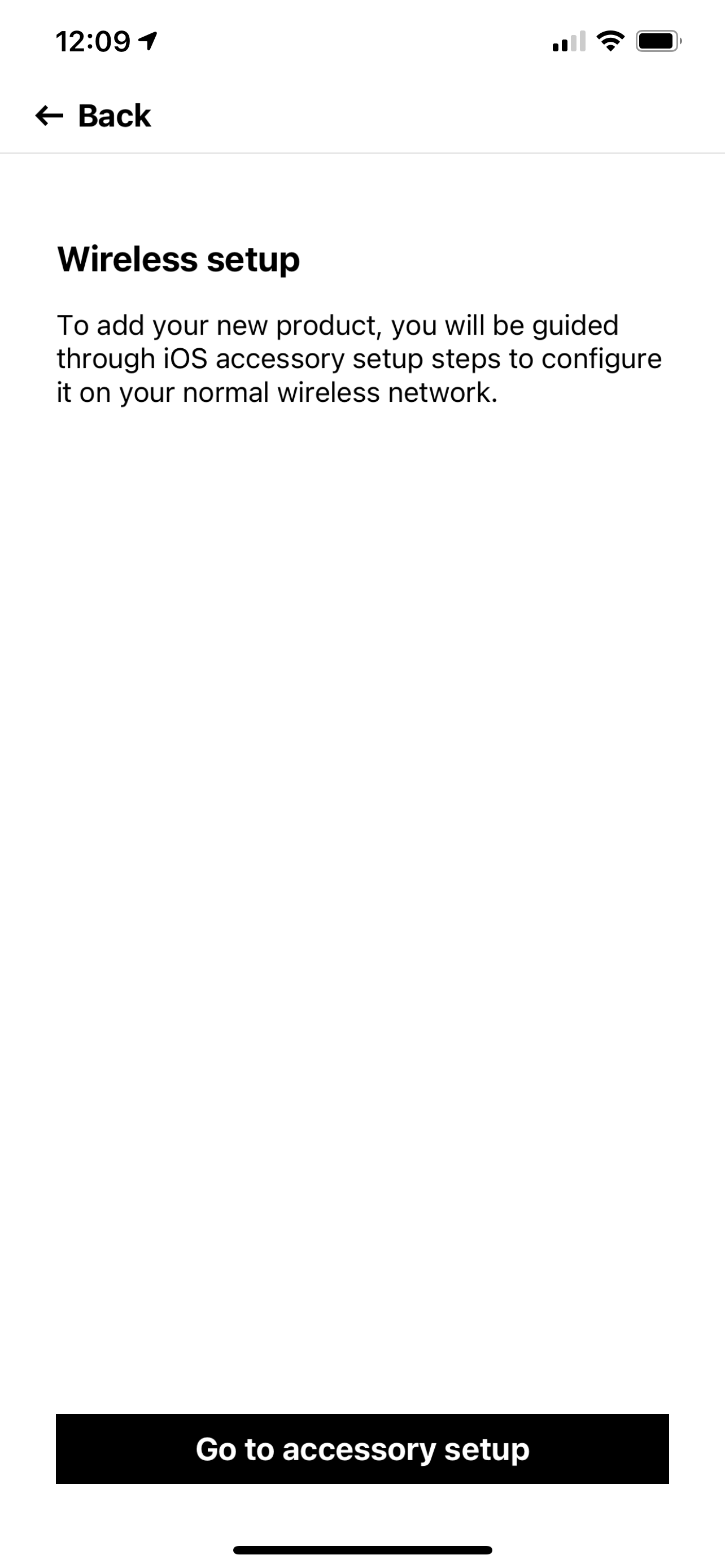
I’m trying to set up Sonos Move and I can’t get past the wireless set up. The button at the bottom that says “go to accessory setup” does work. I tried to go to Apple Home and add and it’s not showing up  
 

This topic has been closed for further comments. You can use the search bar to find a similar topic, or create a new one by clicking Create Topic at the top of the page.
Best answer by RH11716

My son helped me figure this out, thought I would share with group.  If you are using iOS 14, if you get this problem go into iPhone Settings App, then WiFi.  You should see a SONOS Move device and connect it to your WiFi network there.  That links the Move to your WiFi.

Once that is set up, repeat the Move setup process in the Sonos app, and you should now be able to get it set up. 


18 replies

mikegunnill
Producer I
November 29, 2020

My son helped me figure this out, thought I would share with group.  If you are using iOS 14, if you get this problem go into iPhone Settings App, then WiFi.  You should see a SONOS Move device and connect it to your WiFi network there.  That links the Move to your WiFi.

Once that is set up, repeat the Move setup process in the Sonos app, and you should now be able to get it set up. 


Thank you and your son. That worked!

Can I add my thx as well. A big help, thank you both.

Mike Gunnill
mikegunnill
Producer I
November 29, 2020

Extra feedback on Move.

It arrived today, Sunday 29/11/2020. Installed like a dream via the Sonos 2 iOS app. Took all of 10 minutes and most of that was unpacking! I needed a software update to use Move besides this, everything was installed and working very quickly. I just need some fine weather so I can try Move out in the garden. No issues/problems.  Thank you for your feedback and comments on here, it does help.


Mike Gunnill
Lovetoflyfish
Contributor I
November 29, 2020

Try the following...


Lyricist I
December 14, 2020

Thanks for the help here, especially Lovetoflyfish which let me reset and then re-register my Move. The problem I experienced was that it set up OK the first time but when I switched to Bluetooth and back to WiFi I was no longer able to see it in the S1 app. It was still on the wifi network because I could press the Play button on the top and continue to play from Spotify, but I couldn’t see it in the app to set up a new playlist or change source.

Has anyone else had problems moving between WiFi and Bluetooth?

Trending Lyricist I
January 12, 2021

the ios wifi accessory setup on its own appears to do something?  but sonos device setup still refuses to get past the accessory setup page.  the button does nothing.  i tried it right next to the router, right next to where my machine is on the same 2.4 or 5GHz network, in 2 other places.  the button does nothing

Lovetoflyfish
Contributor I
January 12, 2021

Have you previously paired your Move via Bluetooth? 

Are you on a "Guest" network? 

And if you have other Sonos speakers, are any on "Guest" or is at least one networked so all (other than the Move) are on their own SonosNet?

Keep a little distance (4'+) from the router, BTW.

Trending Lyricist I
January 12, 2021

ok.  it appears 5GHz is the problem.  WHY sonos hasn’t figured this out, and reports to you when you are on different networks is beyond me.  After turning off 5GHz (AC) on my router, the setup works better.  but i have S1 required devices on my sonos network, so i have that other problem where the app just wants to upgrade to S2 but i can’t.  

anyway, for all of you having trouble, it might be you have to turn off 5Ghz, setup the sonos device, then you can probably turn 5Ghz back on.  

@Lovetoflyfish no, i hadn’t previously paired to move via bluetooth.  the sonos docs say this isn’t possible without setting it up via wifi first (which is inane).

Trending Lyricist I
January 12, 2021

FYI all.  a sonos support chat revealed there is an ios 14.2 bug that prevents the accessory setup from working.  i accomplished it from my macbook where the device popped up in… Airport Utility of all places. that got the Move on my wifi, then i went through the normal sonos add Product workflow in the Sonos app to get it registered and in the Sonos network.

You can supposedly do the accessory setup via an android phone as well, then return to the Sonos app in ios to complete setup, like i did with my macbook and iphone.
