Contributor I
May 29, 2023 4:50 PM UTC
Answered

roam not connecting to new wifi

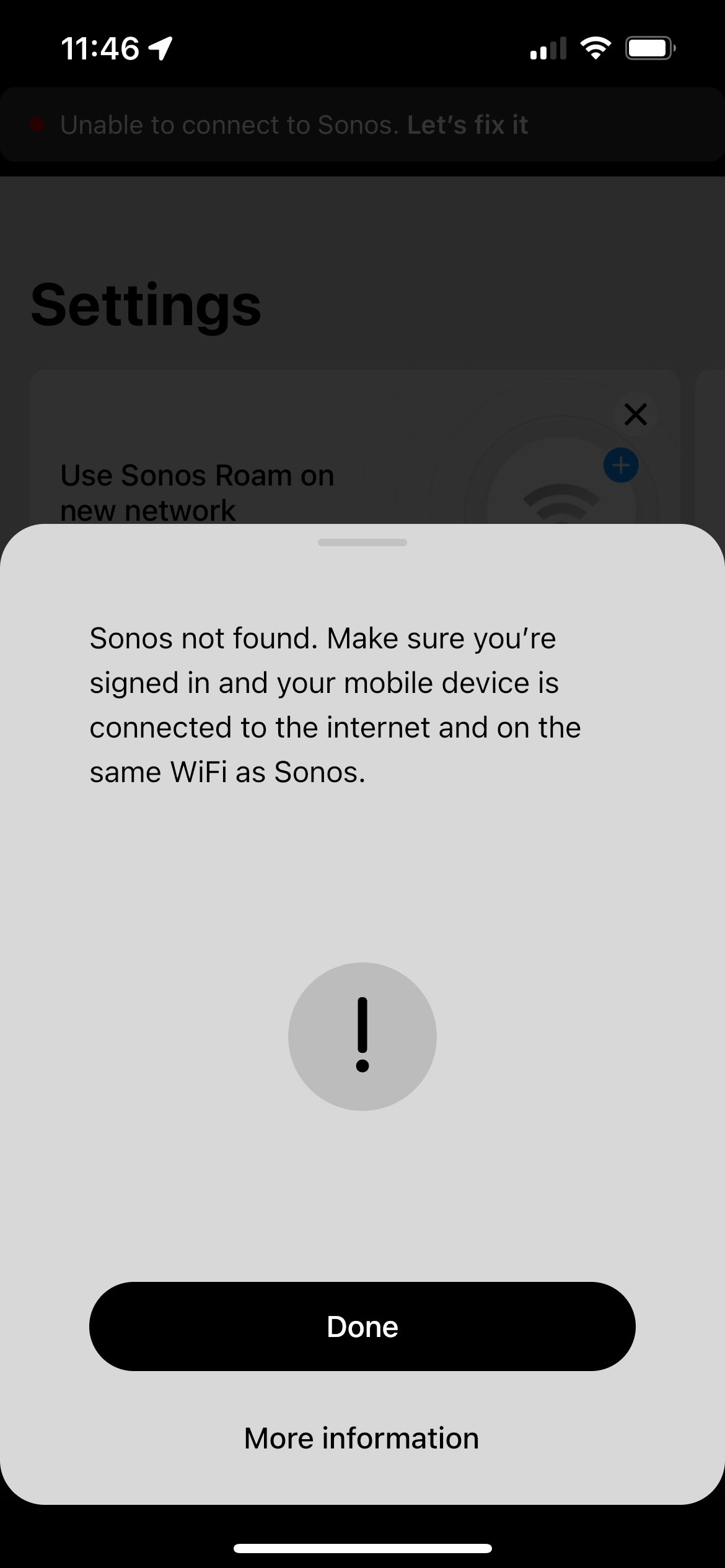
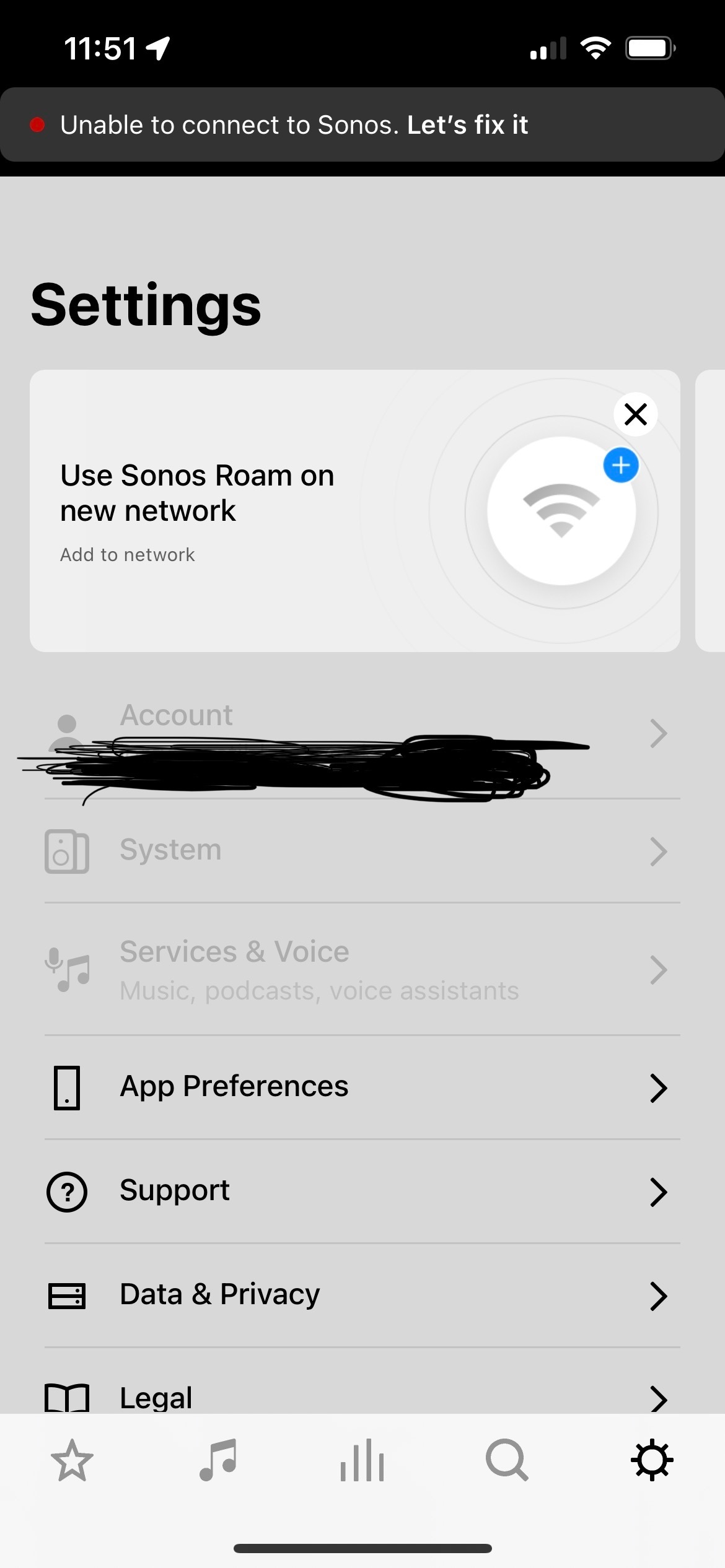
Moved to new house, new wifi.  Settings has top 3 options (including “system” grayed out).  Says “unable to connect to Sonos let’s fix it” and “use sonos roam on new network”.  I’ve tried both of these options and followed the instructions.  Eventually they both say: “Sonos not found. Make sure you're signed in and your mobile device is connected to the internet and on the same WiFi as Sonos.”  All of that is accurate except sonos is obv not on the same wifi as my phone — that’s precisely the point I’m trying to resolve, so I don’t really understand that error message.  Have spent over an hour on this and have computer science background; not sure what I’m missing here.


help please, and thank you so much in advance!!
 

This topic has been closed for further comments. You can use the search bar to find a similar topic, or create a new one by clicking Create Topic at the top of the page.
Corry P
Corry PAnswer
Sonos Staff
Jun 1, 2023 3:40 PM UTC

Hi @jcast 

Welcome to the Sonos Community!

I can see how this would be very annoying, so let’s see what we can do to get your Roam connected again….is what I was going to say until I looked just now and saw that your Roam is currently online.

Are you still having any problems with it, or is it all sorted out now?

If the former, and the Sonos app won’t connect to your speaker, I recommend you reboot your router by switching it off for at least 30 seconds, rebooting your phone/tablet, and turning off any WiFi Boosters or Extenders you may have.

It may also help to force the Roam to do a full reboot by holding the power button for around 12 seconds.

Otherwise, I recommend you get in touch with our technical support team who have tools at their disposal that will allow them to give you advice specific to your Sonos system and what it reports.

I hope this helps.


"Common sense is the collection of prejudices acquired by age eighteen." - Albert Einstein

16 replies

Ken_Griffiths
Sep 11, 2023 10:45 PM UTC

We tried these options last night and it cannot be found. Rebooted, reset, nothing. Also tried the support link but again, it tells you to use the settings you cannot get to. Someone needs to fix their fix…clearly it’s not just me.

I created a mobile WiFi hotspot with an SSID named ‘RoamdoesRoam’ (just as a test😀) and was able to add the Sonos Roam to that nearby WiFi… so perhaps it’s an issue with the new (remote) router or it’s settings that you’re trying to connect to?

I was using an iPhone XR as the controller device.


Translate
Lyricist III
Sep 12, 2023 12:02 PM UTC

I finally had a chance to try connecting my Roam this morning after being pretty annoyed for the past month.  I brought it to work with me and after a few attempts I was able to successfully connect it to my work network.  I simply followed the on screen prompts and after a few unsuccessful attempts it did connect.  Not all hope is lost. 

Translate
Lyricist II
Sep 13, 2023 1:46 PM UTC

The big difference again, your account is finding your device. Like others have stated and same for me, it is not finding mine even when following all the prompts. 😂 im using iPhone 12 Pro.

Translate
Ken_Griffiths
Sep 13, 2023 2:14 PM UTC

The big difference again, your account is finding your device. Like others have stated and same for me, it is not finding mine even when following all the prompts. 😂 im using iPhone 12 Pro.

Did you perhaps ‘hide’ the Roam in your controller app/account whilst it was offline and before setting off on your travels, maybe that’s the issue? Not that I’ve ever tested that myself, but just as a thought🤔?

Translate
Lyricist II
Sep 16, 2023 4:08 PM UTC

No, did not change any settings whatsoever.

Translate
Ken_Griffiths
Sep 16, 2023 4:15 PM UTC

No, did not change any settings whatsoever.

Strange, whenever I add a new network, it scans and finds all my products in each of the Sonos Households under my login credentials? If you perhaps have a fault in that regard, you might need to contact Sonos Support Staff to resolve it. If you goto Sonos.com and login to your profile with the same credentials in use by your App, you should see the devices in your ‘system’ tab too.

Anyhow here is the link to contact Sonos Support, if needed: 

https://support.sonos.com/s/contact

Maybe upload a screen-capture video to the Support Staff of the households and devices you see when the scan has occurred.


Translate