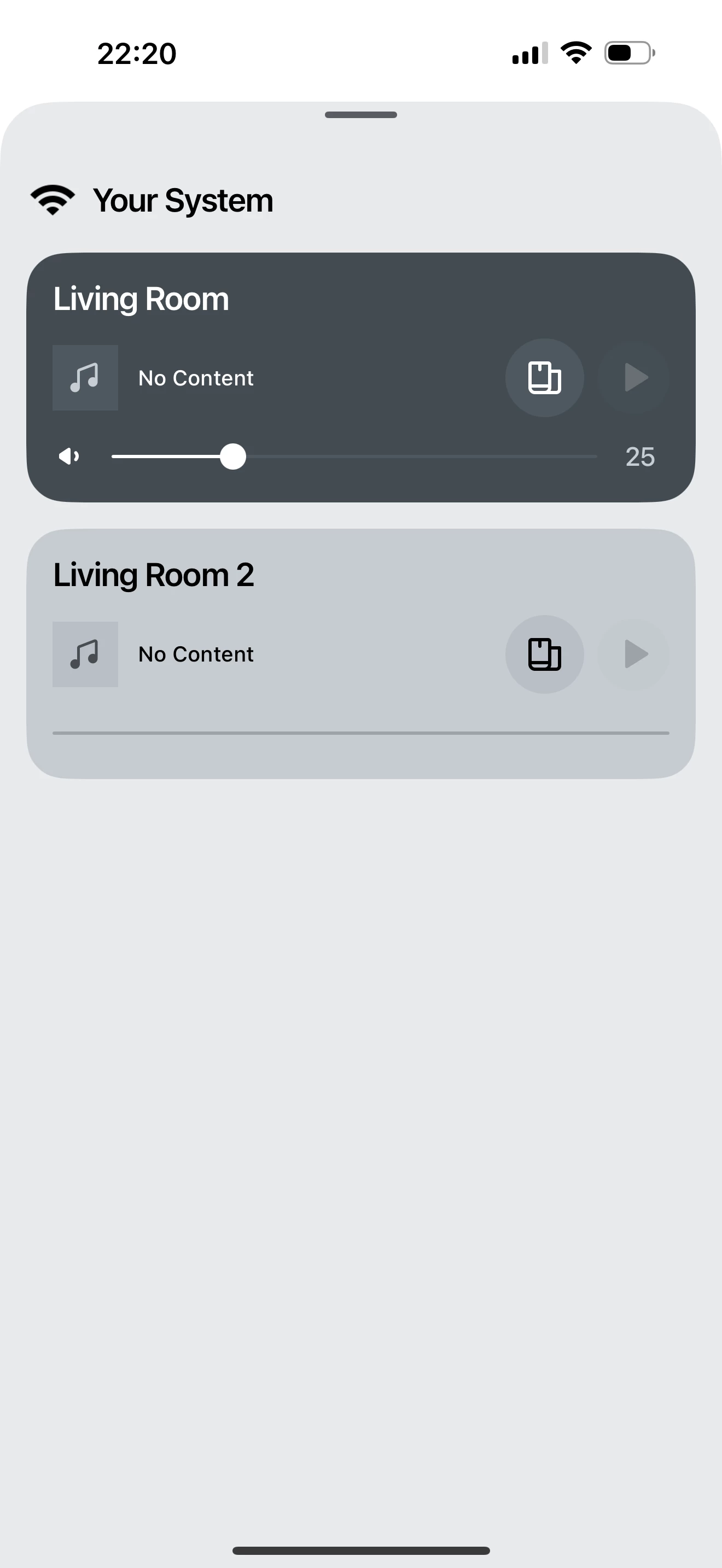
I have had surround set up for years. It’s stopped working however. I have reset all speakers but it will not allow me to reset up surround, I have a beam, One SL and One in the living room (although only two shown in picture). I cannot add them all to living room to create a surround again. The app is also not showing the kitchen speaker even moments after completing setup.
Best answer by Pools-3015
Power off your speakers then power off your router/network for 5 minutes. This would also be a good time to reboot your phone as well. Power on your router/network and allow it to settle into a working state. Then power on the speakers starting with the Beam, the the others.
Sometimes a reboot is all that is needed to get things working again.
This topic has been closed for further comments. You can use the search bar to find a similar topic, or create a new one by clicking Create Topic at the top of the page.
Power off your speakers then power off your router/network for 5 minutes. This would also be a good time to reboot your phone as well. Power on your router/network and allow it to settle into a working state. Then power on the speakers starting with the Beam, the the others.
Sometimes a reboot is all that is needed to get things working again.
Factory resets rarely help. Only do them at Sonos’s direction. If your One/One SL is a stereo pair in living room2, separate them into 2 rooms, then add them as surrounds to Living Room1.
Factory resets rarely help. Only do them at Sonos’s direction. If your One/One SL is a stereo pair in living room2, separate them into 2 rooms, then add them as surrounds to Living Room1.
Haven’t had chance to try any other fixes yet, neither are are Stereo nor part of a surround at the moment though!