
Trending Lyricist I
Dec 28, 2022 4:55 PM UTC
Answered

Stereo PCM

Losing the will to live here. I Have Sonos Beam Gen2 and I cannot have any sound other than stereo pcm. My tv is PHILIPS - 50PUS7855 50" 4K . I have a hdmi 4k cable. I am using both the standard TV, Netflix and 4k blu Ray player and they're all playing stereo pcm only. I have set the audio to multichannel (bypass). Why is this happening?


Any help greatly appreciated. 


This topic has been closed for further comments. You can use the search bar to find a similar topic, or create a new one by clicking Create Topic at the top of the page.
t00tAnswer
Trending Lyricist I
Dec 28, 2022 9:38 PM UTC

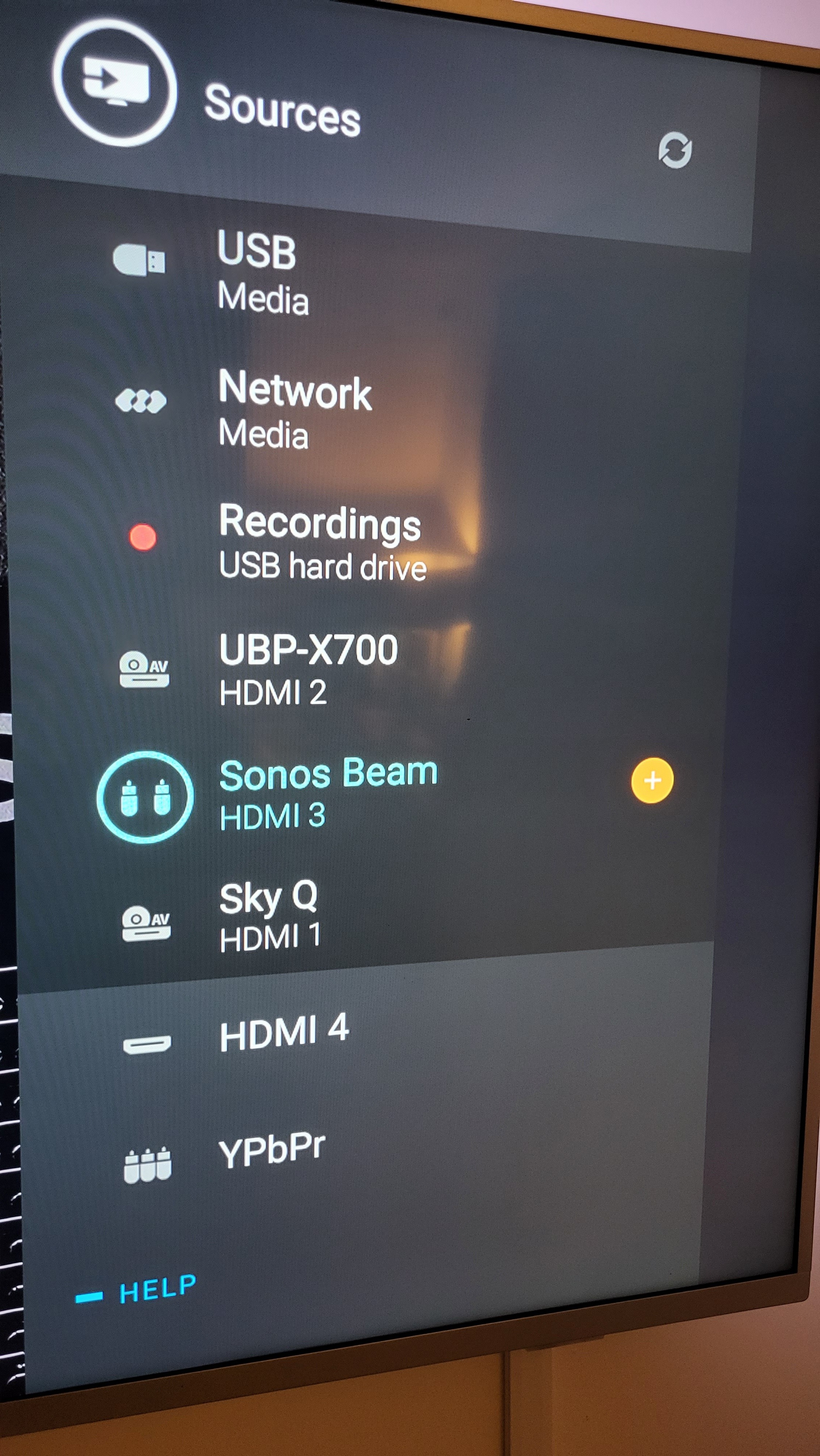
I've attached a photo of all the hdmi connections, not sure if this helps in anyway. 

47 replies

Lyricist III
Feb 23, 2023 8:00 AM UTC

No. The Sonos input is only on the ARC/eARC pins, and not the standard audio pins for HDMI. 

So the Sonos doesn't have HDMI/ in on it's side for direct connection to devices?

Your profile says you have an Arc: does yours have one?

Well It's part of the requirements to register. But I wanted to just answer the author's question 

Translate
106rallye
Feb 23, 2023 8:22 AM UTC

No. The Sonos input is only on the ARC/eARC pins, and not the standard audio pins for HDMI. 

So the Sonos doesn't have HDMI/ in on it's side for direct connection to devices?

No. It only has one HDMI port, meant to be connected to the (e)ARC on a TV.

Translate
Lyricist I
Mar 9, 2023 6:04 AM UTC

Hi, thanks for your reply. I can confirm yes to all of the above except tv speakers off. The options are hdmi sound system or TV speakers off, it only works if I have hdmi sound system selected. What else could it be?

Choose your TV speakers first again and ENSURE the volume level of TV SPEAKERS is set to ZERO  then choose HDMI 3 (Sonos) as your audio/sound option according to your photo above.  Ensure Dolby Sound is chosen on your TV.  Ensure Dolby Sound is chosen on your Apple TV (if you have one).  Test with a Netflix show or any other confirmed Dolby media piece.  This worked for me.  I didn't realize that even though I chose my Sonos Beam as my audio/source, my TV speaker volume itself was NOT set to zero.  


Translate
Lyricist I
Mar 9, 2023 11:39 PM UTC

I am still not clear if you are understanding what I am saying.  I understand your options.  What I am suggesting to you to do is choose TV speakers FIRSTLY and turn the volume down to zero.  After you complete that task, change it and choose HDMI 3 according to the photo you provided.  ;)  

Translate
Lyricist I
Aug 6, 2023 10:31 PM UTC

Bought a LG g series and the beam 2. Have shows and films with atmos and while the sonos is connected via the earc and the output is though the sonos, I cannot get the app to display anything other than showing stereo pcm. What the hell is going on?

Translate
Ken_Griffiths
Aug 6, 2023 11:14 PM UTC

Bought a LG g series and the beam 2. Have shows and films with atmos and while the sonos is connected via the earc and the output is though the sonos, I cannot get the app to display anything other than showing stereo pcm. What the hell is going on?

The usual sound settings to go with on the LG TV are:

  • Simplink & Auto-Power Sync: ‘ON’
  • Sound Out: ‘HDMI ARC’
  • HDMI Input Audio Format: ‘Bitstream’
  • Digital Sound Out: ‘Pass Through’
  • eARC: ‘On’
  • DTV Audio: ‘Auto’
Translate
Lyricist I
Aug 7, 2023 11:23 AM UTC

Thanks Ken, could not have done that without you. Much appreciated 

Translate