This topic has been closed for further comments. You can use the search bar to find a similar topic, or create a new one by clicking Create Topic at the top of the page.
Best answer by MoPac

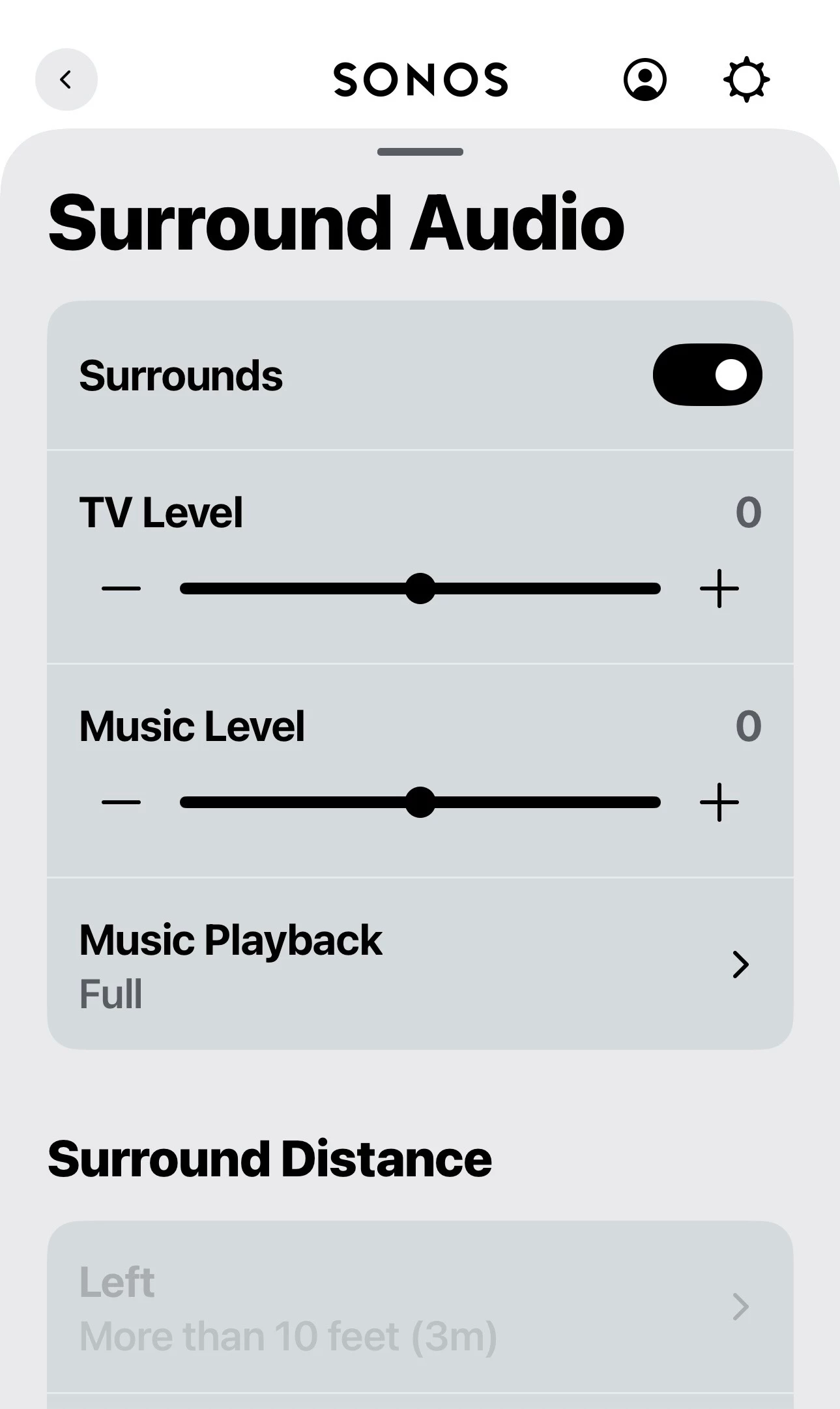
 Go to Settings / ( Room name) / scroll down to Surround Audio.  You get a +/- 15Db adjustment.
 

8 replies

MoPac
Headliner III
March 2, 2026

 Open this page.


jgatie
March 2, 2026
RaiderAuthor
Contributor I
March 2, 2026

The speaker icon is missing now that mentioned it, it used to be there...…

What did I do to remove it and how do I get it back

MoPac
Headliner III
March 2, 2026

 Are you saying the small icon, circled in red, on my first screenshot is missing?  Do you only own the Ultra & the 100s?  If so, are the 100s being used as rear speakers for the Ultra?

 My guess is if someone only had one “Room” there would be no need for that icon.  Sounds like maybe you have one Room that is Ultra + 100s as surrounds.

MoPac
MoPacAnswer
Headliner III
March 2, 2026

 Go to Settings / ( Room name) / scroll down to Surround Audio.  You get a +/- 15Db adjustment.


RaiderAuthor
Contributor I
March 2, 2026

Yes the icon in red isn't there, I only have one room with ultra, sub 4 and 100's as surrounds.


Stanley_4
Grand Maestro
March 2, 2026

With only one Room there is no purpose to showing an icon used for Grouping multiple Rooms. 

RaiderAuthor
Contributor I
March 2, 2026

Gotcha, makes sense 👍

I figured out how to raise the volume on the surrounds only, thanks.
