Answered

separate volume control for surrounds?

  • March 2, 2026
  • 8 replies
  • 49 views

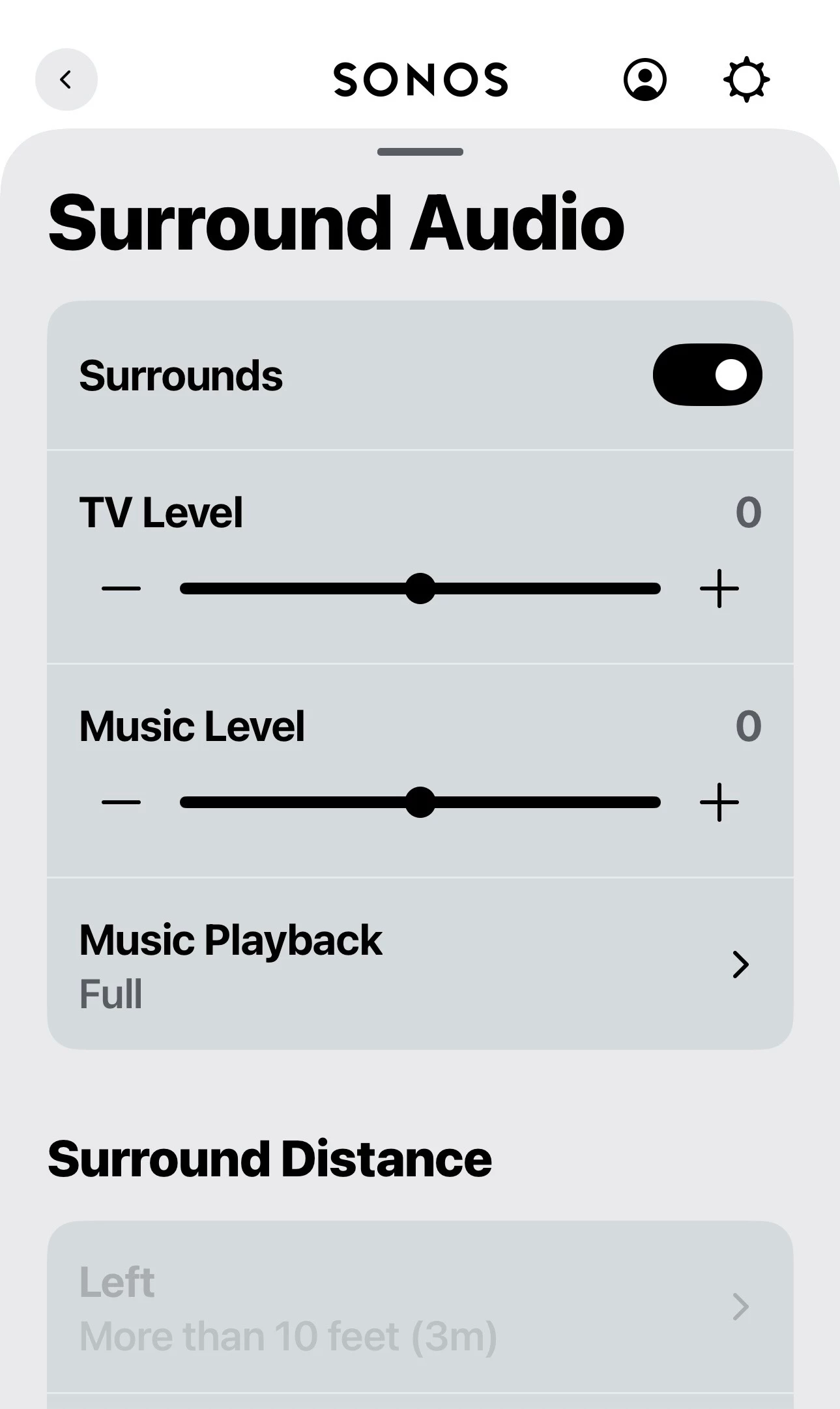
How can I raise the volume on my era 100's while not raising the volume on my arc ultra?

Best answer by MoPac

 Go to Settings / ( Room name) / scroll down to Surround Audio.  You get a +/- 15Db adjustment.


8 replies

MoPac
Forum|alt.badge.img+19
  • Headliner III
  • March 2, 2026

 Open this page.


jgatie
  • March 2, 2026

  • Author
  • Contributor I
  • March 2, 2026

The speaker icon is missing now that mentioned it, it used to be there...…

What did I do to remove it and how do I get it back


MoPac
Forum|alt.badge.img+19
  • Headliner III
  • March 2, 2026

 Are you saying the small icon, circled in red, on my first screenshot is missing?  Do you only own the Ultra & the 100s?  If so, are the 100s being used as rear speakers for the Ultra?

 My guess is if someone only had one “Room” there would be no need for that icon.  Sounds like maybe you have one Room that is Ultra + 100s as surrounds.


MoPac
Forum|alt.badge.img+19
  • Headliner III
  • Answer
  • March 2, 2026

 Go to Settings / ( Room name) / scroll down to Surround Audio.  You get a +/- 15Db adjustment.


  • Author
  • Contributor I
  • March 2, 2026

Yes the icon in red isn't there, I only have one room with ultra, sub 4 and 100's as surrounds.


Stanley_4
  • Grand Maestro
  • March 2, 2026

With only one Room there is no purpose to showing an icon used for Grouping multiple Rooms. 


  • Author
  • Contributor I
  • March 2, 2026

Gotcha, makes sense 👍

I figured out how to raise the volume on the surrounds only, thanks.