This topic has been closed for further comments. You can use the search bar to find a similar topic, or create a new one by clicking Create Topic at the top of the page.

8 replies

UKMedia
August 5, 2024

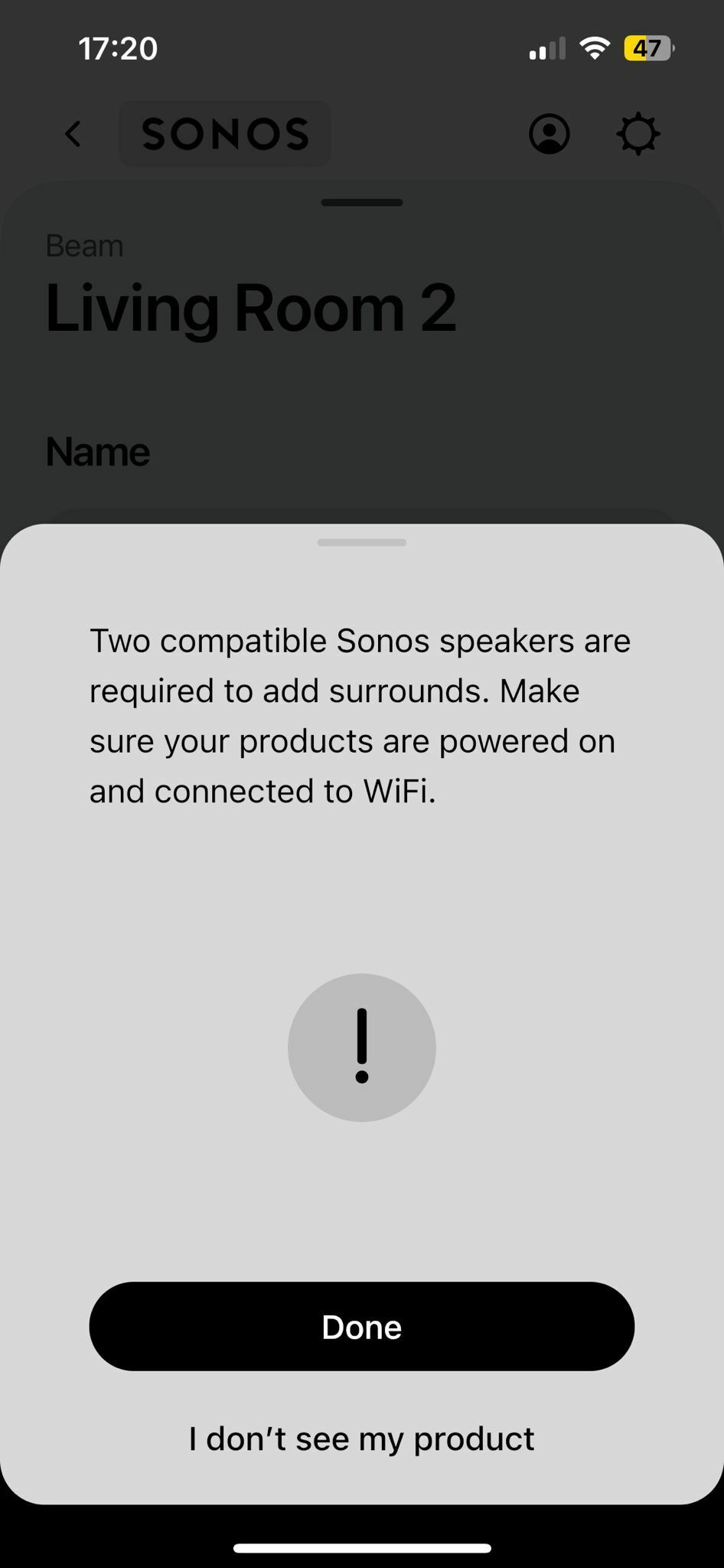
That screen shot is the Sonos App screen for adding Rear Surround Speakers to a home theatre system, nothing to do with Volume Control.

Can you confirm the TV Make and Model and if your Sonos App can adjust the TV Volume?

Remember: Sometimes Red Wine helps :)
JeevanAuthor
Contributor I
August 6, 2024

I can adjust the volume in the app but when I turn on the tv only beam working with tv not surround speaker, after i make the setting then only working together with beam help me plz .

JeevanAuthor
Contributor I
August 6, 2024

When I add the surround speakers with beam got the message like that 

Prodigy III
August 6, 2024

What speakers are you trying to set up as surrounds? Are they identical speakers?

JeevanAuthor
Contributor I
August 6, 2024

Sonos one sl 

UKMedia
August 6, 2024

Sonos one sl 

This is a compatible device but you need two to add as rear surrounds

Remember: Sometimes Red Wine helps :)
JeevanAuthor
Contributor I
August 6, 2024

Yeah, as you said I was trying connect two Sonos one sl but it’s say ( two compatible Sonos speakers required to add surrounds. Make sure your products are power on and connected to WiFi.

UKMedia
August 6, 2024

Yeah, as you said I was trying connect two Sonos one sl but it’s say ( two compatible Sonos speakers required to add surrounds. Make sure your products are power on and connected to WiFi.

Please factory reset the two surround speakers and retry.
Remember: Sometimes Red Wine helps :)
